
Introduction
This manual provides essential information for setting up, operating, maintaining, and troubleshooting your iBUYPOWER Slate MESH Gaming PC, model SMI9N57T01. Please read this guide thoroughly before using your new computer to ensure proper functionality and longevity.
Setup
1. Unboxing and Inspection
Carefully remove the PC and all accessories from the packaging. Inspect for any signs of damage during transit. Retain all packaging materials for future transport or warranty claims.
2. Connecting Peripherals
Connect your monitor, keyboard, mouse, and other peripherals to the appropriate ports on the rear and top of the PC.
- Monitor: Connect your monitor to the graphics card's HDMI or DisplayPort outputs. Ensure it is connected to the dedicated graphics card (NVIDIA GeForce RTX 5070Ti), not the motherboard's integrated graphics ports.
- Keyboard and Mouse: Connect the included iBUYPOWER gaming keyboard and mouse to any available USB ports.
- Power: Connect the power cable to the PC's power supply unit (PSU) and then to a grounded electrical outlet.
- Network: For wired internet, connect an Ethernet cable to the RJ-45 port. For wireless internet, ensure the Wi-Fi antennas (if included) are attached.

The iBUYPOWER Slate MESH Gaming PC features a sleek design with multiple RGB fans visible through the tempered glass side panel, providing both aesthetics and cooling. This image shows the PC connected to a monitor and other peripherals, ready for use.

Conveniently located on the top of the PC, the I/O ports provide easy access for connecting accessories and peripherals, including USB and audio jacks.
3. Initial Boot-Up
Press the power button on the front of the PC. The system will boot into Windows 11 Home. Follow the on-screen instructions to complete the initial Windows setup, including language, region, and user account creation.
Operating Your PC
1. Windows 11 Home
Your PC comes pre-installed with Windows 11 Home. Familiarize yourself with the operating system's interface, start menu, and settings. Regular updates are recommended for security and performance.
2. Gaming Performance
The iBUYPOWER Slate MESH Gaming PC is equipped with an Intel Core Ultra 9 285 CPU and an NVIDIA GeForce RTX 5070Ti 16GB GPU, providing high performance for gaming. Ensure your graphics drivers are up to date for optimal gaming experience. You can download the latest drivers from the NVIDIA official website.
3. RGB Lighting Control
The PC features customizable RGB lighting for the fans and accent lines. Specific software or physical buttons may be available to control these effects. Refer to the iBUYPOWER website or included documentation for detailed instructions on RGB customization.

The PC chassis includes customizable RGB accent lines that illuminate the system, allowing for personalized visual flair.

The iBUYPOWER Slate MESH Gaming PC comes with an RGB gaming keyboard and mouse, designed for responsive and comfortable gaming.
Maintenance
1. Cleaning
Regular cleaning helps maintain optimal performance and extends the lifespan of your PC.
- Exterior: Use a soft, damp cloth to wipe down the exterior surfaces. Avoid harsh chemicals.
- Dust: Periodically use compressed air to clear dust from the mesh panels, fan vents, and internal components. Ensure the PC is powered off and unplugged before cleaning. The mesh front panel is designed to improve airflow and reduce dust buildup inside the case.
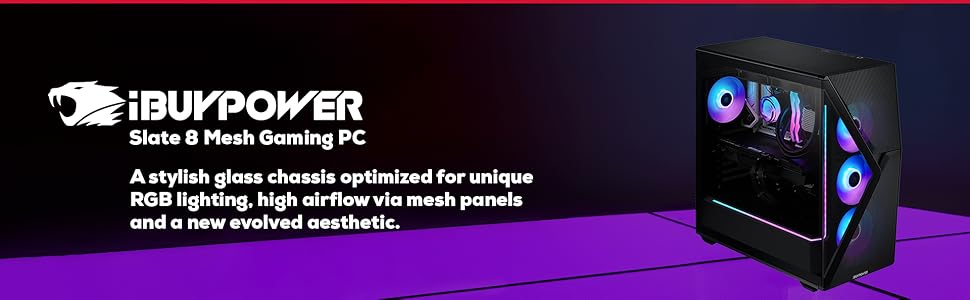
The iBUYPOWER Slate MESH Gaming PC features a glass and mesh blended front panel designed to enhance airflow and maintain optimal cooling for internal components.
2. Software Updates
Keep your operating system (Windows 11) and all drivers (especially graphics drivers) updated to ensure system stability, security, and performance. Windows Update can manage OS updates, while graphics drivers should be downloaded from the NVIDIA website.
3. System Backups
Regularly back up your important data to an external drive or cloud storage to prevent data loss.
Troubleshooting
Common Issues and Solutions
- No Power: Ensure the power cable is securely connected to both the PC and the wall outlet. Check the power switch on the PSU (located at the back of the PC). Try a different power outlet.
- No Display: Verify that the monitor is powered on and correctly connected to the graphics card's output. Ensure the monitor input source is set correctly. Try a different cable or monitor if possible.
- System Slowdown: Check for background applications consuming resources. Ensure drivers and Windows are updated. Monitor temperatures to prevent thermal throttling.
- Peripheral Not Working: Try connecting the peripheral to a different USB port. Reinstall or update the peripheral's drivers.
Contacting Support
If you encounter issues that cannot be resolved using the troubleshooting steps above, please contact iBUYPOWER customer support. Have your model number (SMI9N57T01) and purchase information ready.
Specifications
| Component | Specification |
|---|---|
| Brand | iBUYPOWER |
| Model Number | SMI9N57T01 |
| Operating System | Windows 11 Home |
| CPU Model | Intel Core Ultra 9 285 |
| CPU Speed | 2.5 GHz (up to 5.5 GHz boost) |
| Graphics Coprocessor | NVIDIA GeForce RTX 5070Ti |
| Graphics Card RAM | 16 GB GDDR6 |
| RAM Memory Installed Size | 32 GB DDR5 RGB 5200MHz |
| RAM Memory Maximum Size | 192 GB |
| Memory Storage Capacity | 2 TB NVMe SSD |
| Connectivity | 6 x USB 3.1, 1x RJ-45 Network Ethernet 10/100/1000, HDMI, DisplayPort, Bluetooth, Wi-Fi (802.11AC) |
| Audio | On board audio, 3.5mm audio jacks |
| Cooling Method | Water Cooling, aRGB Fans |
| Case Type | Tempered Glass RGB Gaming Case with Mesh Front Panel |
| Item Dimensions (L x W x H) | 20.1 x 8.66 x 19.4 inches |
| Item Weight | 36 Pounds |
| Included Peripherals | iBUYPOWER Gaming Keyboard & RGB Gaming Mouse |
Warranty and Support
Warranty Information
Your iBUYPOWER Slate MESH Gaming PC comes with a 1-Year Labor and 1-Year Manufacturer Warranty. This warranty covers defects in materials and workmanship under normal use. For specific terms and conditions, please refer to the warranty documentation included with your purchase or visit the official iBUYPOWER website.
Technical Support
For technical assistance, troubleshooting, or warranty claims, please visit the iBUYPOWER support website or contact their customer service department. Ensure you have your product model number (SMI9N57T01) and proof of purchase available when seeking support.

iBUYPOWER provides manufacturer support for their gaming PCs, ensuring assistance for customers.

All iBUYPOWER PCs undergo thorough testing and assembly processes to ensure quality and safety.