
Introduction
Thank you for purchasing the Growalleter 3-in-1 Mini Selfie Stick Tripod. This versatile device combines a selfie stick, a stable tripod, and a convenient Bluetooth remote control into a single, compact unit. It is designed to enhance your mobile photography and videography experience, making it ideal for vlogging, travel, live streaming, and capturing memorable moments with ease.
Please read this manual thoroughly before using the product to ensure proper operation and to maximize its features.
What's in the Box
- Growalleter 3-in-1 Mini Selfie Stick Tripod (Model: JJ02)
- Bluetooth Remote Control (integrated)
- User Manual
Product Overview

Figure 1: The Growalleter 3-in-1 Mini Selfie Stick Tripod in its compact, folded state, showcasing its portable design. The integrated Bluetooth remote is also visible.

Figure 2: Detailed diagram illustrating the rotating phone holder's capabilities, including 360-degree horizontal and vertical rotation, 225-degree tilt adjustment, and the cold shoe interface for attaching accessories like microphones or fill lights.

Figure 3: The integrated Bluetooth remote control can be easily removed from the handle for remote operation, offering flexibility for group photos or stable tripod shots.

Figure 4: Product dimensions illustrating the compact folded size (220mm for desktop stand mode) and the extended length (365mm for vertical selfie stick mode).
Setup
1. Pairing the Bluetooth Remote Control
- Remove the Bluetooth remote control from the handle of the selfie stick (refer to Figure 3).
- Press and hold the button on the remote control for 3-5 seconds until the indicator light starts blinking, indicating it is in pairing mode.
- On your smartphone, navigate to Settings > Bluetooth.
- Turn on Bluetooth and search for available devices.
- Select "AB Shutter3" or a similar name from the list of devices to pair.
- Once paired, the indicator light on the remote will stop blinking and remain solid or turn off, depending on the model.
- The remote is now ready to use for capturing photos or starting/stopping video recording.
2. Attaching Your Phone
- Gently pull open the phone clamp.
- Insert your smartphone into the clamp, ensuring it is securely held. The clamp is designed to accommodate smartphones up to 3.5 inches wide.
- Adjust the phone's position within the clamp to ensure it is centered and balanced.
Operating Instructions
1. Selfie Stick Mode
- Ensure the tripod legs are folded and secured into the handle.
- Extend the telescopic rod to your desired length. The stick extends up to 14.4 inches.
- Hold the handle firmly and position your phone for the desired shot.
- Use the Bluetooth remote control to capture photos or start/stop video recording.
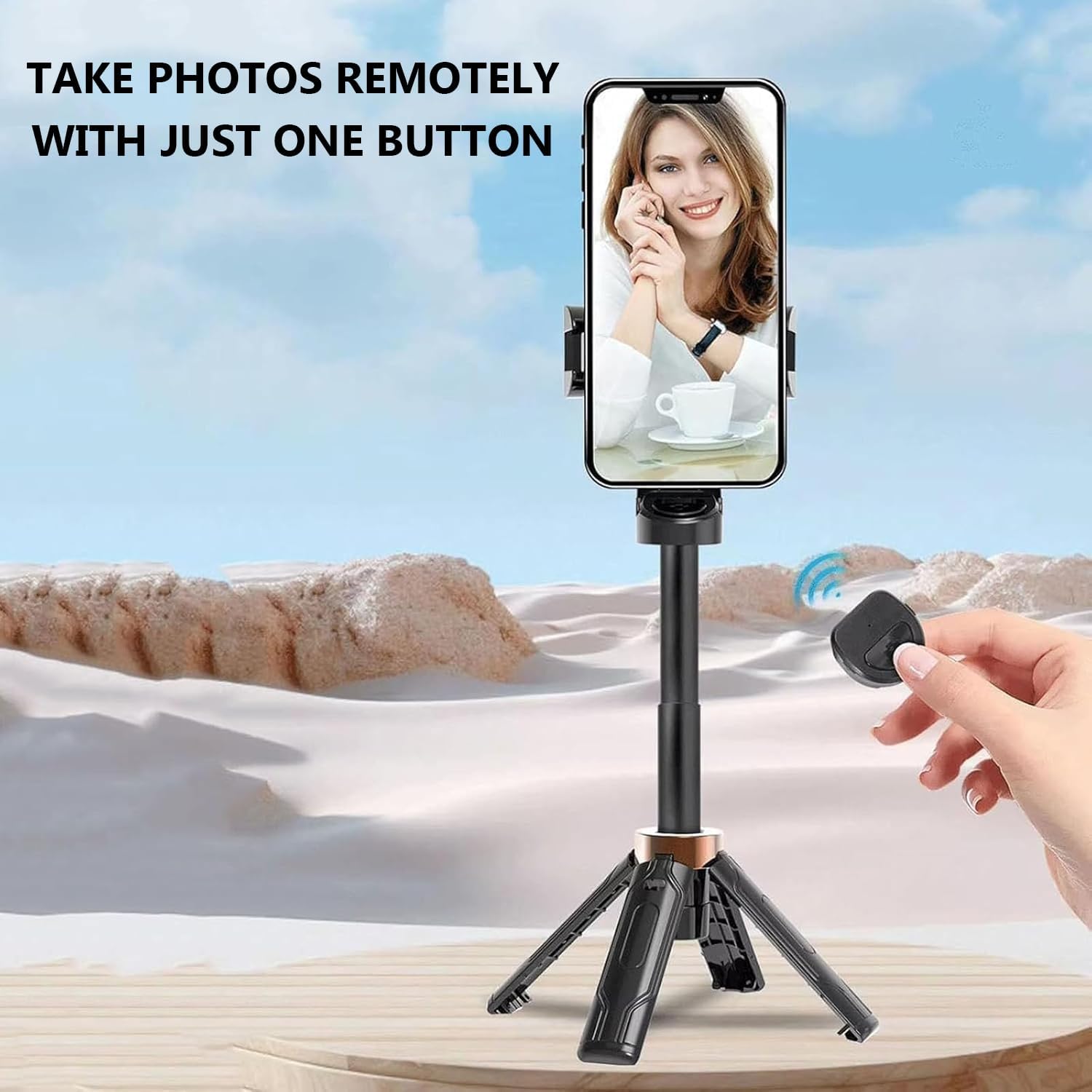
Figure 5: Demonstrating the use of the Bluetooth remote control to capture photos while the phone is mounted on the extended selfie stick.
2. Tripod Mode
- From the folded position, gently pull the bottom part of the handle downwards to deploy the three tripod legs.
- Ensure the legs are fully extended and stable on a flat surface. The tripod can support up to 4.4 lbs of gear.
- Extend the telescopic rod to adjust the height as needed.
- Use the Bluetooth remote control to operate your phone from a distance.

Figure 6: The selfie stick transformed into a stable mini tripod, perfect for hands-free recording or photography.
3. Adjusting Angles
- Rotation: The phone holder features a 360-degree rotatable ball head, allowing you to switch between horizontal (landscape) and vertical (portrait) shooting orientations seamlessly. Simply rotate the phone holder to the desired angle.
- Tilt: The mount offers a 225-degree tilt adjustment. Loosen the adjustment knob (if present, or apply gentle force if friction-based) to tilt your phone up or down to achieve the perfect shooting angle. Tighten the knob to secure the position.

Figure 7: The 360-degree rotating design allows for quick and easy switching between horizontal and vertical shooting modes.
4. Daily Use and Features Demonstration
Video 1: This video demonstrates the various ways the Growalleter Mini Selfie Stick Tripod can be used in daily scenarios, showcasing its versatility as a handheld selfie stick, a stable tripod, and its compatibility with external accessories like lights and microphones. It highlights the ease of switching between modes and the convenience of the remote control.
Maintenance
- Cleaning: Wipe the product with a soft, dry cloth. Do not use abrasive cleaners or solvents.
- Storage: Store the selfie stick tripod in a cool, dry place away from direct sunlight and extreme temperatures.
- Battery: The Bluetooth remote control uses a small button cell battery. If the remote stops responding, replace the battery. Ensure proper disposal of old batteries.
- Water Exposure: While designed for outdoor use, avoid submerging the product in water. It has a water-resistant coating but is not waterproof.
Troubleshooting
- Q: The Bluetooth remote control won't pair with my phone.
- A:
- Ensure the remote control is fully charged or has a fresh battery.
- Make sure Bluetooth is enabled on your phone.
- Keep the remote control within 33 feet (10 meters) of your phone.
- Forget the device in your phone's Bluetooth settings and try pairing again.
- Restart both your phone and the remote control.
- Q: My phone doesn't fit in the clamp.
- A: The phone clamp is designed for smartphones up to 3.5 inches wide. Please check your phone's dimensions. Remove any bulky phone cases if necessary.
- Q: The tripod is unstable.
- A: Ensure all three legs are fully extended and locked into place. Place the tripod on a flat, stable surface. Avoid extending the telescopic rod too high if the surface is uneven or windy.
Specifications
| Product Name | 3-in-1 Mini Selfie Stick Tripod |
| Brand | Growalleter |
| Model | JJ02 |
| Folded Dimensions | 2.16 x 1.26 x 4.33 inches (approx. 5.5 x 3.2 x 11 cm) |
| Extended Length | Up to 14.4 inches (approx. 36.5 cm) |
| Weight | 116g (approx. 4.09 oz) |
| Material | Zinc Alloy |
| Bluetooth Remote Range | Up to 33 feet (10 meters) |
| Phone Clamp Width | Up to 3.5 inches |
| Rotation Angle | 360 degrees (horizontal/vertical) |
| Tilt Angle | 225 degrees |
| Max Load Capacity (Tripod) | 4.4 lbs |
| Compatibility | iOS, Android smartphones, DSLR cameras (with Bluetooth remote) |
Warranty and Support
Growalleter products are manufactured with high-quality materials and undergo strict quality control. For warranty information, technical support, or any inquiries regarding your product, please refer to the contact information provided on the product packaging or visit the official Growalleter website. Please retain your proof of purchase for warranty claims.