
1. Introduction
This manual provides essential instructions for the safe and effective use of your GUENZO K28 Bluetooth Modular Motorcycle Helmet. Please read this manual thoroughly before using the helmet to ensure proper operation, maintenance, and safety.
The GUENZO K28 helmet features a modular design, integrated Bluetooth 5.3 communication system, dual visors, and a comfortable, removable lining. It is designed for adult motorcycle, cruiser, touring, bicycle, and scooter riders.
2. Safety Information
Your safety is paramount. This helmet complies with the DOT FMVSS-218 safety standard and has obtained all necessary road traffic safety certifications in the United States. The helmet's high-strength ABS shell and EPS cushioning layer are designed to provide effective protection.
Always ensure the helmet is properly fitted and secured before riding. Regularly inspect the helmet for any signs of damage or wear that could compromise its protective capabilities.

Image 2.1: Helmet Material Layers. This image illustrates the internal construction of the helmet, showing the mesh cotton lining, EPS cushion layer, ABS high-strength plastic shell, and environmental protection paint, all contributing to DOT certification.
3. Product Overview
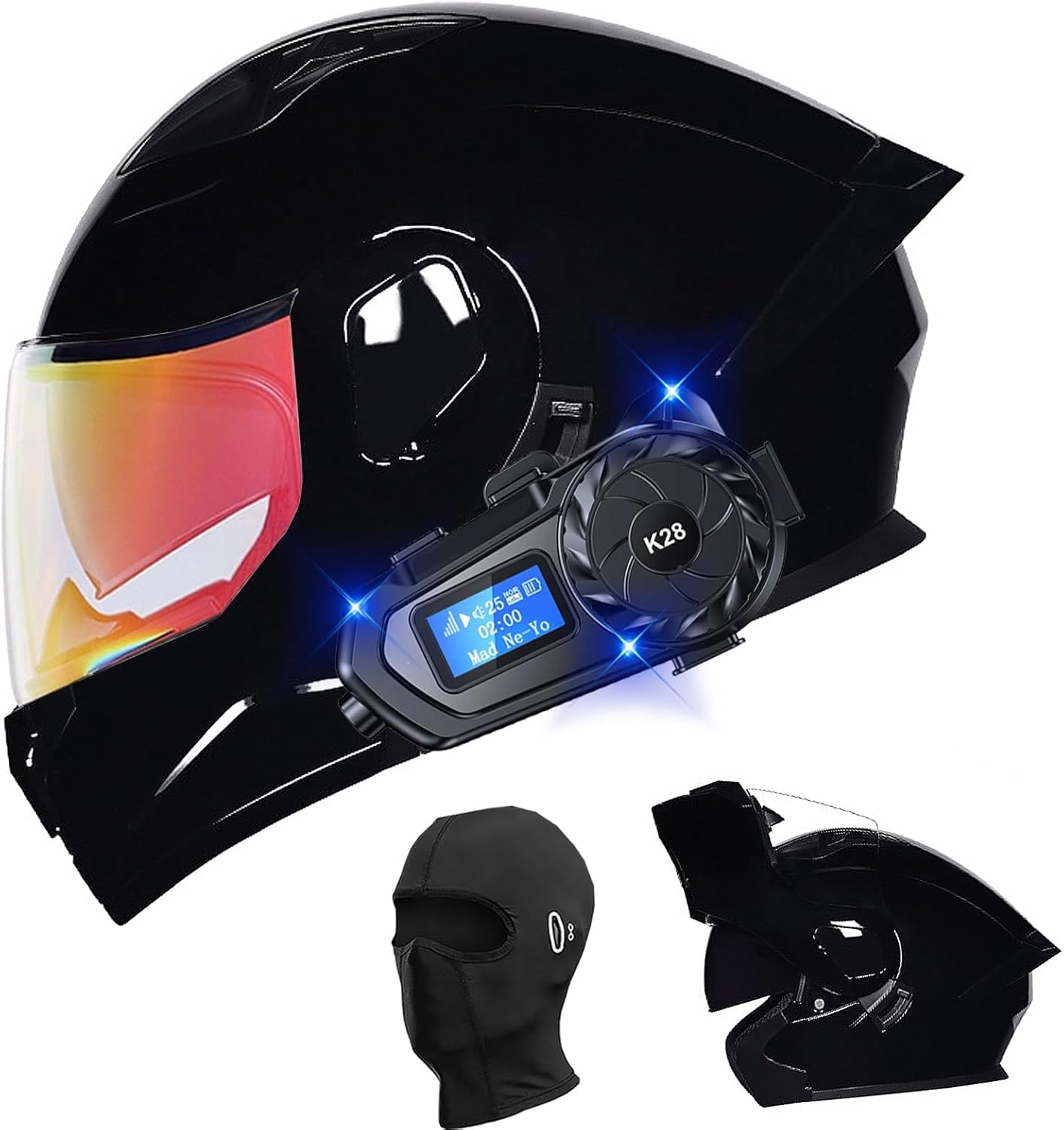
Image 3.1: GUENZO K28 Helmet. This image displays the full helmet with the attached K28 Bluetooth communication unit and an included balaclava.
3.1 Helmet Features
- Modular Design: Flip-up functionality for convenience.
- Dual Visor System: Includes an HD outer lens and a built-in retractable sun visor for varying light conditions.
- Aerodynamic Design: Engineered to reduce air resistance and noise during riding.
- Ventilation System: Features top, tail, and mouth vents for improved airflow and comfort.
- Comfortable Lining: Soft, breathable, completely removable, and washable inner lining and seat cushion.
- Quick-Release Buckle: For easy and secure fastening.
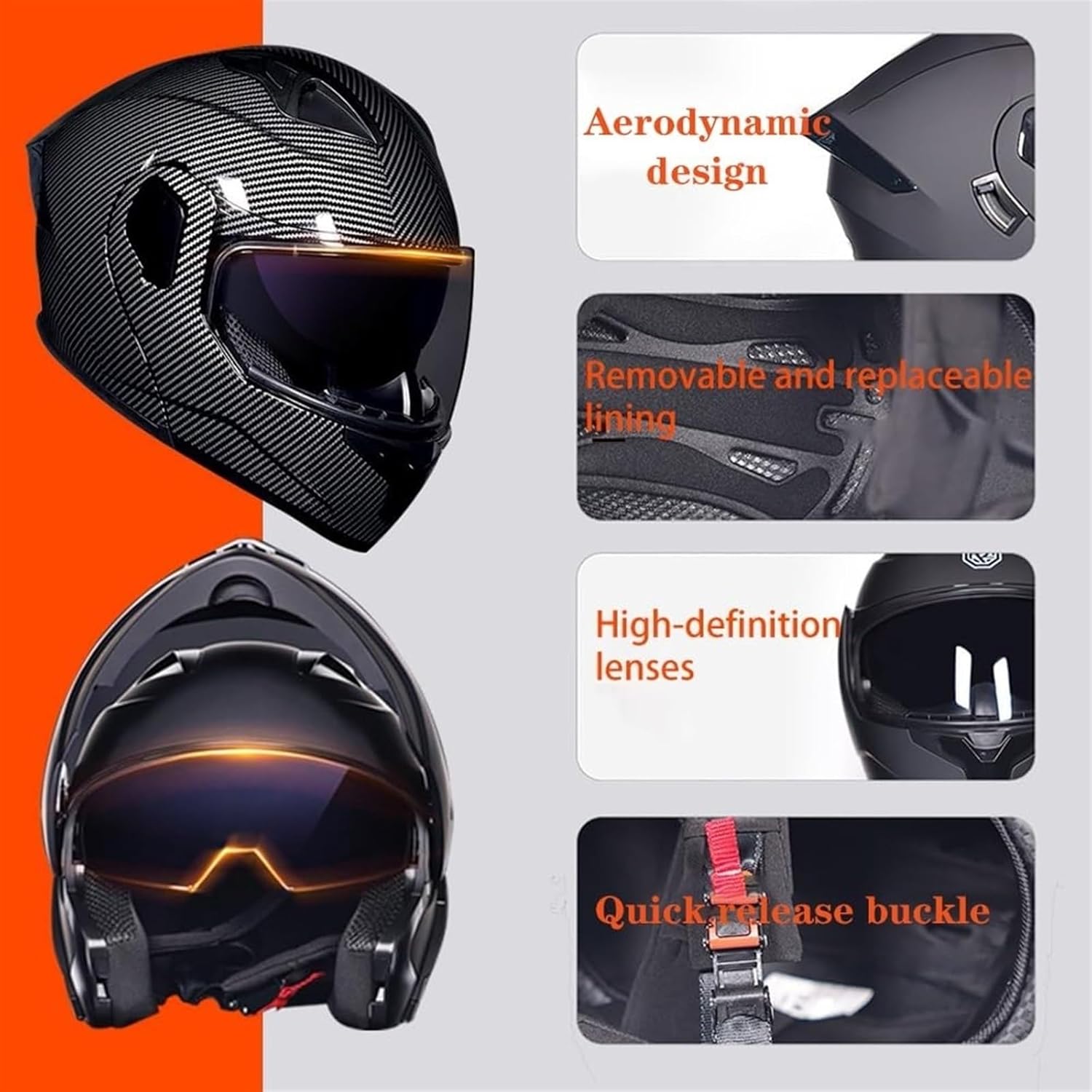
Image 3.2: Helmet Design Elements. This image highlights key features such as the aerodynamic shape, removable and replaceable lining, high-definition lenses, and the quick-release buckle system.

Image 3.3: Dual Visor System. This image details the helmet's HD outer lens and the built-in retractable sunglasses, providing versatility for day and night riding.
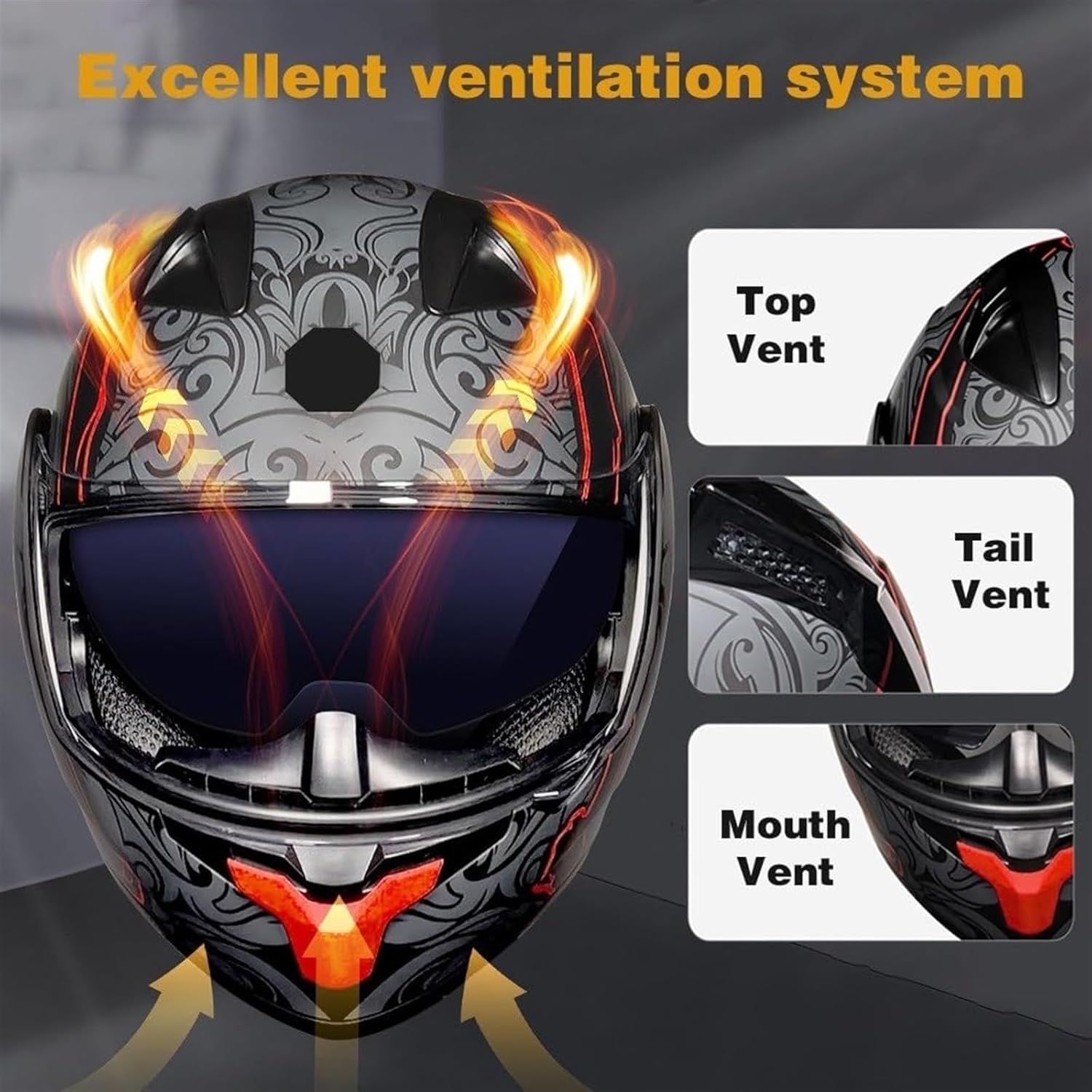
Image 3.4: Ventilation System. This image shows the strategic placement of the top, tail, and mouth vents designed to provide excellent air circulation within the helmet.
3.2 Bluetooth Communication Unit (K28)
- Bluetooth 5.3 Technology: Ensures low power consumption, stable connection, and low latency.
- Long Battery Life: 1000mAH capacity provides approximately 21 hours of usage.
- Fast Charging: Supports quick charging.
- IP56 Rated: Dust and water resistant for reliable performance in various weather conditions.
- Integrated LED Lighting: For added visibility or utility.
- EQ Sound Effects: Six preset personalized sound effects (natural, classical, rock, jazz, pop, country).
- HD LCD Digital Display: Provides clear information.

Image 3.5: K28 Bluetooth Unit Features. This image details the advanced features of the K28 Bluetooth unit, including its 1000mAH battery, Bluetooth 5.3 chip, IPX6 deep waterproofing, and LED lighting.
4. Setup
4.1 Helmet Sizing
To ensure optimal safety and comfort, select the correct helmet size. Measure your head circumference according to the method provided in the size table below. If the fit is not ideal after purchase, contact support for assistance with inner lining replacement.
| Size | Head Circumference (Inches) | Head Circumference (CM) |
|---|---|---|
| M | 22.44 ~ 22.83 | 57 ~ 58 |
| L | 23.22 ~ 23.62 | 59 ~ 60 |
| XL | 24 ~ 24.4 | 61 ~ 62 |
| XXL | 24.8 ~ 25.2 | 63 ~ 64 |
4.2 Package Contents
Verify that all items are present in the package:
- Motorcycle helmet (x1)
- Bluetooth headset (K28 host, speaker microphone, clip base) (x1)
- Velcro installation package (x1)
- Type-C charging cable (x1)
- User manual (x1)

Image 4.1: Bluetooth Unit Controls and Package Contents. This image illustrates the various controls on the K28 Bluetooth unit and lists the components included in the package, such as the K28 host, speaker microphone, clip base, Velcro installation package, Type-C charging cable, and user manual.
4.3 Bluetooth Unit Installation & Charging
- Attach the K28 Bluetooth host to the side of the helmet using the provided clip base and Velcro installation package. Ensure it is securely fastened.
- Connect the speaker microphone to the designated port on the K28 host and position the speakers inside the helmet's ear pockets, and the microphone near your mouth.
- Before first use, fully charge the Bluetooth unit using the Type-C charging cable. Connect the cable to the charging port on the K28 unit and a suitable USB power source. The LCD digital display will indicate charging status.
5. Operating Instructions
5.1 Helmet Operation
- Flip-Up Mechanism: To open the modular front section, locate the release button (usually at the chin bar) and press it while lifting the front section upwards until it locks into place. To close, press the release button again and lower the front section until it securely latches.
- Outer Visor: The clear outer visor can be raised or lowered manually.
- Retractable Sun Visor: Use the slider mechanism (typically on the side or top of the helmet) to deploy or retract the internal sun visor.
- Ventilation: Open or close the top, tail, and mouth vents as needed for airflow.
5.2 Bluetooth Unit Operation
Refer to Image 4.1 for control button locations.
- Power On/Off: Press and hold the Power button (Play/Pause/Answer/Hang up) until the LCD display illuminates/shuts off.
- Bluetooth Pairing: With the unit powered on, activate Bluetooth on your mobile device and search for 'K28'. Select it to pair. The LCD display will confirm connection.
- Play/Pause: Short press the Power button.
- Volume Up: Rotate the main dial clockwise.
- Volume Down: Rotate the main dial counter-clockwise.
- Next Song: Rotate the main dial clockwise and hold briefly.
- Previous Song: Rotate the main dial counter-clockwise and hold briefly.
- Answer/Hang Up Call: Short press the Power button.
- Voice Assistant: Press the Voice Assistant button to activate your device's voice assistant.
- LED Lighting: Short press the light button to turn the integrated LED light on or off.
- EQ Sound Effects: Press the Lighting/EQ Sound Effect button to cycle through the 6 preset sound effects (natural, classical, rock, jazz, pop, country).
6. Maintenance
6.1 Helmet Cleaning
- Outer Shell: Clean the helmet's exterior with a soft cloth, mild soap, and water. Avoid abrasive cleaners or solvents that could damage the finish or materials.
- Visors: Clean visors with a soft, damp cloth and mild soap. Do not use harsh chemicals. Allow to air dry.
- Inner Lining: The inner lining is completely removable and washable. Remove the lining and hand wash with mild soap and water, or machine wash on a gentle cycle. Air dry thoroughly before reinserting into the helmet.
6.2 Bluetooth Unit Care
- Wipe the unit with a dry or slightly damp cloth. Do not immerse in water.
- Ensure the charging port cover is securely closed when not charging to maintain IP56 water resistance.
- Store the unit in a cool, dry place when not in use.
7. Troubleshooting
- Bluetooth not connecting: Ensure the K28 unit is powered on and fully charged. Check that Bluetooth is enabled on your mobile device and that the unit is in pairing mode. Try restarting both devices.
- No sound from speakers: Verify that the speaker microphone is correctly connected to the K28 unit. Check the volume levels on both the K28 unit and your paired device.
- Short battery life: Ensure the unit is fully charged before each use. Battery performance can degrade over time with repeated charge cycles.
- Helmet fit issues: Refer to the sizing chart in Section 4.1. If the helmet feels too loose or too tight, contact customer support for assistance with inner lining replacement.
8. Specifications
8.1 Helmet Specifications
- Weight: 1400g
- Material: Sturdy and durable ABS shell, High-strength EPS buffer layer
- Outer Material: Plastic
- Application: Unisex, Four Seasons General
- Safety Standard: DOT FMVSS-218, ECE Approved
8.2 Bluetooth Specifications (K28 Unit)
- Bluetooth Chip: 5.3
- Battery Capacity: 1000mAH
- Battery Life: Approximately 21 hours
- Charging: Fast charging via Type-C
- Water Resistance: IP56 dust and water resistant
- Display: HD LCD digital display
- Additional Features: Flashlight lighting, EQ personalized sound effects (6 presets)
9. Warranty and Support
GUENZO is committed to providing high-quality products. While specific warranty details are not provided in this manual, we offer a professional service team to assist you.
If you have any questions or require assistance before purchase or after use, please email our support team. We aim to reply within 12 hours and provide the best possible solution.
For further information or to contact support, please visit the GUENZO Store on Amazon.