
Philips QP2824/31
Philips OneBlade 360 Face + Body User Manual
Model: QP2824/31
1. Important Safety Information
Please read all instructions carefully before using the Philips OneBlade 360 Face + Body. Keep this manual for future reference.
- Warning: Do not use the device if it is defective.
- Clean the device regularly to prevent bacteria formation.
- Avoid contact with eyes and sensitive skin areas.
- Do not use the device while it is charging.
2. Product Overview
The Philips OneBlade 360 Face + Body is a versatile hybrid grooming tool designed to trim, edge, and shave hair of any length on both your face and body. Its unique OneBlade technology combines a fast-moving cutter (12,000 movements per minute) with a dual protection system, featuring a gliding coating and rounded tips, for a comfortable and efficient experience.

Figure 2.1: Philips OneBlade 360 Face + Body and included accessories (device, 360 blades, beard combs, body comb, skin guard, USB-A charging cable).
Key Features:
- OneBlade Technology: Fast-moving blade (12,000 per minute) effective on long hair, with a dual protection system for comfort.
- Innovative 360 Blade: Flexes in all directions to maintain constant skin contact, allowing easy trimming and shaving even in hard-to-reach areas with fewer passes.
- Designed for Hair, Not Skin: Trims beard to an even length with 3 stubble combs (1, 3, 5 mm). Creates perfect edges with the dual-sided blade.
- Body Grooming: Shave and trim body hair in any direction with the click-on body comb (3 mm) and skin protection system for sensitive areas.
- USB-A Charging: Conveniently recharge at home or on the go (power adapter not included).
3. Setup
3.1 Charging the Device
Before first use, fully charge your Philips OneBlade. The device can be charged using the provided USB-A charging cable.
- Insert the small end of the USB-A charging cable into the charging port at the bottom of the OneBlade handle.
- Connect the USB-A end of the cable to a compatible USB power adapter (not included) or a USB port on a computer.
- The charging indicator light on the handle will illuminate to show that the device is charging.
- A full charge typically takes approximately 8 hours and provides up to 45 minutes of cordless use.

Figure 3.1: Connecting the USB-A charging cable to the Philips OneBlade.
3.2 Attaching/Detaching Combs and Blades
The OneBlade comes with various combs for different hair lengths and a skin guard for sensitive areas. Blades are designed for easy attachment and removal.
- To attach a comb: Align the comb with the blade and press it firmly until it clicks into place.
- To detach a comb: Gently pull the comb away from the blade.
- To attach a blade: Align the blade with the handle and push it until it clicks securely.
- To detach a blade: Press the release button on the back of the blade and pull it away from the handle.
4. Operating Instructions
The Philips OneBlade can be used wet or dry, with or without shaving foam/gel.
4.1 For Face
Use the OneBlade to trim, edge, and shave your facial hair.
- Trimming: Attach one of the beard combs (1, 3, or 5 mm) to achieve your desired stubble length. Move the OneBlade against the grain of your hair.
- Edging: Use the blade without a comb. Hold the OneBlade flat against your skin and move it slowly to create sharp lines and edges. The dual-sided blade allows for precise edging in any direction.
- Shaving: For a close shave, use the blade without a comb. Hold the OneBlade flat against your skin and move it in long, even strokes against the grain. The 360 blade adapts to your facial contours for a comfortable shave.
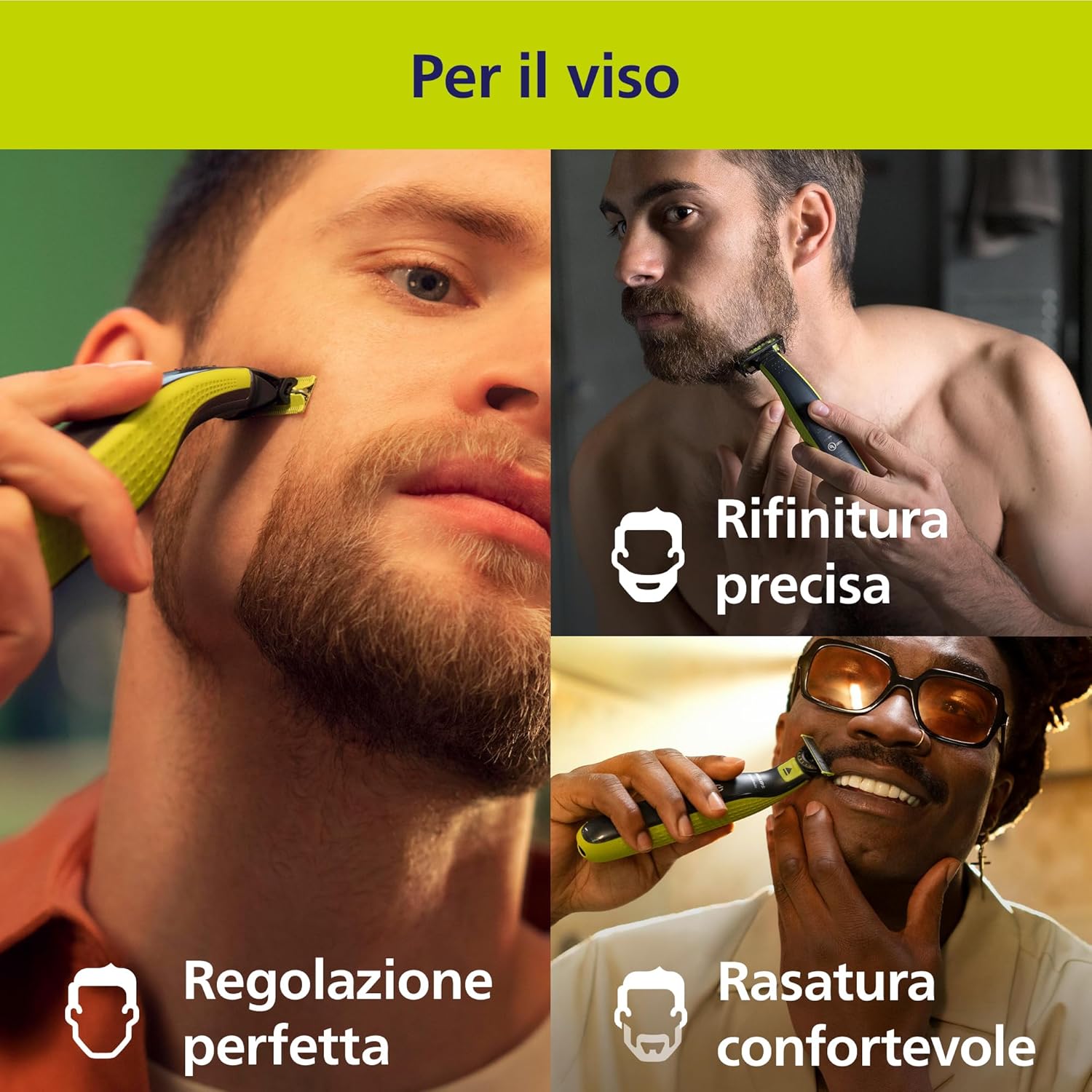
Figure 4.1: Trimming facial hair with Philips OneBlade.

Figure 4.2: Achieving precise lines and edges on the face.
4.2 For Body
The OneBlade is also suitable for grooming body hair, including sensitive areas.
- Trimming Body Hair: Attach the 3 mm body comb for an even trim. Move the OneBlade against the grain of your hair.
- Protecting Sensitive Areas: For extra protection on sensitive areas, attach the skin guard. This accessory helps prevent nicks and cuts.
- Shaving Body Hair: For a closer shave, use the blade without any attachments. Hold the OneBlade flat against your skin and move it in long, even strokes.
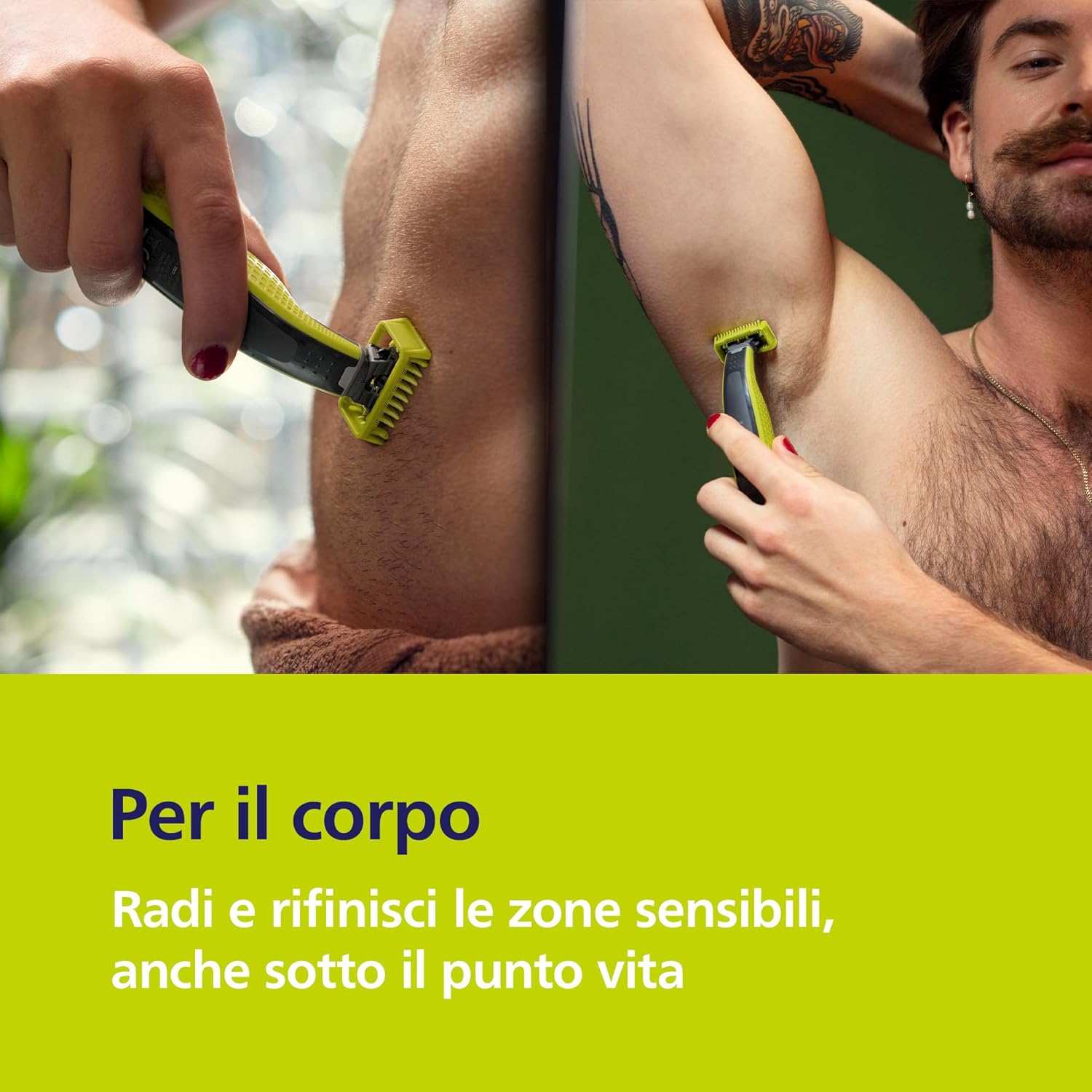
Figure 4.3: Using Philips OneBlade for underarm grooming.

Figure 4.4: Using Philips OneBlade for torso grooming.
5. Maintenance
5.1 Cleaning
Regular cleaning ensures optimal performance and hygiene of your OneBlade.
- After each use, rinse the blade and the device under warm running water.
- Shake off excess water and allow the device and blade to air dry completely before storing.
- Do not use abrasive cleaning agents or harsh chemicals, as these can damage the device.
5.2 Blade Replacement
For optimal shaving performance, it is recommended to replace the OneBlade blade every 4 months, or sooner if you notice reduced performance or discomfort.
- The blade features an indicator that gradually changes color to signal when it's time for a replacement.
- To replace the blade, detach the old blade by pressing the release button and pulling it off.
- Attach a new Philips OneBlade replacement blade by pushing it onto the handle until it clicks into place.
Figure 5.1: Replacing the Philips OneBlade blade.
6. Troubleshooting
If you encounter any issues with your Philips OneBlade, refer to the following common solutions:
- Device not turning on: Ensure the device is fully charged. If the battery is low, connect it to the charger.
- Reduced performance/pulling hair: The blade may be dull. Replace the blade with a new one. Ensure the blade is clean and free of hair debris.
- Irritation after shaving: Ensure you are using the OneBlade flat against the skin and moving it against the grain. Consider using the skin guard for sensitive areas. Ensure the blade is not dull.
- Charging issues: Check if the USB cable is properly connected to both the device and the power source. Try a different USB power adapter or port.
If the problem persists, please contact Philips customer support.
7. Specifications
| Feature | Specification |
|---|---|
| Model Number | QP2824/31 |
| Dimensions (Package) | 23.7 x 19 x 8.2 cm |
| Weight | 300 grams |
| Power Source | Battery (Rechargeable) |
| Blade Material | Stainless Steel |
| Number of Blades | 2 (included) |
| Color | Black |
| Country of Origin | Indonesia |
8. Warranty and Support
Philips products are designed and manufactured to the highest standards. For information regarding warranty coverage and customer support, please refer to the warranty card included in your product packaging or visit the official Philips website for your region.
You can also contact Philips customer service for assistance with product registration, troubleshooting, or spare parts.
Online Support: www.philips.com/support
Related documentsQP2824/31


Ask a question about this manual
Ask about setup, troubleshooting, compatibility, parts, safety, or missing instructions. Manuals+ will review the question and use this page’s manual context to help answer it.