
HAIOOU HO-TS004
HAIOOU TV Stand Instruction Manual
Model: HO-TS004
For 50-55 Inch TVs - Walnut Brown
1. Product Overview
The HAIOOU TV Stand is a modern entertainment center designed to accommodate televisions up to 55 inches. It features a sleek walnut brown finish, a robust metal frame base, and innovative push-to-open doors with soft-close hinges, providing both style and functionality for your living room or bedroom.
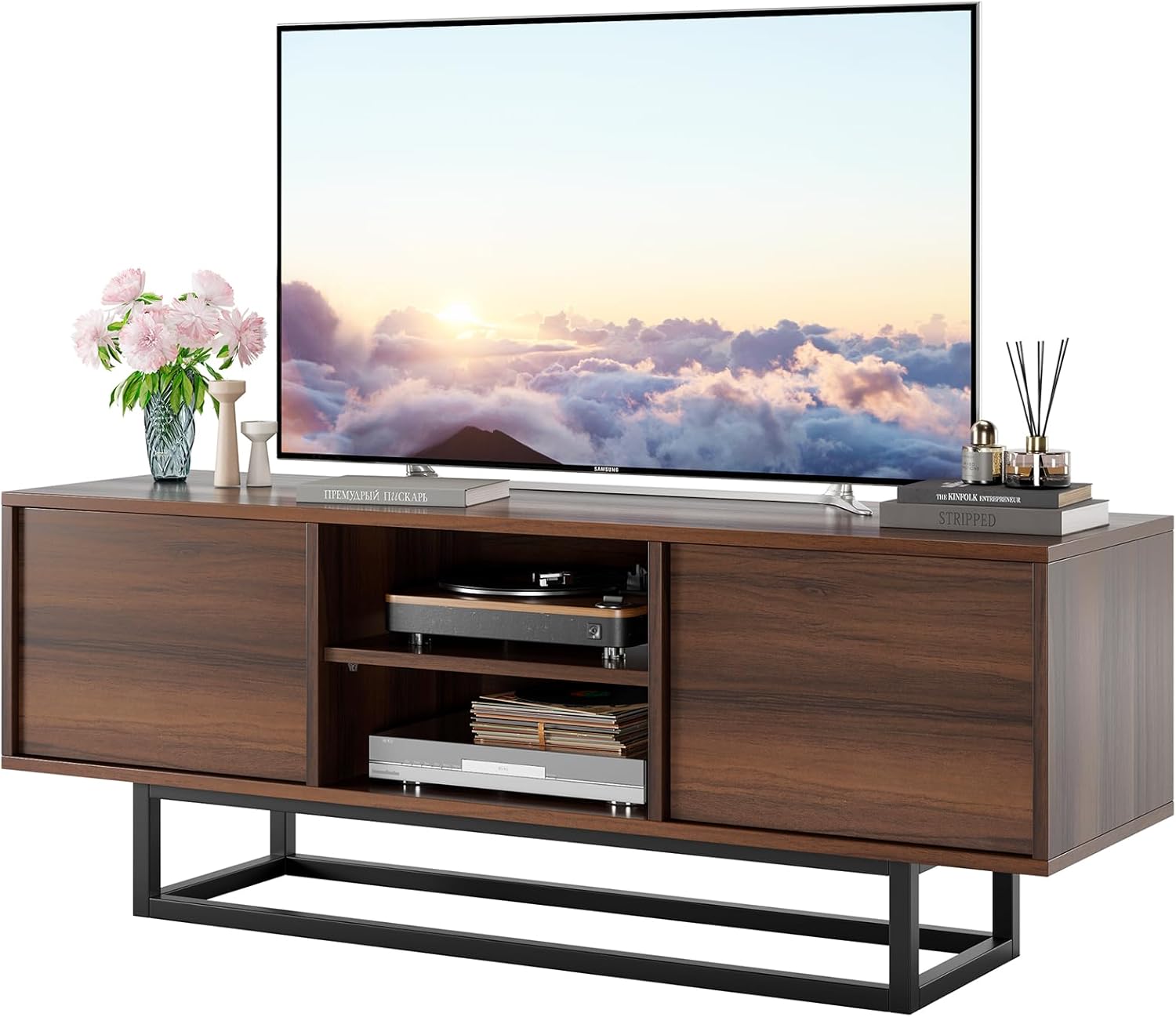
Figure 1.1: HAIOOU TV Stand (Walnut Brown) with a TV and decorative items.
2. Key Features
- Modern-Industrial Design: A unique blend of classic walnut brown finish with a robust metal frame base, offering a distinct aesthetic.
- Recessed Door Panel: Adds depth and visual appeal to the furniture.
- Sturdy Metal Frame Base: Engineered for durability and stability, allowing for easy movement and rearrangement without leg breakage concerns.
- Push-to-Open Design: Handleless doors provide a clean, integrated look. The mechanism is tested for over twenty thousand uses, with lifetime free replacement for the rebound device.
- Soft-Close Buffering Hinges: Ensures quiet and gentle door closure, preventing slamming and reducing the risk of pinch injuries.
- Compact Size: Measures 47.2" W x 13.8" D x 17.8" H, suitable for TVs up to 55 inches, ideal for apartments, living rooms, or bedrooms.
- Height Adjustable Shelf: The middle shelf can be adjusted to three different heights to accommodate various entertainment consoles, DVD players, video game consoles, and other media devices.
3. Specifications
| Attribute | Detail |
|---|---|
| Brand | HAIOOU |
| Model Number | HO-TS004 |
| Color | Walnut Brown |
| Material | Engineered Wood |
| Product Dimensions (L x W x H) | 47.2 x 13.7 x 15.7 inches |
| Item Weight | 39.6 pounds |
| Max Load (Tabletop) | 120 lbs |
| Max Load (Internal Shelf) | 30 lbs |
| Product Care Instructions | Wipe with Damp Cloth, Wipe with Dry Cloth |

Figure 3.1: Detailed dimensions and load capacities of the TV stand.
4. Safety Information
For indoor use only. Ensure all components are securely fastened before placing any items on the TV stand. Do not exceed the maximum load capacities for the tabletop (120 lbs) and internal shelf (30 lbs). Keep small parts away from children during assembly.
5. Setup and Assembly
The HAIOOU TV Stand is designed for straightforward assembly, typically taking approximately 45 minutes. All necessary screws, hardware, and boards are clearly labeled and correspond to the parts list in the included instruction manual. Follow the illustrated and text instructions step-by-step for a smooth assembly process.
Assembly Tips:
- Identify all parts and hardware before beginning.
- Assemble on a soft, clean surface to prevent scratches.
- Do not overtighten screws.
- Ensure the metal base is securely attached for stability.

Figure 5.1: Detail of the robust metal frame base, designed for durability.
6. Operating Instructions
Push-to-Open Doors:
The TV stand features handleless doors with a convenient push-to-open mechanism. To open a door, gently press on the center of the door panel. The door will spring open slightly, allowing you to pull it fully open. To close, simply push the door back into place until it clicks and holds securely.
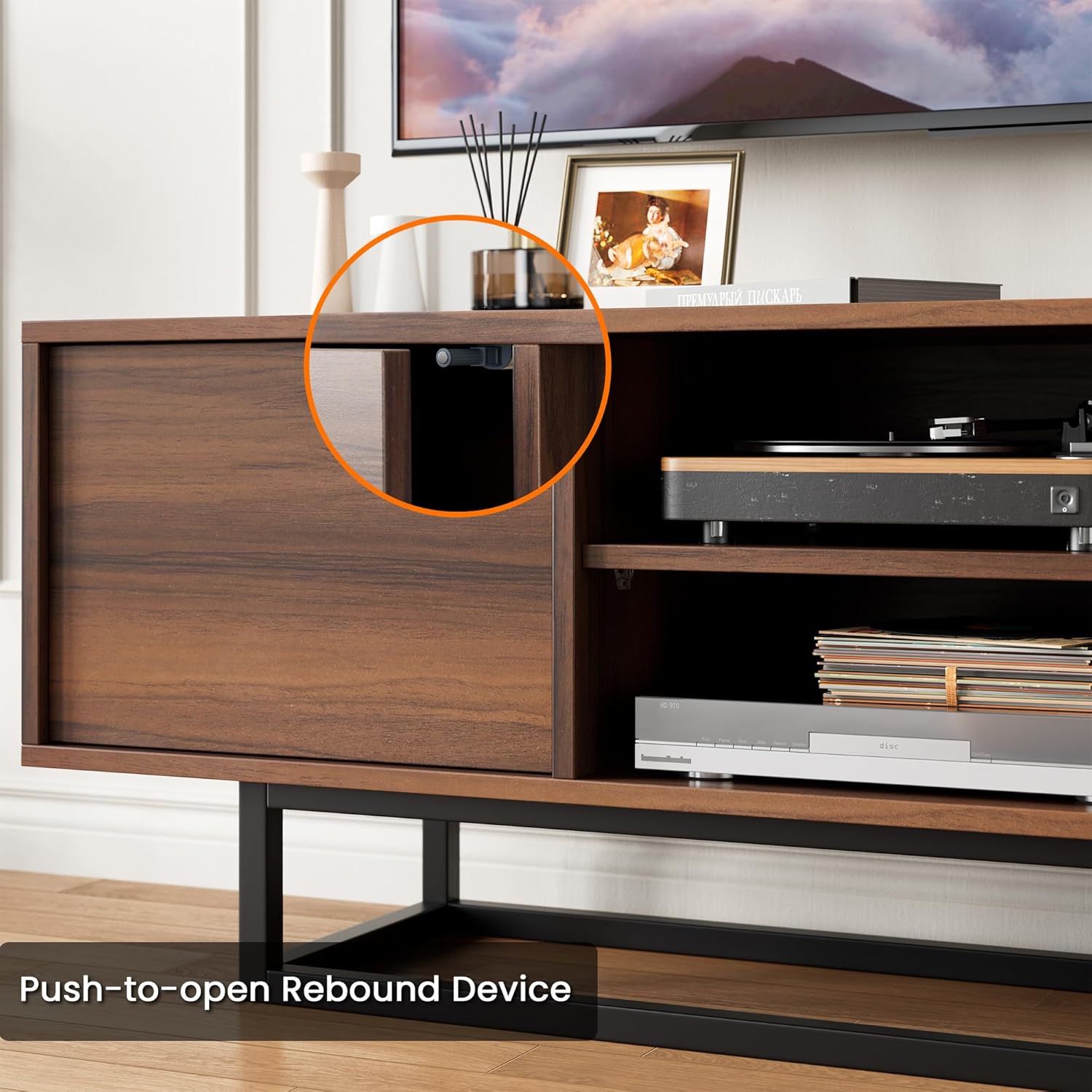
Figure 6.1: Demonstration of the push-to-open rebound device for seamless access.
Soft-Close Hinges:
The doors are equipped with soft-close buffering hinges. This technology ensures that the doors close gently and silently, preventing any loud banging noises and extending the lifespan of the hinges. Simply give the door a gentle push to initiate the soft-close action.
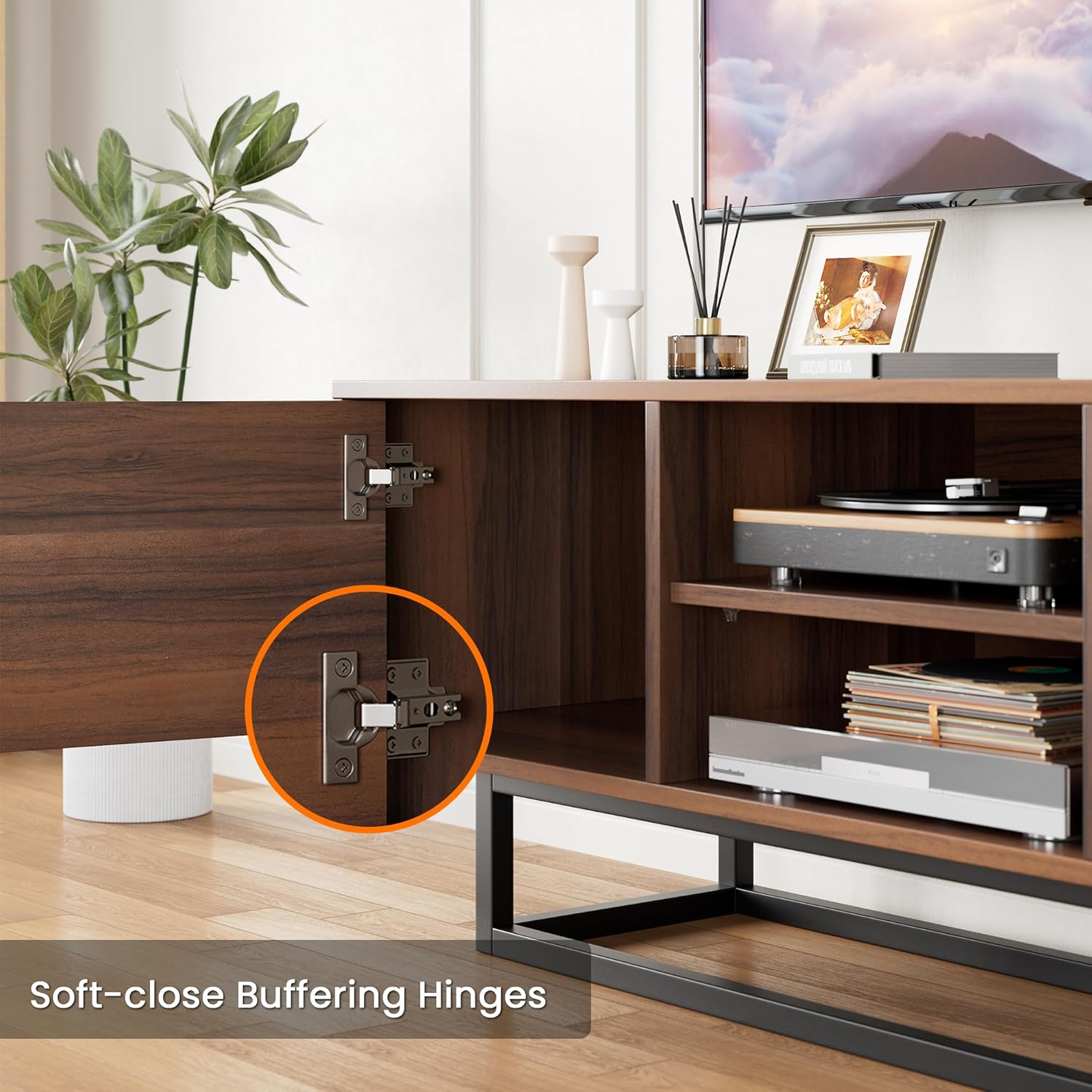
Figure 6.2: Soft-close hinges ensure quiet and safe operation.
Adjusting the Shelf Height:
The middle shelf of the TV stand is height-adjustable, offering three different positions to accommodate various media devices. To adjust, carefully remove the shelf, reposition the shelf pins to the desired height, and then reinsert the shelf securely.

Figure 6.3: The middle shelf offers three height adjustments for versatile storage.
Product Demonstration Video:
Video 6.1: A demonstration of the HAIOOU TV Stand's features, including the push-to-open doors and overall design.
7. Maintenance
To maintain the appearance and longevity of your HAIOOU TV Stand, follow these simple care instructions:
- For general cleaning, wipe the surfaces with a soft, damp cloth.
- Immediately follow with a dry cloth to remove any moisture and prevent water spots.
- Avoid using harsh chemicals, abrasive cleaners, or polishes that may damage the finish.
- Keep the TV stand away from direct sunlight and extreme temperature changes to prevent warping or fading.
8. Troubleshooting
If you encounter any issues with your HAIOOU TV Stand, please refer to the following common solutions:
- Wobbly Stand: Ensure all screws and fasteners are tightened. Check that the stand is on a level surface.
- Doors Not Closing/Opening Smoothly: Verify that the push-to-open mechanism is correctly installed and not obstructed. Check the soft-close hinges for any debris or misalignment.
- Missing Parts: If any parts were missing upon delivery, please contact customer support immediately for replacements.
For further assistance, please contact HAIOOU customer support.
9. Warranty and Support
HAIOOU is committed to providing high-quality products. For information regarding warranty coverage, product support, or to order replacement parts (such as the lifetime free replacement for the push-to-open rebound device), please visit the official HAIOOU website or contact our customer service team directly.
HAIOOU Customer Service:
- Website: Visit the HAIOOU Store on Amazon
- Refer to your purchase documentation for specific contact details.
Ask a question about this manual
Ask about setup, troubleshooting, compatibility, parts, safety, or missing instructions. Manuals+ will review the question and use this page’s manual context to help answer it.