
SOUYIE IDW28
SOUYIE Smart Watch User Manual
Model: IDW28 | Brand: SOUYIE
1. Introduction
Thank you for choosing the SOUYIE Smart Watch. This manual provides detailed instructions on how to set up, operate, and maintain your new smartwatch. Designed for both men and women, this 2025 model offers a 1.85-inch AI Voice Smartwatch experience with comprehensive health monitoring, fitness tracking, and smart communication features. Please read this manual carefully to ensure proper use and to fully utilize all functionalities.
2. What's in the Box
- 1 pcs Smart Watch
- 1 pcs User Manual
- 1 pcs TPU Silicone Strap
- 1 pcs USB Magnetic Charging Cable
3. Setup Guide
3.1 Initial Charging
Before first use, fully charge your SOUYIE Smart Watch. Connect the magnetic charging cable to the charging points on the back of the watch and plug the USB end into a standard USB power adapter (not included). A full charge typically takes about 2 hours. A 10-minute charge can provide up to 24 hours of use.
3.2 App Installation and Pairing
To unlock the full potential of your smartwatch, download the companion application on your smartphone. The watch supports BLE 5.3 Bluetooth version and is compatible with iOS 12.0+ and Android 6.0+ systems.
- Scan the QR code in the included user manual or search for the app name (usually indicated in the manual or on the watch screen) in your phone's app store (App Store for iOS, Google Play Store for Android).
- Install the application.
- Open the app and follow the on-screen instructions to create an account or log in.
- Enable Bluetooth on your smartphone.
- In the app, navigate to the 'Device' or 'Add Device' section.
- Select your SOUYIE Smart Watch (e.g., 'IDW28') from the list of available devices.
- Confirm the pairing request on both your phone and the watch.

Image: The SOUYIE Smart Watch displaying time and activity data, alongside a smaller image of the watch showing an incoming call from 'Amanda'. This illustrates the watch's display and call notification feature.
4. Operating Instructions
4.1 Health Monitoring System
The SOUYIE Smart Watch is equipped with advanced sensors to provide comprehensive health insights:
- Heart Rate Monitoring: The PPG sensor captures heart rate at 120Hz, enabling AI-powered arrhythmia alerts with 95% accuracy. Continuous 7-day reports are available in the app.
- Blood Oxygen (SpO2) Monitoring: Achieves ±2% precision, surpassing the industry standard.
- Sleep Tracking: Monitors sleep stages (deep, light, REM) with less than 10 minutes error, providing detailed analysis to improve rest quality.
- Stress Monitoring: Real-time intelligent monitoring helps visualize physical and mental stress, offering breathing exercises to adjust physical condition.
- Female Cycle Tracking: Intelligently predicts and records menstrual cycles, offering smart reminders and care.
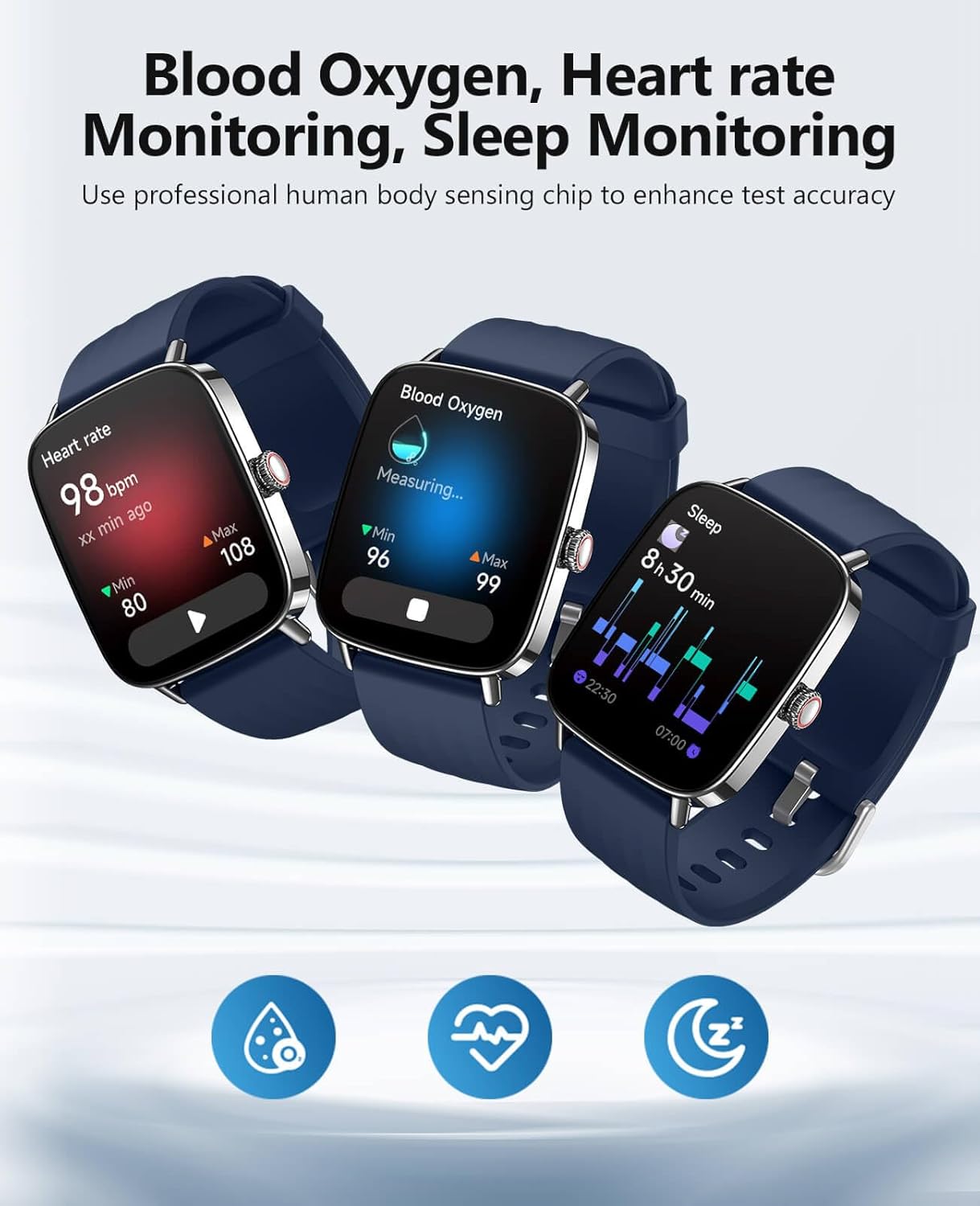
Image: Three SOUYIE smartwatches showcasing their health monitoring capabilities: one displays heart rate (98 bpm), another shows blood oxygen saturation (96-99%), and the third illustrates sleep tracking data (8h 30min). This highlights the watch's ability to monitor key health metrics.
4.2 Communication Features
Bluetooth Calling
With Bluetooth 5.3, you can answer, dial, and view call records directly from your wrist. Dual microphones enhance noise reduction, improving command recognition by 30% in noisy environments.
Video: This video demonstrates the SOUYIE Smart Watch's key features, including its various watch faces, Bluetooth calling functionality, AI voice assistant, health monitoring (blood oxygen, heart rate, sleep), sports modes, IP68 waterproofing, and message reminders. It provides a dynamic overview of the watch's capabilities.
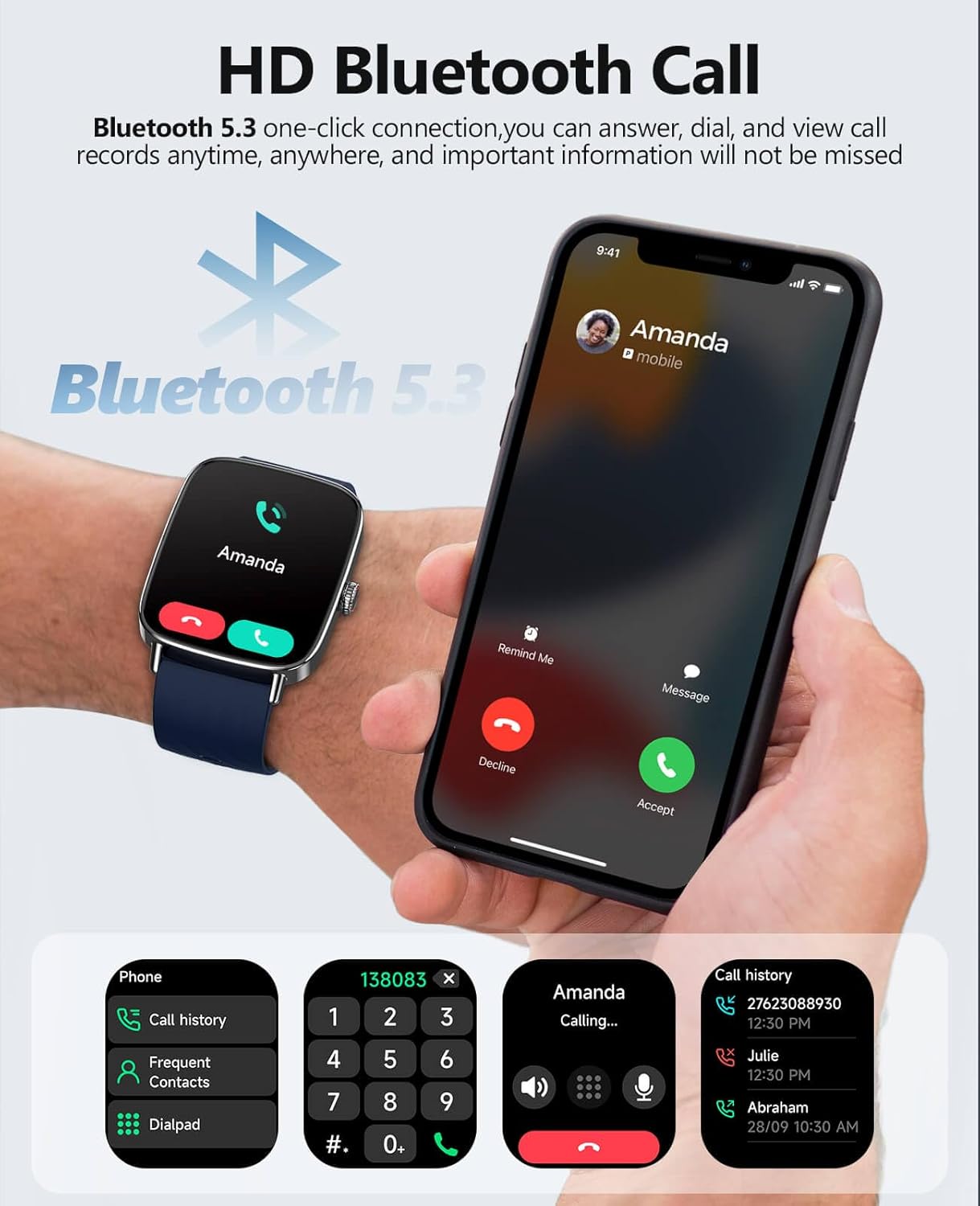
Image: The SOUYIE Smart Watch displaying a phone call interface with options to answer or decline, alongside a smartphone showing an incoming call. Below, various call-related screens are shown, including call history, frequent contacts, and a dial pad, illustrating the watch's comprehensive Bluetooth calling capabilities.
AI Voice Control
Invoke Siri and Google Assistant via Bluetooth for convenient AI voice control. Simply tap and speak to manage tasks, ask questions, or control smart devices.

Image: A SOUYIE Smart Watch on a wrist displaying an 'AI voice' interface with a microphone icon and 'Tap and speak'. Speech bubbles above it show example interactions like 'It is sunny today, Outdoor temperature 20°C' and 'How is the weather today?', demonstrating the AI voice control feature.
Message Reminders
Receive real-time notifications for various short messages and app alerts directly on your wrist, ensuring you don't miss important information.
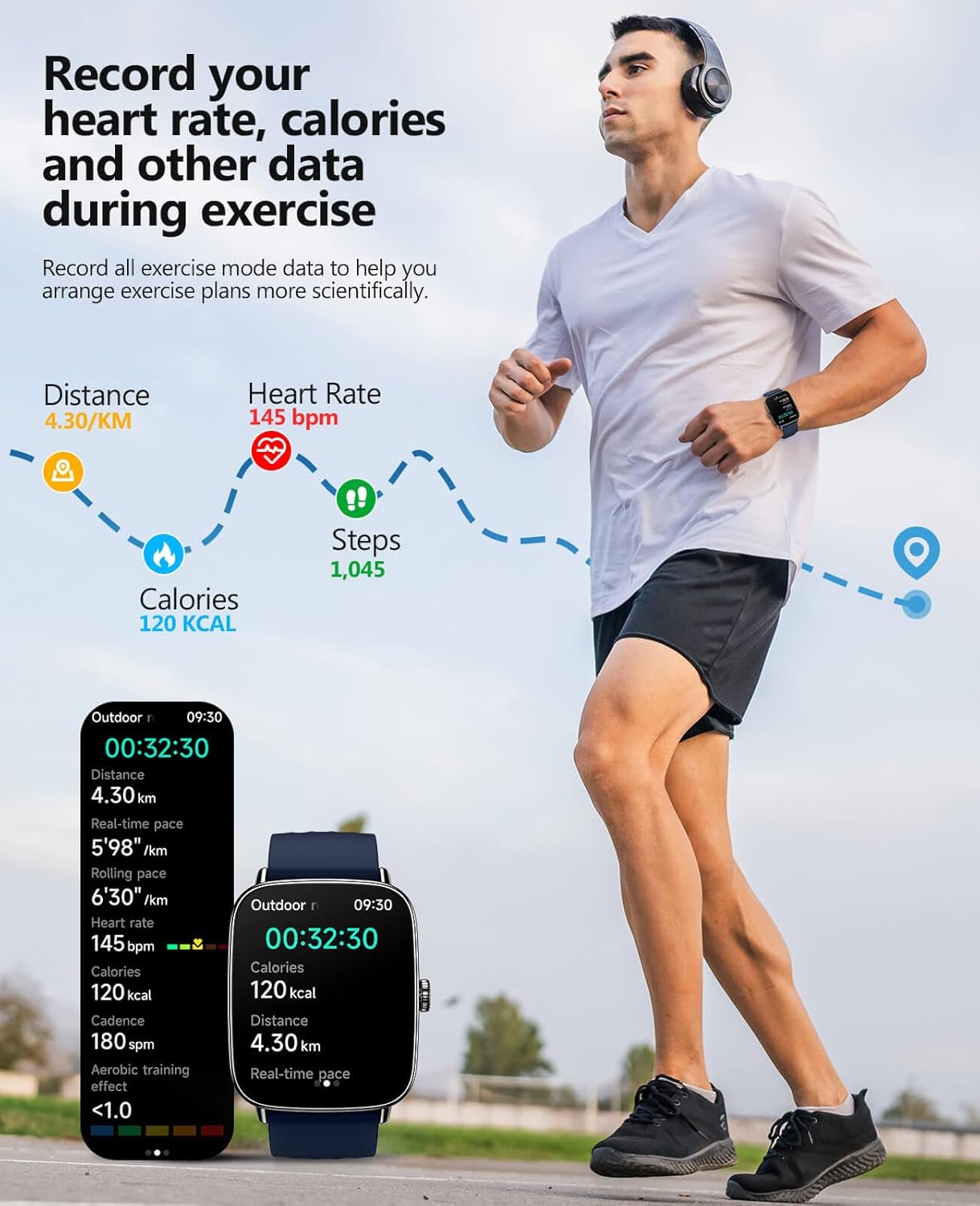
Image: A SOUYIE Smart Watch displaying an incoming message notification from 'Lida'. Surrounding the watch are icons of various social media and communication apps like Skype, Instagram, TikTok, YouTube, Facebook, and Line, indicating the watch's ability to receive notifications from these platforms.
4.3 Professional Sports Analysis and Training Optimization
The intelligent recognition system allows you to record detailed data for over 100 sports modes, including calorie consumption, step frequency, distance, heart rate, and exercise duration. This provides precise analysis and optimization suggestions to help you achieve your health goals scientifically.
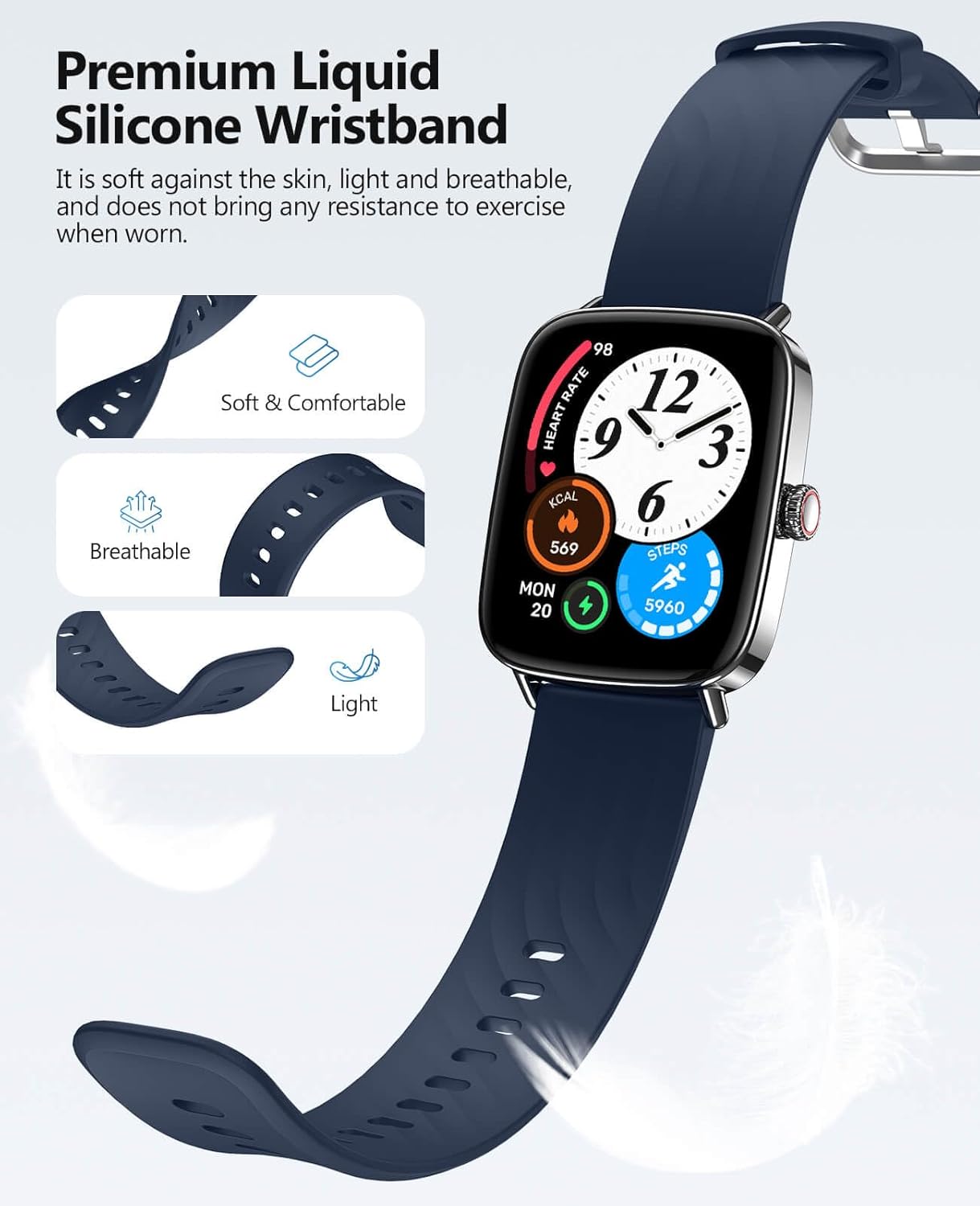
Image: A man running outdoors while wearing the SOUYIE Smart Watch. The image highlights the watch's ability to record exercise data, showing metrics like distance (4.30 KM), heart rate (145 bpm), calories (120 KCAL), and steps (1,045). Smaller screens below illustrate detailed workout summaries.
4.4 Customization
Personalize your smartwatch experience:
- Watch Faces: Download various watch faces, including themed designs, or customize with your own portrait photos.
- OTA Updates: New features are automatically downloaded, ensuring your watch stays updated with the latest functionalities.

Image: A SOUYIE Smart Watch displaying a floral watch face, positioned next to a smartphone screen showing an app interface for selecting watch faces. A grid of numerous diverse watch face designs is also shown, illustrating the wide range of customization options available.
4.5 Music Control
Control your smartphone's music playback directly from your wrist. Play, pause, skip tracks, and adjust volume without needing to access your phone.
5. Maintenance
To ensure the longevity and optimal performance of your SOUYIE Smart Watch, follow these maintenance guidelines:
- Cleaning: Regularly wipe the watch body and strap with a soft, dry cloth. For silicone straps, a damp cloth with mild soap can be used, then rinse and dry thoroughly.
- Water Resistance: The watch is IP68-rated for waterproofing and dustproofing, meaning it can withstand daily activities like hand washing, showering, and navigating in heavy rain. However, it is not recommended for diving or prolonged submersion in hot water. Avoid exposure to chemical solvents.
- Temperature: The watch operates within a wide temperature range of -20°C to 50°C. Avoid exposing it to extreme temperatures outside this range.
- Storage: Store the watch in a cool, dry place when not in use.
- Strap Care: The skin-friendly silicone strap is designed for comfort and breathability. Ensure it is not overly tight to prevent skin irritation.

Image: A SOUYIE Smart Watch being splashed with water, with the text 'IP68 Waterproof for Daily Use' and 'Has good sealing performance and meets daily waterproof wearing needs'. This visually confirms the watch's water resistance for everyday activities.
6. Troubleshooting
If you encounter issues with your SOUYIE Smart Watch, please refer to the following common solutions:
- Watch not turning on: Ensure the watch is fully charged. Connect it to the magnetic charging cable and a power source for at least 30 minutes.
- Unable to pair with phone:
- Ensure Bluetooth is enabled on your phone and the watch is within range.
- Restart both your phone and the watch.
- Forget the device in your phone's Bluetooth settings and try pairing again through the app.
- Ensure the app has necessary permissions (location, Bluetooth).
- Inaccurate health data:
- Ensure the watch is worn snugly on your wrist, not too tight or too loose.
- Clean the sensor on the back of the watch.
- Update the watch firmware via the app if available.
- Notifications not appearing:
- Check app notification settings on your phone and within the smartwatch app.
- Ensure the watch is connected via Bluetooth.
- Disable 'Do Not Disturb' mode on the watch.
- Short battery life:
- Reduce screen brightness.
- Limit continuous heart rate monitoring or turn off unnecessary features.
- Ensure no background apps are excessively draining power.
If the issue persists, please contact customer support.
7. Product Specifications
| Feature | Specification |
|---|---|
| Model Number | IDW28 |
| Screen Size | 1.85 Inches |
| Display Resolution | 320*385 (HD full touch screen) |
| Connectivity Technology | Bluetooth 5.3 |
| Operating System | Android, iOS (Compatible with IOS 12.0+ and Android 6.0+) |
| Battery Capacity | 350 mAh Lithium-Polymer |
| Battery Life (Normal Use) | 7-10 days |
| Standby Time | 30 days (low-power mode) |
| Charging Time | 2 hours (Magnetic fast charging) |
| Water Resistance | IP68 |
| Material | Zinc alloy frame, scratch-resistant glass |
| Item Weight | 5.9 ounces (32 grams watch body) |
| Memory Storage Capacity | 128 MB |
| Special Features | AI Voice, Bluetooth Call, Message Reminder, Sleep Monitor, Blood Oxygen Monitor, Heart Rate Monitor, Stress Monitor, Female Cycle Tracking, Activity Tracker, Calorie Tracking, Timer, Weather Forecast, Flashlight, Alarm Clock, Camera, Notifications, Music Player |
8. Warranty and Support
Your SOUYIE Smart Watch comes with a 3-year warranty. We also offer a 30-day free return policy. For any questions or assistance, please contact our customer support team 24/7 through the 'Find Order - Contact Seller' option on your purchase platform. We are committed to serving you wholeheartedly.
Ask a question about this manual
Ask about setup, troubleshooting, compatibility, parts, safety, or missing instructions. Manuals+ will review the question and use this page’s manual context to help answer it.