
TESSAN CH-EV101W
TESSAN EV Charger Level 2 User Manual
Model: CH-EV101W
1. Introduction and Overview
Thank you for choosing the TESSAN Level 2 EV Charger. This manual provides essential information for the safe and efficient operation of your new electric vehicle charging station. Designed for both indoor and outdoor home use, this smart charger offers a powerful 40A/240V output, app control via Wi-Fi (2.4Ghz only) and Bluetooth, and a convenient 25-foot cable with a NEMA 14-50 plug and J1772 connector. It is engineered to provide a reliable, fast, and secure charging experience for your electric vehicle.

Figure 1: TESSAN Level 2 EV Charger components and app interface.
2. Package Contents
Please verify that all items are present in your package:
- EV Charger Body
- Wall Mounting Kit
- Plug Holder
- User & Installation Manual (this document)
- Warranty Card
3. Safety Information
Your safety is paramount. Please read and adhere to all safety warnings and instructions before installation and use.
- Electrical Safety: Ensure the NEMA 14-50 receptacle is properly installed and grounded by a qualified electrician. Do not attempt to modify the plug or cable.
- Environmental Protection: The charger is rated IP65 water and fire resistant, providing protection against various weather conditions including blizzards, thunder, heavy rain, and hot weather. However, avoid submerging the unit in water.
- Built-in Protections: The TESSAN EV Charger includes multiple safety features: over-current protection, over-voltage protection, under-voltage protection, and short-circuit protection to safeguard your vehicle and home.
- Cable Management: Always handle the charging cable with care. Avoid kinking, crushing, or driving over the cable. Store the cable properly using the provided plug holder when not in use.

Figure 2: Stable and Safe - Built-in Multiple Protection.
4. Setup and Installation
The TESSAN EV Charger is designed for straightforward installation. While the NEMA 14-50 plug allows for easy plug-and-play setup, ensure your electrical outlet meets the required specifications (240V/40A circuit).
- Choose Location: Select a suitable location for mounting the charger, ideally near your parking spot, ensuring the 25-foot cable can comfortably reach your vehicle's charging port. The location should be dry and protected from direct impact.
- Mounting: Use the provided wall mounting kit to securely attach the EV charger body to a sturdy wall surface. Follow the instructions in the separate installation guide for precise measurements and hardware usage.
- Plug In: Insert the NEMA 14-50 plug into your dedicated 240V/40A NEMA 14-50 receptacle. Ensure the connection is firm and secure.
- Install Plug Holder: Mount the plug holder next to the charger unit to neatly store the J1772 connector when not in use, protecting it from elements and damage.
5. Operating Instructions
Operating your TESSAN EV Charger is simple and efficient.
5.1 Basic Charging
- Ensure the charger is properly plugged into the NEMA 14-50 outlet.
- Open your vehicle's charging port.
- Insert the J1772 connector firmly into your vehicle's charging port. The charger will typically initiate charging automatically or after a brief handshake with the vehicle.
- Monitor the charging status indicators on the charger unit or via the eTrip+ app.
- To stop charging, safely disconnect the J1772 connector from your vehicle. Always return the connector to its holder.
5.2 Fast Charging Capabilities
The TESSAN Level 2 EV Charger delivers up to 9.6kW/h (240V/40A) charging speed, which is approximately 9 times faster than a standard wall outlet. This allows you to gain approximately 29.6 miles of range per hour of charging, significantly reducing charging time.

Figure 3: 9X Faster Charging with TESSAN Level 2 EV Charger.
5.3 Vehicle Compatibility
The charger comes with a standard SAE J1772 connector, making it compatible with all electric and plug-in hybrid vehicles manufactured in North America. For Tesla EVs, a separate adapter (not included) is required.
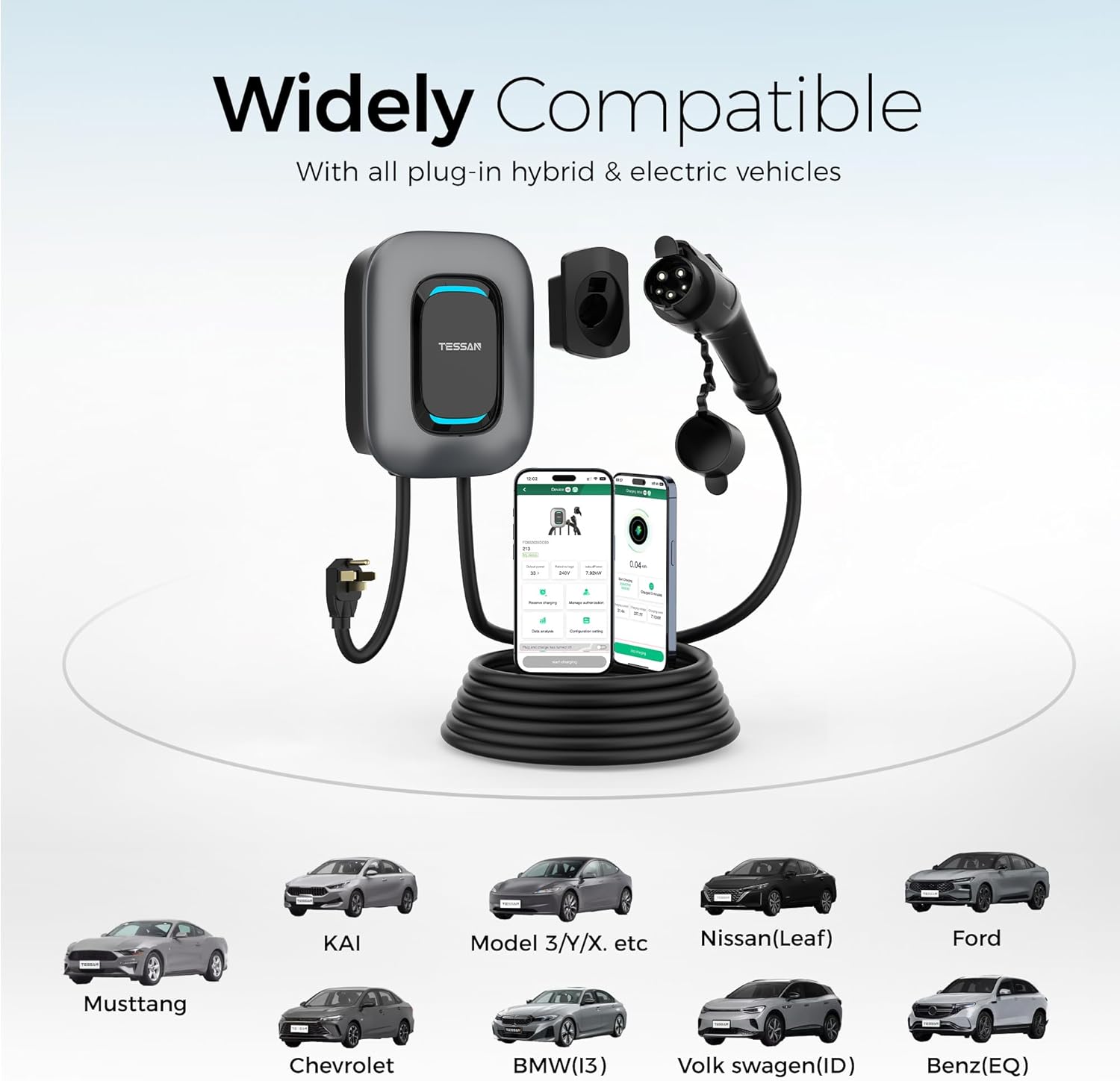
Figure 4: Widely Compatible with all plug-in hybrid & electric vehicles.
6. App Control (eTrip+)
The TESSAN EV Charger features smart control via the user-friendly eTrip+ mobile application, available for both iOS and Android devices. The app connects via Wi-Fi (2.4Ghz only) or Bluetooth.
6.1 App Download and Connection
- Download the 'eTrip+' app from your device's app store.
- Register an account and log in.
- To add your charger, select the option to add a device. Use the QR code located on the silver label of your charger (not the white label) for initial pairing.
- Follow the in-app instructions to connect the charger to your home Wi-Fi network (2.4Ghz only) or via Bluetooth.
6.2 App Features
The eTrip+ app provides comprehensive control and monitoring capabilities:
- Schedule Charging: Set specific charging times to take advantage of off-peak electricity rates, optimizing your charging costs.
- Adjust Charging Current: Modify the charging current (e.g., 40A) directly from the app.
- Real-time Data: View live charging data, including current power consumption, charging duration, and energy delivered.
- Remote Control: Start or stop charging remotely from anywhere with an internet connection.
- Plug and Charge: Enable this feature via Bluetooth connection in the app to allow charging to start automatically upon plugging in, without further interaction. This feature is not available when connected via Wi-Fi only.

Figure 5: Intelligent Charging with the eTrip+ App.
7. Maintenance
Regular maintenance ensures the longevity and optimal performance of your TESSAN EV Charger.
- Cleaning: Periodically wipe down the charger unit and cable with a soft, damp cloth. Do not use harsh chemicals or abrasive cleaners. Ensure the unit is powered off before cleaning.
- Cable Inspection: Regularly inspect the charging cable and connector for any signs of wear, damage, or fraying. If any damage is observed, discontinue use immediately and contact customer support.
- Connector Care: Keep the J1772 connector clean and free of debris. Always use the provided plug holder to protect the connector when not in use.
- Environmental Checks: While the unit is weather-resistant, ensure the installation area remains clear of obstructions and excessive moisture buildup.
8. Troubleshooting
If you encounter issues with your TESSAN EV Charger, please refer to the following common troubleshooting steps:
| Problem | Possible Cause | Solution |
|---|---|---|
| Charger not powering on. | No power from outlet; faulty outlet; internal issue. | Check if the NEMA 14-50 outlet has power. Test with another device if possible. Ensure the plug is fully inserted. If issue persists, contact support. |
| Charging not starting when plugged in. | App control enabled; vehicle not ready; connector not fully inserted; app server issue. | Ensure the J1772 connector is fully seated in the vehicle's port. Check the eTrip+ app to initiate charging or verify 'Plug and Charge' setting. If the app is unresponsive, try again later as it might be a server issue. |
| eTrip+ app cannot connect to charger (Wi-Fi/Bluetooth). | Incorrect Wi-Fi band (not 2.4Ghz); incorrect QR code used; app server issues; Bluetooth range. | Ensure your Wi-Fi is 2.4Ghz. Use the QR code on the silver label. Try restarting the app and your phone. If a network error occurs during registration, wait and try again later as it may be a server issue. For Bluetooth, ensure you are within close range. |
| Charging speed is slower than expected. | Vehicle limitation; app current setting; electrical supply issue. | Verify your vehicle's maximum charging rate. Check the eTrip+ app to ensure the current setting is at 40A. Consult an electrician to verify your home's electrical supply. |
If these steps do not resolve the issue, please contact TESSAN customer support for further assistance.
9. Specifications
| Feature | Specification |
|---|---|
| Model | CH-EV101W |
| Input/Output Voltage | 240 Volts AC |
| Current Rating | 40 Amps |
| Maximum Power Output | 9.6 kW |
| Connector Type | SAE J1772 |
| Plug Type | NEMA 14-50 |
| Cable Length | 25 feet |
| Connectivity | Wi-Fi (2.4Ghz only), Bluetooth |
| Ingress Protection (IP) Rating | IP65 (Water and Fire Resistant) |
| Item Weight | 19.16 pounds |
| Package Dimensions | 19.7 x 18.2 x 10.5 inches |
| Certifications | FCC, ETL, ENERGY STAR certified |
10. Warranty and Support
TESSAN stands behind the quality of its products.
- Warranty: Your TESSAN EV Charger comes with a 2-year guarantee from the date of purchase. Please refer to the included warranty card for detailed terms and conditions.
- Technical Support: TESSAN provides 24/7 technical support to ensure a smooth charging experience. For any technical inquiries, troubleshooting assistance, or warranty claims, please contact TESSAN customer service through the contact information provided on the warranty card or the official TESSAN website.

Figure 6: TESSAN Warranty and Support Information.
Ask a question about this manual
Ask about setup, troubleshooting, compatibility, parts, safety, or missing instructions. Manuals+ will review the question and use this page’s manual context to help answer it.