
Cameron Sino Jetfon X500 / LB-X500
User Manual for Cameron Sino Replacement Battery
Model: Jetfon X500 / LB-X500
Product Overview
This manual provides essential information for the safe and effective use of your Cameron Sino replacement battery, designed for Jetfon X500 devices.
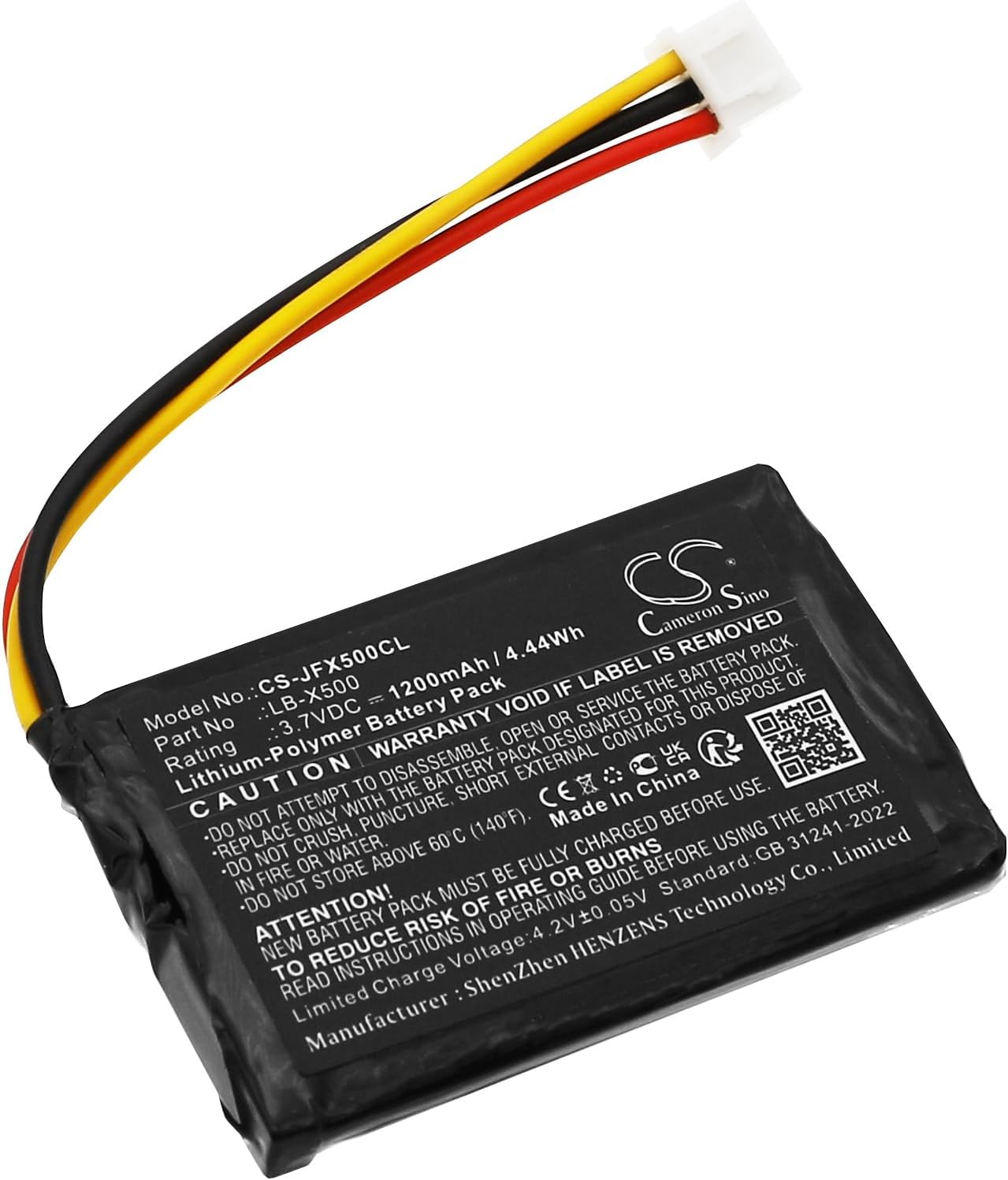
Image: Cameron Sino replacement battery for Jetfon X500. This image displays the battery's front side, clearly showing its model number, part number, voltage, and capacity, along with important safety warnings and certifications. The attached wires (red, black, yellow) lead to a white connector.

Image: Close-up view of the battery's connector. This image highlights the three-pin white connector and the color-coded wires (red, black, yellow) that facilitate connection to the compatible device.
Important Safety Information
Please read and understand all safety warnings before using this product. Failure to follow these instructions may result in fire, electric shock, injury, or damage to the product or property.
- Do not attempt to disassemble, open, or service the battery pack.
- Replace only with the battery pack designated for this product.
- Do not crush, puncture, short external contacts, or dispose of in fire or water.
- Do not store above 60°C (140°F).
- New battery pack must be fully charged before use.
- Read instructions in operating guide before using the battery.
- Limited Charge Voltage: 4.2V ± 0.05V.
- Do not use low quality third-party adapter chargers, as this may shorten the battery's life.
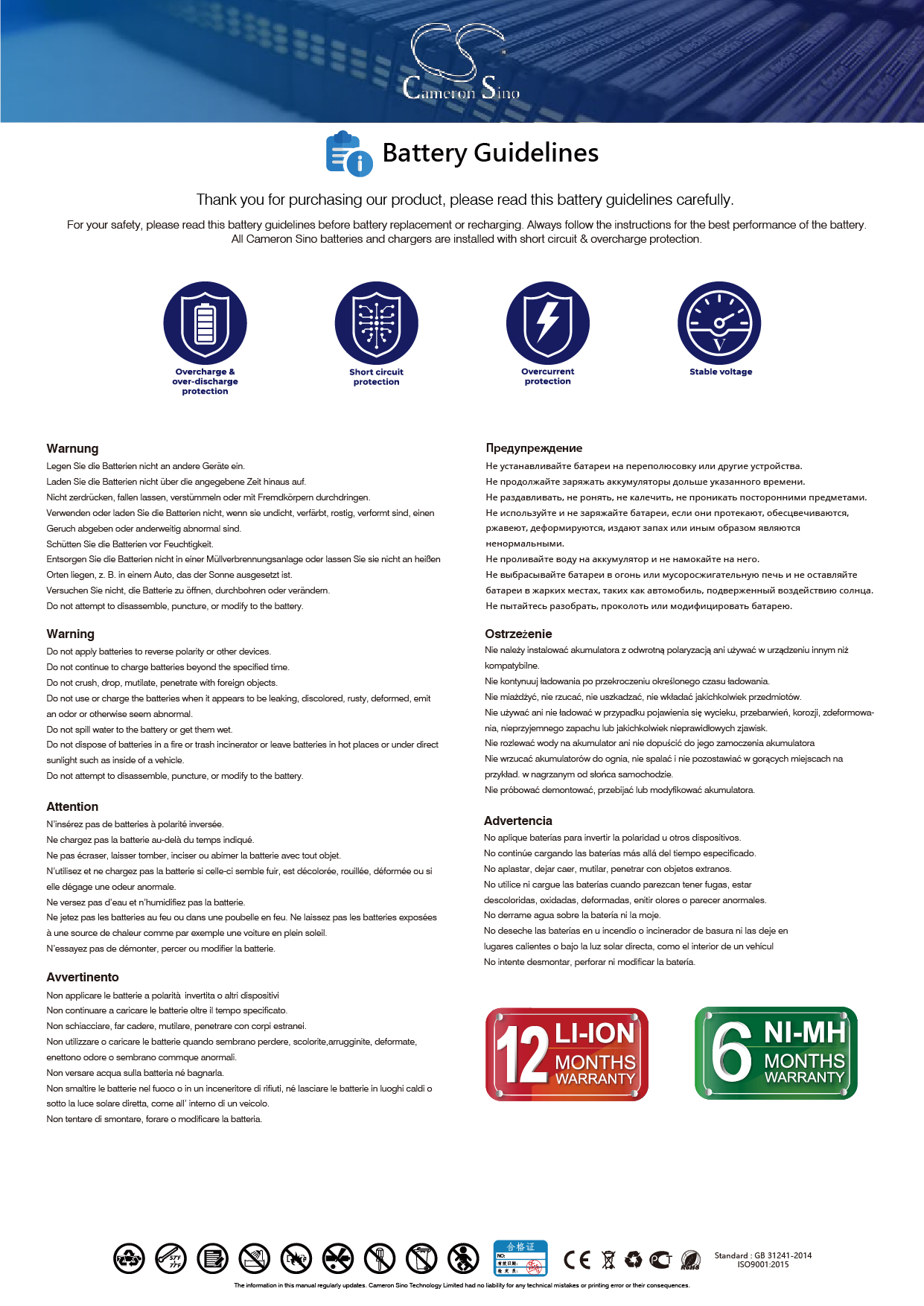
Image: Official Battery Guidelines. This image, sourced from Cameron Sino, provides general guidelines for battery safety and proper handling.
Setup and Installation
Before installation, ensure your device is powered off and disconnected from any power source.
- Identify the Battery Compartment: Locate the battery compartment on your Jetfon X500 device. Refer to your device's original manual if needed.
- Remove Old Battery (if applicable): Carefully remove the existing battery. Note its orientation and connector type.
- Insert New Battery: Align the Cameron Sino replacement battery with the compartment. Ensure the connector is properly oriented.
- Connect the Battery: Gently push the battery's connector into the corresponding port on your device until it clicks securely into place. Ensure the connection is firm.
- Secure the Compartment: Close the battery compartment cover.
- Initial Charge: A new battery will achieve its best performance after 2 or 3 complete cycles of charge and discharge. Fully charge the battery before first use.
Many installation videos are available online for general battery replacement procedures, which may assist with the physical installation.
Operating Instructions
Once installed, the battery operates as the primary power source for your Jetfon X500 device.
- Charging: Use the original or a high-quality, compatible charger for your Jetfon X500 device. The battery supports a limited charge voltage of 4.2V ± 0.05V.
- Discharge: Allow the battery to discharge naturally through device usage. For optimal performance, especially during initial cycles, allow the battery to fully discharge before recharging.
- Performance: The battery is designed to work just like the original, with a new fully decoded chip ensuring compatibility and proper function.
Maintenance
Proper maintenance extends the life and performance of your battery.
- Storage: If storing the battery for an extended period, store it in a cool, dry place, ideally at a partial charge (around 50%). Do not store above 60°C (140°F).
- Cleaning: Keep the battery contacts clean and free of dust or debris. Use a dry, soft cloth if cleaning is necessary.
- Avoid Extreme Temperatures: Do not expose the battery to extreme heat or cold, as this can degrade performance and shorten lifespan.
- Disposal: Dispose of old or damaged batteries responsibly according to local regulations. Do not dispose of in household waste or fire.
Troubleshooting
If you encounter issues with your battery, consider the following common solutions:
| Problem | Possible Cause | Solution |
|---|---|---|
| Battery not charging | Loose connection, faulty charger, or battery not properly seated. | Ensure the battery connector is firmly connected. Try a different charger. Re-seat the battery in the compartment. |
| Short battery life | New battery not fully cycled, high power consumption by device, or use of low-quality charger. | Complete 2-3 full charge/discharge cycles. Reduce device usage of power-intensive features. Use a high-quality, compatible charger. |
| Device not powering on | Battery not charged, battery not installed correctly, or device issue. | Charge the battery fully. Verify the battery is correctly installed and connected. Test the device with another known-good battery if possible. |
Specifications
Detailed technical specifications for the Cameron Sino replacement battery:
- Model Number: CS-JFX500CL
- Part Number: LB-X500
- Compatible with: Jetfon X500
- Capacity: 1200mAh / 4.44Wh
- Voltage: 3.7VDC
- Dimensions: 55.90 x 35.70 x 5.70mm
- Weight: 27.0g
- Battery Cell Composition: Lithium Polymer
- Manufacturer: CS (Cameron Sino)
- Country of Origin: China
Warranty and Support
Cameron Sino stands behind the quality of its products.
- Warranty: This product comes with a 12-month warranty from the date of purchase.
- Support: For any inquiries or support needs, please contact Cameron Sino customer service. Email replies are typically provided within 24 hours.
- Online Resources: For additional information and guidelines, visit the official Cameron Sino website: www.cameronsino.com
Related Documents - Jetfon X500 / LB-X500
 |
Cameron Sino Battery User Manual: Safety, Installation, and Care This user manual provides essential information for Cameron Sino batteries, including safety warnings, installation procedures, storage guidelines, and customer support contacts. Ensure safe and optimal performance by following these instructions. |
 |
X500 Bone Conduction Headphones User Manual and Warranty Information Comprehensive user manual for the X500 Bone Conduction Headphones by DongGuan Kemi Electronics Technology Co., Ltd. Covers charging, operation, wireless pairing, MP3 mode, AI voice control, product specifications, care instructions, and FCC compliance. |
 |
SIMREX X500 User Manual: Drone Operation, Features, and Safety Comprehensive user manual for the SIMREX X500 drone, covering controller components, setup, flight controls, safety guidelines, troubleshooting, and product configuration. Learn how to operate your drone safely and effectively. |
 |
Robot Vacuum Cleaner Replacement Parts Kit for Tesvor and Neatsvor Models High-quality replacement parts kit for Tesvor X500, X500 Pro, M1 and Neatsvor X500, X520, X600, X600 Pro robot vacuum cleaners. Includes main roller brush, HEPA filters, side brushes, and cleaning tools for effective maintenance and peak performance. |
 |
ITIWIT Inflatable Stand Up Paddleboard (SUP) User Guide and Instructions Comprehensive user guide for ITIWIT inflatable Stand Up Paddleboards (SUPs). Includes setup, inflation, maintenance, storage, and repair instructions for various models. Safety information and technical specifications provided by DECATHLON. |
 |
BEZIOR E-Bike User Manual: Assembly, Operation, and Maintenance Comprehensive user manual for BEZIOR electric bikes, covering assembly instructions, operational guidelines, safety information, battery care, and maintenance tips for models like X500, X1000, and X1500. |