Introduction
This manual provides comprehensive instructions for the safe and effective use of your Ompusos LED Mask with Gesture Sensing. Please read this manual thoroughly before operating the device and retain it for future reference.

Image: A group of individuals wearing Ompusos LED masks, showcasing the vibrant and dynamic display patterns in a social setting.
Safety Information
Always handle the LED mask with care. Avoid exposing the device to extreme temperatures, water, or direct sunlight for prolonged periods. Do not attempt to disassemble or repair the mask yourself. Keep out of reach of small children. Ensure proper ventilation during use to prevent overheating.
Package Contents
Verify that all items are present in your package:
- Ompusos LED Mask (App Mask)
- USB-C Charging Cable
- Instruction Manual (this document)
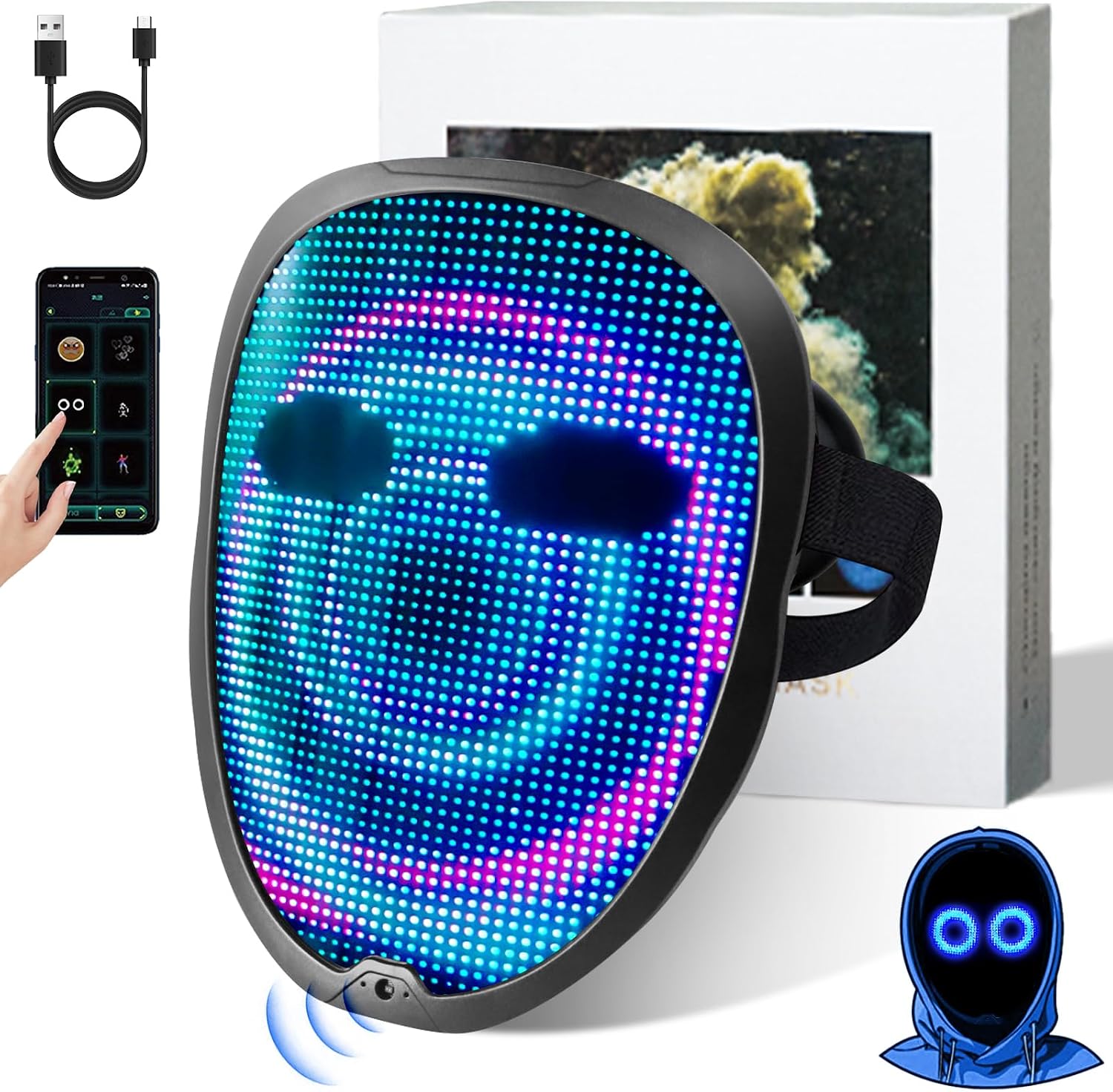
Image: The Ompusos LED Mask, a USB-C charging cable, and a smartphone displaying the mask's control app.
Setup
1. Initial Charging
Before first use, ensure the mask is fully charged. Connect the provided USB-C cable to the charging port on the mask and to a suitable USB power adapter (not included). A full charge takes approximately 5 hours and provides up to 12 hours of use.
If the charging symbol does not appear, press the on/off button again.
Video: Demonstrates unboxing the mask, locating the USB-C charging port, and connecting it to a power source for charging.
2. Powering On/Off
To power on the mask, locate the power button on the back of the mask and press and hold it for 3 seconds until the lights illuminate.
To power off, press and hold the power button for 3 seconds until the lights turn off.

Image: The back of the LED mask, highlighting the power button and the comfortable silicone eye padding.
3. Adjusting the Headband
The elastic headband is adjustable and can be removed if necessary. Adjust the length to ensure a comfortable and secure fit on your head.

Image: A person demonstrating how to adjust the elastic headband for a secure and comfortable fit.
Operating Instructions
1. Gesture Control
The mask features a gesture sensor to change patterns and pictures. The sensor is located on the front of the mask. To activate the sensor, hold your hand near it for 5 seconds until "OK" is displayed. Once activated, swipe your hand within 5cm of the sensor to cycle through different patterns.
To disable gesture control and keep a pattern static, hold your hand on the sensor for 3 seconds until "X" is displayed.

Image: A visual guide demonstrating how to use hand gestures to interact with the mask's sensor for changing display patterns.
2. App Control & Customization
Download the dedicated programmable APP to your smartphone. The app allows you to:
- Choose from 45 dynamic animated patterns and 70 static faces.
- Activate music rhythm mode, where the mask's display grooves to music.
- Upload your own text or images for custom displays.

Image: A smartphone interface displaying the various customization options available through the mask's dedicated application, including pattern selection and text input.
3. Exploring Features (Video Demonstrations)
Observe the mask's various display capabilities and controls through these official demonstrations:
Video: A demonstration of the LED Bluetooth Mask showcasing various patterns and how they appear when worn.
Video: Illustrates the programmable features of the LED Mask via Bluetooth, including custom text and pattern selection.
Maintenance
Cleaning
Wipe the surface of the mask with a soft, dry cloth. Do not use abrasive cleaners or immerse the mask in water. Ensure the charging port is free from dust and debris.
Storage
Store the mask in a cool, dry place away from direct sunlight and extreme temperatures. Keep it in its original packaging or a protective case to prevent damage.
Troubleshooting
| Problem | Solution |
|---|---|
| Mask does not power on. | Ensure the mask is fully charged. Press and hold the power button for 3 seconds. |
| Charging symbol does not appear. | Press the on/off button again after connecting the charger. Ensure the cable is securely connected. |
| Gesture control is unresponsive. | Ensure gesture control is activated ("OK" displayed). Swipe your hand within 5cm of the sensor. |
| App connection issues. | Ensure Bluetooth is enabled on your smartphone and the mask is powered on. Restart the app and try again. |
Specifications
- Model: App Mask
- Battery: Built-in 2000mAh rechargeable battery
- Charging Time: Approximately 5 hours
- Usage Time: Up to 12 hours
- Display: 2074 Pcs Lamp Beads (LEDs)
- Pre-loaded Patterns: 45 dynamic animated patterns, 70 static faces
- Control: Programmable APP (Bluetooth), Gesture Sensing, Manual Buttons
- Thickness: 1.5 cm (ultrathin)
- Eyelets: Oversized for greater field of view
- Comfort: Silicone pad for eyes
Warranty and Support
Our LED face masks undergo 100% quality inspection before leaving our factory. In the unlikely event of any issues with your Ompusos LED mask, please contact our Ompusos service team for prompt assistance. Refer to your purchase documentation for specific warranty details.
For further assistance, please visit the Ompusos Store.