
1. Introduction
The COOLECH 4-in-1 Portable Evaporative Air Cooler, Model JDAC76R, is a versatile appliance designed to enhance your indoor comfort. It functions as an air cooler, fan, humidifier, and provides powerful air circulation. This manual provides essential information for safe and efficient use of your new appliance.
2. Safety Information
- Waterless Alert System: The unit is equipped with a smart low water alert system. If the water level is low, the unit will beep to alert you to refill. It will then automatically switch to Natural Mode to protect the motor and ensure safe operation.
- Cooling Function: Do not use the 'Cooling' function without sufficient water in the tank. Ensure the bottom water tank is locked before activating cooling.
- Bladeless Design: Features a safe bladeless design, safety grid, and fused safety plug for enhanced user protection, especially around children and pets.
- Power Cord: Ensure the 5.9 ft electric cord is not damaged or pinched during setup or operation.
3. Included Components
Please check the package contents to ensure all items are present:
- 1 x COOLECH Portable Evaporative Air Cooler (Model JDAC76R)
- 1 x Remote Control
- 2 x Ice Packs
- 1 x User Manual
4. Setup
The COOLECH Portable Evaporative Air Cooler is designed for easy, windowless, and hose-free operation. No complex assembly is required; simply plug and play.
- Unpacking: Carefully remove the unit and all accessories from the packaging.
- Water Tank Assembly: The unit comes with a detachable bottom water tank. Ensure it is securely attached to the main body. Listen for a click sound to confirm proper locking of the side buckles.
- Positioning: Place the unit on a flat, stable surface. The pre-installed 360° wheels and built-in handle allow for easy mobility.
- Power Connection: Insert the power plug into a standard 120V electrical outlet. The power indicator will beep, and the unit will enter standby mode.
Setup Video Guide
Video Description: This video demonstrates the initial setup of the COOLECH Air Cooler, including attaching the water tank, connecting the power, and preparing the unit for first use. It highlights the ease of assembly and initial power-on sequence.
5. Operation
Your COOLECH Air Cooler offers multiple modes and speeds for customized comfort, controllable via the LED touch screen or the included remote control.
5.1 Filling the Water Tank & Adding Ice Packs
- Water Fill: The unit features a convenient top-fill design. Fill the 3.2-gallon water tank with cool, clean water. Ensure the water level is above the 'MIN' mark but does not exceed the 'MAX' mark to prevent overflow.
- Ice Packs: For enhanced cooling, fill the provided ice packs with water and freeze them. Once frozen, place them into the water tank.

Image Description: A visual representation of the COOLECH Air Cooler highlighting its 4 modes (Normal, Natural, Sleep, Cooling) and 4 speeds (Low, Medium, High, Powerful) on the LED display, along with the water level indicator.
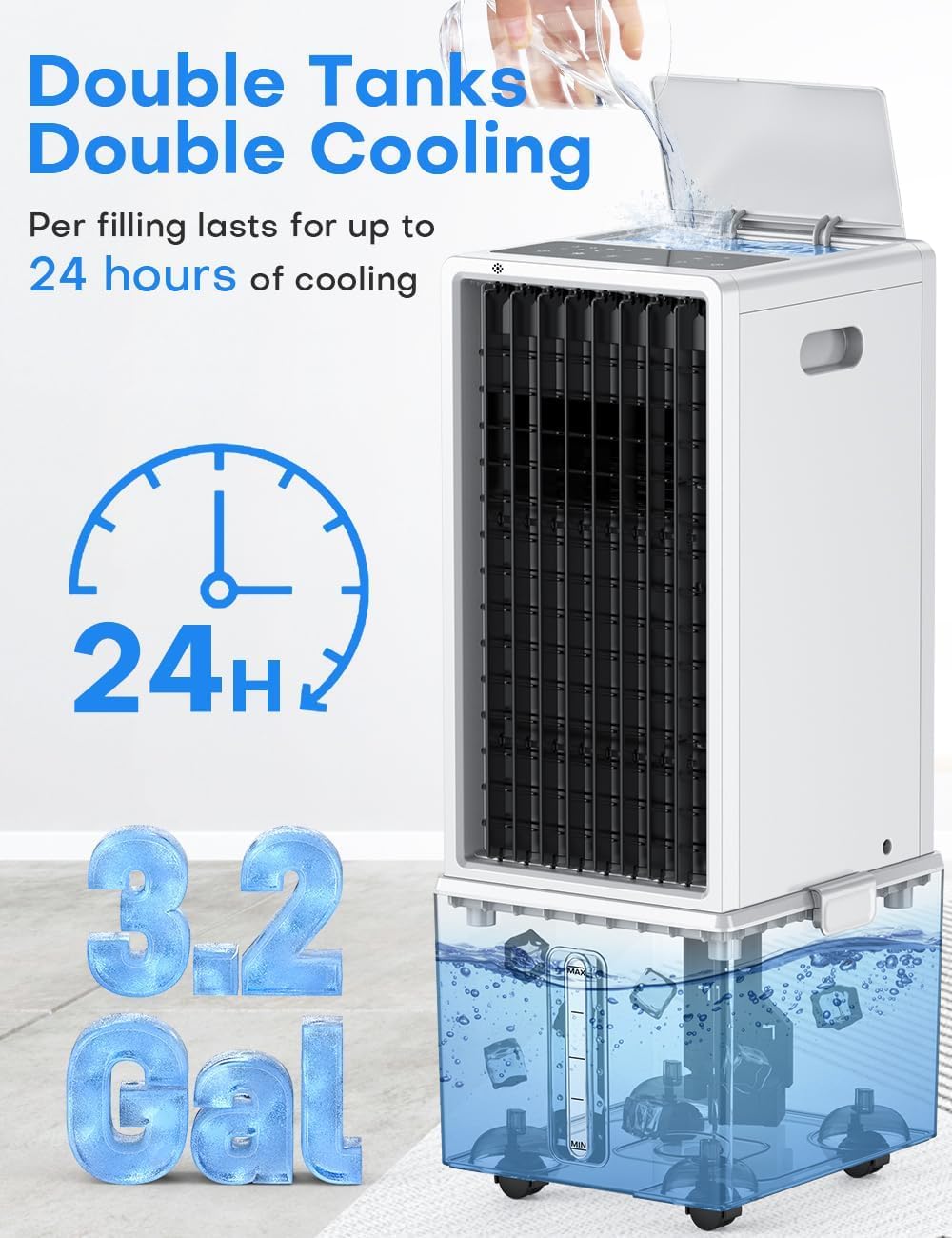
Image Description: This image illustrates the double tank design of the COOLECH Air Cooler, emphasizing its 3.2-gallon capacity for up to 24 hours of continuous cooling.
5.2 Control Panel & Remote Control
The unit can be operated using the intuitive LED touch control panel on top or the included remote control.
- Power (ON/OFF): Press the power button to turn the unit on or off.
- Speed: Select from 4 wind speeds: Low (18 ft/s), Medium (24 ft/s), High (27 ft/s), and Powerful (31 ft/s).
- Mode: Choose from 4 operating modes: Normal, Natural, Sleep, and Cooling.
- Cooling: Activates the evaporative cooling function. Ensure water is in the tank before using this mode.
- Swing: Activates 90° automatic oscillation of the vertical fan blades. Horizontal fan blades must be adjusted manually. Press again to stop oscillation.
- Timer: Set the operating time from 1 to 12 hours. The unit will automatically shut off after the set time.
- Mute (Remote Only): Press the Mute button on the remote to operate the unit without beeping sounds when switching functions.

Image Description: This image displays the LED touch control panel on the top of the air cooler and the remote control, illustrating the dual control options for easy operation.
Operation Video Guides
Video Description: This video demonstrates the powerful cooling capabilities of the COOLECH Air Conditioner, showing how quickly it can cool a room.
Video Description: This video showcases the powerful cooling performance of the COOLECH Air Cooler, illustrating its effectiveness in various settings.
Video Description: This video provides a detailed explanation of how the COOLECH Air Cooler keeps your room cool, demonstrating its internal mechanisms and airflow.
6. Maintenance
Regular cleaning and maintenance ensure optimal performance and longevity of your air cooler.
- Detachable Water Tank: The bottom water tank is detachable for easy cleaning. Regularly remove and clean it to prevent mold and maintain air quality.
- Cooling Pad: The high-density cooling pad is removable. Periodically remove and wash it with clean water.
- Filter Cleaning: The unit features a removable filter. Use a Phillips screwdriver to remove the screws and unsnap the plastic cover to access the filter for cleaning.
- Exterior Cleaning: Wipe the exterior of the unit with a soft, damp cloth.

Image Description: This image shows the detachable water tank design, illustrating how to remove and clean it for hygiene and optimal performance.
7. Troubleshooting
This section addresses common issues you might encounter with your COOLECH Air Cooler.
- No Water Warning: If the unit beeps and the indicator flashes, it means the water level is low. Refill the water tank immediately. The unit will automatically switch to Natural Mode to prevent damage.
- Reduced Cooling Effect: Ensure the water tank is filled to the appropriate level and consider adding frozen ice packs for enhanced cooling. Check if the cooling pad is clean and free from obstructions.
- No Airflow/Weak Airflow: Check if the unit is powered on and the fan speed is set correctly. Ensure no objects are blocking the air intake or outlet.
8. Specifications
| Feature | Detail |
|---|---|
| Brand | COOLECH |
| Model Name | JDAC76R |
| Mounting Type | Freestanding |
| Color | Snowy |
| Air Flow Capacity | 1700 Cubic Feet Per Minute (CFM) |
| Controls Type | Smart LED Touch Control & Remote Control |
| Reservoir Capacity | 3.2 Gallons |
| Noise Level | 58 Decibels |
| Number of Speeds | 4 |
| Product Dimensions | 28.4"D x 11.6"W x 10.3"H |
| Voltage | 120 Volts |
| Item Weight | 14.3 Pounds |
| Material | Plastic |
| Special Features | Detachable Water Tank & Cooling Pad, Built-In Handle, 4*360° Wheels, 12H Timer, Waterless Alert System, Bladeless Design, 90° Oscillation, 4 Modes (Normal/Natural/Sleep/Cooling) |
9. Warranty & Support
Your COOLECH Air Cooler comes with a 1-Year Warranty. For any questions or support, please contact our 7/24 Customer Service.
For additional assistance or to view an installation guide, you may scan the QR code located on the product body.

Image Description: A QR code labeled '76R Air Cooler Installation Guide' for quick access to further information.