
1. Introduction
Thank you for choosing the HAUSOURCE Queen Bed Frame. This platform bed frame is designed to provide robust support and enhanced functionality, featuring integrated storage drawers, LED lighting, and a convenient charging station. This manual provides detailed instructions for assembly, operation, maintenance, and troubleshooting to ensure a safe and enjoyable experience with your new bed frame.

Image 1.1: Fully assembled HAUSOURCE Queen Bed Frame with LED headboard and open storage drawers.
2. Safety Information
- Careful around sharp edges during assembly: Some components may have sharp edges. Handle with care to prevent injury.
- Follow instructions to prevent instability: Adhere strictly to all assembly steps and diagrams. Improper assembly can lead to structural instability and potential hazards.
- Weight Capacity: Do not exceed the maximum recommended load of 498.95 kg (1100 lbs).
- Children and Pets: Keep small parts and packaging materials away from children and pets during assembly.
- Electrical Safety: Ensure the charging station is connected to a suitable power outlet. Do not overload the charging ports.
3. Package Contents
Before beginning assembly, verify that all parts and hardware are present and undamaged. Refer to the included parts list in your packaging for specific component identification. If any parts are missing or damaged, contact HAUSOURCE customer support.
- Headboard components (with integrated LED lights and charging station)
- Side rails and footboard
- Metal slats
- 4 Storage drawers (with wheels and wire baskets)
- Support legs
- Assembly hardware (screws, bolts, washers, Allen wrench)
- Instruction manual

Image 3.1: Overview of the HAUSOURCE bed frame components, including the headboard, frame, and four storage drawers.
4. Assembly Instructions
Assembly typically requires two people and can be completed within 1-2 hours. Ensure you have ample space and all tools provided.
4.1. Pre-Assembly
- Unpack all components and lay them out on a clean, soft surface (e.g., carpet or blanket) to prevent scratches.
- Identify each part by comparing it with the parts list in your packaging.
- Ensure all necessary hardware and the Allen wrench are available.
4.2. Frame Assembly
- Connect the side rails to the headboard and footboard using the provided bolts and Allen wrench. Do not fully tighten bolts until the entire frame is assembled.
- Install the central support beam and its legs.
- Place the metal slats across the frame. Ensure they are securely fastened to the side rails. The non-slip strips on the slats help prevent mattress movement and noise.
- Tighten all bolts securely once the frame is fully aligned.

Image 4.1: Detail of non-slip strips on the metal slats, designed to stabilize the mattress and reduce noise.

Image 4.2: Detail of the special rubber stopper, which helps stabilize the bed frame and prevent noise.

Image 4.3: Detail of the plastic gasket design on the bed frame legs, intended to prevent floor scratches and reduce noise.
4.3. Headboard Assembly (LED & Charging Station)
- Ensure the headboard is correctly oriented.
- Connect the LED light strip and charging station wiring according to the specific instructions provided in the packaging.
- Secure any covers or panels for the headboard.
4.4. Drawer Assembly and Installation
- Assemble each of the four storage drawers, attaching the wheels to the bottom of the drawer frames.
- Slide the assembled drawers into the designated spaces under the bed frame.
- The drawers are designed to roll freely and can be secured with a simple hook mechanism to keep them closed.
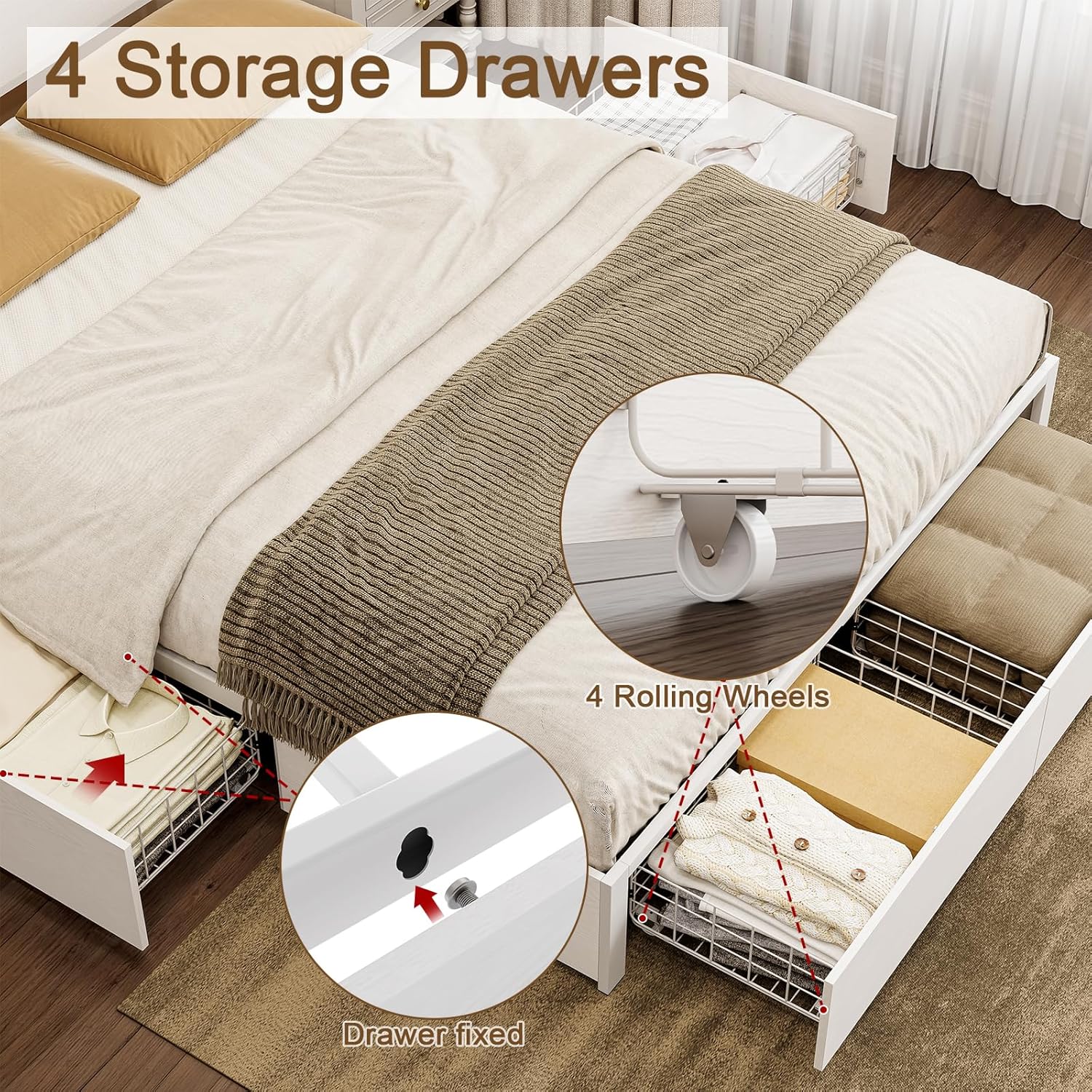
Image 4.4: Detail showing the rolling wheels on the storage drawers and the simple locking mechanism to keep them in place.
5. Operating Instructions
5.1. LED Headboard Lights
The integrated LED lights in the headboard can be controlled via a remote controller (included). Ensure the bed frame is plugged into a power outlet.
- Power On/Off: Use the power button on the remote to turn the lights on or off.
- Color Selection: Choose from 20 static colors.
- Dynamic Modes: Select from 22 dynamic modes for various lighting effects.
- Brightness Adjustment: Adjust the light intensity to your preference.
- Memory Function: The system will remember your last selected color and mode.

Image 5.1: The headboard with LED lights illuminated, showing the remote control for various settings including color, brightness, and dynamic modes.
5.2. Charging Station
The headboard features a built-in charging station for your electronic devices.
- USB Ports: Connect your devices using standard USB cables.
- Type-C Port: Utilize the Type-C port for compatible devices.
- Power Outlet: A standard 120V outlet is available for other electronics.

Image 5.2: Detail of the headboard's integrated charging station, featuring USB, Type-C, and 120V power outlets.
5.3. Storage Drawers
The four storage drawers are designed for easy access and organization.
- Opening/Closing: Gently pull or push the drawers. The wheels ensure smooth operation.
- Securing Drawers: Use the internal hook mechanism to keep drawers closed and flush with the bed frame.
- Capacity: Suitable for storing clothing, linens, and other lightweight items. Avoid overloading.
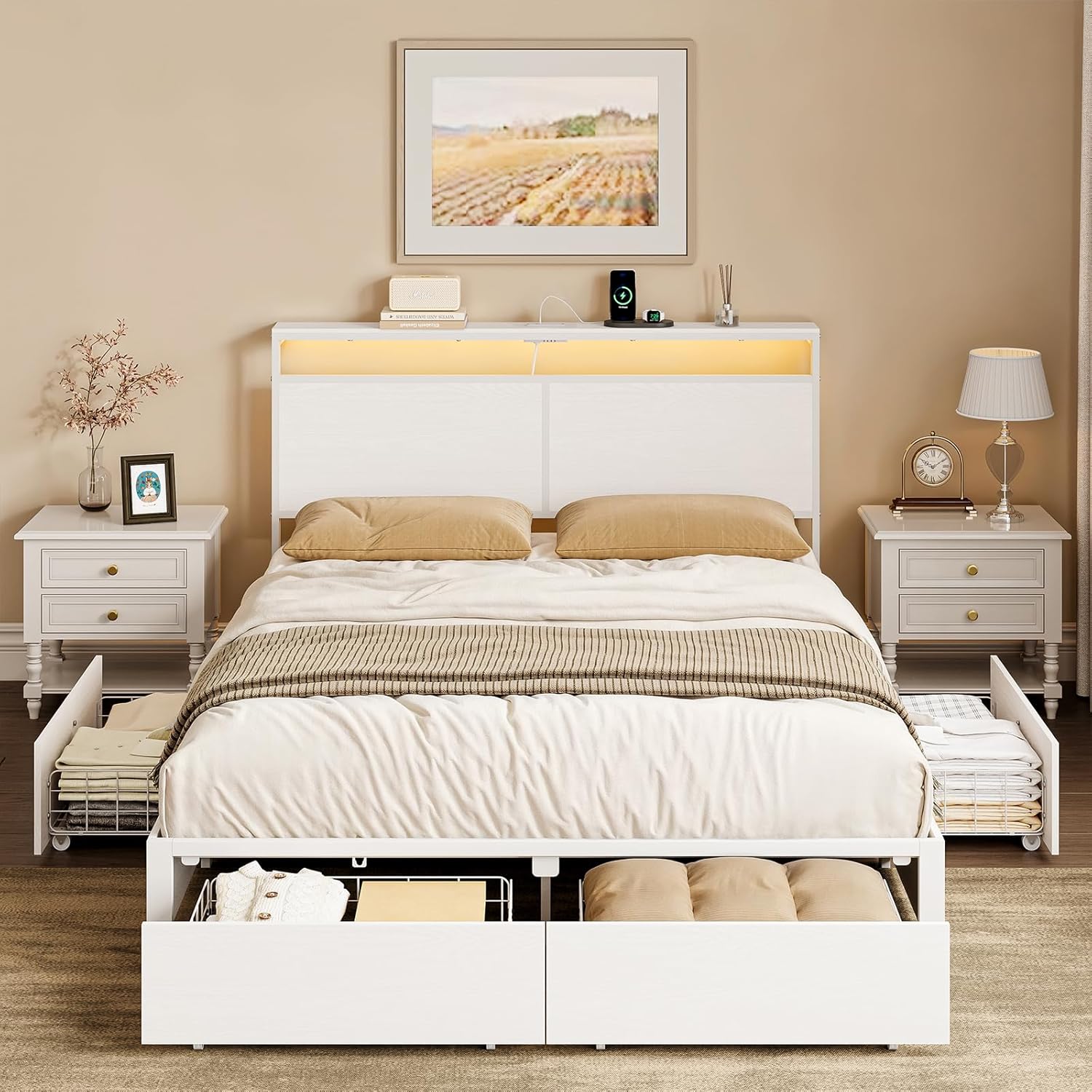
Image 5.3: The HAUSOURCE Queen Bed Frame with all four storage drawers pulled out, demonstrating their accessibility.
6. Maintenance
- Cleaning: Wipe the bed frame surfaces with a soft, damp cloth. Avoid harsh chemicals or abrasive cleaners.
- Hardware Check: Periodically check all bolts and screws to ensure they remain tight. Retighten as necessary to maintain stability.
- Drawer Maintenance: Keep the drawer wheels free of dust and debris for smooth operation.
- Electrical Components: Ensure the charging station and LED light connections are secure. Do not attempt to repair electrical components yourself.
7. Troubleshooting
| Problem | Possible Cause | Solution |
|---|---|---|
| Bed frame is wobbly or squeaks | Loose bolts or uneven assembly. | Check and tighten all bolts. Ensure the frame is on a level surface. Verify all slats are properly seated. |
| LED lights not working | Not plugged in, loose connection, remote battery dead. | Ensure the power cord is securely plugged into an outlet. Check the connection of the LED strip to the power source. Replace remote control batteries. |
| Charging station not working | Not plugged in, device not compatible, cable issue. | Verify the bed frame is plugged in. Test with a different device and charging cable. Ensure the device is compatible with USB/Type-C charging. |
| Drawers do not slide smoothly | Debris in wheels, overloaded drawer, misaligned. | Clean any debris from the drawer wheels. Reduce the load in the drawer. Ensure the drawer is properly aligned within its space. |
8. Product Specifications
- Brand: HAUSOURCE
- Model: B0DXK1W3DT
- Size: Queen
- Material: Metal
- Product Dimensions (L x W x H): 2.18 x 1.52 x 0.96 Meters (85.7" x 60" x 40.4")
- Maximum Recommended Load: 498.95 kg (1100 lbs)
- Features: 4 Storage Drawers, LED Headboard Lights (20 Static Colors, 22 Dynamic Modes), Integrated Charging Station (USB, Type-C, 120V Outlet), Metal Slats, Plastic Foot Pads
- Assembly Required: Yes
- Box Spring Needed: No

Image 8.1: Dimensional diagram of the HAUSOURCE Queen Bed Frame, including overall bed dimensions and drawer dimensions.
9. Warranty and Support
For warranty information or technical support, please refer to the documentation included with your purchase or contact HAUSOURCE customer service directly. Keep your purchase receipt for warranty claims.
Contact Information: Please visit the official HAUSOURCE website or refer to your purchase platform for the most current customer support contact details.