
1. Introduction
This manual provides detailed instructions for the operation and maintenance of your Miasazyr Night Vision Goggles. Please read this manual thoroughly before using the device to ensure proper function and to maximize your viewing experience. This device is designed for observation in low-light conditions and complete darkness, offering advanced features for capturing images and videos.
2. Product Overview
The Miasazyr Night Vision Goggles feature a dual-screen design with naked-eye 3D display technology, providing an immersive viewing experience. It supports 4K video recording and 36MP image capture, equipped with 8X digital zoom and a 3W 850nm infrared illuminator for clear vision in complete darkness up to 1312ft.
Key Features:
- Dual-Screen & Naked-Eye 3D Display: Two 1.4-inch 390x390 TFT screens with 7 adjustable brightness levels for lifelike three-dimensional scenes.
- High-Resolution Capture: Records 4K video and captures 36MP images.
- Powerful Zoom: 8X digital zoom with F1.0 large aperture and 25mm lens.
- Infrared Illumination: 3W 850nm IR illuminator with 7 adjustable levels for clear vision in 100% darkness up to 1312ft (400m).
- Customizable Viewing: Independent diopter adjustment (±300 range) and adjustable interpupillary distance (60-72mm).
- Versatile Wearing Options: Can be worn with a neck strap, headband, or mounted to a helmet.

Image: Overview of Miasazyr Night Vision Goggles highlighting key features.
3. Package Contents
Verify that all items are present in the package:
- Miasazyr Night Vision Binoculars
- User Manual
- Neck Strap
- USB Charging Cable
- Helmet Mounting Bracket
- Headband
- 32GB TF Card
- Cleaning Cloth

Image: Contents of the Miasazyr Night Vision Goggles package.
4. Component Identification
Familiarize yourself with the buttons and components of your night vision goggles:

Image: Detailed diagram of the night vision goggles with labeled buttons and components.
- Lens Focus Wheel: Adjusts focus for clear viewing.
- IR LEDs: Infrared light emitters for night vision.
- IR+/Zoom In/Up Button: Increases IR level or zooms in.
- Menu Button: Accesses device settings.
- Power Button: Turns the device on/off.
- Mode Button: Switches between photo, video, and playback modes.
- IR-/Zoom Out/Down Button: Decreases IR level or zooms out.
- Shutter Button: Captures photos or starts/stops video recording.
- Diopter Adjusting Wheel: Adjusts focus for individual eye vision.
5. Setup
5.1. Charging the Battery
The device is equipped with a 2600mAh rechargeable battery. Use the provided USB charging cable to charge the device. A full charge provides approximately 4 hours of operation with IR on, or 8 hours with IR off.

Image: Night vision goggles connected to a power source for charging.
5.2. Inserting the Micro SD Card
Insert the provided 32GB Micro SD card into the designated slot. The device supports Micro SD cards up to 32GB for storing photos and videos.

Image: Close-up of the Micro SD card slot on the night vision device.
5.3. Wearing Options
The Miasazyr Night Vision Goggles offer three convenient ways to wear them:
- Neck Strap: Wear around your neck for easy access.
- Headband: Securely attach to your head for hands-free operation.
- Helmet Mount: Use the included bracket to attach to a compatible helmet (helmet not included) for tactical or extended use.

Image: Visual representation of the three wearing methods: headband, neck strap, and helmet mount.
5.4. Adjusting for Optimal Vision
For a clear and comfortable viewing experience, adjust the following:
- Independent Diopter Adjustment: Rotate the diopter adjusting wheels for each eyepiece to compensate for individual eyesight (±300 range), eliminating the need for prescription glasses.
- Adjustable Interpupillary Distance (IPD): Adjust the distance between the eyepieces (60-72mm) to align with your eyes for optimal clarity and 3D effect.
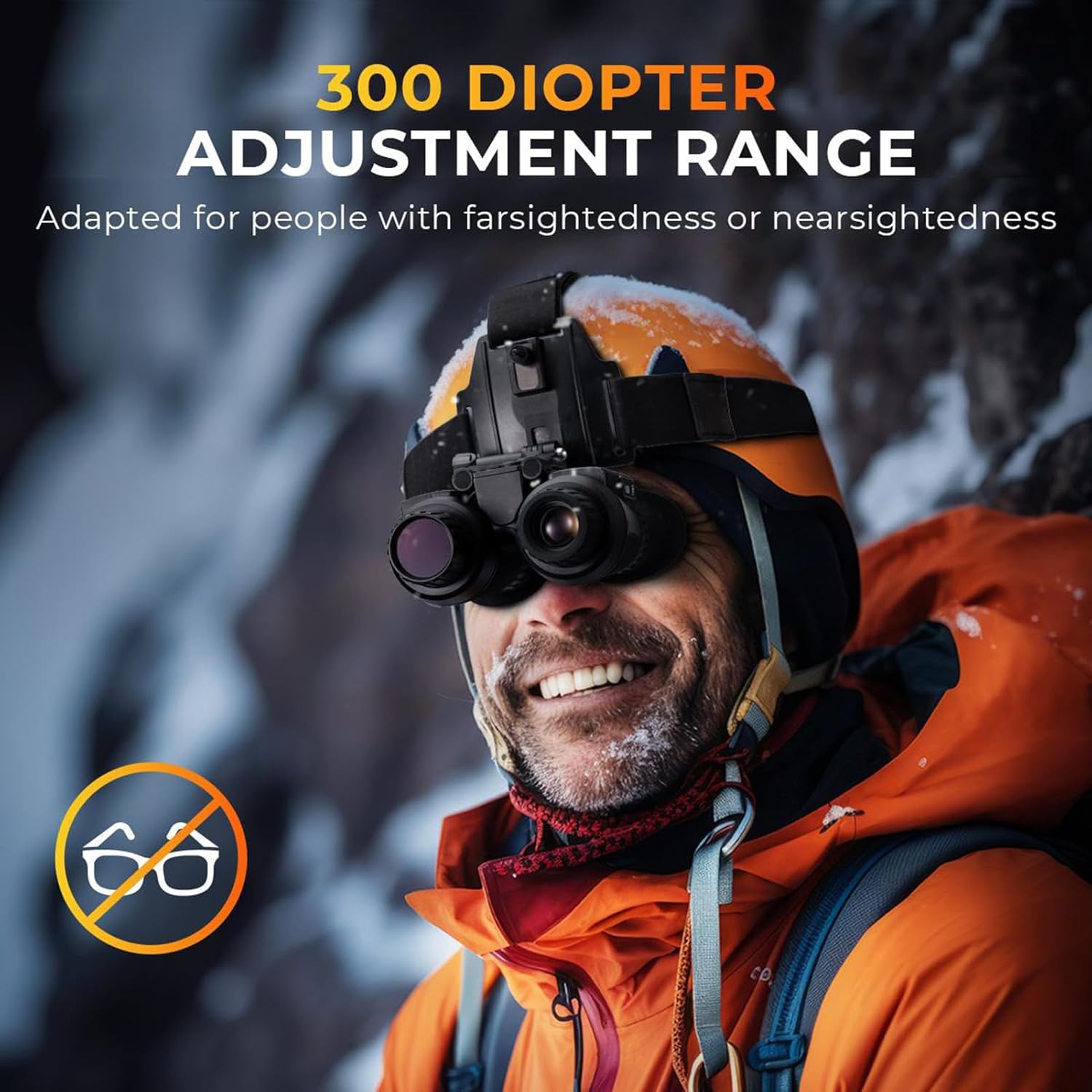
Image: Demonstrating the diopter adjustment feature for personalized vision correction.

Image: Illustrating the adjustment of interpupillary distance (IPD) on the binoculars.
6. Operation
6.1. Power On/Off
Press and hold the Power Button to turn the device on or off.
6.2. Mode Selection
Press the Mode Button to cycle through available modes: Photo, Video, and Playback.
6.3. Adjusting Zoom and IR Illumination
Use the IR+/Zoom In/Up Button to increase digital zoom or IR illumination level. Use the IR-/Zoom Out/Down Button to decrease digital zoom or IR illumination level. There are 7 levels of IR illumination.

Image: Visual guide to the 7 adjustable infrared illumination levels.
6.4. Capturing Photos and Videos
In Photo or Video mode, press the Shutter Button to capture a photo or start/stop video recording. The device supports 4K video and 36MP images.

Image: Display showing 4K video recording and 36MP image capture capabilities.
6.5. Viewing in 100% Darkness
The 3W 850nm infrared illuminator allows for clear observation in complete darkness up to 1312 feet (400 meters). Adjust the IR level as needed for optimal clarity.

Image: Illustration of the night vision goggles providing clear visibility in total darkness.
6.6. Connecting to a PC
Connect the device to your computer using the USB cable to download recorded photos and videos.
Image: Night vision goggles connected to a laptop, indicating file download functionality.
6.7. 3D Display Functionality
The dual-screen design provides a naked-eye 3D viewing experience, restoring stereoscopic scenes. This feature enhances immersion during observation.

Image: Depiction of the dual-display system creating naked-eye 3D visuals.
7. Maintenance
To ensure the longevity and optimal performance of your Miasazyr Night Vision Goggles, follow these maintenance guidelines:
- Cleaning: Use the provided cleaning cloth to gently wipe the lenses and body of the device. Avoid abrasive materials or harsh chemicals.
- Storage: Store the device in a cool, dry place away from direct sunlight and extreme temperatures. Ensure the battery is partially charged before long-term storage.
- Water Resistance: The device has an IP54 rating, meaning it is protected from dust and splashing water. Avoid submerging the device in water.
8. Troubleshooting
If you encounter issues with your night vision goggles, refer to the following common problems and solutions:
| Problem | Possible Cause | Solution |
|---|---|---|
| Device does not power on. | Low battery or faulty battery. | Charge the device fully. If the issue persists, contact customer support. |
| Image is blurry. | Improper focus or diopter adjustment. | Adjust the lens focus wheel and individual diopter adjusting wheels until the image is clear. |
| Poor visibility in darkness. | IR illuminator level is too low. | Increase the IR illumination level using the IR+ button. |
| Cannot record or save files. | Micro SD card is full or not inserted correctly. | Check if the Micro SD card is properly inserted. Delete old files or replace the card if full. |
9. Specifications
- Manufacturer: Miasazyr
- Model Number: 66309536
- ASIN: B0DXJVMQLQ
- Display: Dual 1.4" 390x390 TFT screens, 7 adjustable brightness levels, Naked-Eye 3D
- Video Resolution: 4K
- Image Resolution: 36MP
- Digital Zoom: 8X
- Infrared Illuminator: 3W 850nm, 7-level adjustable
- Viewing Range (100% Darkness): Up to 1312ft (400m)
- Lens: F1.0 large aperture, 25mm
- Field of View: 10 degrees
- Diopter Adjustment: ±300 range
- Interpupillary Distance (IPD): 60-72mm adjustable
- Battery: 2600mAh rechargeable
- Storage: Supports Micro SD card up to 32GB
- Dimensions: 6.1 x 5.3 x 2.4 inches
- Weight: 0.8 lb
10. Official Product Videos
10.1. 3D Naked Eye Night Vision Overview
Video: An overview of the 3D naked eye night vision capabilities of the binoculars, demonstrating its features and design.
10.2. Head-Mounted Night Vision Goggles for Adults
Video: Demonstrates the night vision goggles being used in a head-mounted configuration, highlighting its practical application for adults.
10.3. Helmet-Mounted Night Vision Binoculars
Video: Showcases the night vision binoculars mounted on a helmet, illustrating its use in various scenarios and hands-free operation.