
Nillkin iphone 16E
Nillkin CamShield Pro Case for iPhone 16E 6.1 inch
Model: 6902048296015 | Brand: Nillkin
1. Product Overview
The Nillkin CamShield Pro Case is engineered to provide robust protection and enhanced functionality for your iPhone 16E 6.1 inch. Featuring an innovative slide camera cover, this case ensures your device's camera lens is shielded from scratches and maintains your privacy. Its slim, shockproof design integrates a flexible TPU frame with a hard PC back for dual-layer defense against impacts and daily wear.
The case is designed with precise cutouts for all ports and buttons, ensuring full accessibility and maintaining the phone's original tactile response. Its textured surface offers a comfortable grip and resists fingerprints and smudges.

Figure 1: Nillkin CamShield Pro Case for iPhone 16E.
2. Key Features
- CamShield Pro Design: Specifically tailored for iPhone 16E 6.1 inch, offering a comfortable hand feel and reliable protection.
- Slide Camera Cover: A unique sliding mechanism protects the camera lens from scratches, fingerprints, and safeguards user privacy.
- Stylish & Comfortable: Ultra-thin and compact design that adds minimal bulk. The matte back with a striped surface provides a skin-friendly tactile experience and resists smudges.
- Reliable Protection: Constructed with a flexible TPU frame and a hard PC back for dual protection. Features four drop-proof airbags to absorb and disperse impacts, along with 1mm raised bezels for screen and camera protection.
- Wireless Charging Compatible: Slim profile allows for seamless wireless charging without removing the case.
Feature Details with Visuals
The following images illustrate key protective features of the CamShield Pro Case:

Figure 2: Slide Camera Lens Protection. The sliding cover ensures the camera lens is protected from damage and privacy is maintained.

Figure 3: Smooth Operation and Protection. The camera cover is designed to close firmly and open smoothly, offering anti-dust, anti-scratch, and anti-fingerprint benefits.
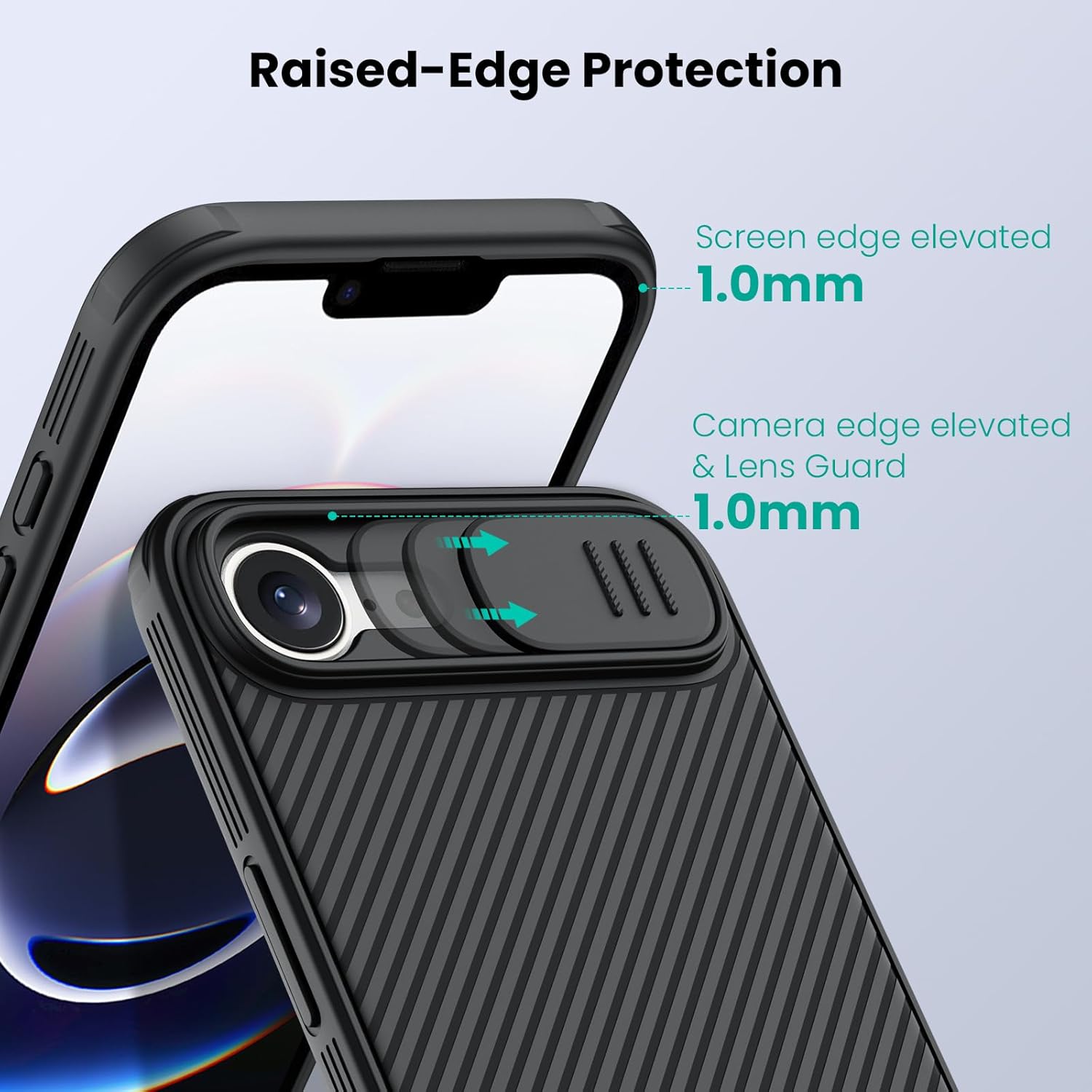
Figure 4: Raised-Edge Protection. The case features 1.0mm elevated bezels around both the screen and camera to prevent direct contact with surfaces.

Figure 5: Impact Resistant Protection. Built-in drop-proof airbags and multi-layer construction provide superior shock absorption.

Figure 6: Slim Design. The case maintains a slim profile, ensuring comfortable handling and pocketability.
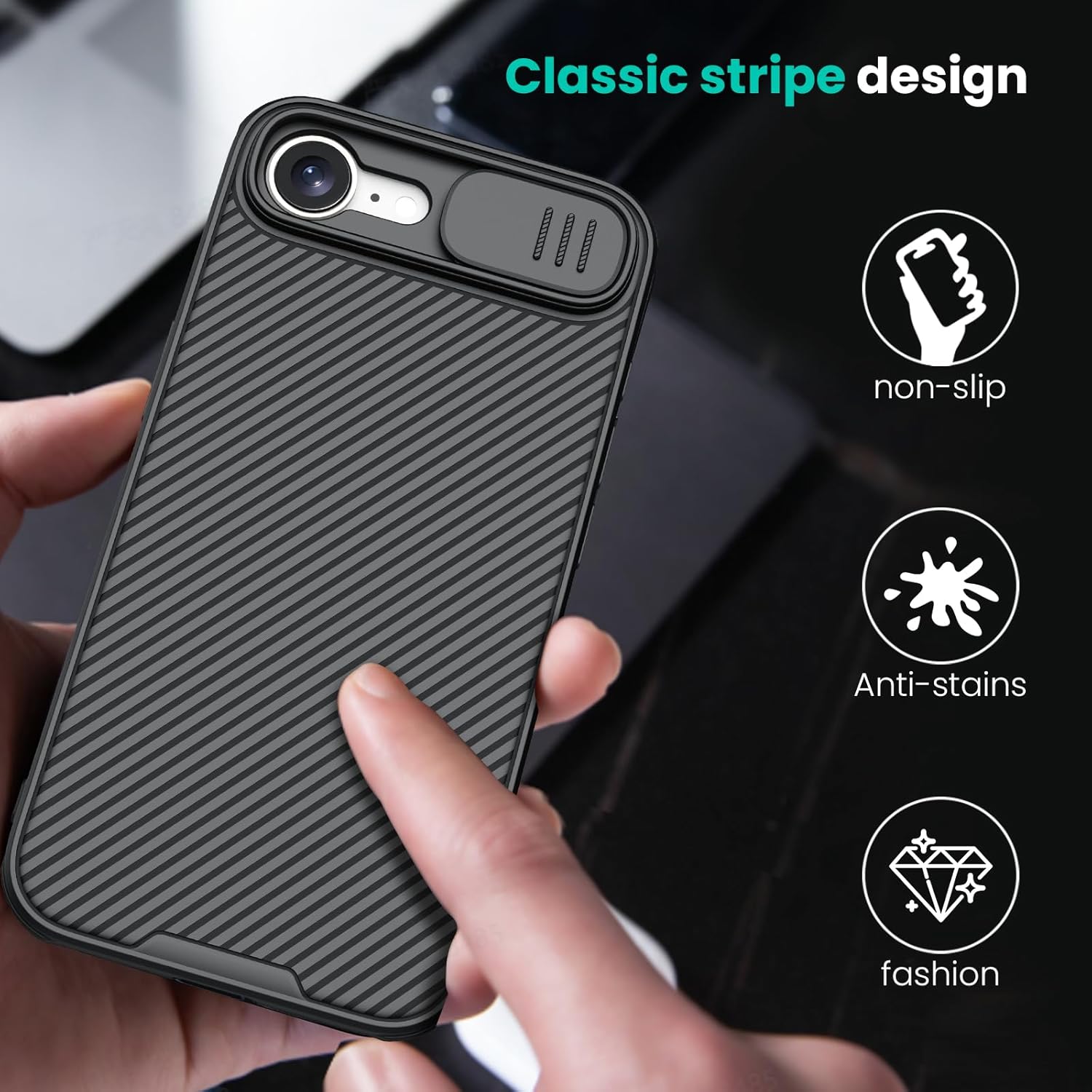
Figure 7: Classic Stripe Design. The textured surface enhances grip and resists stains, contributing to both functionality and aesthetics.
Product Video
Video 1: Nillkin for iPhone 16E Case with Slide Camera Cover. This video demonstrates the key features and functionality of the case, including the sliding camera cover and overall design.
3. Setup and Installation
Installing the Nillkin CamShield Pro Case on your iPhone 16E is a straightforward process. Follow these steps for proper installation:
- Clean Your Device: Before installation, ensure your iPhone 16E is clean and free of dust, smudges, or debris. Use a soft, lint-free cloth to wipe down the front and back of your phone.
- Align the Case: Hold the case with the camera cutout aligned with your phone's camera module.
- Insert Top Edge: Gently insert the top edge of your iPhone into the top edge of the case, ensuring the corners are properly seated.
- Press Down Sides: Apply gentle pressure along the sides of the phone, working your way down, until the phone snaps securely into place within the case. Ensure all edges and corners of the phone are fully enclosed by the case.
- Check Fit: Verify that all buttons (power, volume) are accessible and functional, and that all ports (charging, speakers) are unobstructed by the case.
To remove the case, gently peel back one of the top corners of the case from the phone, then carefully work your way around the edges until the phone can be lifted out.
4. Operating Instructions
Using the Slide Camera Cover
The primary functional feature of the Nillkin CamShield Pro Case is its integrated slide camera cover. This cover provides on-demand protection for your iPhone's camera lens and privacy.
- To Cover the Camera: Gently slide the camera cover horizontally across the camera module until it clicks into its closed position. This will fully shield the camera lenses.
- To Uncover the Camera: Gently slide the camera cover horizontally in the opposite direction until it clicks into its open position. This will expose the camera lenses for use.
The cover is designed to have a secure fit to prevent accidental opening or closing. A slight resistance is normal and ensures the cover stays in place.
5. Maintenance
Proper care and maintenance will extend the life and appearance of your Nillkin CamShield Pro Case.
- Regular Cleaning: Wipe the case regularly with a soft, damp cloth to remove dust, dirt, and fingerprints. For stubborn stains, a mild soap solution can be used, but ensure the case is thoroughly dried afterward.
- Avoid Harsh Chemicals: Do not use abrasive cleaners, solvents, or strong chemicals, as these can damage the case material and finish.
- Prevent Excessive Heat: Avoid exposing the case to extreme temperatures or direct sunlight for prolonged periods, as this may cause material degradation or discoloration.
- Inspect for Damage: Periodically check the case for any signs of wear, cracks, or damage, especially around the edges and camera cover mechanism, to ensure continued protection.
6. Troubleshooting
This section addresses common issues you might encounter with your Nillkin CamShield Pro Case.
Issue: Camera Cover is Stiff or Difficult to Slide
Possible Cause: Accumulation of dust or debris in the sliding mechanism, or newness of the product.
Solution:
- Gently clean the grooves of the sliding mechanism with a dry, soft brush or a cotton swab to remove any trapped particles.
- With regular use, the sliding mechanism may become smoother over time.
Issue: Case Does Not Fit Properly
Possible Cause: Incorrect model of case for your phone, or improper installation.
Solution:
- Ensure you have the correct Nillkin CamShield Pro Case specifically designed for the iPhone 16E 6.1 inch model.
- Re-install the case following the steps in Section 3, ensuring all corners and edges are fully seated.
Issue: Wireless Charging Not Working
Possible Cause: Misalignment on the charging pad, or an issue with the charging pad itself.
Solution:
- Ensure your iPhone is correctly centered on the wireless charging pad.
- Verify that your wireless charging pad is functioning correctly with other devices.
- The case is designed to be slim enough for wireless charging; no removal should be necessary.
7. Specifications
| Attribute | Detail |
|---|---|
| Product Dimensions | 6.3 x 3.15 x 0.79 inches |
| Item Weight | 3.52 ounces |
| ASIN | B0DXJRF6QZ |
| Item Model Number | 6902048296015 |
| Color | Black |
| Manufacturer | Nillkin |
| Compatible Phone Models | IPhone 16E |
| Material | Polycarbonate |
| Special Features | Built-in Camera Protector, Slim Fit, Wireless Charging Compatible |
8. Warranty and Support
Nillkin products are manufactured to high quality standards. For specific warranty information regarding your Nillkin CamShield Pro Case, please refer to the warranty card included with your purchase or visit the official Nillkin website.
For customer support, technical assistance, or inquiries about your product, please contact Nillkin directly through their official channels. You can find more information and contact details on the Nillkin Store on Amazon.
Ask a question about this manual
Ask about setup, troubleshooting, compatibility, parts, safety, or missing instructions. Manuals+ will review the question and use this page’s manual context to help answer it.