
1. Introduction
This manual provides comprehensive instructions for the installation and use of the enttgo Car One-Touch Start Button with Push-to-Start Rocker Lever. This accessory is designed to enhance the aesthetic and tactile experience of your vehicle's engine start/stop button or other compatible devices. Please read these instructions carefully before installation and use.
2. Product Overview
2.1 Key Features
- Material: Constructed from high-strength, environmentally friendly zinc alloy with a glossy paint finish. The base is made of plastic.
- Design: Features a diamond-shaped top in blue, providing a distinctive appearance.
- Universal Size: Designed to fit various push-to-start buttons. Dimensions are approximately 73mm (2.87 inches) long, 55mm (2.17 inches) thick, with a 41mm (1.61 inches) bottom diameter and a 12mm (0.47 inches) movable push button connector diameter.
- Easy Installation: Utilizes strong double-sided adhesive for a secure, non-destructive attachment.
- Multi-Application: Suitable for car engine start buttons, PC startup buttons, and other compatible devices.
2.2 What's in the Box
- Car Push to Start Button Rocker x 1
- Cleaning kit x 1
- Double-sided adhesive ring x 3

Image 1: The enttgo Car One-Touch Start Button Rocker in Diamond - Blue, showcasing its design and how it appears when installed on a vehicle's start button.
3. Setup and Installation
Follow these steps for proper installation of your Car One-Touch Start Button Rocker:
- Clean the Installation Site: Thoroughly clean the surface where the rocker will be installed. Use the provided cleaning kit (alcohol cotton) to ensure the surface is free of dust, grease, and moisture. Allow the surface to dry completely.
- Prepare Adhesive: Tear off one side of the protective film from a double-sided adhesive ring.
- Attach Adhesive to Product: Carefully stick the adhesive ring onto the bottom of the rocker. Press firmly to ensure a strong bond.
- Prepare for Placement: Tear off the protective film from the other side of the adhesive ring.
- Position and Press: Align the rocker precisely over the ignition button or desired installation area. Press down firmly and hold for several seconds to secure it in place.
- Installation Complete: The installation is now complete. Avoid disturbing the rocker for a few hours to allow the adhesive to fully cure.

Image 2: A hand demonstrating the installation process of the rocker onto a car's start button, highlighting the direct paste method.
Important Note: The Car Push to Start Button rocker may not be suitable for all car models. Please verify the diameter of your car's engine start and stop button before purchasing to ensure compatibility.
4. Operating Instructions
Once installed, the rocker lever functions as a decorative and tactile cover for your push-to-start button. To operate, simply press the rocker lever as you would the original button. The rocker is designed to provide a comfortable and aesthetically pleasing interface for activating the underlying button.
4.1 Applications
- Car Engine Push-to-Start Button
- PC Startup Button (desktop computer)
- Other suitable push-button applications
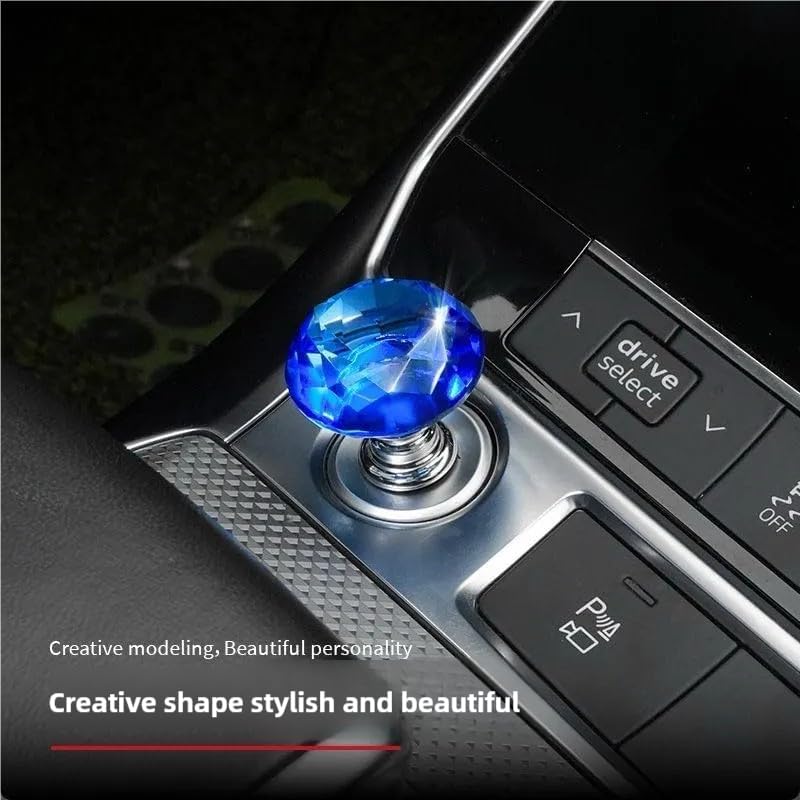
Image 3: The blue diamond rocker installed on a car's engine start button, demonstrating its appearance in use.
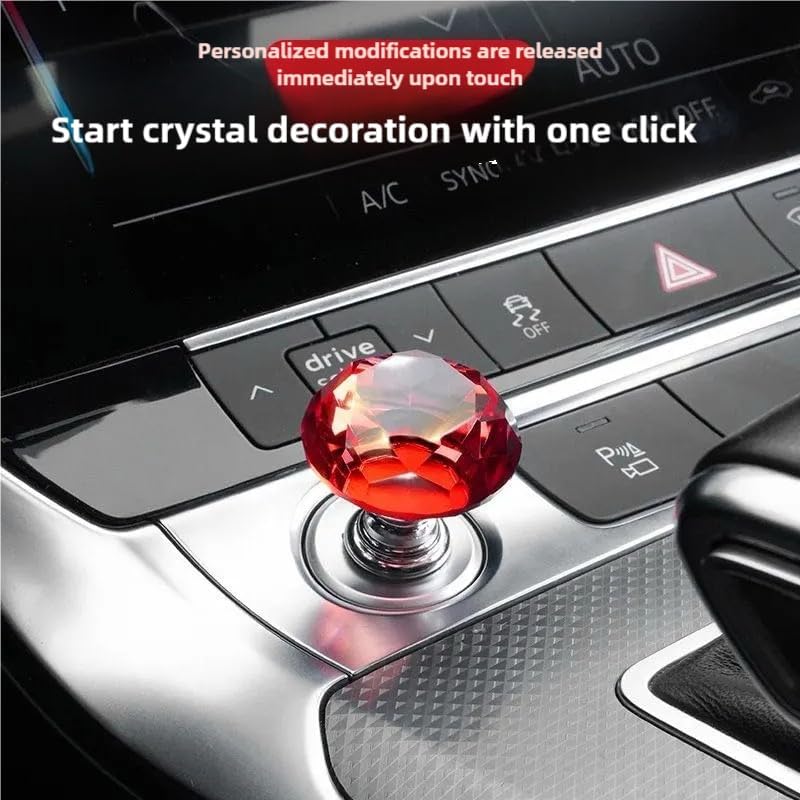
Image 4: A red diamond rocker installed on a car's engine start button, illustrating the product's aesthetic integration.
5. Maintenance
This product requires minimal maintenance. To clean, gently wipe the surface with a soft, damp cloth. Avoid using abrasive cleaners or solvents, as these may damage the finish. Ensure the adhesive remains secure; if it loosens, replace it with a new double-sided adhesive ring from the spare provided.
6. Troubleshooting
No specific troubleshooting information is provided for this product. If the rocker does not adhere properly, ensure the surface was thoroughly cleaned and dry before application. If you encounter any issues, please refer to the 'Warranty and Support' section for assistance.
7. Specifications
| Attribute | Detail |
|---|---|
| Brand | enttgo |
| Model Number | B0DXFVRM36 |
| Color | Diamond - Blue |
| Material | Zinc Alloy (rocker), Plastic (base) |
| Exterior Finish | Glossy Paint |
| Item Weight | 0.81 ounces (approx. 23 grams) |
| Item Depth | 2.17 inches (approx. 55mm) |
| Overall Length | 2.87 inches (approx. 73mm) |
| Bottom Diameter | 1.61 inches (approx. 41mm) |
| Movable Push Button Connector Diameter | 0.47 inches (approx. 12mm) |
| Handle Attachment Mechanism | Adhesive |
| UPC | 762949573488 |
8. Safety Information
- Ensure the rocker is securely attached to prevent detachment during vehicle operation.
- Do not obstruct any critical vehicle controls or indicators with the installed rocker.
- Keep out of reach of small children to prevent choking hazards from small parts.
- Refer to your vehicle manufacturer's guidelines for any specific warnings or precautions related to interior accessories.
9. Warranty and Support
For warranty information or product support, please contact the manufacturer, enttgo, directly through their official channels or the retailer from whom the product was purchased. Please retain your proof of purchase for any warranty claims.