
Introduction
This manual provides detailed instructions for the safe and effective use of your CGDUYWJ Bonesoundz Pro Wireless Earclip Skeleton Conduction Headphones. Please read this manual thoroughly before using the product and retain it for future reference.

Image: A pair of black Bonesoundz Pro headphones resting next to a smartphone, illustrating their modern design and connectivity.
Important Safety Information
- Do not disassemble or modify the headphones.
- Keep the headphones away from extreme temperatures and direct sunlight.
- Avoid exposing the charging port to water or moisture. Ensure it is dry before charging.
- Use only the specified charging voltage/current (5V/1A).
- Prolonged exposure to loud sounds may cause hearing damage. Adjust volume to a safe level.
Package Contents
The package includes the following items:
- 1 x CGDUYWJ Bonesoundz Pro Wireless Earclip Skeleton Conduction Headphones
- 1 x Charging Cable (USB-C, assumed)
- 1 x User Manual (this document)
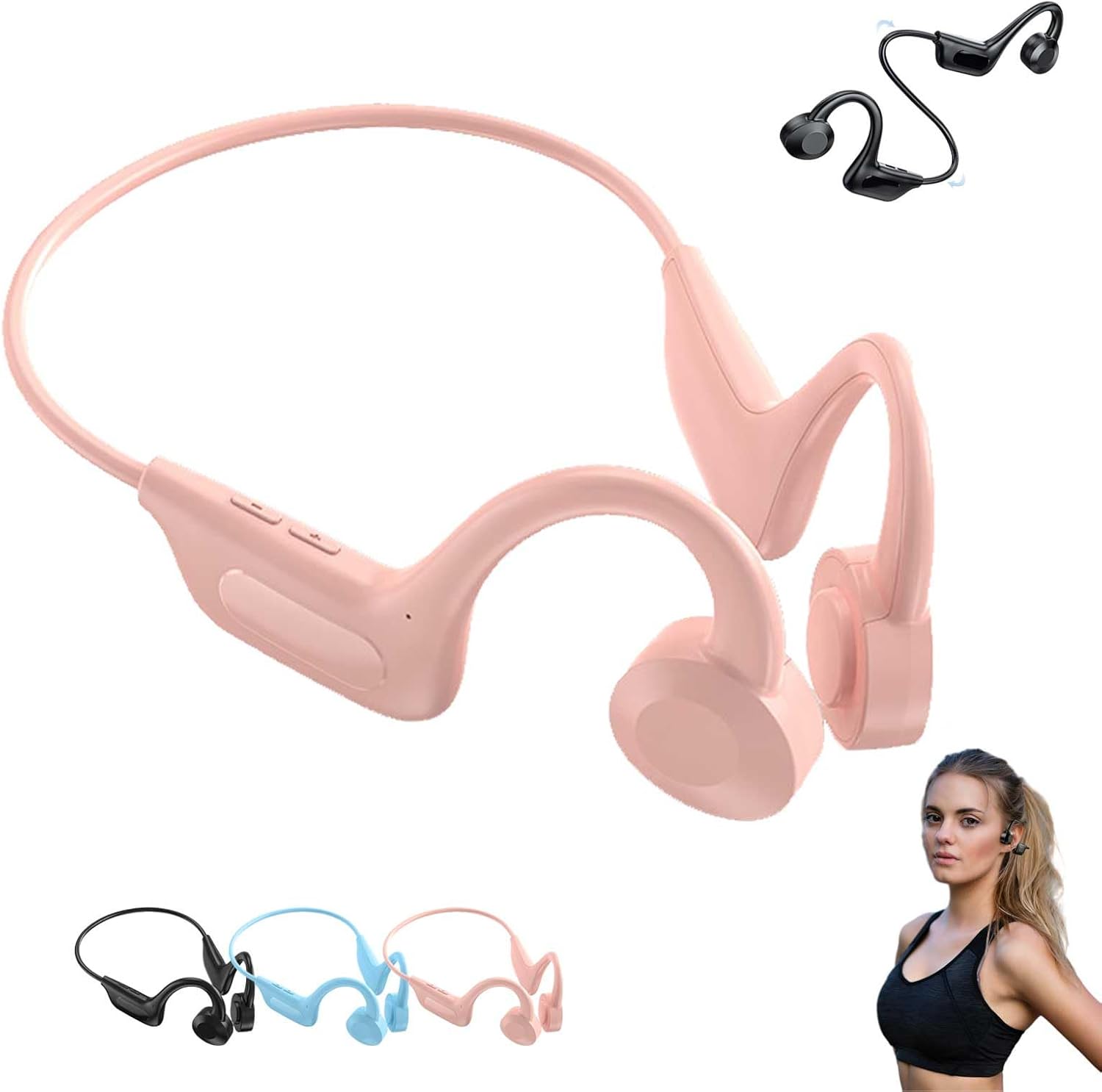
Image: A pair of pink CGDUYWJ Bonesoundz Pro Wireless Earclip Skeleton Conduction Headphones, showcasing their design. Also shown are smaller images of black and blue variants, and a person wearing the headphones.
Product Overview
The Bonesoundz Pro headphones utilize skeleton conduction technology, delivering audio through vibrations to your inner ear, leaving your ear canal open for ambient sound awareness. They feature an earclip design for a secure fit, making them suitable for various activities including running and swimming.

Image: A close-up view of the headphone's control panel, indicating touch-sensitive areas for answering/ending calls and power on/off functions.

Image: A pair of black Bonesoundz Pro headphones, emphasizing their comfortable, ear-free design and long battery life, suitable for sports.
Setup
1. Charging the Headphones
- Connect the charging cable to the charging port on the headphones.
- Connect the other end of the cable to a 5V/1A USB power adapter (not included) or a computer's USB port.
- The indicator light will show charging status (e.g., red for charging, blue for fully charged).
- Charging time is approximately 2 hours.
Note: Ensure the charging port is completely dry before connecting the charging cable, especially after exposure to water.
2. Bluetooth Pairing
- Ensure the headphones are fully charged.
- Press and hold the Power button until the indicator light flashes (e.g., red and blue alternately), indicating pairing mode.
- On your device (smartphone, tablet, etc.), enable Bluetooth and search for available devices.
- Select "Bonesoundz Pro" (or similar name) from the list of devices.
- Once paired, the indicator light will typically turn solid blue or stop flashing.
- The headphones will automatically connect to the last paired device when powered on, if it is within range.

Image: A pair of black Bonesoundz Pro headphones with a graphic representing high-fidelity sound waves, illustrating the immersive audio experience.
Operating Instructions
Power On/Off
- Power On: Press and hold the Power button for approximately 3 seconds.
- Power Off: Press and hold the Power button for approximately 5 seconds.
Music Playback
- Play/Pause: Single tap the Multi-function button (often the same as Power button or a dedicated touch area).
- Next Track: Double tap the Multi-function button.
- Previous Track: Triple tap the Multi-function button.
Call Management
- Answer Call: Single tap the Multi-function button when a call comes in.
- End Call: Single tap the Multi-function button during a call.
- Reject Call: Press and hold the Multi-function button for 2 seconds when a call comes in.
Volume Control
Specific volume control buttons may be present or controlled via the connected device. Refer to the physical buttons on your headphones for volume up/down functionality.
Waterproof Usage (IPX8)
These headphones are rated IPX8 waterproof, meaning they can withstand continuous immersion in water under certain conditions. They are suitable for swimming and other water-based activities. Ensure the charging port is sealed and dry before and after water exposure.

Image: A pair of black Bonesoundz Pro headphones, highlighting their waterproof and sports-oriented design.
Maintenance
- Cleaning: Wipe the headphones with a soft, damp cloth. Do not use abrasive cleaners or solvents.
- Storage: Store the headphones in a cool, dry place away from direct sunlight and extreme temperatures.
- Battery Care: To prolong battery life, charge the headphones regularly, even if not in frequent use. Avoid fully discharging the battery for extended periods.
Troubleshooting
| Problem | Possible Cause | Solution |
|---|---|---|
| Headphones do not power on. | Low battery. | Charge the headphones for at least 2 hours. |
| Cannot pair with device. | Bluetooth is off on device; headphones not in pairing mode; too far from device. | Ensure Bluetooth is enabled on your device. Put headphones in pairing mode. Move device closer to headphones (within 20 meters). |
| No sound or poor sound quality. | Volume too low; headphones not properly positioned; interference. | Increase volume on headphones and device. Adjust headphone position for optimal skeleton conduction. Move away from sources of interference. |
| Headphones disconnect frequently. | Out of range; low battery; interference. | Stay within 20 meters of the connected device. Charge headphones. Avoid strong electromagnetic interference. |
Specifications
- Model: Bonesoundz Pro
- Bluetooth Version: V5.1
- Weight: 27.3g
- Waterproof Rating: IPX8
- Transmission Distance: Up to 20 meters (65 feet)
- Battery Capacity: 180mAh
- Charging Voltage/Current: 5V/1A
- Play/Talk Time: Approximately 10 hours
- Charging Time: Approximately 2 hours
- Standby Time: 180 days

Image: Three pairs of Bonesoundz Pro headphones in black, blue, and pink, hanging on a wooden rack, illustrating the earclip design and different color options.
Warranty and Support
For warranty information or technical support, please refer to the retailer's return policy or contact the manufacturer directly. Keep your purchase receipt as proof of purchase.