
1. Introduction
The Dejasound DK-8 8-Channel Professional Audio Mixer is engineered for audio professionals and enthusiasts, suitable for recording studios, live events, broadcasts, and concerts. This console offers precise control over audio signals with independently adjustable channels, ensuring high-quality sound performance in diverse environments.
Key features include Bluetooth and USB interfaces for versatile connectivity, 99 built-in DSP effects for creative audio adjustments, and individual 48V phantom power for stable microphone input. The high-definition screen provides clear visual feedback for settings, while the stereo equalizer and G1-2 channel switching functions enhance sound processing and control.
2. Package Contents
- Dejasound DK-8 Mixing Console
- Power Cable
- User Manual
3. Product Overview
Familiarize yourself with the layout and connections of your DK-8 mixer.
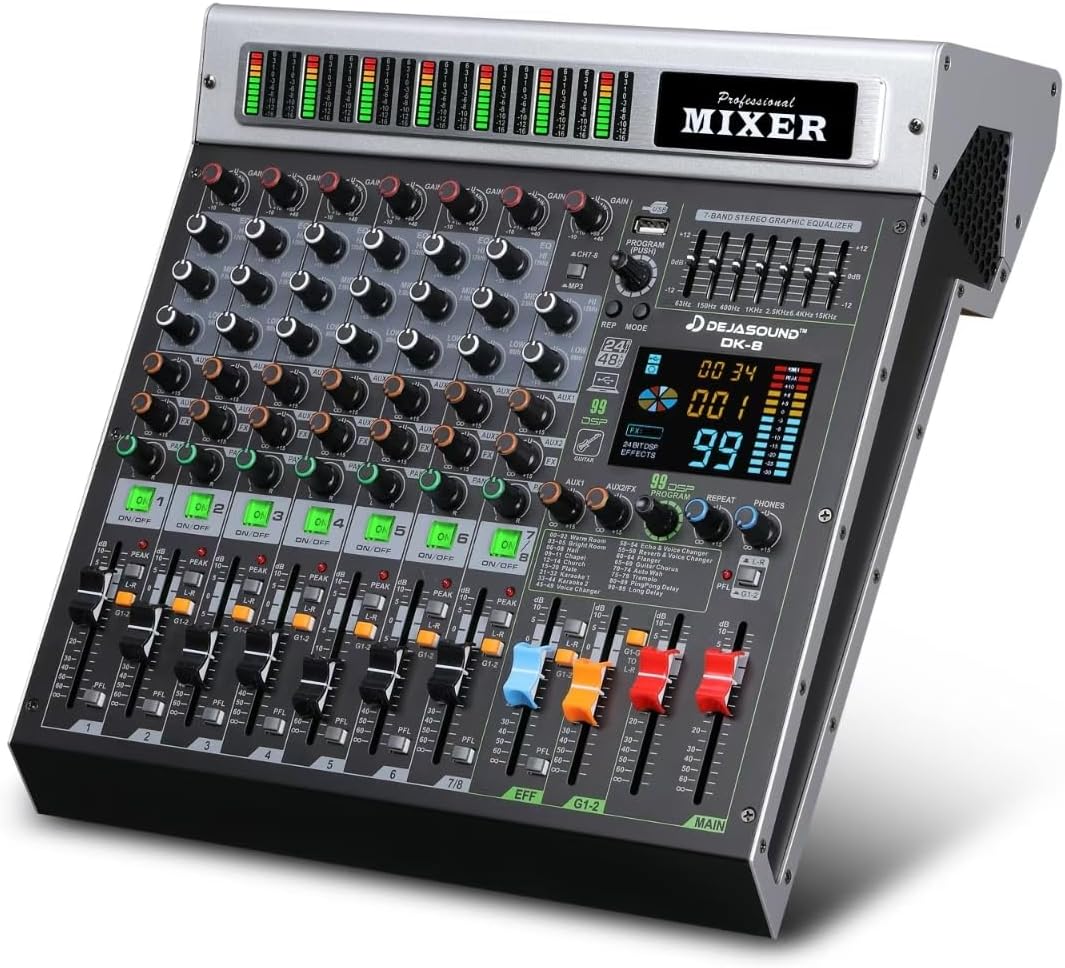
Figure 3.1: Top-down view of the Dejasound DK-8 mixer, showcasing its controls and faders.
3.1. Channel Control Section
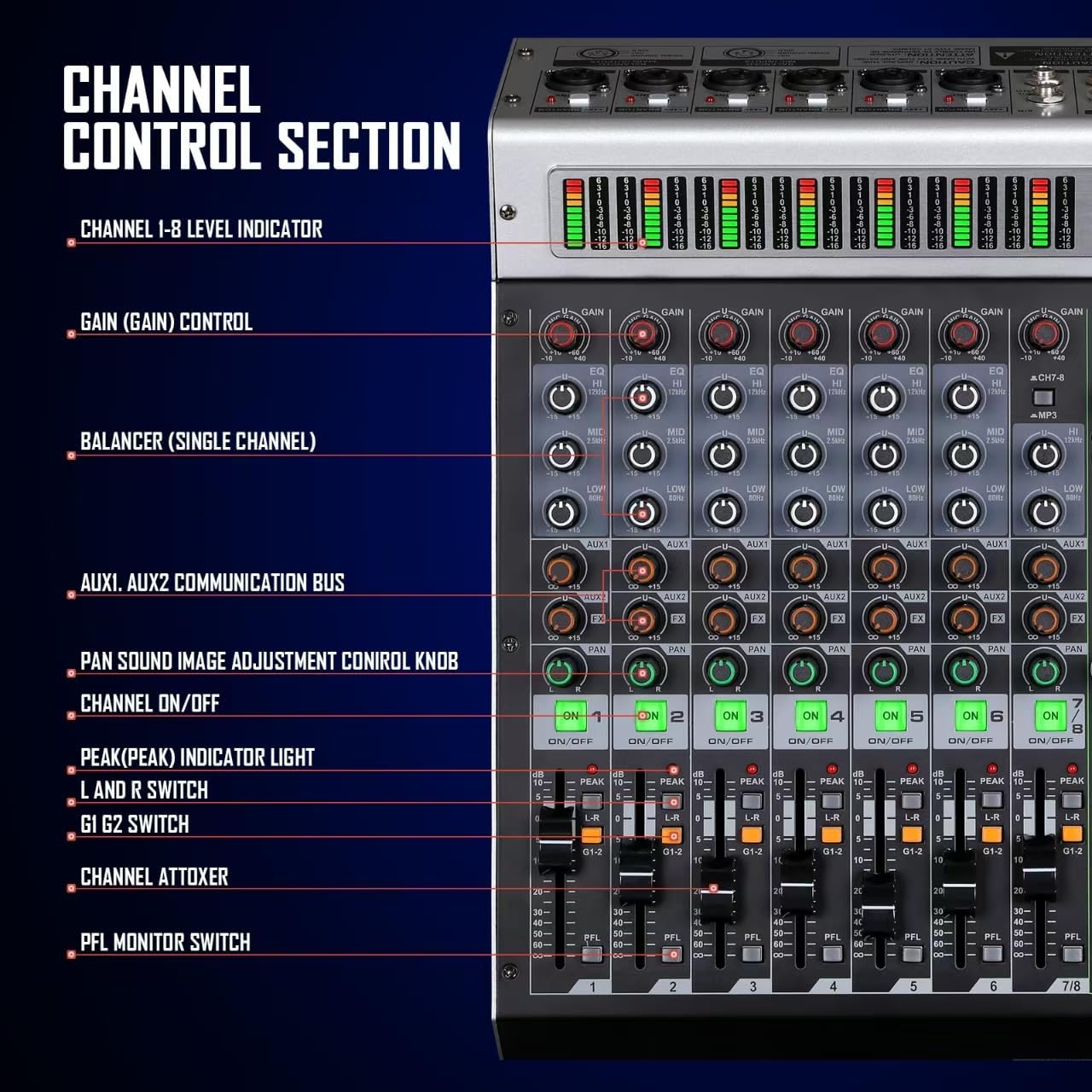
Figure 3.2: Each channel features independent level indicators, gain control, balancer, AUX sends, pan control, on/off switches, peak indicators, L/R and G1-2 switches, and PFL monitor switches.
3.2. Main Control Part

Figure 3.3: The main control area includes the USB music player, stereo balancer, line input and MP3 switch, LCD display, AUX total control, repeat control, phone control, 99 effects selector, L-R/G1-2 switch, PFL indicator light, main primary output, and effect faders.
3.3. Rear Panel Input/Output

Figure 3.4: The rear panel provides stereo output (L/R), main output (L/R), G1G2 output, phone socket, AUX1/AUX2 signal output, TRS (R) input, FX-FOO foot switch, power connection package, power switch, and MIC/LINE input sockets with independent 48V phantom power switches.
4. Setup Guide
4.1. Power Connection
- Ensure the mixer's power switch is in the OFF position.
- Connect the provided power cable to the AC INPUT on the rear panel of the mixer.
- Plug the other end of the power cable into a suitable power outlet.
- Flip the power switch to the ON position. The mixer's display and indicators will illuminate.
4.2. Connecting Microphones and Line Inputs
- For microphones requiring phantom power (e.g., condenser microphones), connect them to the XLR inputs (MIC/LINE) on the rear panel. Activate the individual +48V PHANTOM power switch for the respective channel.
- For dynamic microphones or line-level instruments, connect them using XLR or 1/4" TRS cables to the MIC/LINE inputs.
- Adjust the GAIN knob for each channel to achieve an optimal input level, ensuring the PEAK indicator does not frequently light up.
4.3. Connecting Output Devices
- Connect your main speakers or amplifier to the MAIN OUTPUT (L/R) using XLR cables.
- For monitoring, connect headphones to the PHONES socket on the rear panel.
- Additional outputs like STEREO OUT (L/R) and G1G2 output can be used for recording devices or secondary monitors.
5. Operating Instructions
5.1. Adjusting Channel Levels and EQ
- Use the faders at the bottom of each channel strip to control individual channel volumes.
- Each channel features a 3-band equalizer (HIGH, MID, LOW) to shape the tone of your audio source. Adjust these knobs to enhance or cut specific frequencies.
- The PAN knob adjusts the stereo positioning of the channel's signal.
- Press the ON/OFF button to mute or unmute a channel. The corresponding LED indicates the channel's status.
5.2. DSP Effects

Figure 5.1: The DK-8 features a 99 DSP effects processor for various audio enhancements.
- The mixer includes 99 built-in DSP effects. Use the PROGRAM (PUSH) knob to browse and select effects, which are displayed on the high-definition screen.
- Adjust the FX/SEND knob on each channel to send a portion of that channel's signal to the effects processor.
- The FX fader controls the overall level of the applied effects in the main mix.
5.3. Bluetooth and USB Connectivity
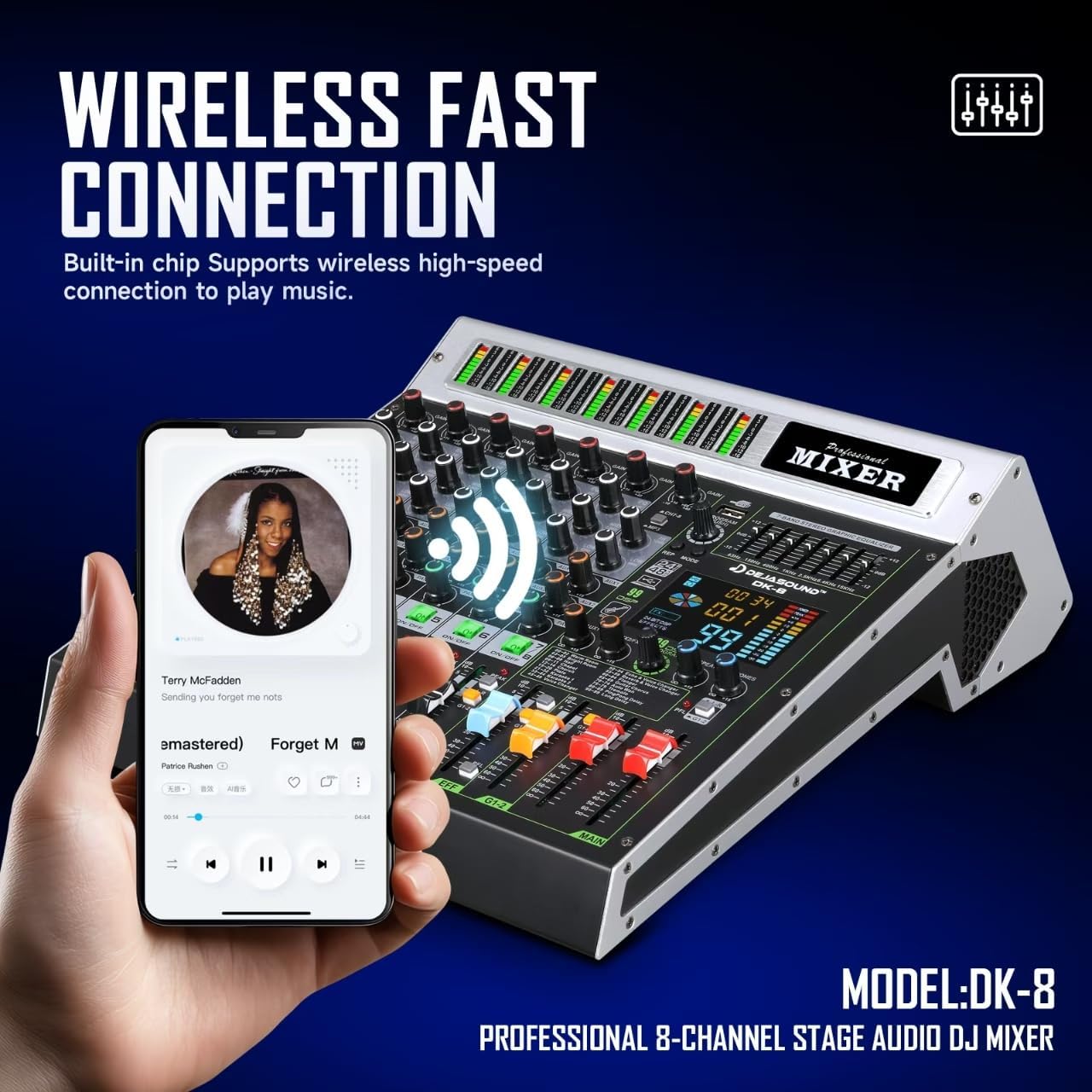
Figure 5.2: Wireless fast connection via Bluetooth allows seamless audio streaming from devices.
- Bluetooth: Activate Bluetooth mode on the mixer via the USB/BT player section. Pair your smartphone or other Bluetooth-enabled device with the mixer to stream audio wirelessly.
- USB Playback/Recording: Insert a USB flash drive into the USB port for MP3 playback. The mixer also functions as a USB audio interface, allowing direct connection to a PC for recording and playback.
5.4. Stereo Equalizer
The 7-band stereo graphic equalizer allows for fine-tuning of the overall mix. Adjust the faders for specific frequency bands (63Hz to 15KHz) to optimize the output sound for your environment or preference.
Video 5.1: Official product video from Dejasound demonstrating the professional audio mixer with XLR inputs and various features.
6. Suitable Applications
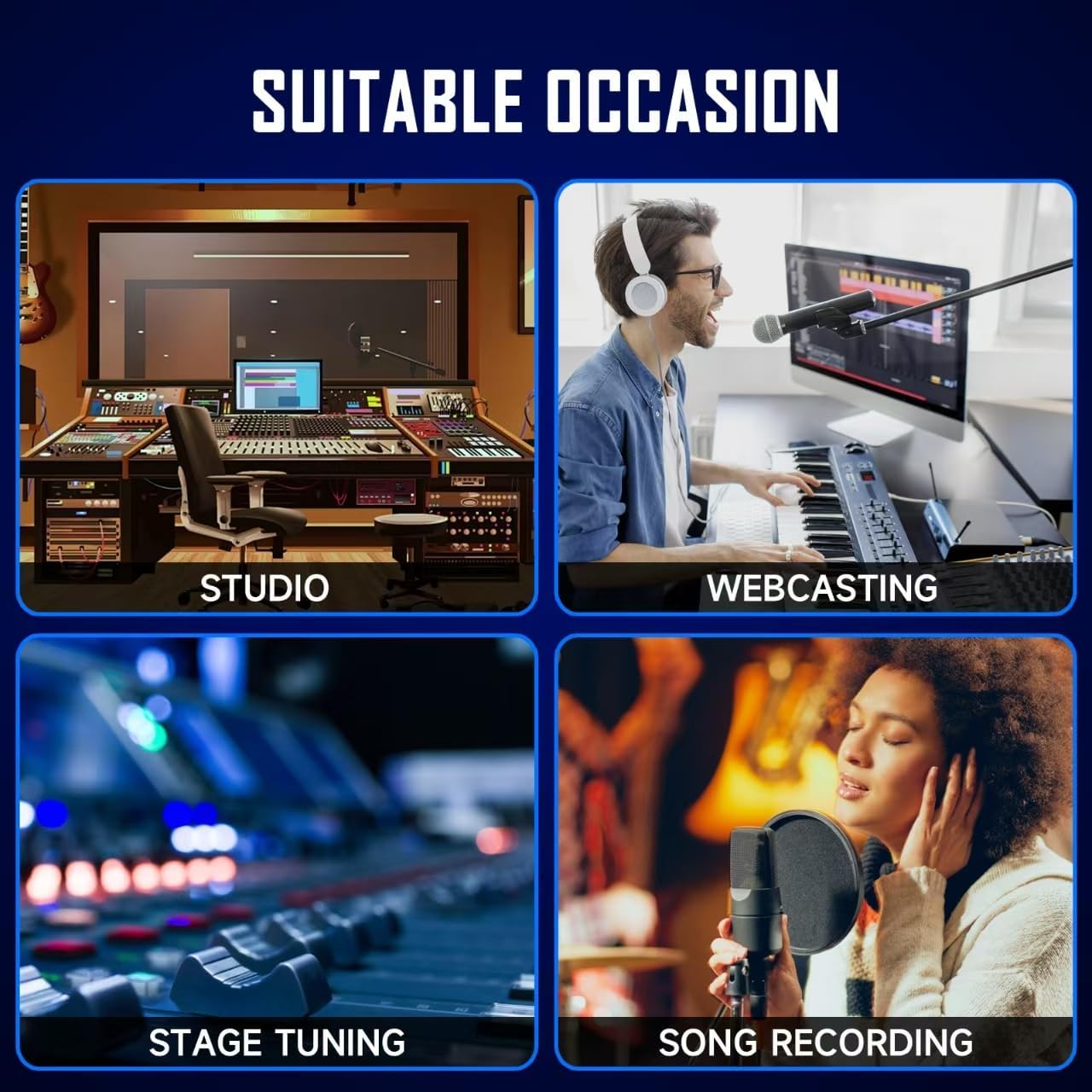
Figure 6.1: The Dejasound DK-8 mixer is versatile for various audio production and performance scenarios.
The Dejasound DK-8 mixer is designed for a wide range of professional and semi-professional audio applications, including:
- Recording Studios: For multi-track recording and mixing.
- Live Events: Ideal for small to medium-sized concerts, conferences, and performances.
- Broadcasts & Podcasts: Provides clear audio input and mixing capabilities for live streaming and podcast production.
- Music Production: Offers tools for sound shaping and effects integration for musicians and producers.
- Karaoke & Home Entertainment: Enhances vocal performance with built-in effects and flexible input options.
7. Specifications
| Feature | Specification |
|---|---|
| Brand | Dejasound |
| Model | DK-8 |
| Number of Channels | 8 |
| Connectivity Technology | Auxiliary, Bluetooth, RCA, USB, XLR |
| DSP Effects | 99 Built-in |
| Phantom Power | 48V (Individual Channel Switches) |
| Equalizer | 3-Band EQ per channel, 7-Band Stereo Graphic Equalizer |
| Product Dimensions | 14.76"D x 12.99"W x 1.96"H (37.5 x 33 x 5 cm) |
| Item Weight | 10.23 pounds (4.64 kg) |
| Power Source | Corded Electric |
8. Troubleshooting
- No Sound Output: Ensure all cables are securely connected, power is on, and master volume/channel faders are raised. Check speaker connections and power.
- Distorted Audio: Reduce input GAIN levels to prevent clipping (PEAK LEDs should not light up constantly). Check cable integrity and ensure correct impedance matching.
- Microphone Not Working: Verify microphone connection. If using a condenser microphone, ensure +48V PHANTOM power is activated for its channel. Check microphone cable.
- Bluetooth Connection Issues: Ensure the mixer is in Bluetooth mode and discoverable. Forget previous pairings on your device and try reconnecting. Ensure no other devices are actively connected to the mixer's Bluetooth.
- USB Playback Failure: Ensure the USB drive is formatted correctly (FAT32) and contains compatible audio files (MP3). Try a different USB drive.
9. Warranty and Support
For detailed warranty information and technical support, please refer to the included user manual or contact Dejasound customer service. Keep your purchase receipt for warranty claims.