
1. Introduction
Thank you for choosing the RUWORA KIE-50 Pint Dehumidifier. This appliance is designed to efficiently remove excess moisture from your indoor environment, creating a more comfortable and healthier living space. It is suitable for areas up to 4500 square feet, such as basements, bedrooms, bathrooms, and RVs. This manual provides essential information for the safe and effective operation and maintenance of your dehumidifier.

Figure 1: RUWORA KIE-50 Pint Dehumidifier, a compact white unit with a top control panel and side handles.
2. Safety Instructions
- Before First Use: It is crucial to leave the dehumidifier standing upright and outside its box for at least 24 hours before plugging it in. This allows the refrigerant to settle properly, preventing potential damage to the compressor.
- Ensure the unit is placed on a stable, level surface.
- Do not operate the unit with a damaged power cord or plug.
- Keep at least 18 inches of space around the dehumidifier for proper airflow.
- Do not block air inlets or outlets.
- Always unplug the unit before cleaning or performing any maintenance.
- This appliance is for indoor residential use only.
3. Product Overview
The RUWORA KIE-50 Pint Dehumidifier features an intuitive smart touch panel for easy control and monitoring. It is designed for portability with a hidden handle and four 360° rotatable casters.
Control Panel Functions:

Figure 2: Detailed view of the smart touch control panel, showing buttons for Setting, Timer, Speed, and Power, along with a digital display.
- Power Button: Turns the unit ON or OFF.
- Setting Button: Adjusts the desired humidity level (30%-90% RH in 5% increments) or selects continuous dehumidification mode.
- Timer Button: Sets the 24-hour automatic switch time for delayed start or stop.
- Speed Button: Selects between Low and High fan speeds.
- Display: Shows current humidity, set humidity, or timer settings.
- Indicator Lights: Lights for Defrost, Full (water tank), and Timer.
Portability Features:
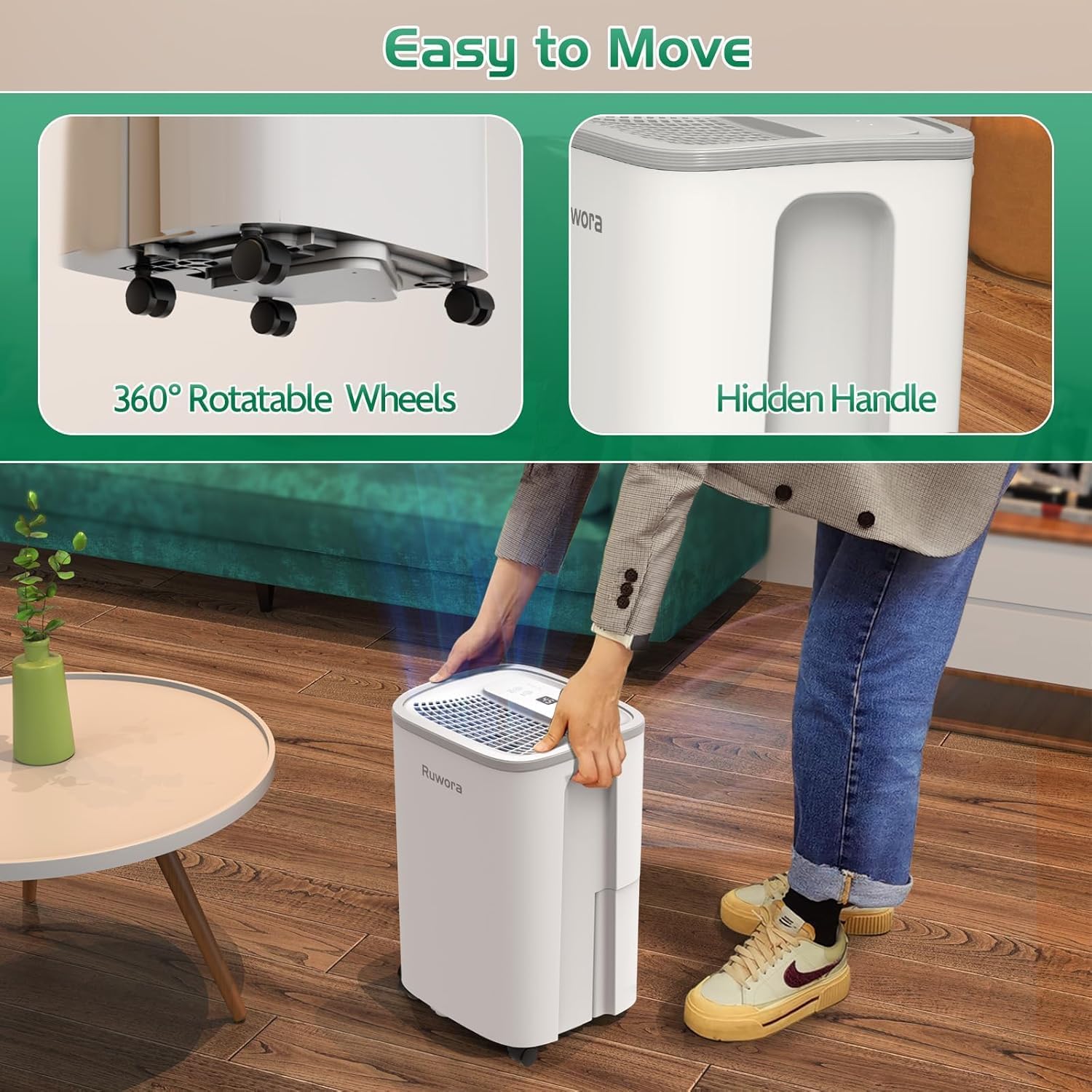
Figure 3: Image illustrating the hidden handle on top and the 360° rotatable casters at the base for easy movement.
- Hidden Handle: Integrated into the top design for convenient lifting.
- 360° Rotatable Casters: Four wheels at the base allow for effortless relocation of the unit between rooms.
4. Setup
- Unpacking: Carefully remove the dehumidifier from its packaging.
- Refrigerant Settling: Place the unit upright on a flat, stable surface for a minimum of 24 hours before plugging it into a power outlet. This allows the internal refrigerant to stabilize.
- Positioning: Choose a location where the dehumidifier can operate effectively. Ensure there is at least 18 inches of clear space around the air inlets and outlets for optimal performance. Close doors and windows in the area to be dehumidified.
- Power Connection: Plug the power cord directly into a properly grounded 120V AC electrical outlet. Do not use extension cords.
5. Operating Instructions
The dehumidifier is designed for user-friendly operation with its smart touch panel.
- Power ON/OFF: Press the Power button to turn the unit on or off.
- Setting Humidity Level:
- Press the Setting button to cycle through desired humidity levels from 30% to 90% Relative Humidity (RH) in 5% increments.
- The unit will automatically stop when the set humidity is reached and restart when the ambient humidity rises 3% above the set level.
- Select "CO" for continuous dehumidification mode, where the unit runs constantly regardless of the humidity level.
- Fan Speed Adjustment: Press the Speed button to switch between Low and High fan speeds. High speed provides faster dehumidification, while Low speed offers quieter operation.
- 24-Hour Timer:
- Press the Timer button to set a delayed start or stop time, up to 24 hours.
- Each press increases the timer by one hour. The display will show the set time.
- To cancel the timer, press the Timer button until "00" is displayed.
- Automatic Defrost: The unit features an automatic defrost function. If frost builds up on the coils, the unit will temporarily stop dehumidifying and run the fan to melt the frost. The "Defrost" indicator light will illuminate.
- Power Outage Memory: In case of a power outage, the unit will automatically resume operation with the last settings once power is restored.
Dry Clothes Function:
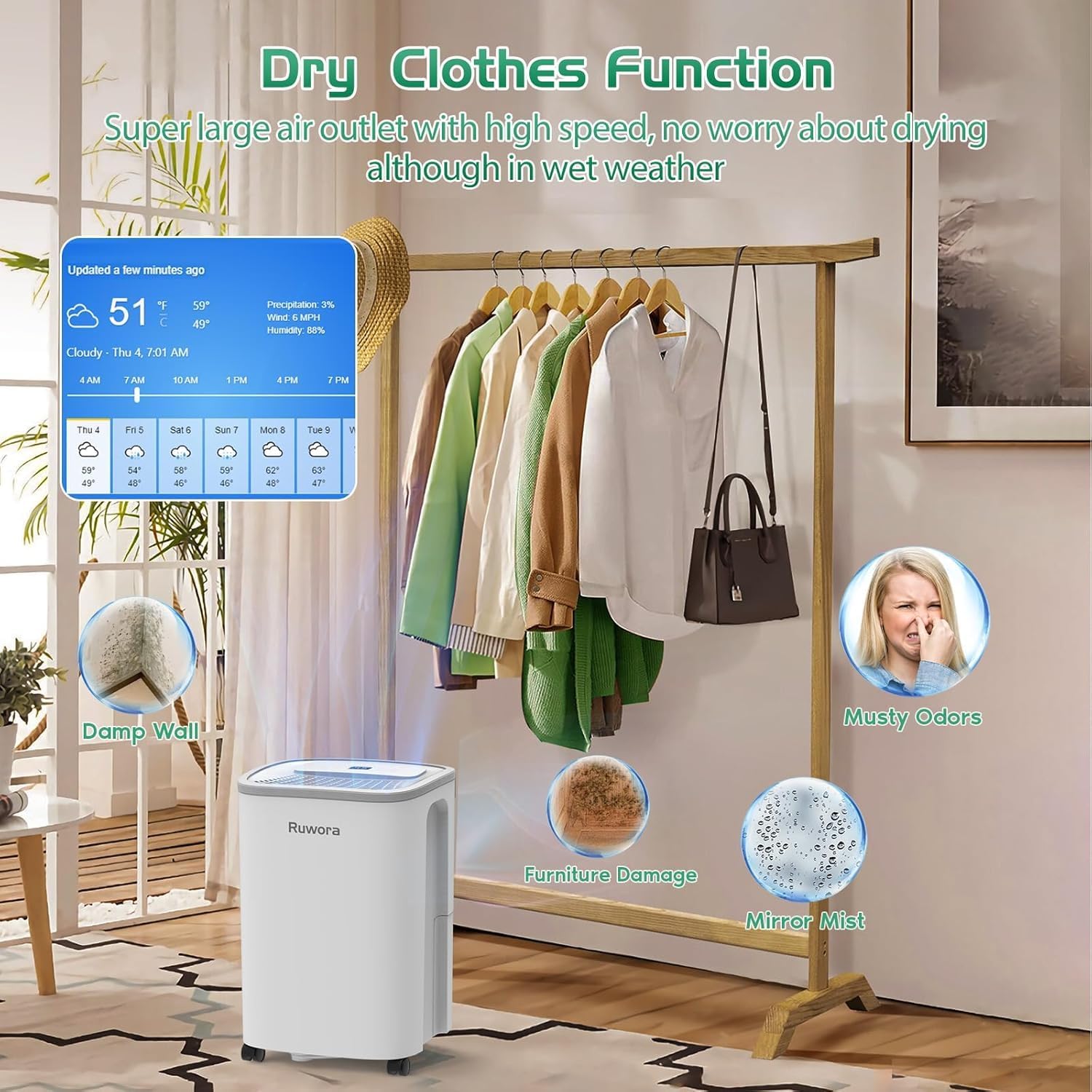
Figure 4: The dehumidifier can assist in drying clothes indoors by reducing ambient humidity, preventing issues like dampness and musty odors.
The dehumidifier's high-speed fan and efficient moisture removal can aid in drying clothes indoors, especially during wet weather, by circulating dry air and preventing dampness and musty odors.
6. Drainage Options
Your dehumidifier offers two convenient methods for water removal:
a. Manual Drainage (Water Tank)
- The unit is equipped with a 2.5-liter (0.66-gallon) water tank.
- When the tank is full, the "Full" indicator light will illuminate, an alarm will sound three times, and the dehumidifier will automatically shut off to prevent overflow.
- To empty, carefully pull out the water tank from the back of the unit, discard the collected water, and reinsert the tank firmly until it clicks into place. The unit will then resume operation.


Figure 5: The 0.66-gallon water tank for manual drainage and a visual guide for both drainage methods.
b. Continuous Drainage (Drain Hose)
- For continuous operation without emptying the tank, connect the included 39.4-inch drain hose to the drainage outlet at the back of the unit.
- Ensure the hose is sloped downwards to allow gravity to drain the water into a suitable floor drain or large container. Avoid kinks or blockages in the hose.
- When using continuous drainage, the water tank does not need to be installed.

Figure 6: Close-up of the drain hose connected to the unit's continuous drainage port.
7. Maintenance
Regular maintenance ensures optimal performance and longevity of your dehumidifier.
a. Cleaning the Air Filter
- The dehumidifier is equipped with a replaceable air filter located at the back.
- It is advisable to regularly inspect and clean the air filter every 7-15 days, or more frequently depending on usage and air quality.
- To clean, gently pull out the filter from its slot. Wash it with warm, soapy water, rinse thoroughly, and allow it to air dry completely before reinserting.
- A clean filter ensures efficient dehumidification and helps block dust and pet dander.

Figure 7: Steps for removing and cleaning the reusable air filter.
b. General Cleaning
- Wipe the exterior of the unit with a soft, damp cloth. Do not use harsh chemicals or abrasive cleaners.
- Clean the water tank regularly to prevent mold and mildew growth.
8. Troubleshooting
| Problem | Possible Cause | Solution |
|---|---|---|
| Dehumidifier does not turn on. | No power, water tank full or incorrectly inserted, ambient temperature too low. | Check power connection. Empty and reinsert water tank. Ensure ambient temperature is within 41°F (5°C) to 95°F (32°C). |
| Unit is running but not collecting water. | Ambient humidity is too low, air filter is clogged, doors/windows are open, unit is too small for the space. | Increase set humidity. Clean air filter. Close doors and windows. Ensure unit capacity matches room size. |
| "Full" indicator light is on, but tank is not full. | Water tank is not properly seated. | Remove and firmly reinsert the water tank. |
| Unit is noisy. | Unit is not on a level surface, air filter is clogged. | Place unit on a flat, stable surface. Clean air filter. |
| Humidity sensor reading is higher than actual room humidity. | Sensor is located above the air inlet, where more humid air is drawn in. | This is normal operation. The unit will adjust based on its internal sensor. |
9. Specifications
| Feature | Detail |
|---|---|
| Brand | RUWORA |
| Model Name | dehumidifier for home (PD8-KIE) |
| Dehumidification Capacity | 50 Pints per Day (under 95°F, 90% RH) |
| Coverage Area | Up to 4500 Square Feet |
| Water Tank Volume | 2.5 Liters / 0.66 Gallons |
| Operating Temperature Range | 41°F (5°C) to 95°F (32°C) |
| Noise Level | ≤ 40 Decibels |
| Power Consumption | 150 Watts |
| Voltage | 120 Volts (AC) |
| Product Dimensions | 6"D x 6"W x 6"H |
| Item Weight | 19.16 pounds |
| Special Features | Adjustable Humidity Control, Automatic Defrost, Ergonomic Handle, Automatic Shutoff, Bucket Storage, 24H Timer, Washable Filter, 360° Rotatable Casters |
10. Warranty and Support
For detailed warranty information and customer support, please refer to the warranty card included with your product or contact RUWORA customer service directly. Keep your purchase receipt as proof of purchase for any warranty claims.
For further assistance, please visit the RUWORA Store on Amazon.