
1. Introduction
Thank you for choosing the VANLINNY Robotic Arm Building Blocks Set, Model T2007. This 1029-piece programmable robotic arm kit is designed to introduce users aged 8 and above to engineering principles, coding, and robotics through hands-on construction. Featuring multi-axis linkage mechanics and dual-control options (app and remote control), this set provides an engaging and educational experience. Please read this manual carefully before assembly and operation to ensure proper use and longevity of your product.
2. Safety Information
- Small Parts Warning: This product contains small parts and is not suitable for children under 3 years old due to choking hazards.
- Age Recommendation: Recommended for ages 8 and up. Adult supervision is advised during assembly and initial use.
- Battery Safety: The remote control requires 2 AAA batteries (not included). Ensure correct polarity when inserting batteries. Do not mix old and new batteries, or different types of batteries. Remove batteries if the product is not used for an extended period. The main unit contains a rechargeable battery (included).
- Electrical Components: Keep electrical components away from water and moisture.
- Moving Parts: Keep fingers and hair clear of moving gears and joints during operation to prevent injury.
- Cleaning: Clean the product with a dry, soft cloth. Do not use harsh chemicals.
3. Package Contents
Verify that all components are present before beginning assembly:
- 1029 Building Blocks pieces
- Main Control Unit with rechargeable battery
- 4 Motors
- 1 Remote Control (requires 2 AAA batteries, not included)
- Detailed Color-Coded Instruction Manual
- USB Charging Cable

Image 3.1: Product packaging showing the robotic arm and its dimensions.
4. Setup and Assembly
Follow the included color-coded instruction manual for step-by-step assembly. The process involves connecting 1029 building blocks to form the multi-axis robotic arm. Pay close attention to the gear ratios and motor placements for optimal functionality.
4.1 Assembly Overview
The robotic arm features a multi-axis mechanical linkage structure driven by a composite motor system. Ensure all connections are secure to prevent instability during operation.

Image 4.1: Fully assembled robotic arm, showcasing its design.

Image 4.2: Detail of the programmable multi-axis structure.
4.2 Motor-Driven Gripper
The robotic arm is equipped with a precision motor-driven gripper capable of lifting objects up to 300g. Ensure the gripper components are assembled correctly for proper functionality.

Image 4.3: Close-up view of the motor-driven gripper.
4.3 Mechanical Linkage and Rotation
The arm's design allows for 360° rotation of the base and a 90° movable range for specific arm segments, facilitating complex movements. The composite motor group ensures smooth multi-axis coordination.
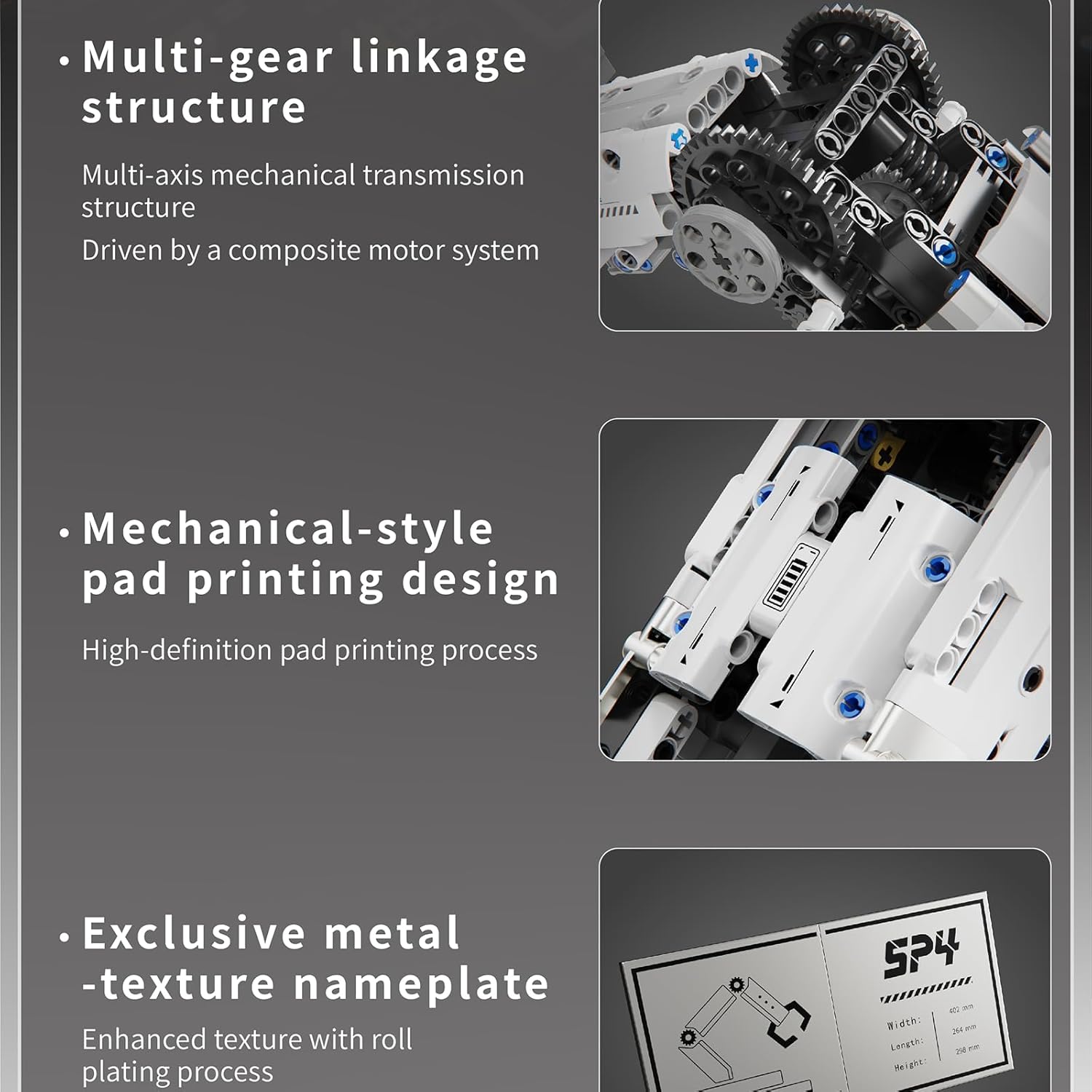
Image 4.4: Internal view of the multi-gear linkage structure.

Image 4.5: Illustration of the arm's mechanical transmission and 90° movable range.

Image 4.6: The robotic arm in an operational stance.
5. Operating Instructions
The VANLINNY Robotic Arm offers dual-control flexibility: via a dedicated remote control or through a mobile application.
5.1 Remote Control Operation
Insert 2 AAA batteries (not included) into the remote control. Power on the robotic arm and the remote control. The remote control allows for direct manipulation of the arm's movements and gripper functions. Refer to the included instruction manual for specific button assignments.
5.2 Mobile App Programming and Control
Download the official VANLINNY control app from your device's app store. Connect your mobile device to the robotic arm via Bluetooth. The app provides two primary modes:
- Remote Control Mode: Use the virtual joysticks and buttons on the app interface to control the arm in real-time.
- Programming Mode: Utilize drag-and-drop block-based coding or Python scripts to create custom movement sequences. This mode is ideal for learning basic programming concepts and complex automation.
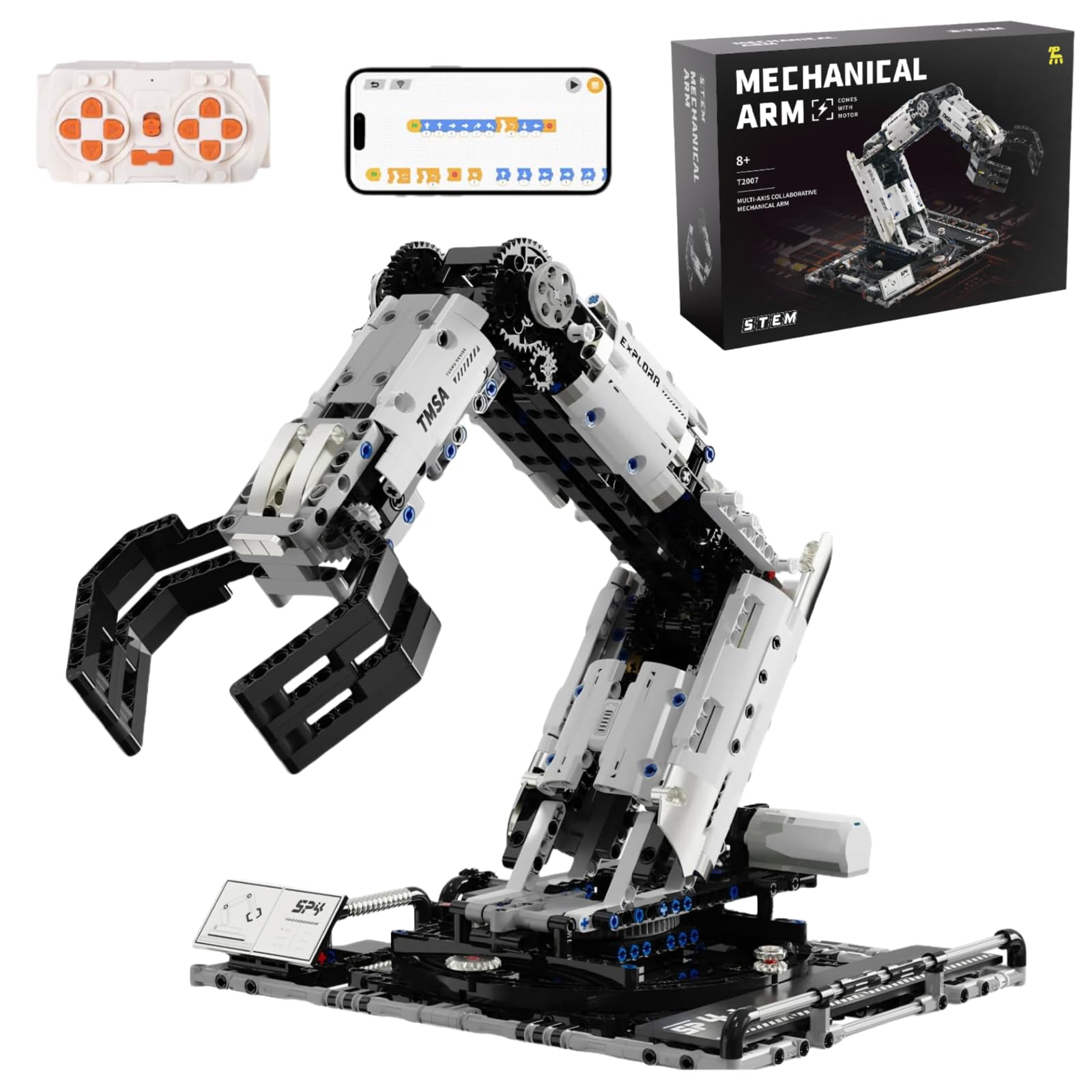
Image 5.1: Mobile app interface for controlling the robotic arm.

Image 5.2: Detailed view of the app's control and programming options.
5.3 Demonstration Video
Video 5.1: Official product video demonstrating the assembly and various movements of the VANLINNY Robotic Arm, including app programming and control capabilities.
6. Maintenance
- Cleaning: Use a dry, soft cloth to wipe down the building blocks and electronic components. Avoid using water or cleaning solutions directly on the electronic parts.
- Storage: Store the robotic arm in a cool, dry place away from direct sunlight and extreme temperatures.
- Battery Care: Recharge the main unit's battery as needed. Do not overcharge. Remove AAA batteries from the remote control if not in use for extended periods to prevent leakage.
- Inspection: Periodically check for loose connections or damaged parts. Tighten any loose screws or reassemble any detached blocks.
7. Troubleshooting
- Arm Not Responding:
- Ensure the main unit is fully charged and powered on.
- Check if the remote control batteries are correctly inserted and not depleted.
- Verify Bluetooth connection for app control.
- Movements are Flimsy or Shaky:
- Recheck all block connections, especially around joints and motor areas, to ensure they are secure.
- Ensure no parts are obstructing the movement of gears or linkages.
- Confirm that the weight of the object being lifted does not exceed the 300g limit.
- App Connection Issues:
- Restart the app and the robotic arm.
- Ensure your device's Bluetooth is enabled.
- Check for app updates.
- Missing Parts: If you discover any missing parts during assembly, please contact customer support immediately.
8. Specifications
| Feature | Detail |
|---|---|
| Brand Name | VANLINNY |
| Model Name | ROBOTIC ARM |
| Model Number | T2007 |
| Number of Pieces | 1029 |
| Material Type | Plastic (Non-toxic ABS) |
| Color | Black and White |
| Item Dimensions (L x W x H) | 14.76 x 10.39 x 17.64 inches |
| Item Weight | 3 Pounds |
| Minimum Age (Manufacturer) | 96 Months (8 Years) |
| Control Method | APP, Remote Control |
| Power Source | Battery (Rechargeable Lithium-Ion for main unit) |
| Included Components | Remote control |
| Educational Objective | Construction Skills, Engineering Skills, Motor Skills, STEM |
| Certifications | ASTM/CPSC-compliant |
9. Warranty and Support
VANLINNY is committed to providing quality products and customer satisfaction. While specific warranty details are not provided in this manual, we encourage you to contact us directly for any issues or concerns.
Customer Support: Please let us know immediately for any missing parts or product issues. We will reply within 24 hours and provide reasonable solutions to ensure your satisfaction.
For support, please refer to the contact information provided with your purchase or visit the official VANLINNY store on Amazon: VANLINNY Store