
DAYTEE TY01
Daytech WiFi Tuya Elderly Alert System User Manual
Model: TY01 | Brand: DAYTEE
Introduction
The Daytech WiFi Tuya Elderly Alert System is designed to provide peace of mind for caregivers and safety for elderly individuals. This system allows for quick emergency calls with a single button press, sending alerts to designated mobile phones via the Tuya APP. It features low battery alerts, scalability for multiple devices, and customizable settings. This manual provides detailed instructions for setup, operation, and maintenance of your device.
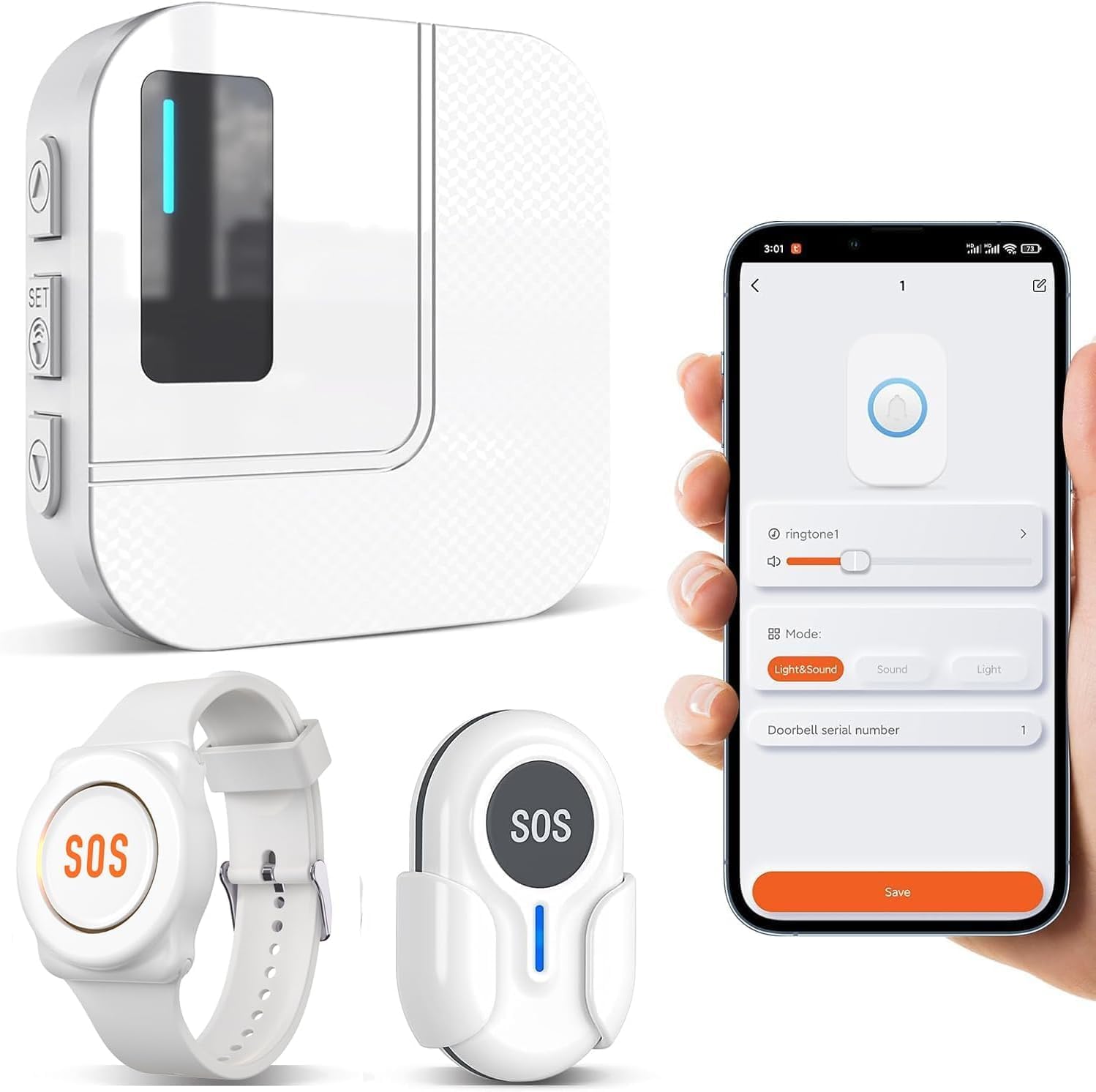
Figure 1: Overview of the Daytech WiFi Tuya Elderly Alert System components and app interface.
Package Contents
Please verify that all items are present in your package:
- 1 x Receiver Unit
- 1 x Push Button (Pendant or Wristband, depending on package)
- 1 x Wristband (if included in package)
- 1 x CR2 Battery (pre-installed or included separately)
- User Manual (this document)
Setup Guide
1. Initial Power-Up
Ensure the receiver unit is connected to a power source. The push button and wristband come with pre-installed CR2032 batteries. If not, install the CR2 battery into the main receiver unit and the CR2032 battery into the SOS buttons as shown in Figure 2.
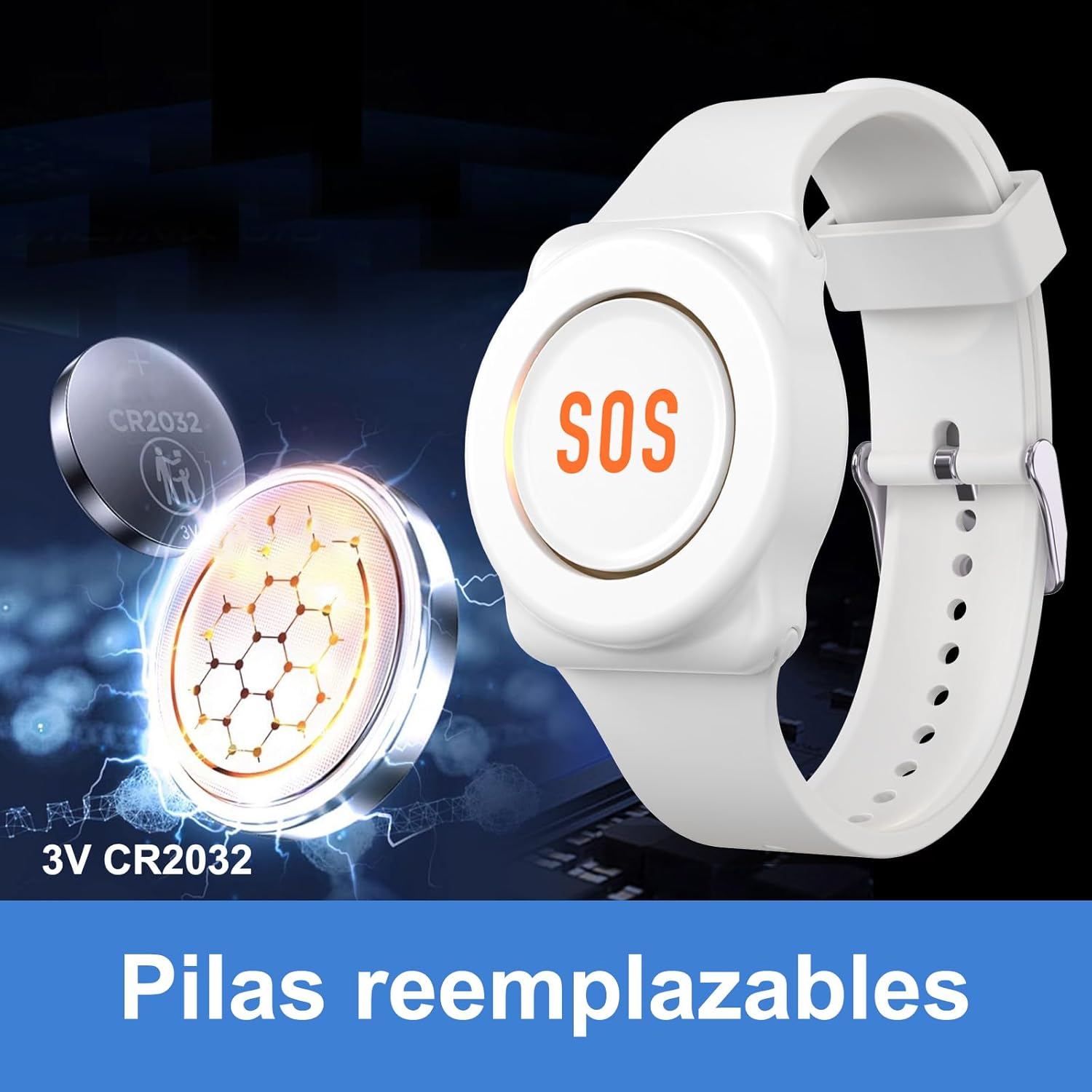
Figure 2: Replaceable CR2032 battery for the SOS button/wristband.
2. App Installation and Pairing (Tuya Smart / Smart Life App)
The system requires the Tuya Smart or Smart Life app for full functionality and remote notifications. Follow these steps to connect the receiver to the app:
- Step 1: Download the Tuya Smart or Smart Life APP from your mobile app store. Activate Bluetooth and Wi-Fi on your smartphone.
- Step 2: On the receiver unit, press and hold the "Up" button for 5-8 seconds to enter pairing mode. The indicator light will flash.
- Step 3: Open the Tuya APP. If no device is detected, tap "Add Device". The app should automatically detect the new device.
- Step 4: Tap on the detected device to proceed with pairing.
- Step 5: Enter your 2.4GHz Wi-Fi network password when prompted. The device requires a 2.4GHz Wi-Fi connection.
- Step 6: Once the Wi-Fi connection is successful, the device will be added to your app.

Figure 3: App connection steps 1-4.

Figure 4: App connection steps 5-6.
Operating Instructions
1. Emergency Call Function
When assistance is needed, the user simply presses the SOS button on the wristband or pendant. The receiver unit will sound an alarm, and an immediate notification will be sent to all linked mobile phones via the Tuya APP.
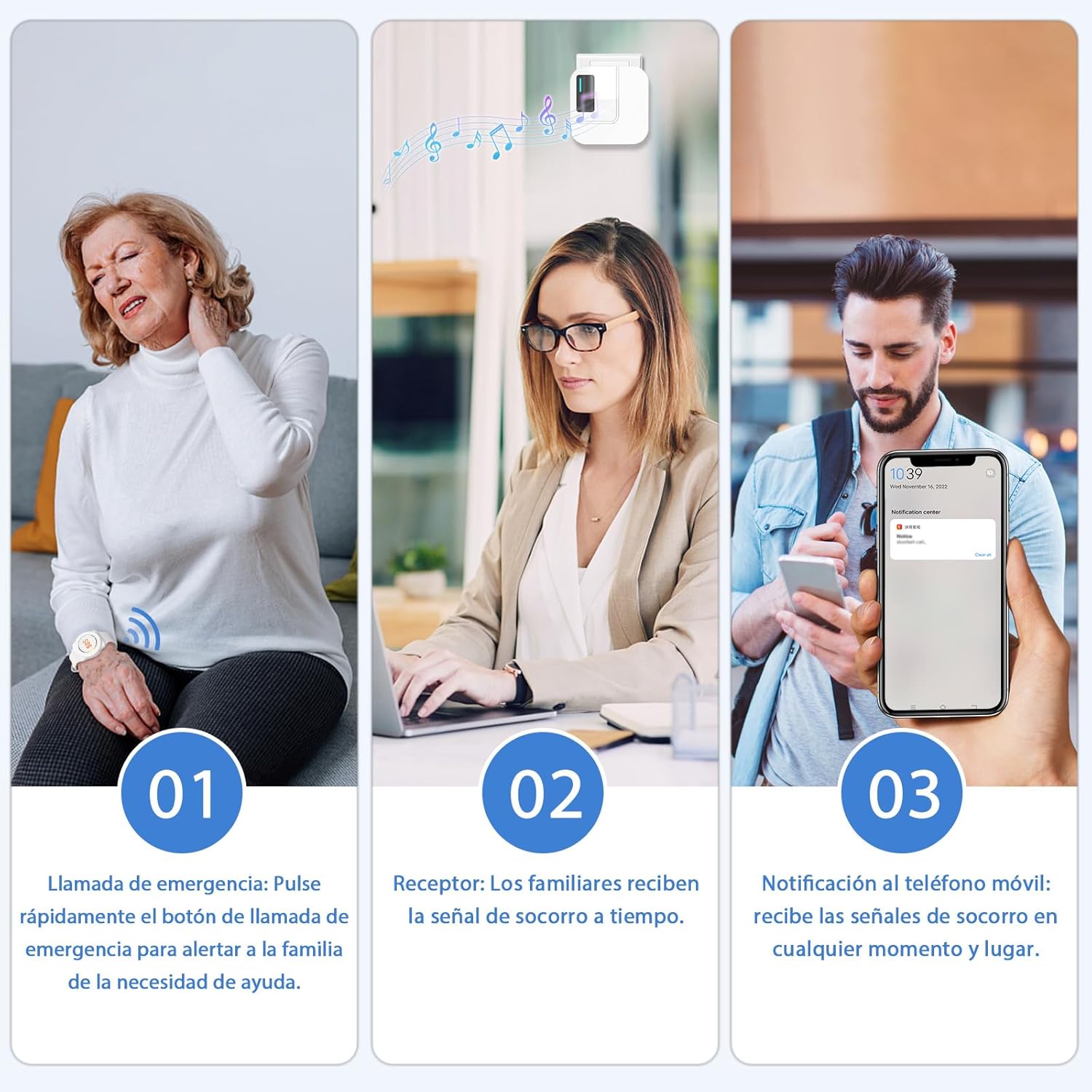
Figure 5: Emergency call process and notification.
2. App Functions and Settings
The Tuya APP allows for various customizations and monitoring:
- Ringtone and Volume: You can remotely adjust the ringtone and volume of the receiver unit through the app. There are 38 different ringtones to choose from.
- Do Not Disturb Mode: Set a "Do Not Disturb" mode via the app to manage notifications.
- Message Sharing: Add multiple devices and users to the Tuya APP to share alert messages with several people. If one person presses the panic button, all linked smartphones will receive the message simultaneously.
- Low Battery Alert: The receiver unit's LED indicator will illuminate when the battery is low, and a notification will be sent to your mobile phone via the app.
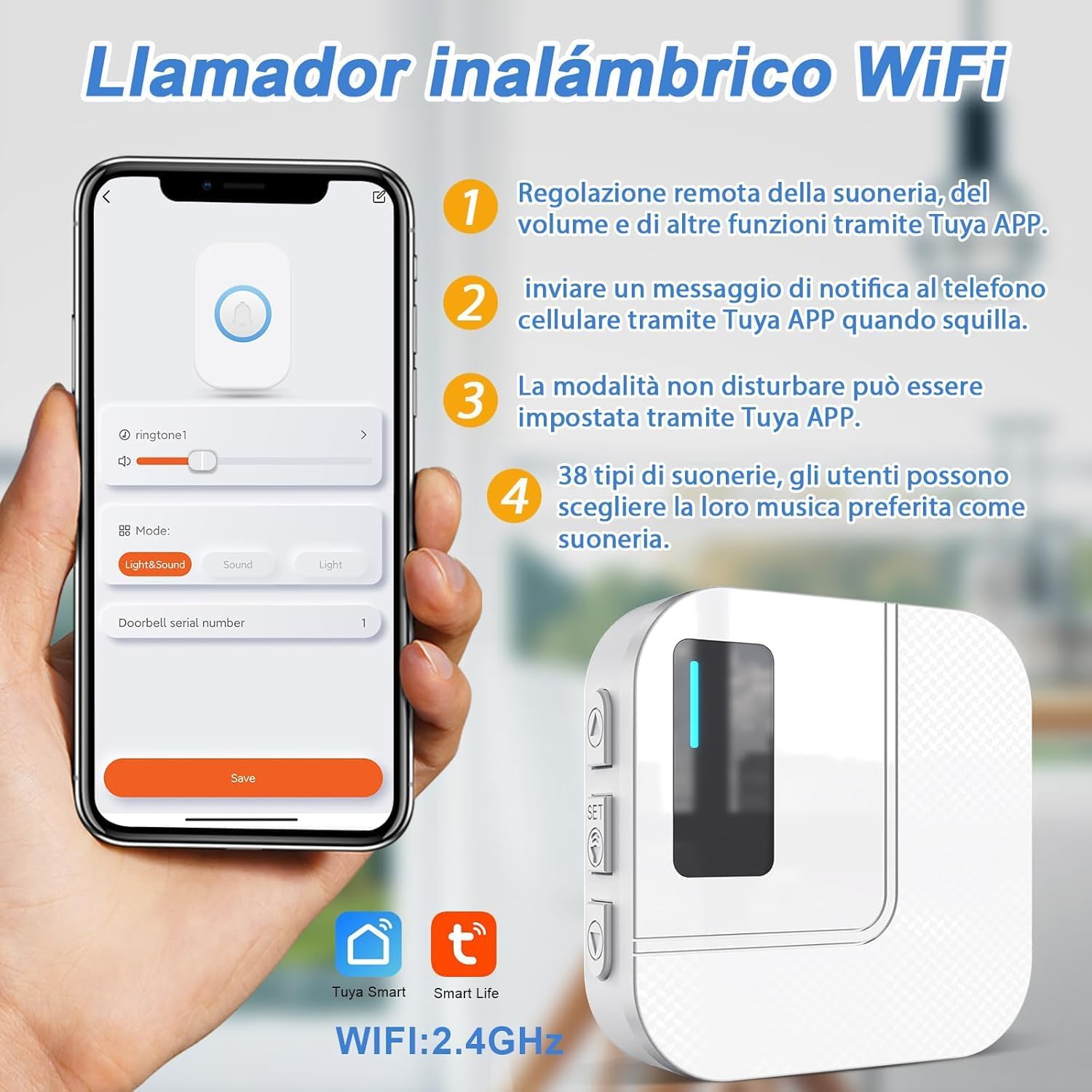
Figure 6: Tuya App interface for settings.
3. Range and Connectivity
The system offers a significant transmission range and global connectivity:
- Transmission Range: The SOS buttons can transmit signals to the receiver unit up to 150 meters (492 feet) in open areas. Within a typical home environment, the range is approximately 20m (66ft) for direct line of sight, 50m (160ft) through one wall, and 70m (230ft) through multiple walls.
- Wi-Fi Connectivity: The receiver connects to your home's 2.4GHz Wi-Fi network. As long as the receiver is within Wi-Fi range, the Tuya APP can receive signals anywhere in the world where your smartphone has internet access.

Figure 7: Transmission range within a home environment.

Figure 8: Global notification capability via Wi-Fi and smartphone app.
Maintenance
1. Battery Replacement
The SOS buttons (wristband and pendant) use CR2032 coin cell batteries. The main receiver unit uses a CR2 battery. When the low battery alert is triggered (LED indicator on receiver, app notification), replace the battery promptly to ensure continuous operation. Refer to Figure 2 for battery type and location in the SOS button.
- For SOS Buttons: Use a small screwdriver or coin to open the battery compartment, remove the old CR2032 battery, and insert a new one with the positive (+) side facing up.
- For Receiver Unit: Locate the battery compartment, remove the old CR2 battery, and insert a new one according to the polarity markings.
2. Cleaning and Care
To maintain the performance and longevity of your device:
- Wipe the devices with a soft, dry cloth. Do not use abrasive cleaners or solvents.
- Keep the devices away from excessive moisture, direct sunlight, and extreme temperatures.
- The SOS buttons are IP55 waterproof, meaning they are protected against dust and low-pressure water jets. However, they are not designed for submersion.
Troubleshooting
If you encounter issues with your Daytech Elderly Alert System, please refer to the table below for common problems and their solutions.
| Problem | Possible Cause | Solution |
|---|---|---|
| Receiver not alarming / No app notification. |
|
|
| Cannot connect receiver to Tuya APP. |
|
|
| Low battery alert constantly active. |
|
|
Specifications
| Feature | Detail |
|---|---|
| Model Number | TY01 |
| Brand | DAYTEE |
| Color | White |
| Product Dimensions (Receiver) | 8 x 6 x 8 cm (3.15 x 2.36 x 3.15 inches) |
| Product Weight | 230 g (0.51 lbs) |
| Power Source | Battery (Receiver: 1x CR2; SOS Buttons: 1x CR2032 each) |
| Voltage | 12 Volts (DC) |
| Noise Level (Alarm) | 110 dB |
| Mounting Type | Wall Mount |
| Sensor Technology | Contact Sensor (for button press) |
| Wireless Connectivity | 2.4GHz Wi-Fi (for receiver) |
| Compatible Devices | Smartphone (via Tuya Smart / Smart Life App) |
| Transmission Range | Up to 150m (open area) |
| Waterproof Rating (SOS Buttons) | IP55 |
Warranty and Support
DAYTEE is committed to providing high-quality products and excellent customer service.
Warranty Information
Your Daytech Elderly Alert System comes with a 30-day unconditional return service. Please refer to your purchase platform for specific warranty terms and conditions.
Customer Support
For any questions, technical assistance, or support needs, DAYTEE provides 24-hour online service and free lifetime after-sales support. Please contact us through the messaging system of your purchase platform or refer to the contact information provided with your product packaging.
Ask a question about this manual
Ask about setup, troubleshooting, compatibility, parts, safety, or missing instructions. Manuals+ will review the question and use this page’s manual context to help answer it.