1. Product Overview
The SWITCHFLUX Wireless CarPlay Adapter converts your vehicle's wired CarPlay or Android Auto system into a wireless connection. This compact device offers seamless integration with your smartphone, allowing access to navigation, music, calls, and voice commands without the need for cables. It features advanced connectivity for stable and fast performance.
- Smart Plug-and-Play: Effortlessly converts wired to wireless CarPlay. Features smart memory for automatic reconnection. Retains all original CarPlay functions and supports multiple control methods.
- Flagship Connectivity: Utilizes 5.8GHz dual-band WiFi for ultra-low latency and Bluetooth 5.3 for high-definition audio. New generation chip ensures 300% faster transmission speeds and stable connectivity.
- Precision Mini Design: USB flash drive styling, 50% smaller than competitors. Aviation-grade aluminum alloy shell for efficient heat dissipation. Includes USB-A/USB-C adapter and extension cable for broad compatibility.
2. Setup Guide
Follow these steps to set up your SWITCHFLUX Wireless CarPlay Adapter:
2.1 Initial Connection
- Plug in the Adapter: Insert the SWITCHFLUX adapter into your car's USB or USB-C port that supports data transfer. Use the provided USB-A/USB-C adapter if necessary.
- Activate Wireless CarPlay/Android Auto: The adapter will automatically activate wireless CarPlay or Android Auto. Your car's display should show a prompt or an interface indicating the adapter is ready.
- Enable Wi-Fi and Bluetooth on your Phone: On your iPhone (iOS 10+) or Android phone (Android 11+), ensure both Wi-Fi and Bluetooth are turned on.
- Pair with the Adapter: Go to your phone's Bluetooth settings and search for the adapter (e.g., "smartBox-XXXX"). Select it to pair. Follow any on-screen prompts on your phone or car display to complete the pairing process.
- Automatic Reconnection: After the initial pairing, the adapter's smart memory function will automatically reconnect to your iPhone within 3 seconds when you start your vehicle.
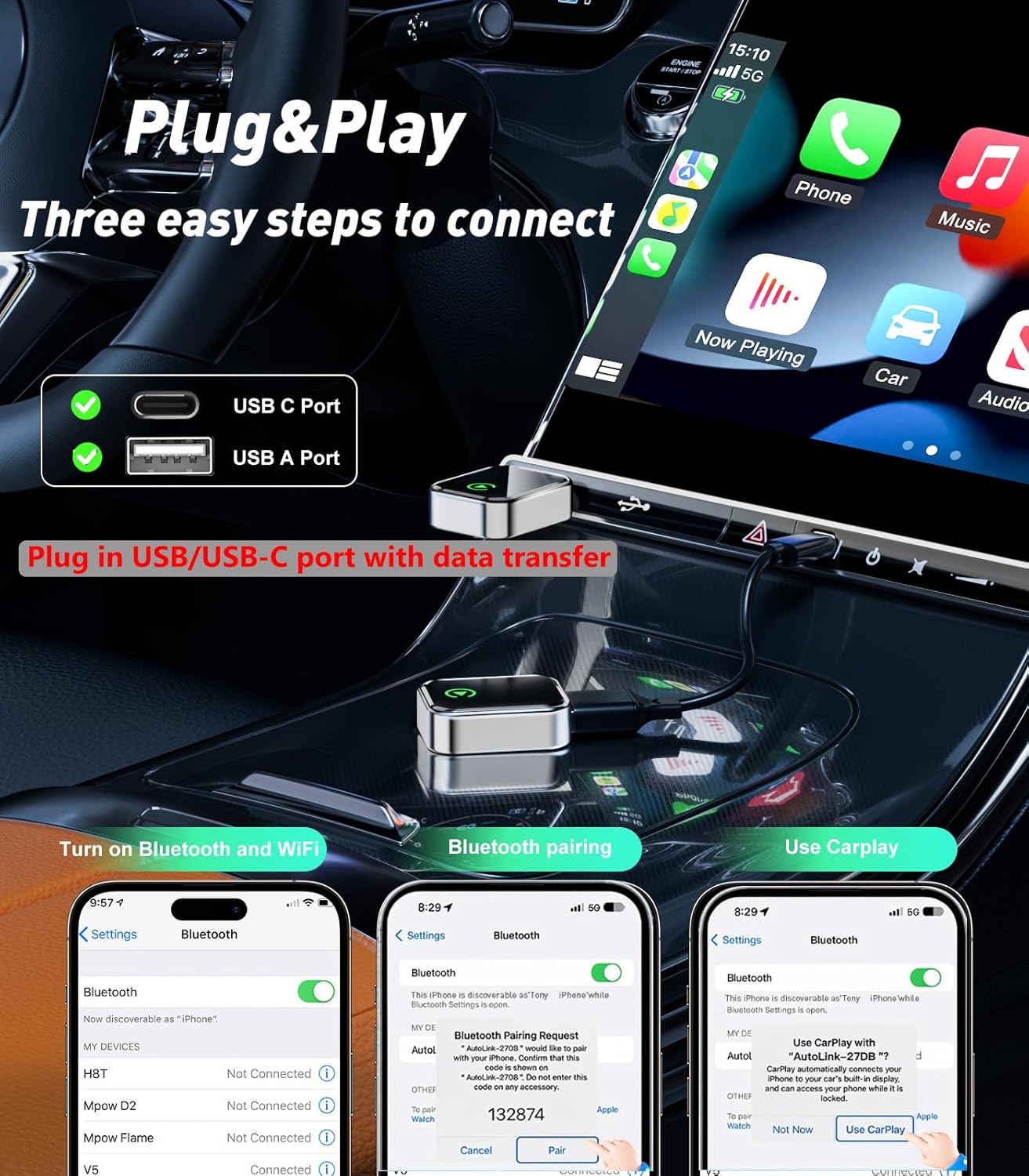
Image: The SWITCHFLUX Wireless CarPlay Adapter connected to a car's USB port, illustrating the three easy steps to connect: plug in, turn on Bluetooth and Wi-Fi, and use CarPlay. The image also shows the adapter's compact size and the USB-C and USB-A port compatibility.

Image: A car's dashboard with the SWITCHFLUX Wireless CarPlay Adapter plugged in, demonstrating fast connection and pairing. The car's infotainment screen displays the CarPlay interface, while icons highlight the adapter's 2.4-5.8GHz WiFi, A7 Pro Chip, and Bluetooth 5.3 features.
Video: A tutorial demonstrating the CarPlay connection process using a wireless adapter. It shows plugging the device into a USB port, turning on Wi-Fi and Bluetooth on a phone, and pairing the device to establish a wireless CarPlay connection.
3. Operating Instructions
Once connected, your car's infotainment system will display the CarPlay or Android Auto interface, mirroring your phone's compatible apps and functionalities.
3.1 Core Functions
- Navigation: Use your preferred navigation apps (e.g., Apple Maps, Google Maps) directly on your car's screen.
- Music & Audio: Stream music, podcasts, and audiobooks from your phone's apps through your car's sound system.
- Calls & Messages: Make and receive calls, and send/receive messages using voice commands or the car's interface.
- Voice Assistant: Activate Siri or Google Assistant for hands-free control of various functions.
3.2 Control Methods
The adapter supports various control methods:
- Steering Wheel Buttons: Utilize your car's existing steering wheel controls for audio, calls, and voice commands.
- Touchscreen: Interact directly with the car's touchscreen display.
- Voice Commands: Use Siri or Google Assistant for hands-free operation.
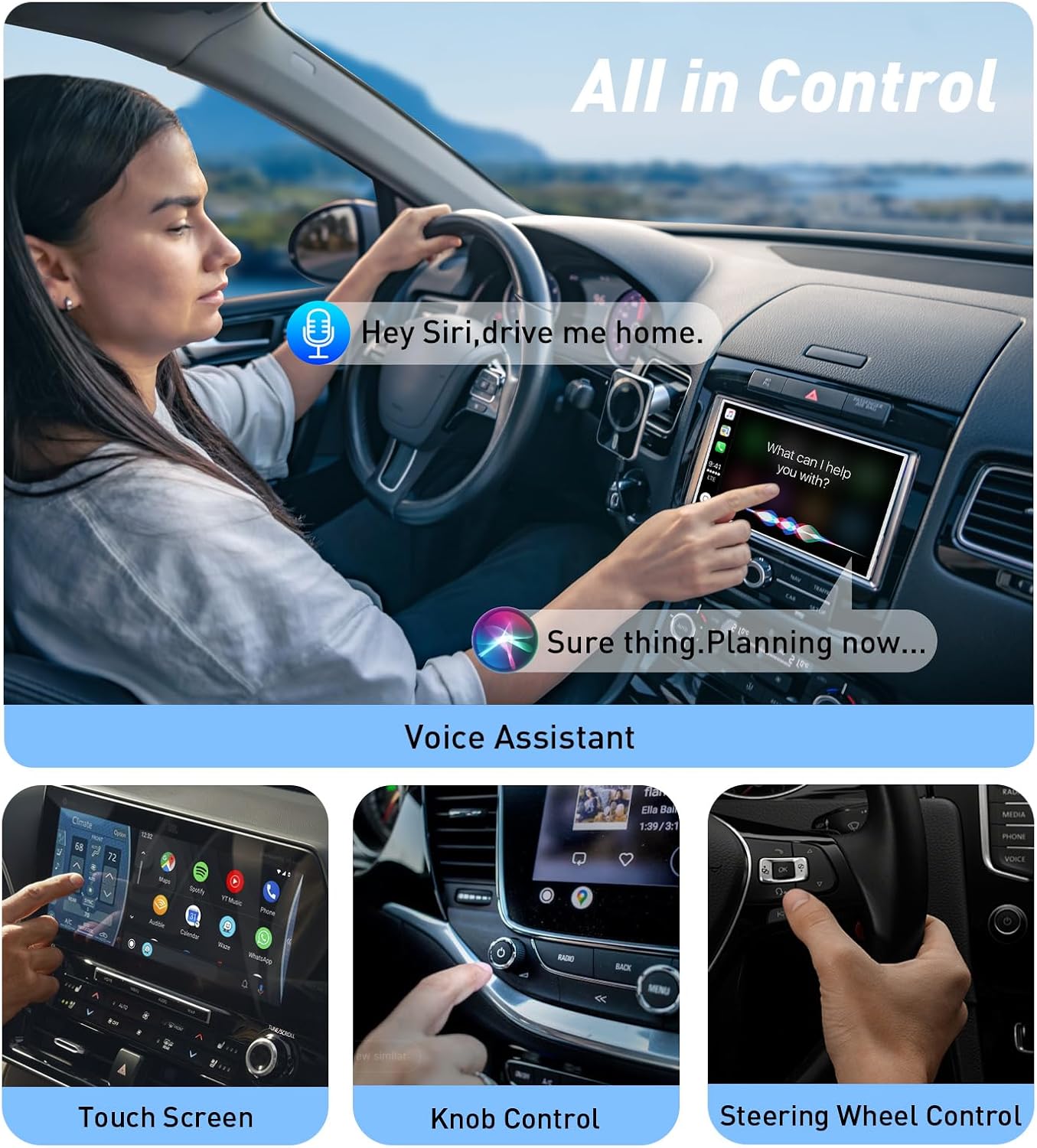
Image: A driver demonstrating various control methods for CarPlay, including voice commands (Siri), touchscreen interaction, knob control, and steering wheel buttons, all while maintaining focus on the road.

Image: The car's infotainment system displaying the CarPlay interface with various applications such as Phone, Music, Maps, and Messages. The image emphasizes that the wireless adapter provides the exact same functionality as wired CarPlay.
Video: A demonstration of a wireless CarPlay and Android Auto adapter. The video highlights features such as plug-and-play functionality, automatic connection, navigation, music playback, phone calls, and split-screen design, showcasing seamless integration with the car's infotainment system.
4. Compatibility
The SWITCHFLUX Wireless CarPlay Adapter offers extensive compatibility:
- iPhone: Supports iPhone 6 and later models running iOS 10.0+
- Android Phones: Supports international Android phones running Android 11.0+
- Vehicle Models: Compatible with 800+ vehicle models across major brands that support wired CarPlay or have built-in Android Auto (2016 and later).
Note: Currently not compatible with BMW/Tesla CarPlay systems.
If you are unsure about your vehicle's compatibility, please contact customer support for verification before purchase.
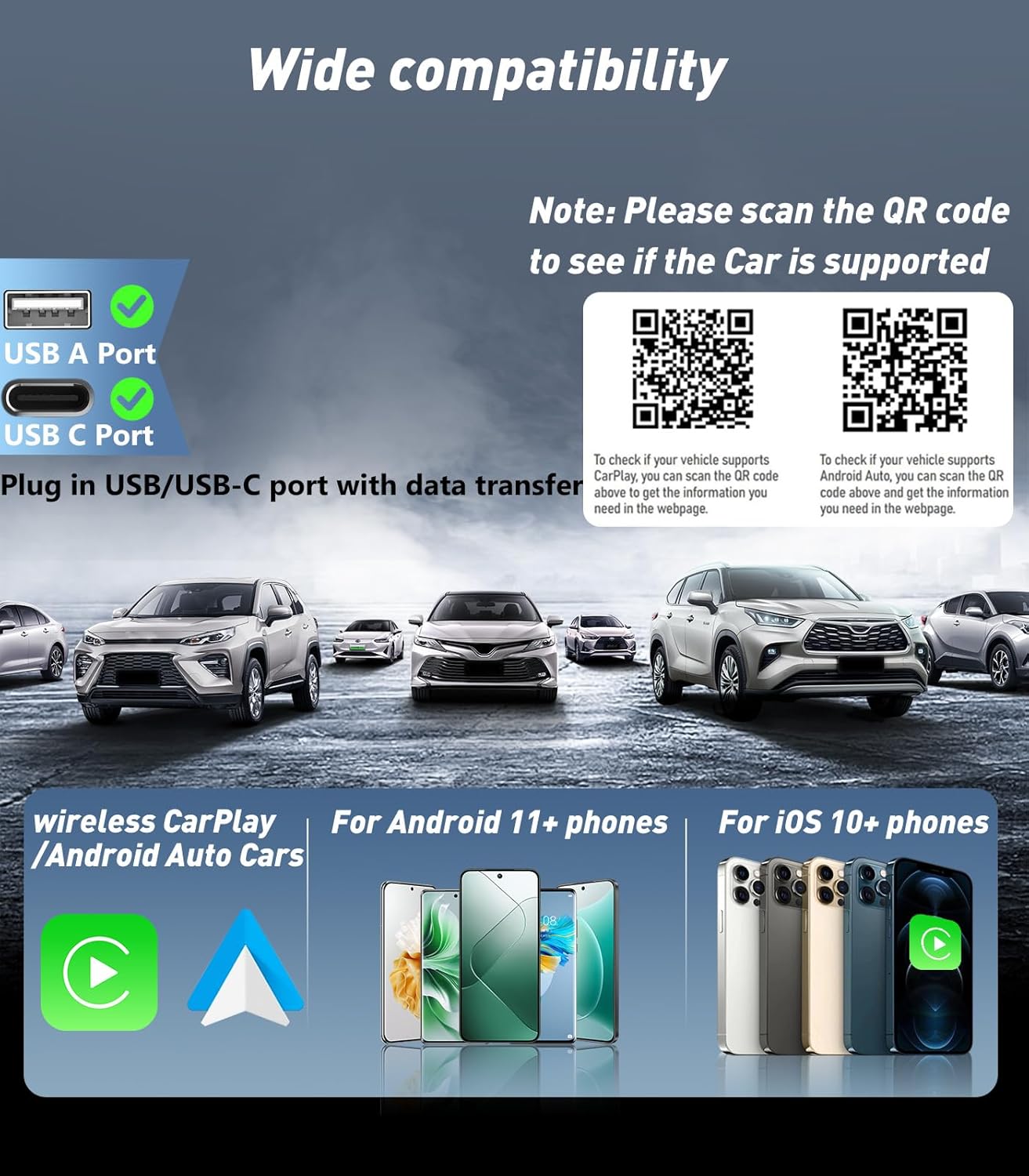
Image: A visual representation of the wide compatibility of the SWITCHFLUX Wireless CarPlay Adapter, showing various car models and smartphones (iOS 10+ and Android 11+). QR codes are provided for users to check vehicle compatibility for both CarPlay and Android Auto.
For a list of compatible CarPlay models, visit Apple CarPlay Available Models.
For Android Auto compatibility, visit Android Auto Compatibility.
5. Maintenance
To ensure optimal performance and longevity of your SWITCHFLUX Wireless CarPlay Adapter, please follow these maintenance guidelines:
- Keep Clean: Regularly wipe the adapter with a soft, dry cloth to remove dust and debris. Avoid using liquid cleaners directly on the device.
- Avoid Extreme Temperatures: Do not expose the adapter to extreme heat or cold, as this can affect its performance and lifespan.
- Handle with Care: The adapter features an aviation-grade aluminum alloy shell, but avoid dropping or subjecting it to strong impacts.
- Firm Connection: Ensure the adapter is securely plugged into the USB/USB-C port to prevent accidental disconnections.
6. Troubleshooting
If you encounter issues with your SWITCHFLUX Wireless CarPlay Adapter, try the following solutions:
| Problem | Solution |
|---|---|
| Adapter not connecting automatically. |
|
| No CarPlay/Android Auto display on car screen. |
|
| Intermittent connection or lag. |
|
| Audio quality issues. |
|
7. Product Specifications
| Feature | Detail |
|---|---|
| Product Dimensions | 1.18 x 0.6 x 0.39 inches (1.18"L x 0.6"W x 0.39"H) |
| Item Weight | 1.76 ounces (0.05 Kilograms) |
| Hardware Interface | USB 3.0 Type A, USB Type C |
| Color | Black |
| Compatible Operating System Family | Android, iOS |
| Minimum Required Operating System Version | iOS 10.0, Android 11.0 |
| Manufacturer | SWITCHFLUX |
| Model Number | Wireless Carplay Adapter |
8. Warranty and Support
SWITCHFLUX is dedicated to providing superb-quality products and excellent customer service.
- For fast and responsible support, please consult us within 18 hours of encountering any issues.
- Refer to your purchase documentation for specific warranty details.


