
Introduction
This manual provides detailed instructions for the installation, operation, and maintenance of your Light My Bricks 2.0 Light Kit, specifically designed for the LEGO Holiday Main Street #10308 set. This kit enhances your LEGO model with custom lighting, bringing a festive and vibrant display to life. Please read all instructions carefully before beginning the installation process.
Safety Information
Warning: Choking Hazard - small parts. Not for children under 3 years.
Always handle components with care. Ensure all connections are secure to prevent damage. Do not attempt to modify the lighting components, as this may void your warranty and create safety risks.
What's Included
Your Light My Bricks 2.0 Light Kit for LEGO Holiday Main Street #10308 includes the following components:
- 11 x Lights
- 8 x Belts
- 4 x Docks
- 1 x Flux Power
- 5 x Accessories
- 9 x Assorted Bricks
Please verify that all components are present and undamaged before proceeding with installation.
Setup and Installation
This light kit is designed to illuminate your LEGO Holiday Main Street #10308 set after it has been fully built. It is not intended for installation during the initial LEGO construction process.
For a comprehensive and detailed installation guide, please refer to the 3D interactive instructions provided by Light My Bricks. You can access these instructions by scanning the QR code located on the side of your product box.
Power Requirements: The light kit requires power from a USB Power Bank or a USB Wall Adaptor. These power sources are not included with the kit and must be acquired separately.

Image: The LEGO Holiday Main Street #10308 set fully illuminated by the Light My Bricks 2.0 Light Kit, showcasing the toy shop, music shop, tram, and Christmas tree with various lights.
The installation process involves carefully integrating the lighting components into your pre-built LEGO model. Follow the 3D guide step-by-step to ensure correct placement of Micro Meteor LEDs, Astro Warm White lights, and multi-colored LEDs for the Christmas tree and tram.
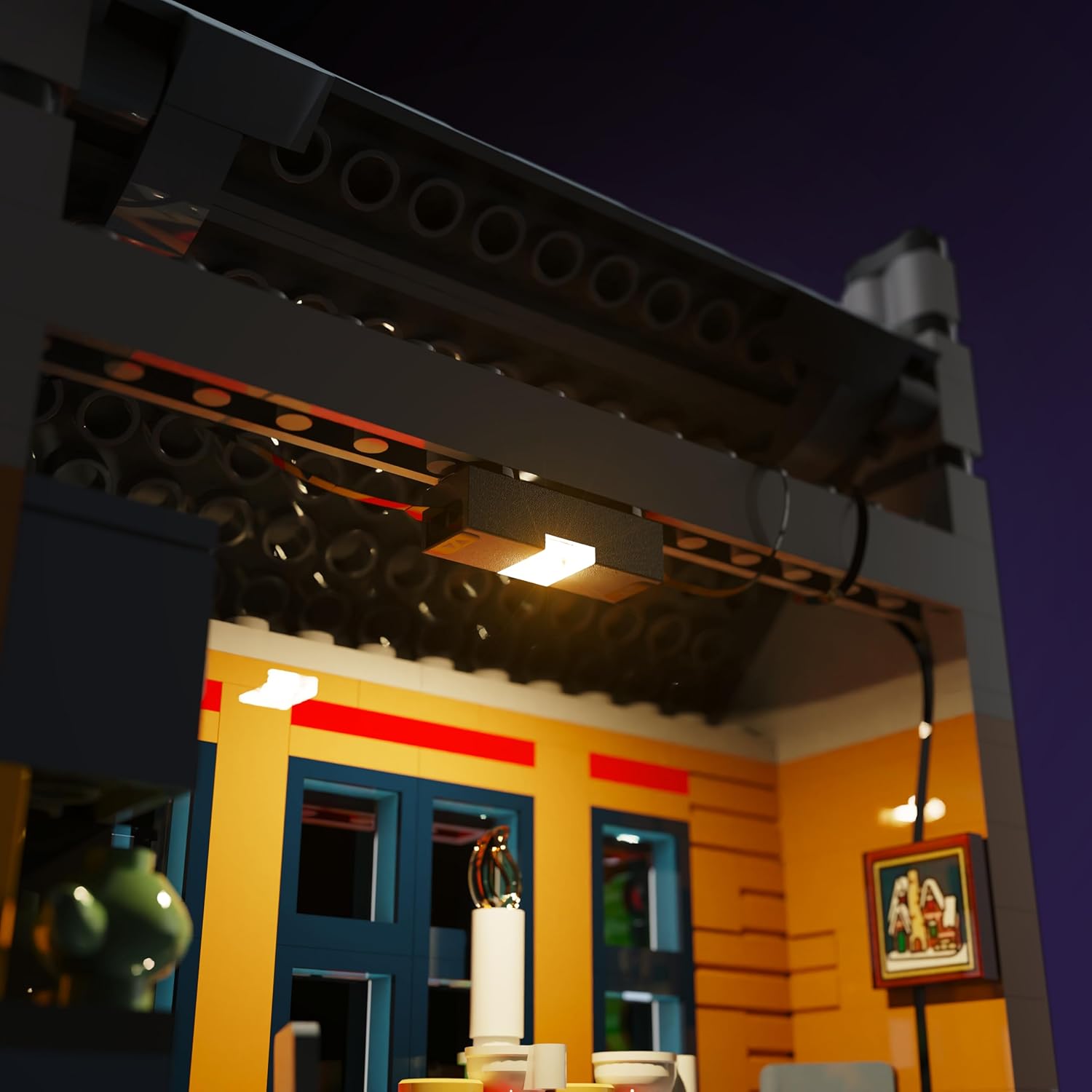
Image: A close-up view of an installed light strip within a LEGO building, demonstrating how the wiring and lighting components integrate seamlessly with the bricks.
Operating Instructions
Once the light kit is fully installed and all connections are secure, connect the USB cable from the Flux Power component to a compatible USB Power Bank or USB Wall Adaptor. The lights in your LEGO Holiday Main Street #10308 set will then illuminate, bringing your model to life.

Image: A detailed view of the LEGO tram, showcasing its illuminated interior and functional front and rear lights, enhancing its realistic appearance.
To turn off the lights, simply disconnect the USB power source.
Maintenance
- Cleaning: Use a soft, dry cloth to gently dust the light components and wires. Avoid using liquids or abrasive cleaners.
- Handling: Always handle the light kit components and wires with care to prevent damage. Avoid sharp bends or excessive pulling on the wires.
- Storage: If disassembling the kit for storage, ensure components are stored in a dry, cool place, protected from dust and physical damage.
Troubleshooting
- Lights Not Working:
- Ensure the USB power source is properly connected and functioning.
- Check all connections between the light components and the Flux Power unit.
- Verify that individual lights are securely attached and not damaged.
- Flickering Lights:
- Inspect connections for looseness.
- Ensure the power source provides sufficient and stable power.
- Dim Lights:
- Confirm the power source is adequate.
- Check for any pinched or damaged wires.
If you continue to experience issues, please refer to the official Light My Bricks support resources or contact customer service.
Specifications
| Product Dimensions | 5.7 x 4.5 x 1.9 inches |
| Item Weight | 4.8 ounces |
| Item Model Number | 2.0holidaymainstreet-10308 |
| Manufacturer | Light My Bricks |
| Recommended Age | 12 years and up |
Warranty and Support
For information regarding product warranty, returns, or technical support, please visit the official Light My Bricks website or contact their customer service directly. Keep your purchase receipt as proof of purchase.


