
Genérico Y26
Wireless Bluetooth Ergonomic Earbuds User Manual
Model: Y26 | Brand: Genérico
Product Overview
These lightweight and ergonomic wireless earbuds are designed for portability and an exceptional audio experience. Featuring easy Bluetooth pairing, a compact design, and impressive sound quality with touch controls, they are ideal for music, podcasts, and calls.
Key features include:
- Lightweight and Ergonomic: Comfortable for extended wear.
- Easy Bluetooth Pairing: Seamless connection to your devices.
- Portable and Compact: Small size for easy carrying.
- Excellent Sound Quality: Clear and immersive audio.
- Tactile Control: Manage volume and tracks with a simple touch.
Package Contents
Please check the box for the following items:
- Wireless Earbuds (1 pair)
- Charging Case with Light (1 unit)
- Charging Cable (1 unit)
- User Manual (1 unit)

Image: The wireless earbuds, white in color, are shown alongside their transparent charging case. The case features a digital display indicating battery percentage and charging status. The earbuds are designed to fit snugly within the case for charging and storage.
Setup Guide
Initial Charging
Before first use, ensure the earbuds and charging case are fully charged. The charging case has a light indicator to show charging status.
- Connect the provided charging cable to the USB-C port on the charging case.
- Connect the other end of the cable to a compatible USB power source (e.g., computer USB port, wall adapter).
- The charging time for the case and earbuds is approximately 1 hour.
- Input voltage: 5V==1A.

Image: A composite image showing various details of the earbuds and charging case. It highlights the ear-tip, the LED display on the case, the back view of the case, and the USB-C charging port. This illustrates the physical features relevant to charging and handling.
Pairing with Your Device
- Turn On: Take the earbuds out of the charging case. They will automatically enter pairing mode.
- Alternatively, if off, press and hold the function button on the earbud for 3 seconds to turn them on.
- On your device (smartphone, tablet, etc.), enable Bluetooth.
- Search for available Bluetooth devices and select "Y26" (or similar product name) from the list.
- Once connected, you will hear a confirmation tone.
The effective Bluetooth distance is up to 10 meters (approximately 33 feet).
Operating Instructions
Power On/Off
- To Turn On: Remove the earbuds from the charging case. They will power on automatically.
- To Turn Off: Place the earbuds back into the charging case. They will power off automatically and begin charging.
- Alternatively, to manually turn off, press and hold the function button on the earbud for 5 seconds.
Smart Touch Controls
The earbuds feature intuitive touch controls for various functions:
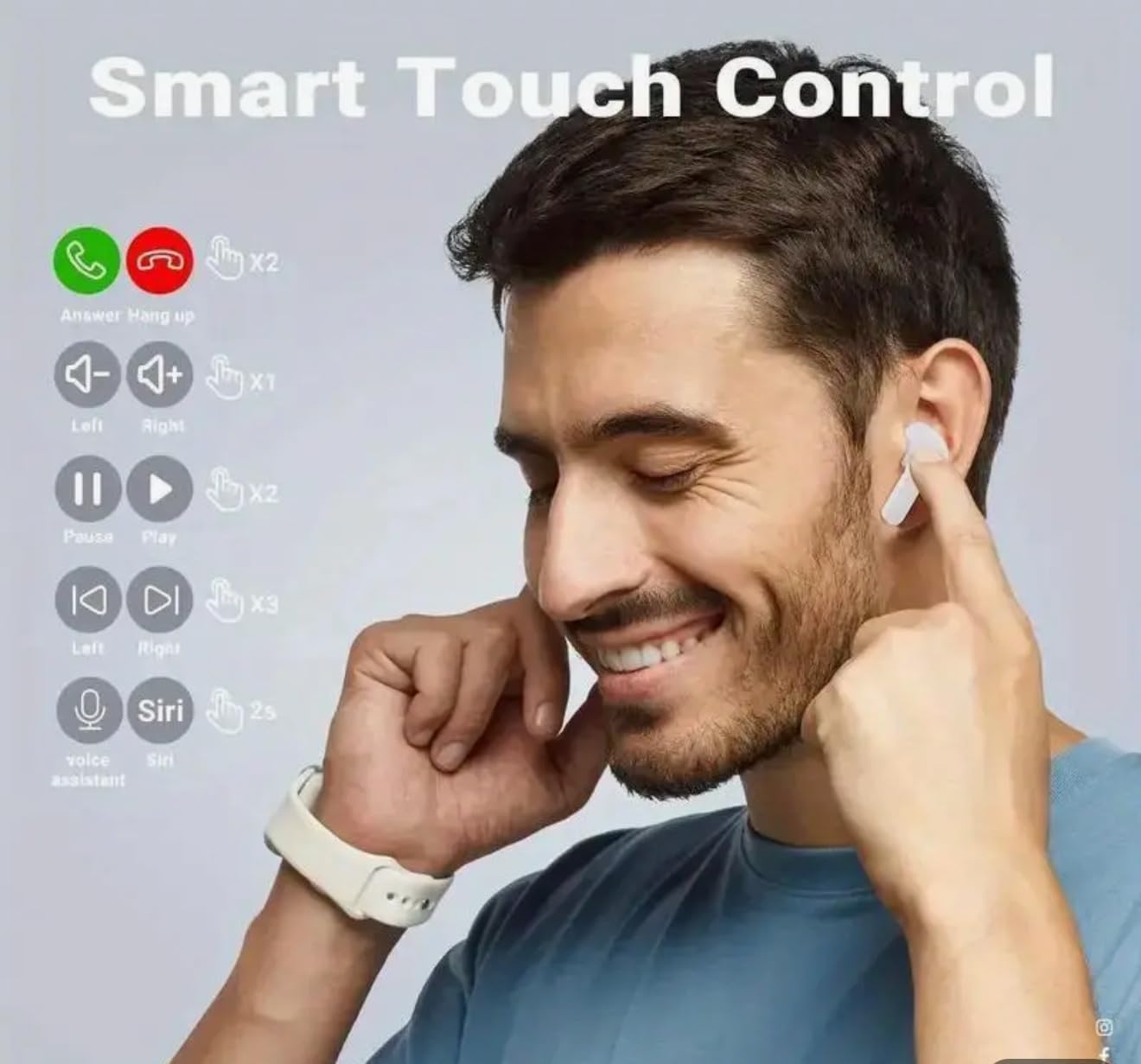
Image: A visual guide demonstrating the touch control functions of the earbuds. It shows gestures for answering/hanging up calls, playing/pausing music, skipping tracks, adjusting volume, and activating voice assistants like Siri.
- Answer/Hang Up Call: Tap the detection area (touch sensor) on either earbud. Tap again to hang up.
- Play/Pause Music: Double-tap the touch sensor on either earbud.
- Next Track: Triple-tap the touch sensor on the right earbud.
- Previous Track: Triple-tap the touch sensor on the left earbud.
- Volume Up: Single-tap the touch sensor on the right earbud.
- Volume Down: Single-tap the touch sensor on the left earbud.
- Activate Voice Assistant (Siri/Google Assistant): Press and hold the touch sensor for 2 seconds.
The earbuds support bilateral phone calls, meaning you can use both earbuds for calls.
Maintenance and Care
To ensure the longevity and optimal performance of your earbuds, please follow these guidelines:
- Handle with Care: Do not treat the product violently or squeeze it with heavy objects.
- Temperature and Humidity: Keep the earbuds away from high temperatures and high humidity environments.
- Water Resistance: These earbuds are NOT water resistant. Avoid exposure to water, rain, or excessive sweat. The image showing water droplets is for illustrative purposes only and does not imply water resistance.
- Cleaning: Use a soft, dry cloth to clean the earbuds and charging case. Do not use liquids or abrasive cleaners.
- Storage: When not in use, store the earbuds in their charging case to protect them and keep them charged.
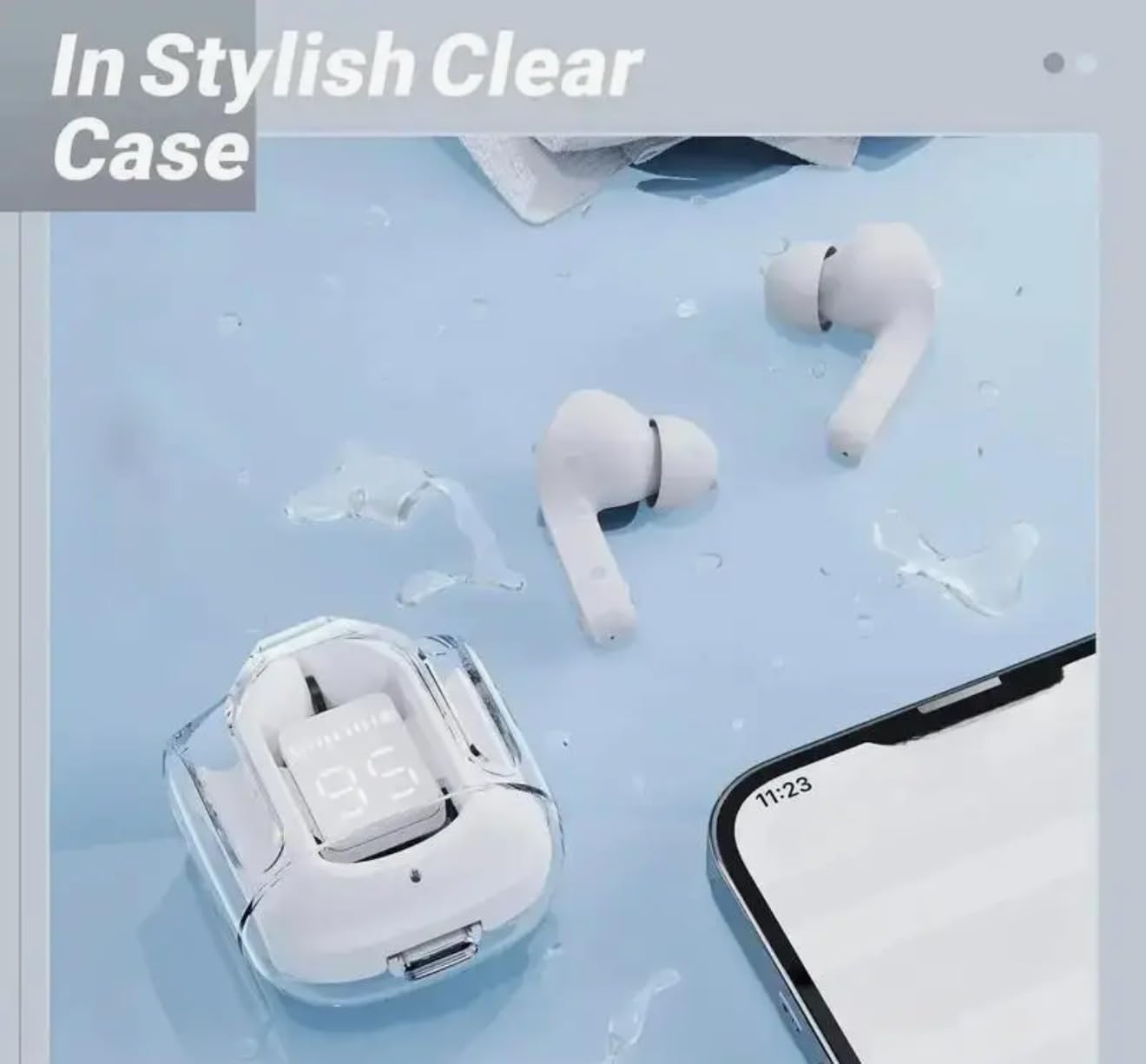
Image: The earbuds and their transparent charging case are depicted on a light blue surface with water droplets. Please note: Despite the visual, these earbuds are specified as NOT water resistant. Avoid contact with liquids.
Troubleshooting
If you encounter issues with your earbuds, try the following common troubleshooting steps:
- No Sound/Connection Issues:
- Ensure the earbuds are charged.
- Make sure Bluetooth is enabled on your device and the earbuds are within the 10-meter effective range.
- Try unpairing and re-pairing the earbuds with your device.
- Restart your device and the earbuds.
- Charging Problems:
- Check if the charging cable is securely connected to both the case and the power source.
- Try a different charging cable or USB port.
- Ensure the earbuds are correctly seated in the charging case.
- Touch Control Unresponsive:
- Ensure your fingers are clean and dry when using touch controls.
- Try restarting the earbuds by placing them back in the case and taking them out again.
If problems persist, please refer to the support information section.
Specifications
| Feature | Detail |
|---|---|
| Model Number | Y26 |
| Brand | Genérico |
| Color | White |
| Connectivity Technology | Bluetooth |
| Wireless Communication Technology | Bluetooth |
| Control Type | Tactile (Touch) |
| Ear Placement | In-Ear (Ear Canal) |
| Noise Control | Sound Isolation |
| Recommended Uses | Portable Use, Music |
| Compatible Devices | Bluetooth Devices |
| Water Resistance Level | Not Water Resistant |
| Product Dimensions | 4.3 x 2 x 5 cm (1.69 x 0.79 x 1.97 inches) |
| Product Weight | 20 g (0.7 oz) |
| Battery Type | Lithium-metal (rechargeable) |
| Batteries Included | Yes (1 battery required, included) |
| Charging Time | Approx. 1 hour |
| Play Time | Approx. 4 hours |
| Talk Time | Approx. 4 hours |
| Effective Distance | Up to 10 meters |

Image: A diagram illustrating the precise dimensions of the earbuds and their charging case in both millimeters and inches, providing a clear understanding of their compact size.
Warranty and Support
Specific warranty information for this product is not provided in the available data. For any support inquiries, technical assistance, or warranty claims, please contact the seller or manufacturer directly through the platform where the product was purchased.
Please retain your proof of purchase for any warranty-related matters.
Related documentsY26


Ask a question about this manual
Ask about setup, troubleshooting, compatibility, parts, safety, or missing instructions. Manuals+ will review the question and use this page’s manual context to help answer it.