
1. Product Overview
The EnjoyColor A4 DTF Oven is designed for curing DTF (Direct to Film) transfer film, ensuring efficient and even heating for optimal powder adhesion. This compact oven is suitable for A4 size films and features an upgraded aluminum heating plate for consistent temperature distribution.

Image 1.1: EnjoyColor A4 DTF Oven with its lid open, showcasing the heating plate.
Key Features:
- Compact Curing Size: Accommodates A4 (8.2"x11.7") DTF transfer film with an 8.6"x12.5" curing area.
- Upgraded Aluminum Heating Plate: Ensures uniform heat distribution across the film, preventing uneven curing.
- Alert Timer: An acoustic signal notifies you when the set curing time has elapsed, enhancing safety and precision.
- Easy Operation: Intuitive controls for setting temperature and time.
2. Safety Instructions
Please read and understand all safety instructions before operating the EnjoyColor A4 DTF Oven. Failure to follow these instructions may result in injury or damage to the product.
- Always operate the oven on a stable, heat-resistant surface.
- Ensure adequate ventilation in the work area to dissipate fumes from the curing process.
- Do not touch the heating plate or interior surfaces during operation or immediately after use, as they will be hot. Use heat-resistant gloves if necessary.
- Keep children and pets away from the appliance during operation.
- Do not immerse the oven in water or other liquids.
- Unplug the oven from the power outlet when not in use and before cleaning or maintenance.
- Do not open the sealing plate when the equipment is working.
- Use only the provided power cord and ensure it is not damaged.
3. Setup
3.1 Unpacking and Inspection
Carefully remove all components from the packaging. Inspect the oven for any signs of damage during transit. Retain the packaging for future storage or shipping.
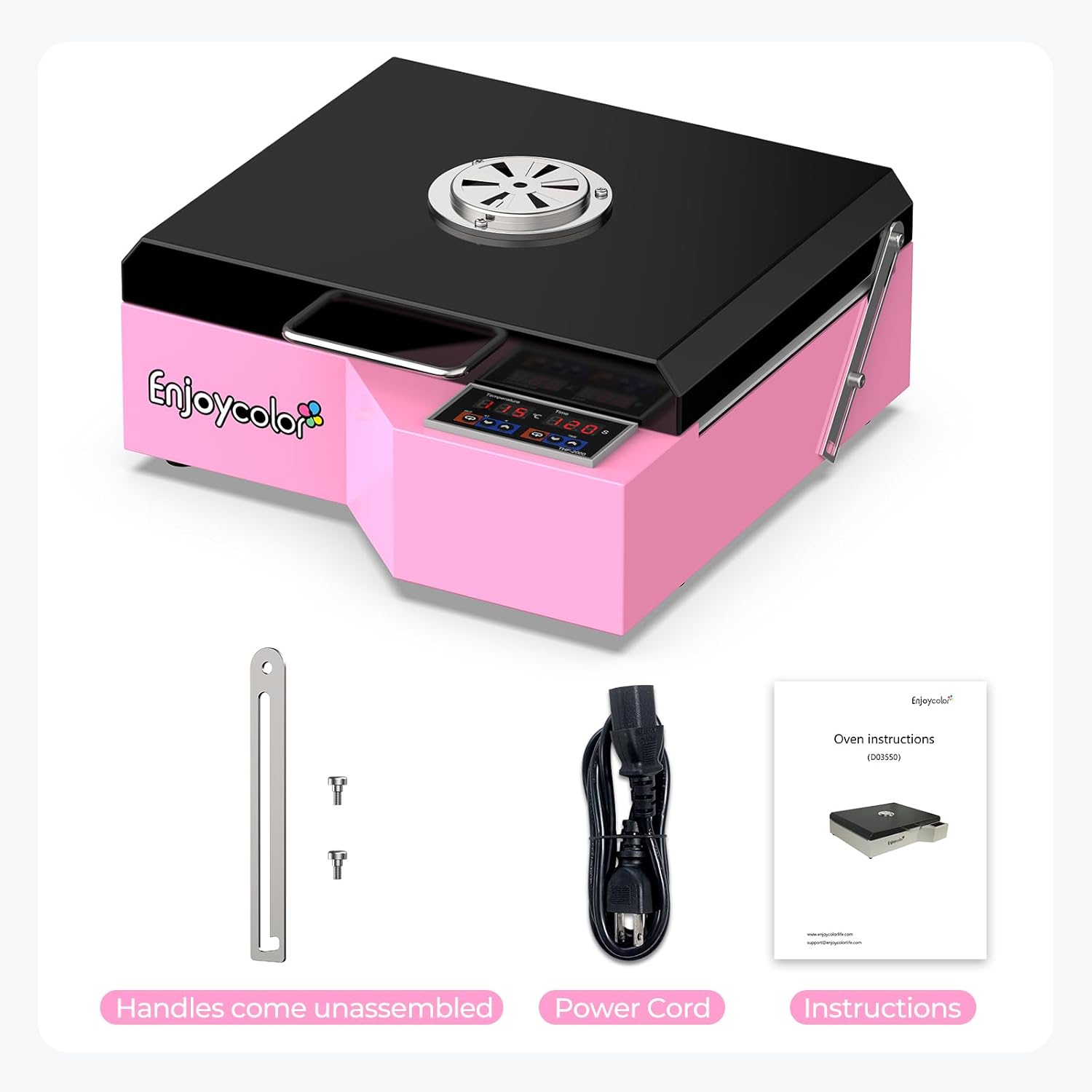
Image 3.1: Included components: unassembled handles, power cord, and instruction manual.
3.2 Handle Assembly
- Locate the two handles and the screws provided.
- Align each handle with the designated mounting points on the side of the oven.
- Secure the handles using the screws. Do not overtighten.
3.3 Placement and Power Connection
- Place the oven on a flat, stable, and heat-resistant surface. Ensure there is sufficient clearance around the oven for ventilation.
- Connect the power cord to the oven and then plug it into a grounded 110V AC power outlet.
4. Operating Instructions
4.1 Powering On and Initial Settings
- Press the power button to turn on the oven. The digital display will illuminate.
- Use the temperature control buttons (up/down arrows) to set the desired curing temperature. The recommended temperature is 260℉ (125℃).
- Use the time control buttons (up/down arrows) to set the desired curing time. The recommended time is 120 seconds.

Image 4.1: Control panel for setting temperature and time. Default setting is 125℃/260℉ and 120s.
4.2 Curing Process
- Once the temperature and time are set, allow the oven to preheat to the target temperature.
- Carefully place the DTF transfer film with the powder side up onto the heating plate. Ensure the film is centered and lies flat.
- Close the oven lid. The curing process will begin automatically, and the timer will count down.
- When the set time has elapsed, an acoustic signal will sound. Open the lid and carefully remove the cured DTF transfer film using heat-resistant gloves.
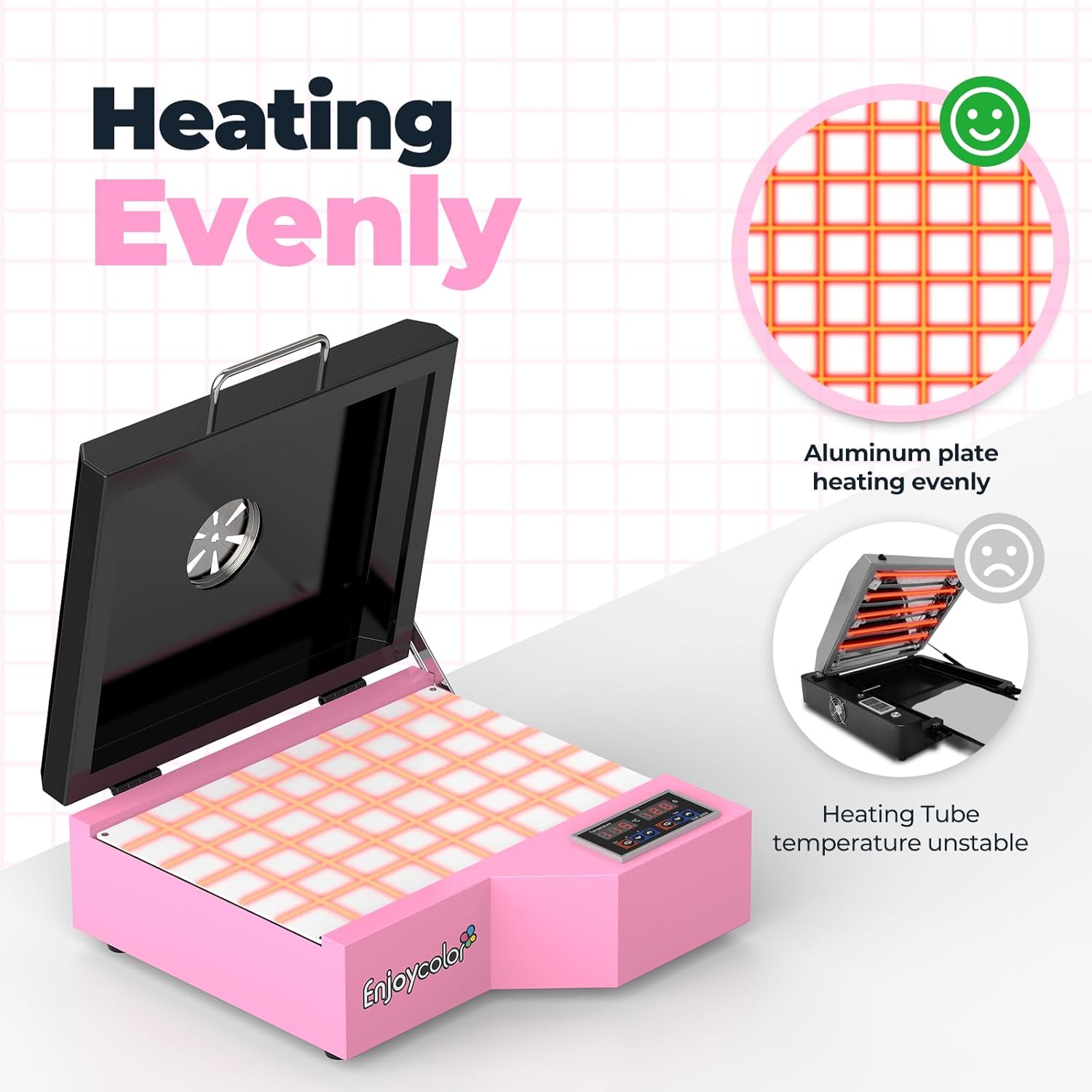
Image 4.2: The aluminum heating plate ensures even heat distribution for consistent curing.
5. Maintenance
5.1 Cleaning
- Always unplug the oven and allow it to cool completely before cleaning.
- Wipe the exterior surfaces with a soft, damp cloth. Do not use abrasive cleaners or solvents.
- Gently clean the heating plate with a soft, dry cloth to remove any powder residue. Avoid scratching the surface.
5.2 Storage
When not in use, store the oven in a cool, dry place, away from direct sunlight and moisture. If possible, use the original packaging for protection.
6. Troubleshooting
| Problem | Possible Cause | Solution |
|---|---|---|
| Oven does not power on. | No power supply; faulty power cord. | Check if the power cord is securely plugged into a working outlet. Inspect the power cord for damage. |
| Uneven curing of film. | Film not flat; incorrect temperature/time settings. | Ensure the film is laid flat on the heating plate. Verify temperature and time settings are correct (260℉/125℃, 120s recommended). |
| Timer alert not sounding. | Timer not set correctly; internal fault. | Confirm the timer is set for the desired duration. If the issue persists, contact customer support. |
| Oven not reaching set temperature. | Heating element issue; incorrect settings. | Check temperature settings. Allow sufficient preheating time. If problem continues, contact support. |
7. Specifications

Image 7.1: Detailed dimensions and electrical specifications of the oven.
| Feature | Detail |
|---|---|
| Model Name | A4 DTF Oven |
| Brand | EnjoyColor |
| Curing Size | 8.6" x 12.5" (218mm x 317mm) |
| Color | Pink |
| Heating Method | Conduction (Aluminum Heating Plate) |
| Temperature Range | 0-150°C / 300°F |
| Voltage | 110V |
| Power | 880W |
| Installation Type | Countertop |
| Additional Features | Portable, Timer Function Available |
| Net Weight | 7.9 lbs |
| Gross Weight | 10.8 lbs |
| UPC | 760762256489 |
8. Warranty and Support
8.1 Warranty Information
The EnjoyColor A4 DTF Oven comes with a One Year Warranty from the date of purchase. This warranty covers manufacturing defects and malfunctions under normal use. Please retain your proof of purchase for warranty claims.
8.2 Customer Support
For technical assistance, troubleshooting, or warranty inquiries, please contact EnjoyColor customer support. Refer to the contact information provided in your product packaging or visit the official EnjoyColor website for the most up-to-date support details.
Note: Specific contact details are not provided in this manual. Please refer to your product's official documentation or manufacturer's website.