
AZHAR K8
AZHAR Electric Scooter with Seat (Model K8, 36V 13AH)
User Instruction Manual
1. Introduction
This manual provides essential information for the safe operation, assembly, maintenance, and troubleshooting of your AZHAR Electric Scooter with Seat, Model K8. Please read this manual thoroughly before using the scooter to ensure proper function and safety.

Image 1.1: The AZHAR Electric Scooter with Seat, featuring a compact design and integrated basket.
2. Safety Information
WARNING: Failure to follow these safety instructions may result in serious injury or property damage.
- Always wear a helmet and appropriate safety gear (knee pads, elbow pads) when riding.
- Do not ride in wet conditions, heavy rain, or through puddles.
- Ensure all bolts and quick releases are securely tightened before each ride.
- Do not exceed the maximum weight limit of 265 pounds (120 kg).
- Observe all local traffic laws and regulations.
- Avoid riding on uneven surfaces, steep inclines, or in heavy traffic.
- Do not perform stunts or aggressive maneuvers.
- Keep hands and feet on the handlebars and foot deck at all times during operation.
- Charging: Only use the provided charger. Do not charge unattended. If the battery shows signs of damage or overheating, discontinue use and contact support immediately.

Image 2.1: The scooter features integrated headlights, brake lights, and turn signals for enhanced visibility and safety.
3. Package Contents
Verify that all items are present in the package:
- AZHAR Electric Scooter with Seat
- Charger
- Mounting Tool Kit
- Basket
- 2 Bike Reflectors
- User Manual (this document)
4. Product Overview and Components
Familiarize yourself with the main components of your AZHAR Electric Scooter.
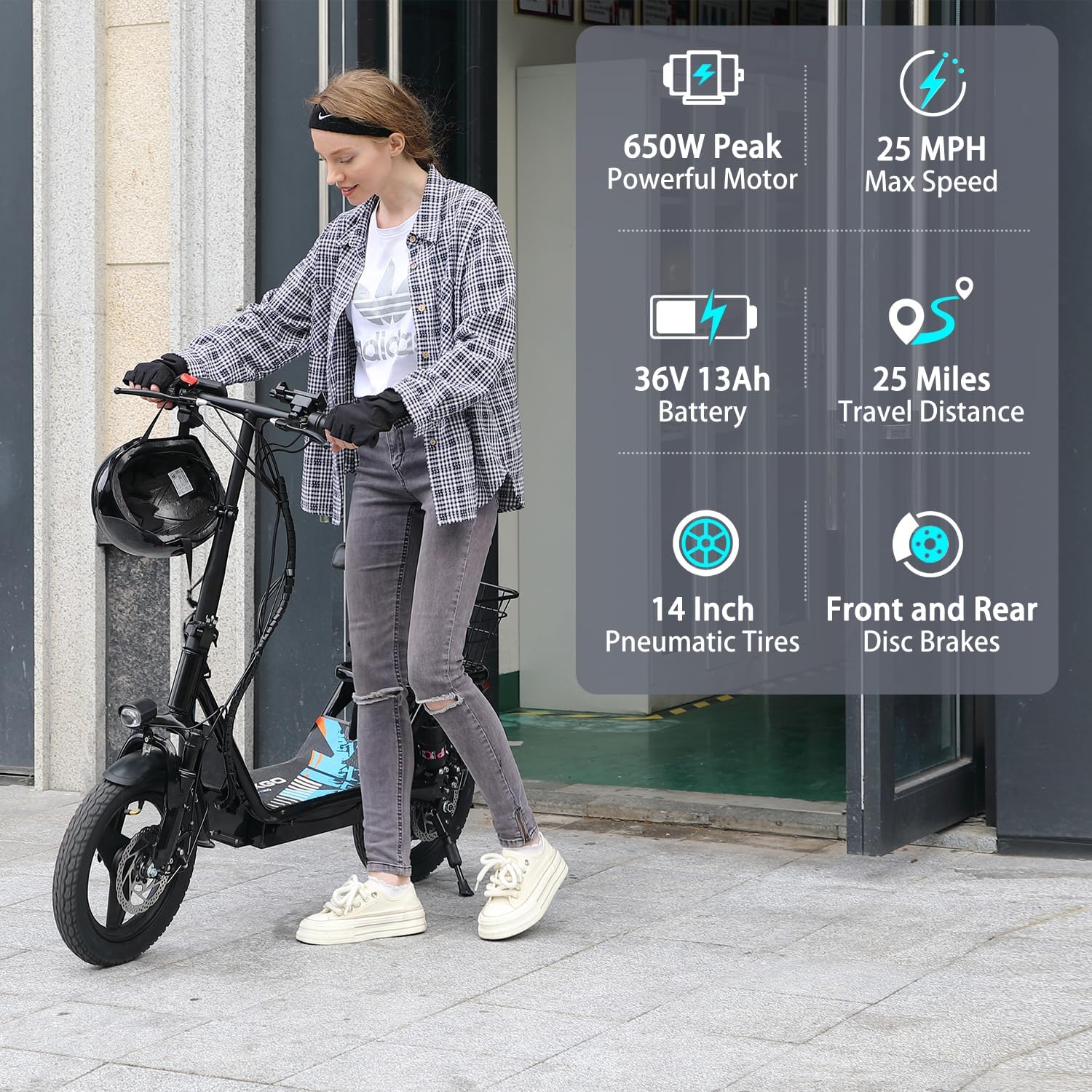
Image 4.1: Overview of the AZHAR Electric Scooter, highlighting features such as the 650W peak motor, 25 MPH max speed, 36V 13Ah battery, 25 miles travel distance, 14-inch pneumatic tires, and front/rear disc brakes.
4.1 Motor and Power System
The scooter is equipped with a 500W motor, capable of reaching a peak power of 650W, providing efficient propulsion. The power is supplied by a 36V 13AH lithium-ion battery.
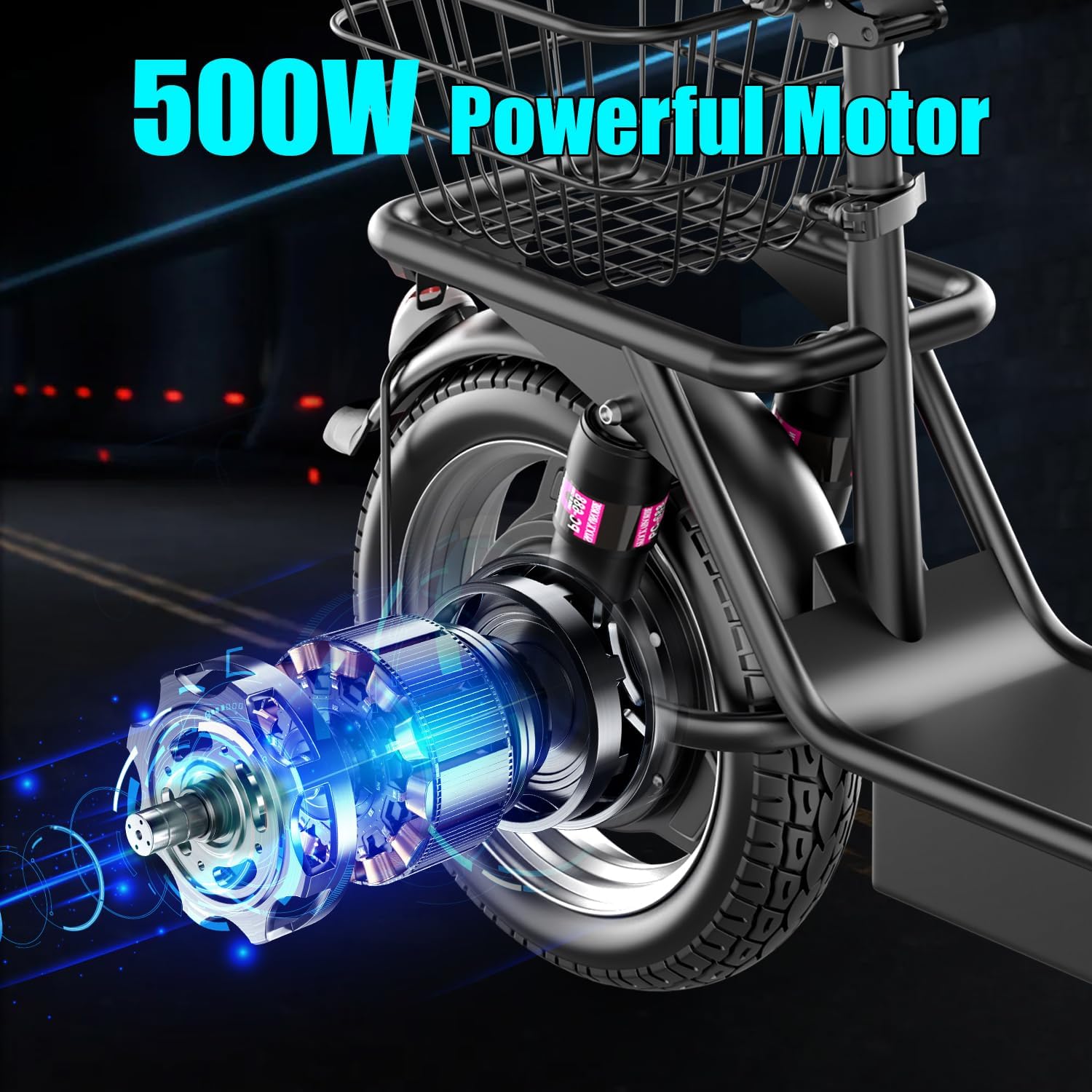
Image 4.2: Detailed view of the 500W powerful brushless motor integrated into the rear wheel.

Image 4.3: The 36V 13AH large capacity Li-ion battery system, featuring a safer charging port and providing up to 25 miles of range with a 4-6 hour charging time.
4.2 Suspension and Tires
For a comfortable ride, the scooter features dual front and rear shock absorbers and 14-inch pneumatic tires. These components are designed to absorb road imperfections.

Image 4.4: Illustration of the scooter's front and rear dual suspension system, designed for enhanced ride comfort compared to single suspension models.

Image 4.5: The 14-inch pneumatic tires are designed to be puncture-resistant and suitable for various terrains, including mountain roads, city roads, and gravel roads, providing enhanced grip and traction.
4.3 Controls and Display
The handlebar features essential controls and a digital display for monitoring ride information.

Image 4.6: The handlebar features a digital display showing speedometer, speed switch, driving distance, and battery power. Controls include a headlight switch, turn signal button, and bell.
5. Setup and Assembly
Your AZHAR Electric Scooter requires minimal assembly. Follow these steps to prepare your scooter for its first ride.
- Unpacking: Carefully remove all components from the packaging. Retain the packaging box for one month in case of returns or exchanges.
- Handlebar Installation: Attach the handlebar to the steering column. Ensure it is securely fastened using the provided mounting tools.
- Seat Adjustment: Adjust the seat height to a comfortable position. Ensure the quick-release lever is securely closed after adjustment.
- Basket Attachment: Secure the basket to the designated mounting points, typically at the rear of the scooter.
- Initial Charge: Before the first use, fully charge the scooter's battery. Connect the charger to the scooter's charging port and then to a power outlet. The indicator light on the charger will change when fully charged.
- Pre-Ride Check: Before each ride, inspect the tires for proper inflation, check brake functionality, and ensure all fasteners are tight.
6. Operating Instructions
Follow these steps for safe and effective operation of your electric scooter.
- Power On: Press and hold the power button on the display to turn on the scooter.
- Speed Modes: Use the speed switch button on the handlebar to cycle through available speed modes (if applicable).
- Starting the Ride: Place one foot on the deck and push off with the other foot to gain initial momentum. Once moving, gently press the throttle to engage the motor.
- Braking: Use the front and rear disc brakes by squeezing the brake levers on the handlebars. Apply brakes smoothly to avoid sudden stops.
- Lighting: Activate the headlight using the dedicated switch for night riding or low-light conditions. Use the turn signals to indicate your direction to others.
- Folding (if applicable): To fold the scooter for storage or transport, follow the specific folding mechanism instructions. Ensure the scooter is powered off before folding.

Image 6.1: The scooter's foldable design allows for easy storage and transport, fitting conveniently into a car trunk.
7. Maintenance
Regular maintenance ensures the longevity and safe operation of your scooter.
- Cleaning: Wipe the scooter with a damp cloth. Do not use high-pressure water or immerse any electrical components.
- Tire Pressure: Check tire pressure regularly and inflate to the recommended PSI (refer to tire sidewall for details).
- Brakes: Periodically inspect brake pads and discs for wear. Adjust brake cable tension as needed to ensure responsive braking.
- Battery Care: Charge the battery fully after each use. If storing for an extended period, charge the battery to 50-70% every 1-2 months. Avoid completely draining the battery.
- Fasteners: Regularly check and tighten all screws, bolts, and quick-release mechanisms.
8. Troubleshooting
This section addresses common issues you might encounter.
| Problem | Possible Cause | Solution |
|---|---|---|
| Scooter does not power on | Low battery; loose connections | Charge the battery; check all cable connections. |
| Reduced range or speed | Low tire pressure; heavy load; cold weather; battery degradation | Inflate tires to correct pressure; reduce load; ensure battery is fully charged. |
| Brakes feel weak | Worn brake pads; loose brake cable | Inspect and replace brake pads if worn; adjust brake cable tension. |
| Unusual noises during operation | Loose components; debris in wheels | Check and tighten all fasteners; inspect wheels for obstructions. |
If you encounter issues not listed here or require further assistance, please contact AZHAR customer support.
9. Specifications
| Feature | Detail |
|---|---|
| Brand | AZHAR |
| Model Name | K8 |
| Motor Power | 500W (Peak 650W) |
| Battery | 36V 13AH Lithium-ion |
| Max Speed | Up to 25 MPH |
| Max Range | Up to 20 Miles |
| Charging Time | 4-6 Hours |
| Tire Size | 14 Inches |
| Tire Type | Pneumatic |
| Brake Style | Front and Rear Disc Braking |
| Suspension Type | Dual Suspension |
| Weight Limit | 265 Pounds (120 kg) |
| Frame Material | Alloy Steel |
| Special Features | Basket, Digital Display, Non-Slip Deck, Seat, Speedometer, Adjustable Handlebar |
| Certifications | UL 2272 |

Image 9.1: Detailed dimensions of the AZHAR Electric Scooter, including seat height (33.5"), scooter length (50.8"), handle height (42.5"), handle width (20.9"), scooter width (8.6"), and pedal length (17.7"). The scooter weighs 49.6 lbs and has a maximum load capacity of 220 lbs.
10. Warranty and Support
AZHAR is committed to providing quality products and customer satisfaction.
- Warranty: The AZHAR Electric Scooter comes with a 1-year limited warranty from the date of purchase. This warranty covers manufacturing defects.
- Returns & Exchanges: Returns and exchanges are supported within 30 days of purchase. Please retain the original packaging for one month. Contact customer service before initiating a return to avoid package loss.
- Customer Support: For any issues, questions, or warranty claims, please describe the problem and attach relevant pictures when contacting support.

Image 10.1: AZHAR provides customer support for product inquiries and assistance.
Contact Email: ebikeservice25@outlook.com
Ask a question about this manual
Ask about setup, troubleshooting, compatibility, parts, safety, or missing instructions. Manuals+ will review the question and use this page’s manual context to help answer it.