
1. Introduction
This manual provides essential information for the safe and effective use of your JRL Ghost 2020T Professional Cordless Hair Trimmer. Engineered for precision and reliability, this trimmer features Smart-Clip™ No-Drag Technology and an EZ-Gap® T-Blade system, designed for professional barbers and stylists. Please read this manual thoroughly before initial use and retain it for future reference.
2. Safety Information
To ensure safe operation and prevent injury or damage, please observe the following precautions:
- Avoid contact with eyes, skin, and water.
- Do not use on infants or children without adult supervision.
- Follow recommended cleaning and maintenance procedures.
- Keep the trimmer away from heat sources and do not immerse in water.
- Unplug the trimmer when not in use.
- Always hold the trimmer with the blade facing away from you and others.
- Do not force the trimmer through thick or tangled hair.
- Always unplug the trimmer before replacing or cleaning the blade.
3. Product Overview
The JRL Ghost 2020T Trimmer is designed for precise hair trimming and detailing. Its ergonomic design ensures comfortable handling during extended use.
Key Features:
- Patented Onyx EZ-GAP M Blade: Designed for clean lining and detailing.
- Patented Smart-Clip Technology: Senses blade resistance and automatically increases motor speed to prevent dragging or stalling.
- 3.5 Hours Run Time: Extended cordless operation for professional use.
- 8200 Revolutions Per Minute (RPM) Motor: Provides strong, consistent trimming power.
- Superior Motor: Lasts up to 1,000 hours.
- 360° Exposed Ultra Sharp T-Blade: Ideal for lining, designing, and dry shaving, offering maximum visibility.
Product Components:
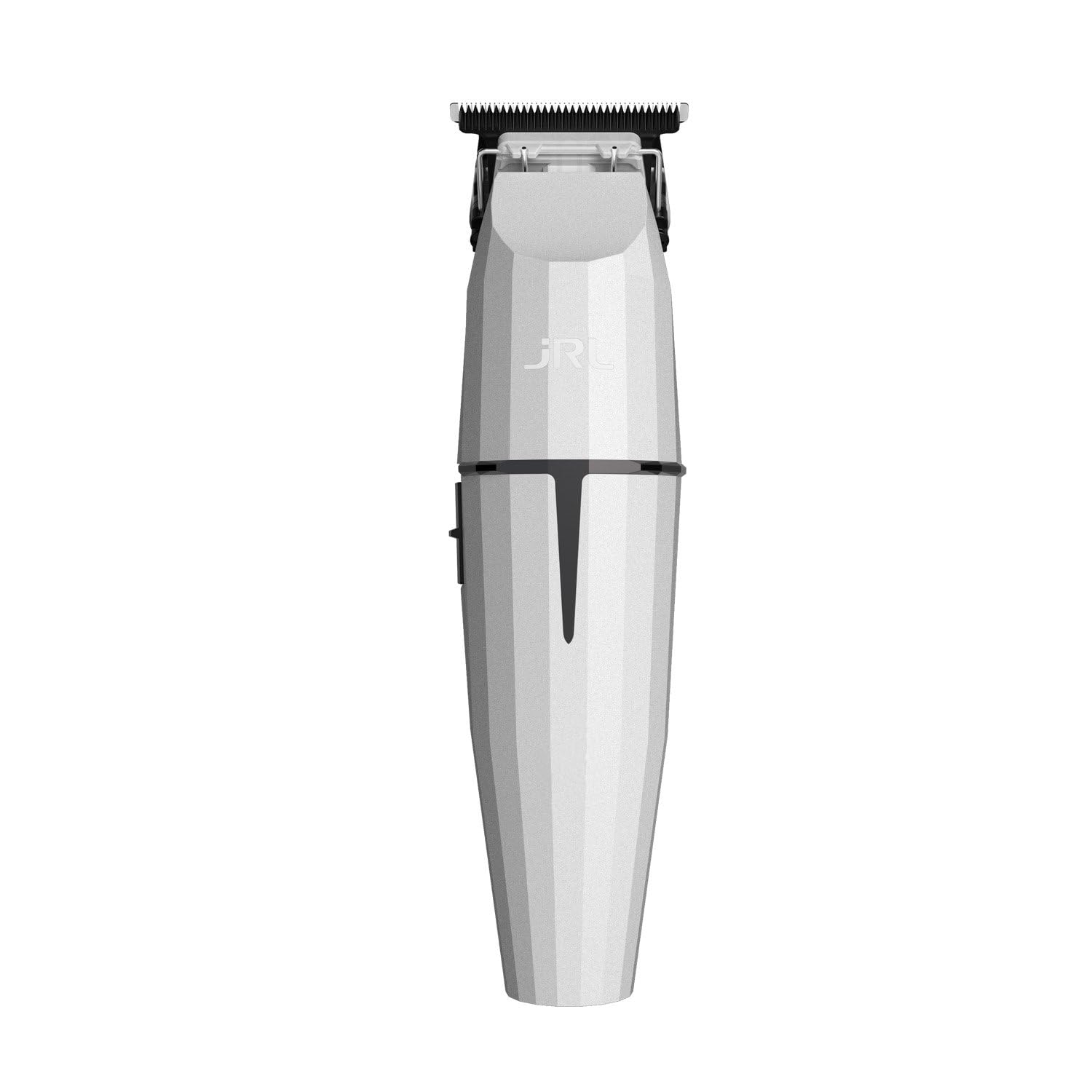
The trimmer includes the main unit with its EZ-Gap T-Blade, a charging dock, and necessary power accessories. The design features a faceted body for improved grip and a modern appearance.
4. Setup
4.1 Initial Charging
- Connect the charging adapter to the charging dock.
- Place the trimmer securely in the charging dock. Ensure the charging indicator light illuminates, confirming proper connection.
- Allow the trimmer to charge completely before first use. A full charge provides approximately 3.5 hours of runtime.
4.2 Blade Adjustment (Zero-Gap)
The EZ-Gap T-Blade system allows for tool-free zero-gap adjustment. Refer to the detailed instructions provided with the blade for precise adjustment to achieve desired cutting performance. Always ensure the trimmer is turned off and unplugged before attempting any blade adjustments.
5. Operating Instructions
5.1 Powering On/Off
- To turn on the trimmer, slide the power switch to the 'ON' position. The JRL logo will illuminate.
- To turn off the trimmer, slide the power switch to the 'OFF' position. The JRL logo light will extinguish.
5.2 Trimming Techniques
The 360° exposed T-blade provides excellent visibility for precise work. Use the trimmer for:
- Lining and Edging: Use the edge of the blade to create sharp, clean lines around the hairline, beard, and neck.
- Detailing and Design Work: The precise blade allows for intricate designs and fine detailing.
- Dry Shaving: For ultra-close finishes, the trimmer can be used for dry shaving.
Always ensure the hair is clean and dry for optimal performance. Apply light pressure and move the trimmer smoothly against the direction of hair growth for best results.
6. Maintenance
Regular maintenance ensures the longevity and optimal performance of your trimmer.
6.1 Cleaning the Blades
- Turn off and unplug the trimmer.
- Use the provided cleaning brush to remove loose hairs from the blades.
- For a deeper clean, carefully remove the blade assembly as per the EZ-Gap T-Blade instructions and rinse under cool running water. Ensure blades are completely dry before reattaching.
6.2 Oiling the Blades
After each use or cleaning, apply a few drops of clipper oil to the blades. Turn the trimmer on for a few seconds to distribute the oil evenly. This lubricates the blades and prevents rust.
6.3 Storage
Store the trimmer in a cool, dry place, away from direct sunlight and moisture. Ensure it is fully charged before storing for extended periods to maintain battery health.
7. Troubleshooting
If you encounter issues with your JRL Ghost 2020T Trimmer, refer to the following common problems and solutions:
| Problem | Possible Cause | Solution |
|---|---|---|
| Trimmer does not turn on. | Low battery; power switch not fully engaged. | Charge the trimmer fully. Ensure the power switch is firmly in the 'ON' position. |
| Trimmer pulls hair or cuts poorly. | Dull, dirty, or misaligned blades; insufficient oil. | Clean and oil the blades. Check blade alignment and adjust if necessary. Consider replacing blades if dull. |
| Trimmer makes unusual noise. | Lack of lubrication; foreign object in blades. | Oil the blades. Inspect blades for any obstructions and remove them. |
| Charging indicator light not working. | Improper connection; faulty charger/dock. | Ensure the trimmer is correctly seated in the dock and the adapter is plugged in. Try a different power outlet. |
8. Specifications
| Feature | Detail |
|---|---|
| Model Name | JRL Ghost 2020T Professional Cordless Hair Trimmer |
| Item Model Number | 2020T -W |
| Brand Name | Amazon Series |
| Manufacturer | JRL Professional |
| Power Source | Battery Powered |
| Battery Runtime | Up to 3.5 Hours |
| Motor Speed | 8200 RPM |
| Blade Material | Stainless Steel |
| Minimum Cutting Length | 0.5 Millimeters |
| Maximum Cutting Length | 1 Millimeters |
| Color | White |
| Package Dimensions | 8.86 x 5.67 x 5.39 inches |
| Item Weight | 2.09 Pounds |
| UPC | 669936955305 |
9. Warranty and Support
For warranty information or technical support, please refer to the documentation included in your product packaging or contact JRL Professional customer service directly. Keep your purchase receipt as proof of purchase for any warranty claims.