Introduction
This manual provides essential information for the safe and effective use of your GUENZO Bluetooth Modular Motorcycle Helmet. Please read it thoroughly before use and retain it for future reference.
Safety Information
Your GUENZO Bluetooth Modular Motorcycle Helmet is designed to meet DOT FMVSS 218 safety standards, providing robust protection. Always ensure the helmet is properly fitted and secured before riding. Never modify the helmet's structure or components, as this may compromise its safety features.

Image: The GUENZO helmet displaying its DOT certification, indicating compliance with safety standards.
Product Features
- D3X Bluetooth System: Integrated 1000mAH high-capacity battery for approximately 22 hours of use. Features intelligent noise filtering for clear communication and supports automatic or manual call answering.
- Dual Visor & Chin Lift: Equipped with a sun-protective and wear-resistant HD dual visor. The internal retractable sunglasses provide convenience. The modular chin guard allows conversion between open-face and full-face helmet configurations.
- Chin Strap & Liner: Quick-release chin strap for easy securing and removal. The inner lining is comfortable, soft, skin-friendly, removable, and washable.
- Multi-layer Protection: Constructed with an anti-collision ABS material shell, high-density elastic buffer EPS, and a soft, breathable sponge lining for enhanced safety.
- Aerodynamic Ventilation: Features an aerodynamic design to reduce wind resistance. Includes multiple vents (channel port, chin vent, top vent, tail opening) to ensure airflow and heat dissipation.

Image: The modular helmet with its chin bar flipped up and the internal sun visor deployed, demonstrating its dual visor functionality.

Image: The interior of the helmet, highlighting the removable and washable breathable lining and the quick-release chin strap buckle.

Image: A diagram illustrating the multi-layer protection of the helmet, including the ABS shell, EPS foam, and protective lining.

Image: A visual representation of the helmet's ventilation system, showing the channel port, chin vent, top vent, and tail opening.
Setup
1. Initial Charging
Before first use, fully charge the integrated Bluetooth system. Connect the charging cable to the charging port (3) on the Bluetooth unit. The wireless indicator (5) will show charging status (red for charging, blue for charged).
2. Bluetooth Pairing
To pair your helmet's Bluetooth system with your device:
- Ensure the Bluetooth unit is powered off.
- Press and hold the On/Off Button (1) until the indicator light flashes, indicating pairing mode.
- On your mobile device, search for available Bluetooth devices and select "GUENZO Helmet" (or similar name).
- Once connected, the indicator light will change to a steady blue or flash intermittently.
3. Helmet Fitting
Place the helmet on your head, ensuring a snug fit without excessive pressure points. Secure the quick-release chin strap (located near the removable lining) firmly under your chin. The helmet should not move freely when you shake your head.
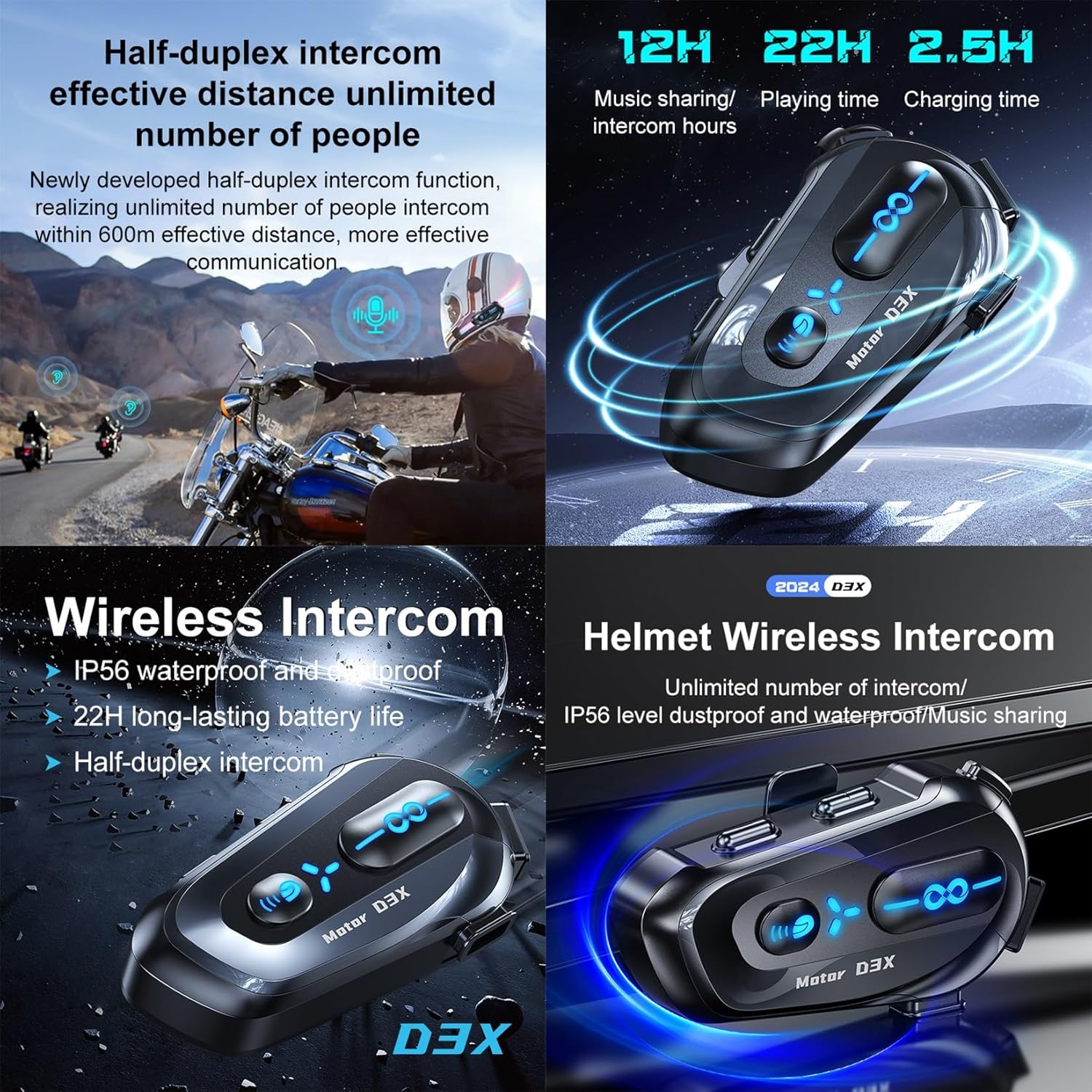
Image: Detailed view of the Bluetooth communication unit with numbered callouts for each button and port.
Operating Instructions
1. Power On/Off
Press and hold the On/Off Button (1) to power the Bluetooth unit on or off.
2. Call Management
- Answer/Hang Up: Press the Multi-function button (2) to answer or end a call.
- Automatic Answer: The system can be configured for intelligent automatic answering. Refer to the Bluetooth unit's specific settings for activation.
3. Music Playback
- Play/Pause: Press the Multi-function button (2) to play or pause music.
- Next Song/Volume Up: Press button (8).
- Previous Song/Volume Down: Press button (7).
4. Intercom Function (Half-Duplex)
The D3X Bluetooth system supports half-duplex intercom for communication with other riders within 600m. Press the Mode button (6) to switch to intercom mode. Follow the specific pairing instructions for multiple units if available in the Bluetooth unit's dedicated manual.
5. Visor Operation
- Outer Visor: Lift or lower the clear outer visor as needed for protection from wind and debris.
- Inner Sun Visor: Use the lever or switch on the side of the helmet to deploy or retract the internal tinted sun visor for sun protection.
6. Chin Guard Operation
To convert the helmet from full-face to open-face mode, locate the release mechanism (usually a button or lever) at the base of the chin guard. Activate the mechanism and lift the chin guard upwards until it locks into place. To return to full-face mode, reverse the process, ensuring the chin guard securely latches.
7. Ventilation System
Adjust the various vents (chin, top, tail) to control airflow and internal temperature. Open vents for increased cooling and close them to reduce airflow, especially in colder conditions.
Video: A demonstration of the GUENZO Modular Motorcycle Helmet, showcasing its features including the flip-up chin bar and dual visor system.
Maintenance
1. Cleaning the Liner
The helmet's inner lining is removable and washable. Gently detach the lining components from the helmet shell. Hand wash with mild soap and water, then air dry completely before reinserting. Ensure all components are securely reattached.
2. Cleaning the Visors
Clean visors with a soft, damp cloth and mild soap or a specialized helmet visor cleaner. Avoid abrasive materials or harsh chemicals, as these can scratch or damage the visor coating. Rinse thoroughly and dry with a soft, lint-free cloth.
3. Helmet Exterior Cleaning
Wipe the helmet's exterior with a soft, damp cloth. For stubborn dirt, use a mild soap solution. Avoid petroleum-based cleaners or solvents, which can damage the helmet's finish and materials.
Troubleshooting
| Problem | Possible Cause | Solution |
|---|---|---|
| Bluetooth not pairing | Unit not in pairing mode; low battery; interference. | Ensure unit is in pairing mode (flashing light). Charge the unit. Move away from other electronic devices. |
| Poor audio quality | Microphone/speaker placement; high wind noise; low battery. | Adjust microphone and speaker position. Utilize noise filtering feature. Charge the unit. |
| Chin guard not locking | Obstruction; improper alignment. | Check for debris. Ensure proper alignment and firmly push until it clicks into place. |
| Visor fogging | Lack of ventilation; temperature difference. | Open vents for increased airflow. Consider anti-fog treatments or pinlock visors if available. |
Specifications
- Brand: GUENZO
- Model Name: GUENZO
- Size: M=(57-58CM) (Note: Other sizes available, refer to product listing for specific size details)
- Age Range: Adult
- Outer Material: Plastic (ABS)
- Inner Material: Plastic
- Item Weight: 3000 Grams
- Bluetooth Battery: 1000mAH (approx. 22 hours usage)
- Safety Certification: DOT FMVSS 218
Warranty and Support
For warranty information or technical support, please refer to the product packaging or contact GUENZO customer service directly. Keep your purchase receipt as proof of purchase.