Introduction
Thank you for purchasing the Tidy Cats Handheld Vacuum Cleaner, Model HL-135DE. This powerful and versatile 3-in-1 device is designed for efficient cleaning in various environments, including your car and home. Featuring a 16KPA strong suction, a 100,000 rpm brushless motor, and a long-lasting 6000 mAh battery, it offers convenience and high performance. Please read this manual carefully before use to ensure proper operation and maintenance.
Product Overview
The Handheld Vacuum Cleaner comes with several components and accessories to enhance its functionality.

Figure 1: Main unit and included accessories. This image displays the compact handheld vacuum cleaner along with its various attachments, including brush nozzles, crevice tools, and charging cable.
Key Features:
- 16000PA Brushless Motor: Provides strong suction for effective cleaning of pet hair, crumbs, dust, and sand.
- 3-in-1 Multifunctional Design: Switches between vacuum mode, dust blower mode, and vacuum sealing mode.
- 6000 mAh Rechargeable Battery: Offers up to 30 minutes of work time on a full charge, with convenient Type-C charging.
- Washable Removable Filter: High-density filter for powerful and durable performance, easy to clean and maintain.
- Wide Range of Accessories: Includes specialized attachments for different surfaces and cleaning needs.
Setup
Charging the Battery:
- Locate the Type-C charging port on the vacuum cleaner.
- Connect the provided Type-C charging cable to the vacuum cleaner and a compatible USB power source (e.g., wall adapter, computer USB port).
- The indicator light will show charging status. A full charge typically takes 3-4 hours.

Figure 2: Battery and charging details. This image illustrates the internal structure of the battery and highlights the Type-C charging port, indicating a charge time of 3-4 hours for the 6000mAh battery.
Attaching Accessories:
The vacuum cleaner comes with various nozzles for different cleaning tasks.
- Floor Suction Nozzle: Ideal for rapid suction of hair and fine dirt from larger surfaces.
- Small Brush Nozzle: Suitable for cleaning car slides, removing dust from bumps, and delicate surfaces.
- Host Head (Crevice Tool): Designed for hurricane suction to remove particles, stones, and debris from tight spaces.
To attach an accessory, align it with the suction port of the main unit and push firmly until it clicks into place. To remove, pull it off gently.
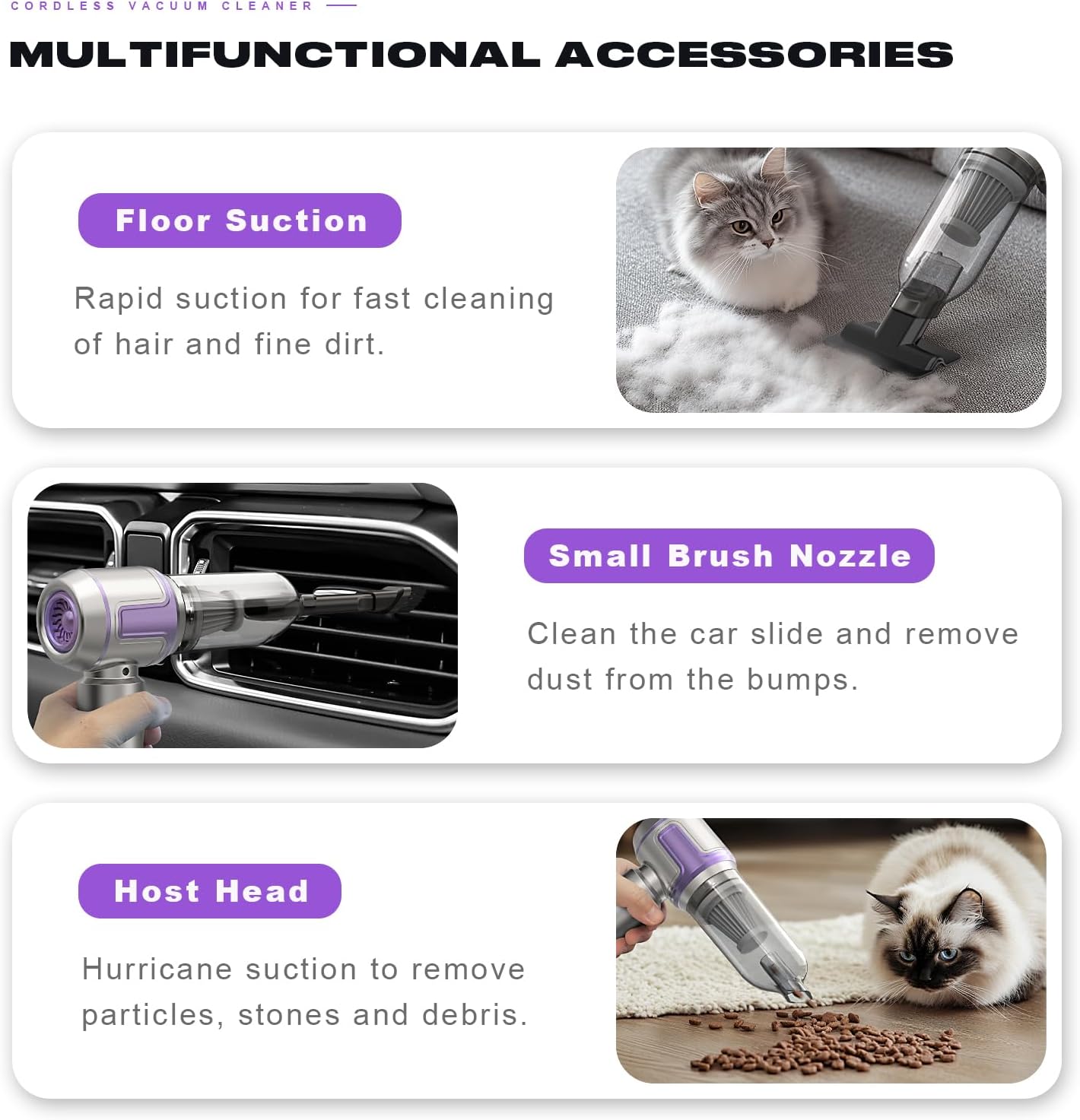
Figure 3: Multifunctional accessories. This image shows the different attachments and their recommended uses, such as the floor suction for general cleaning, the small brush nozzle for intricate areas, and the host head for debris.
Operating Instructions
Powering On/Off:
Press the power button located on the handle to turn the vacuum cleaner on. Press it again to turn it off.
Using Different Modes:
This 3-in-1 vacuum cleaner supports vacuuming, blowing, and sealing functions.
- Vacuum Mode: Attach the desired suction nozzle to the front opening. Ideal for cleaning dust, crumbs, and debris from surfaces.
- Dust Blower Mode: Attach a suitable nozzle to the rear exhaust port. Useful for blowing dust out of crevices or inflating small items like balloons or swimming rings.
- Vacuum Sealing Mode: Use the appropriate attachment for vacuum sealing bags (attachments for this specific function may be sold separately or included as a specialized nozzle).
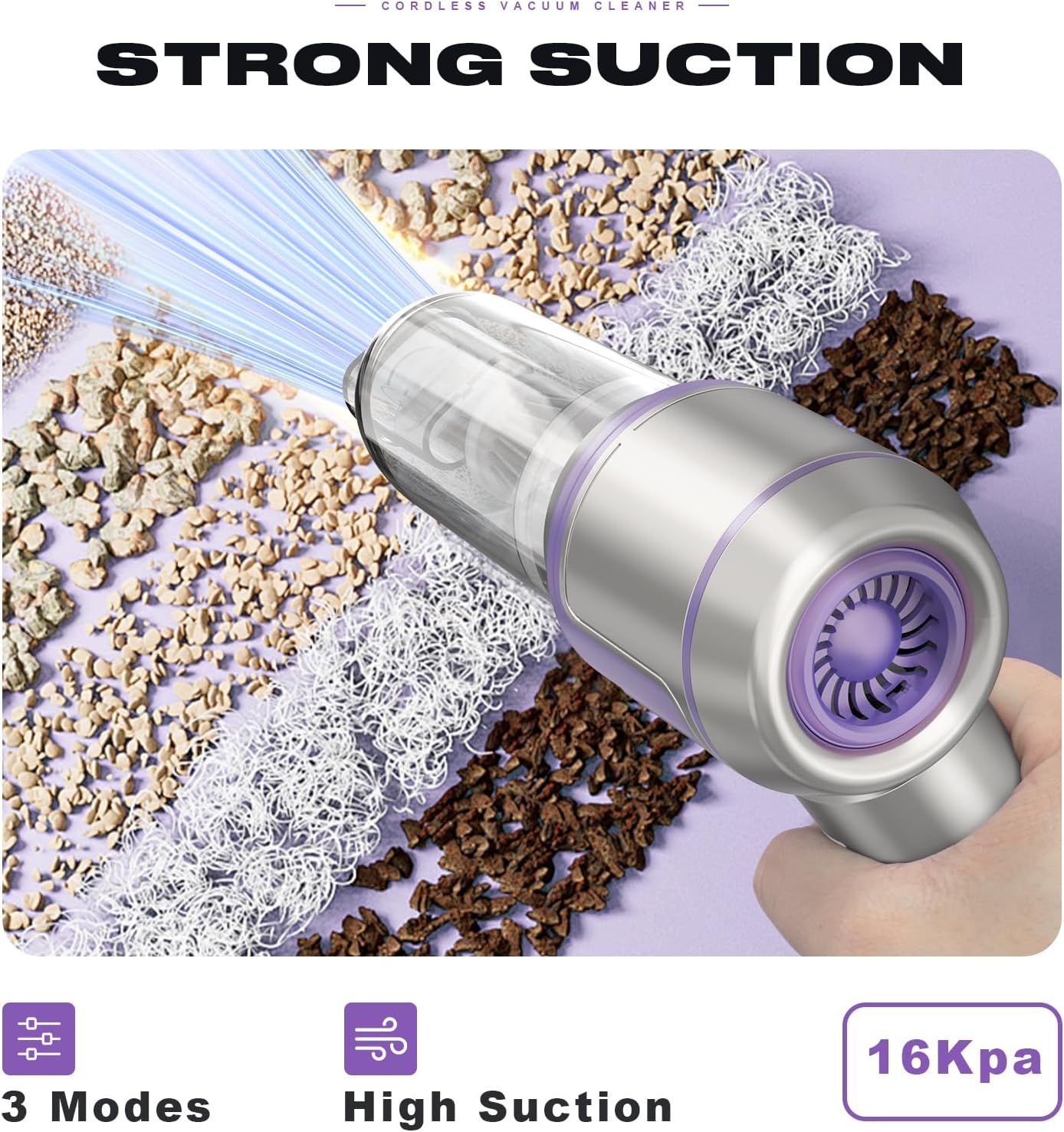
Figure 4: Strong suction capability. This image visually demonstrates the powerful 16KPa suction of the vacuum cleaner, effectively picking up various types of debris.
Application Areas:
- Car Cleaning: Perfect for door storage spaces, rear boxes, cup holders, and other hard-to-reach areas in your vehicle.
- Home Cleaning: Effective for interior spaces such as beds, sofas, carpets, and general household dust.

Figure 5: Versatile use in car and home. This image shows the vacuum cleaner being used to clean a car's cup holder and a sofa, highlighting its adaptability for both automotive and household cleaning tasks.
Maintenance
Emptying the Dust Bin:
Regularly empty the dust bin to maintain optimal suction performance. To empty, twist or unlatch the dust bin from the main unit and dispose of the collected debris.
Cleaning the Filter:
The high-density filter is washable and reusable. For best performance, clean the filter after every few uses or when suction power decreases.
- Remove the dust bin and then carefully pull out the filter.
- Rinse the filter under running water until it is clean. Do not use harsh detergents.
- Allow the filter to air dry completely before reinserting it into the vacuum cleaner. Ensure it is fully dry to prevent damage to the motor.
General Cleaning:
Wipe the exterior of the vacuum cleaner with a soft, damp cloth. Do not immerse the main unit in water.
Troubleshooting
| Problem | Possible Cause | Solution |
|---|---|---|
| Vacuum cleaner does not turn on. | Battery is depleted. | Charge the battery fully. |
| Weak suction power. | Dust bin is full or filter is clogged. | Empty the dust bin and clean the filter. |
| Unusual noise during operation. | Obstruction in the nozzle or suction path. | Turn off the device and check for any blockages in the nozzles or main suction inlet. |
| Battery does not charge. | Charging cable or adapter is faulty; charging port is dirty. | Try a different Type-C cable and USB adapter. Ensure the charging port is clean. |
Specifications
| Feature | Detail |
|---|---|
| Brand | Tidy Cats |
| Model Number | HL-135DE |
| Motor Type | Brushless Motor |
| Suction Power | 16000 PA (16 KPA) |
| Motor Speed | 100,000 rpm |
| Battery Capacity | 6000 mAh |
| Charging Time | 3-4 Hours |
| Operating Time | Up to 30 minutes |
| Charging Port | Type-C |
| Weight | 700 g |
| Dimensions | 21L x 20W x 6.5H centimeters |
| Filter Type | High-density, Washable, Reusable |
| Color | Purple |
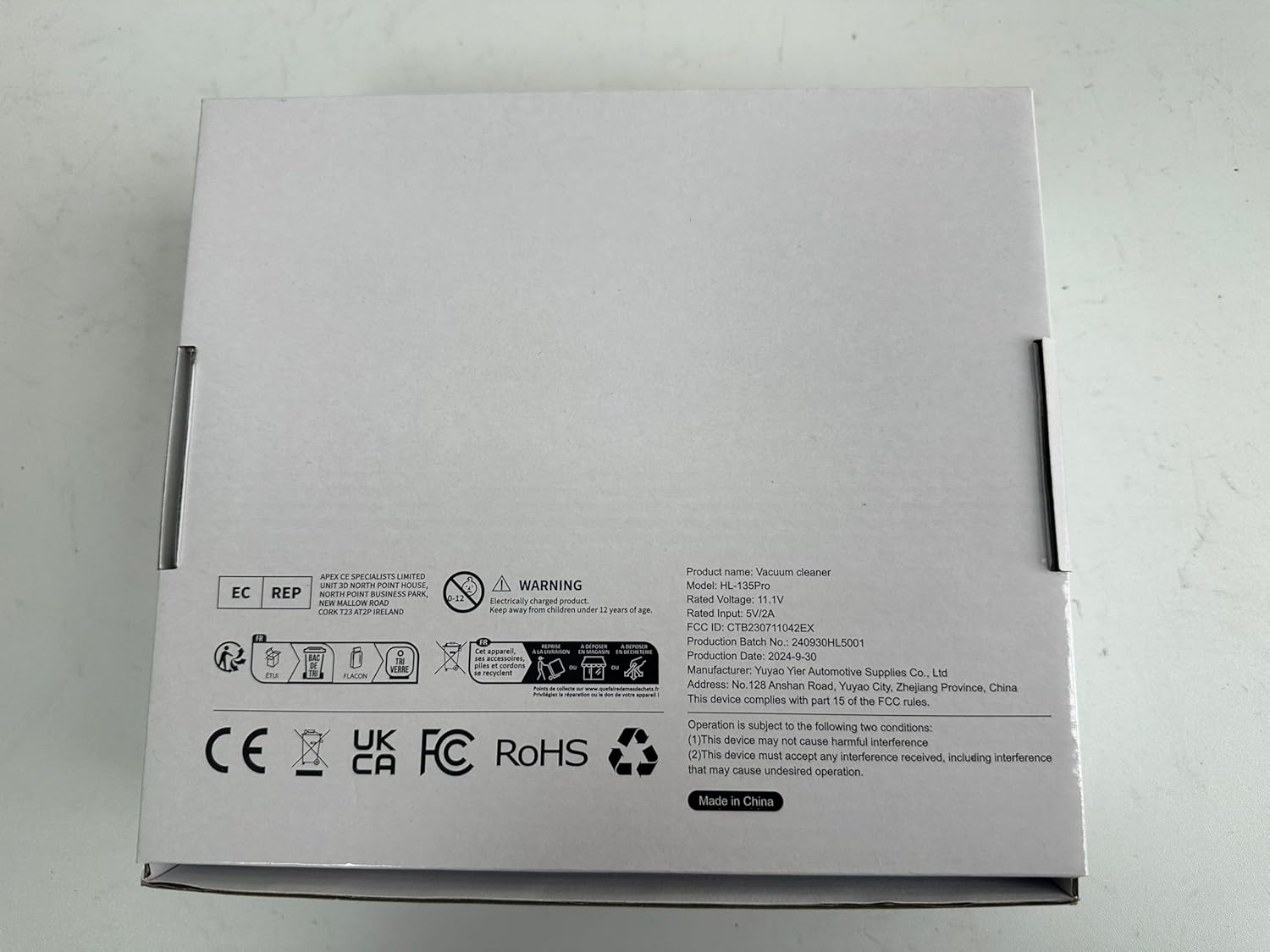
Figure 6: Product label and technical specifications. This image shows the product's regulatory and technical information, including model number, rated voltage, and FCC ID.
Safety Information
- Do not use the vacuum cleaner to pick up liquids, flammable or combustible materials, or hot ashes.
- Keep hair, loose clothing, fingers, and all body parts away from openings and moving parts.
- Do not operate the vacuum cleaner with a damaged cord or plug.
- Do not allow children to operate the vacuum cleaner. Supervise children when the appliance is in use.
- Ensure the filter is properly installed before use.
- Store the vacuum cleaner in a dry place when not in use.
Warranty and Support
For warranty information and customer support, please refer to the product packaging or contact the retailer where the product was purchased. Keep your purchase receipt as proof of purchase.
For further assistance, you may also visit the official Tidy Cats website or contact their customer service department.


