
Introduction
This manual provides comprehensive instructions for the safe and effective use of your OHYAPI TES-P6-B Ear Wax Removal Tool Camera. This device features a 1080P HD camera, 6 LED lights, and is compatible with both iOS and Android systems, allowing for clear visualization and precise ear cleaning.
Safety Information and Precautions
- Carefully follow all instructions before use to ensure safe and effective operation.
- If the product runs out of power, use only the included charging cable. Charging time is approximately 40 minutes.
- Do not place the product in a damp environment for extended periods.
- Do not inject liquid into the machine.
- Do not place heavy objects on top of the machine.
- Do not clean the product by immersing it in water to avoid damage. The IP67 waterproof lens can be washed with water or wiped with alcohol cotton after use, but the entire otoscope should not be immersed.
- Update and install the new version of the application in a timely manner.
- Ensure the distance between your mobile phone and the device is not too far during wireless network connection to prevent lag.
Package Contents
The OHYAPI TES-P6-B Ear Wax Removal Tool Camera package includes:
- 1080P HD Ear Cleaner with Camera (1 unit)
- Dust Cover (1 unit)
- Silicone Ear Spoon Covers (5 units)
- Traditional Ear Care Kits (6 units)
- Cleaning Brush (1 unit)
- Type-C Charging Cable (1 unit)
- User Instruction Manual (1 unit)

Image: The OHYAPI Ear Wax Removal Tool Camera with its included accessories, including various ear spoons, a charging cable, and a user manual.
Setup and Connection
Follow these steps to set up and connect your ear wax removal tool:
- Download the Application: Scan the QR code provided in the user manual to download the dedicated application for your device.
- Power On: Press and hold the power button on the device for a long time to turn it on.
- Enable Wi-Fi: On your mobile phone, go to network settings and turn on the Wi-Fi switch.
- Connect to Device Wi-Fi: Click "Not connected" in your phone's Wi-Fi settings to automatically connect to the product's Wi-Fi network. A pop-up window will appear for the product Wi-Fi network, typically named "JesHome-P6-xxx-tap".
- Start Usage: Once connected, click "Start" within the application. The ear canal image page should appear, indicating the product is ready for use.

Image: Visual guide illustrating the four steps to connect the ear wax removal tool to a smartphone application.
Video: An official OHYAPI video demonstrating the connection process of the ear wax removal tool to a smartphone.
Operating Instructions
Once connected, you can begin using the ear wax removal tool:
- Visual Inspection: The 1080P HD camera and 6 LED lights provide a clear, real-time view of the ear canal on your smartphone screen. The three-axis gyroscope allows for smooth exploration and reversible left-right movement.
- Earwax Removal: Use the soft silicone ear spoon covers attached to the device to gently remove earwax. The interchangeable design ensures hygiene and convenience.
- Recording: The application supports taking pictures and recording videos to track your ear health over time.
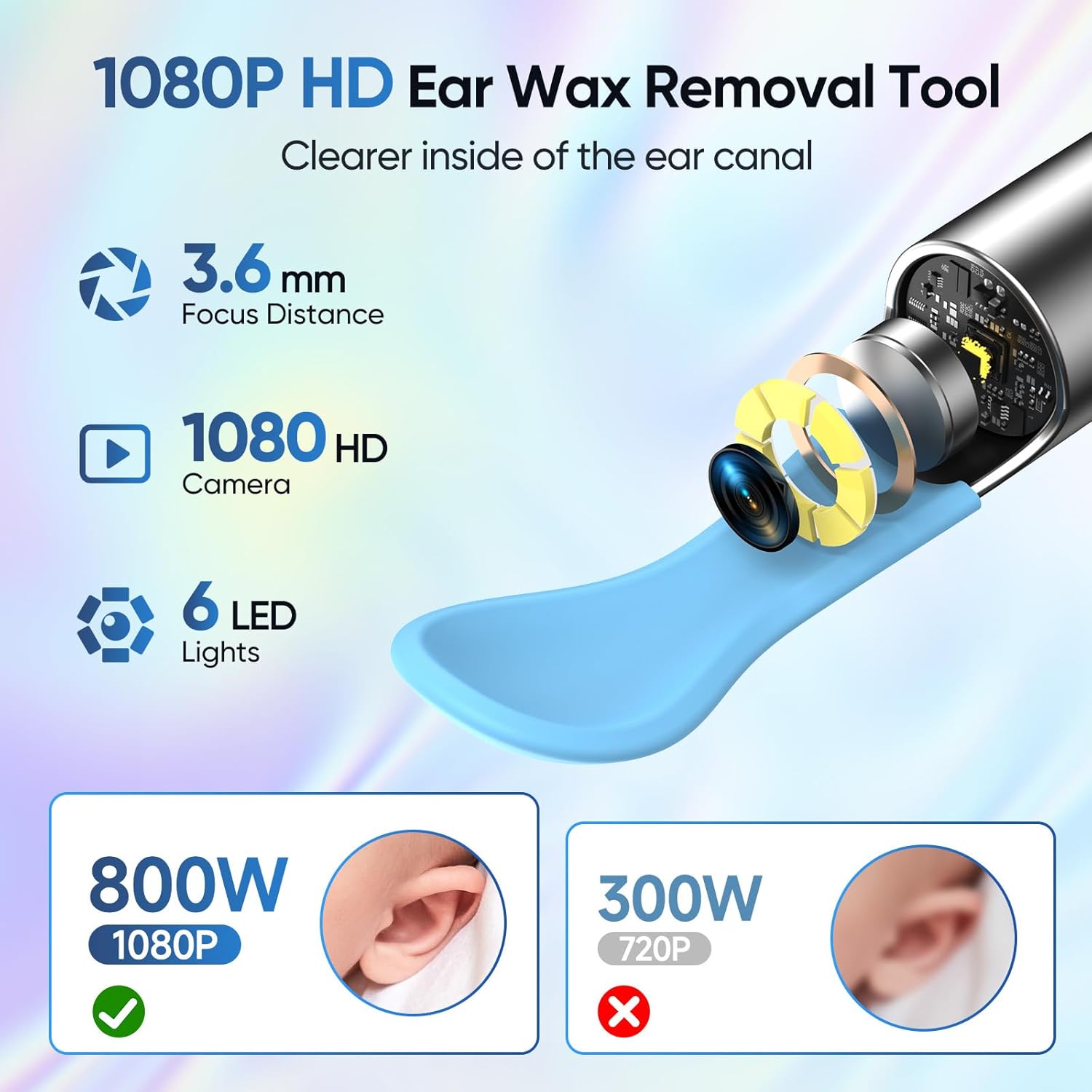
Image: Detailed view of the ear wax removal tool's camera, emphasizing its 1080P HD capability, 3.6mm focus distance, and 6 LED lights for enhanced visibility.

Image: Diagram illustrating the 6-axis intelligent gyroscope feature, which ensures stable and clear images during use by counteracting hand movements.

Image: Visual comparison of ear cleaning methods, emphasizing the safety and effectiveness of the integrated soft ear spoons provided with the tool.
Maintenance
- Cleaning the Lens: The IP67 waterproof lens can be washed with water or wiped with alcohol cotton after each use. Do not immerse the entire otoscope in water.
- Replacing Ear Spoon Covers: The ear pick is equipped with 5 silicone covers that are easy to clean and replace. Simply remove the used cover and attach a new one for each cleaning session to minimize the risk of infection.
- Charging: Use the provided Type-C charging cable to charge the built-in 130mAh rechargeable battery. A full charge takes approximately 40 minutes and provides up to 90 minutes of use, with a standby time of up to 30 days.

Image: The device's IP67 waterproof camera lens, shown being cleaned under water, emphasizing its durability and ease of maintenance.
Troubleshooting
| Fault | Solution |
|---|---|
| No response after startup | Please charge with the provided charging cable. The charging duration is approximately 40 minutes. |
| Camera indicator does not light up | Shut down and restart or reconnect to Wi-Fi. |
| Application crashes | Uninstall the existing application and rescan the QR code to install the latest version of the application. |
| Silicone sleeve is loose | Remove the silicone sleeve and slowly re-insert it onto the earpick, or replace the silicone sleeve. |
| Blue indicator flashes quickly | Low battery. Please charge the product with the provided charging cable. |
| Unstable connection, difficult to disconnect or freeze when using | Restart the earpick and reconnect to the application. Alternatively, disconnect the wireless network between the mobile phone and the earpick, restart the earpick, and then reconnect to the wireless network. |
Specifications
- Model Number: TES-P6-B
- Camera Resolution: 1080P HD
- LED Lights: 6
- Gyroscope: Three-axis
- Waterproof Rating: IP67 (lens only)
- Battery Capacity: 130mAh rechargeable
- Usage Time: Up to 90 minutes (after full charge)
- Standby Time: Up to 30 days
- Charging Time: Approximately 40 minutes
- Charging Port: Type-C
- Compatibility: iOS & Android systems
- Weight: 0.62 ounces
- Package Dimensions: 6.34 x 2.56 x 0.75 inches
Warranty and Support
We are committed to ensuring your satisfaction with the OHYAPI TES-P6-B Ear Wax Removal Tool Camera. If you encounter any issues or require assistance, please do not hesitate to contact our customer service staff for support.
Statements regarding dietary supplements have not been evaluated by the FDA and are not intended to diagnose, treat, cure, or prevent any disease or health condition.


