1. Introduction and Overview
Thank you for choosing the JINJUNYE Portable Air Conditioner. This versatile 5-in-1 unit is designed to provide optimal comfort throughout the year, offering Cooling, Heating, Drying, Fan, and Auto modes. With a powerful 12,000 BTU cooling capacity and 10,000 BTU heating capacity, it is suitable for rooms up to 500 sq. ft. Its portable design allows for easy movement and flexible installation.

Watch an overview of the JINJUNYE 5-in-1 12,000 BTU Portable Air Conditioner, highlighting its key features and modes of operation.
2. Safety Information
Please read all safety warnings and instructions carefully before using this appliance to prevent injury or damage. Keep this manual for future reference.
- Always plug the unit into a grounded electrical outlet of the correct voltage.
- Do not operate the unit with a damaged cord or plug.
- Ensure proper ventilation and do not block air inlets or outlets.
- Do not insert objects into the unit's openings.
- Keep children and pets away from the unit during operation.
- Unplug the unit before cleaning or performing any maintenance.
- Do not use the unit in wet or damp environments, such as bathrooms.
3. What's in the Box
Verify that all components are present upon unpacking:
- 1 x Portable Air Conditioner Unit
- 1 x Window Kit (Adjustable Baffle Plate, Window Exhaust Adapter, Connector of Air Exhaust Duct)
- 1 x Remote Control (Batteries not included)
- 1 x Air Exhaust Duct (Max 60 inches)
- 1 x 40.5-inch Drainage Pipe
- 1 x User Manual

4. Setup and Installation
The JINJUNYE Portable Air Conditioner is designed for easy setup. It can be used freestanding or installed with the included window kit for exhaust.
4.1 Unit Placement
Place the unit on a flat, stable surface. Ensure there is at least 20 inches (50 cm) of space around the unit for proper airflow. The unit features 4 swivel wheels and recessed handles for convenient movement between rooms.

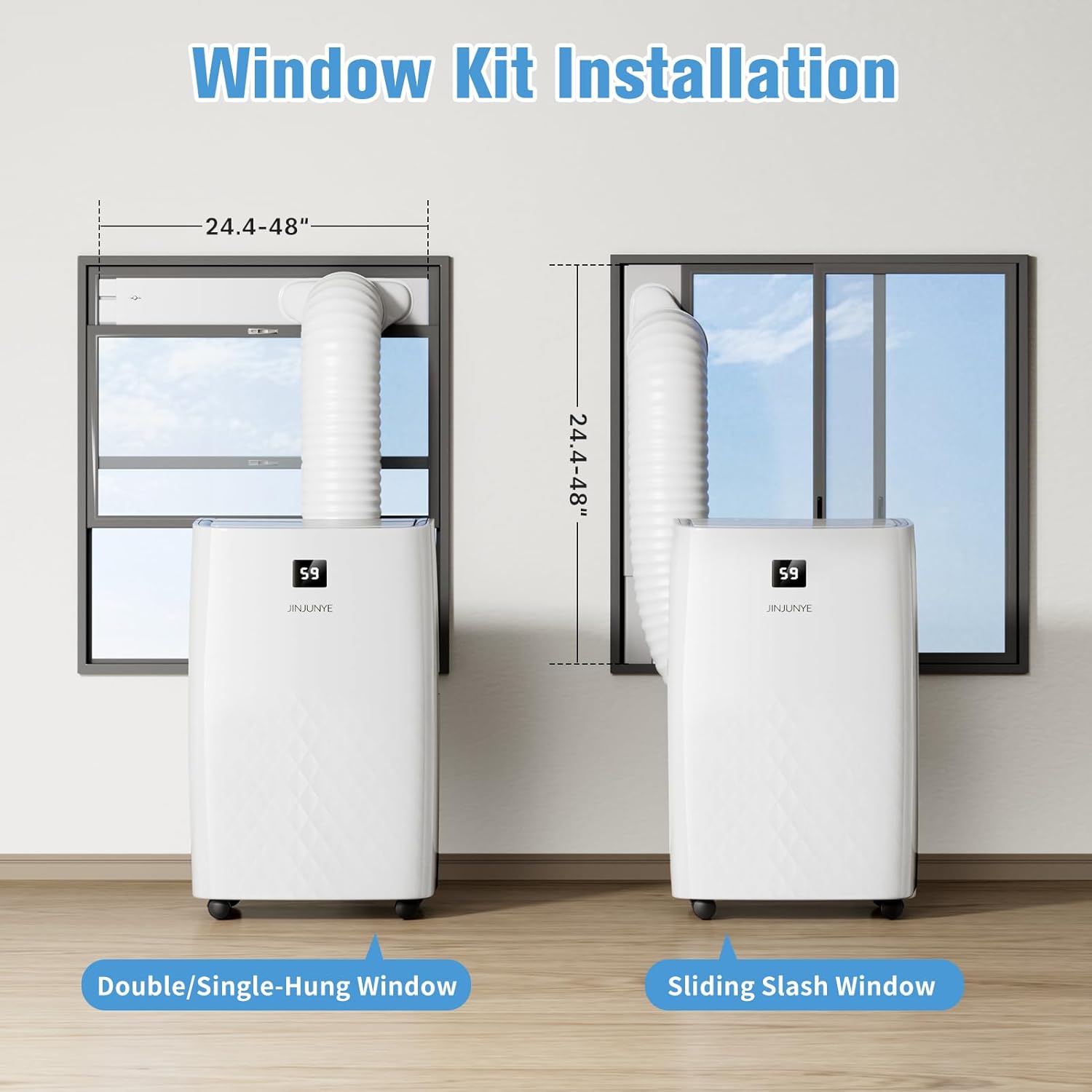
4.2 Window Kit Installation
- Extend the air exhaust duct by drawing out both ends.
- Screw the air exhaust duct into the connector of the air exhaust duct.
- Connect the connector of the air exhaust duct to the unit's exhaust port.
- Adjust the baffle plate to the length of your window (24.4-48 inches) and secure with screws.
- Place the window kit into the window track and close it securely.
- Insert the exhaust hose into the window kit opening.
5. Operating the Unit
The unit can be operated using the control panel on top of the unit or the included remote control.
5.1 Control Panel and Remote Control
The control panel provides access to all functions. The remote control offers convenient operation from a distance.
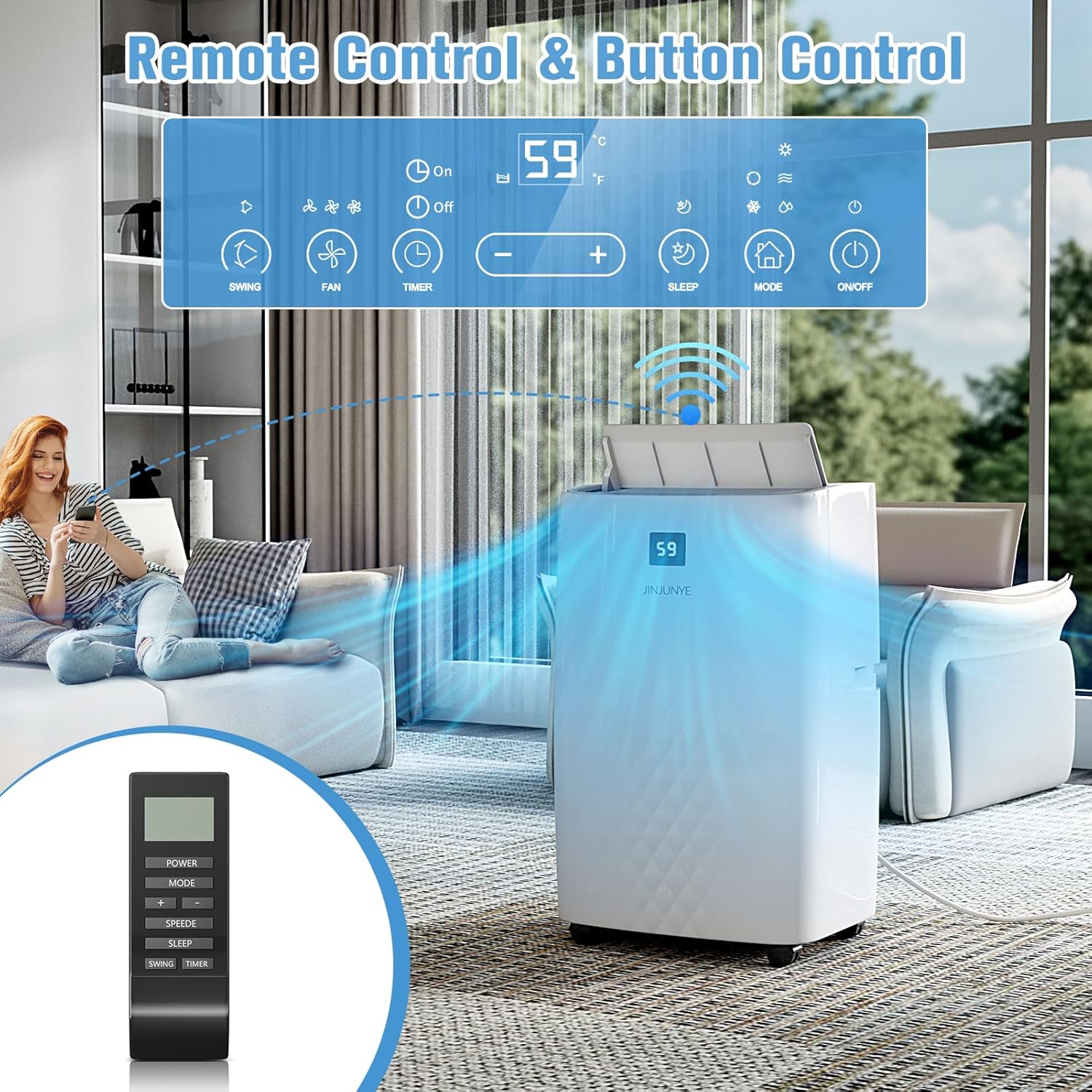
Demonstration of the JINJUNYE AC unit's 5-in-1 modes and control panel functionality, including temperature and fan speed adjustments.
5.2 Operating Modes
- Cooling Mode: Provides 12,000 BTU of cooling capacity.
- Heating Mode: Provides 10,000 BTU of heating capacity.
- Drying Mode: Fast dehumidification to remove excess moisture from the air.
- Fan Mode: Circulates air with 3 adjustable fan speeds.
- Auto Mode: Automatically adjusts operation based on ambient temperature for optimal comfort.


5.3 Temperature and Timer Settings
- Temperature Adjustment: Set your desired temperature between 59°F and 88°F (15°C-31°C).
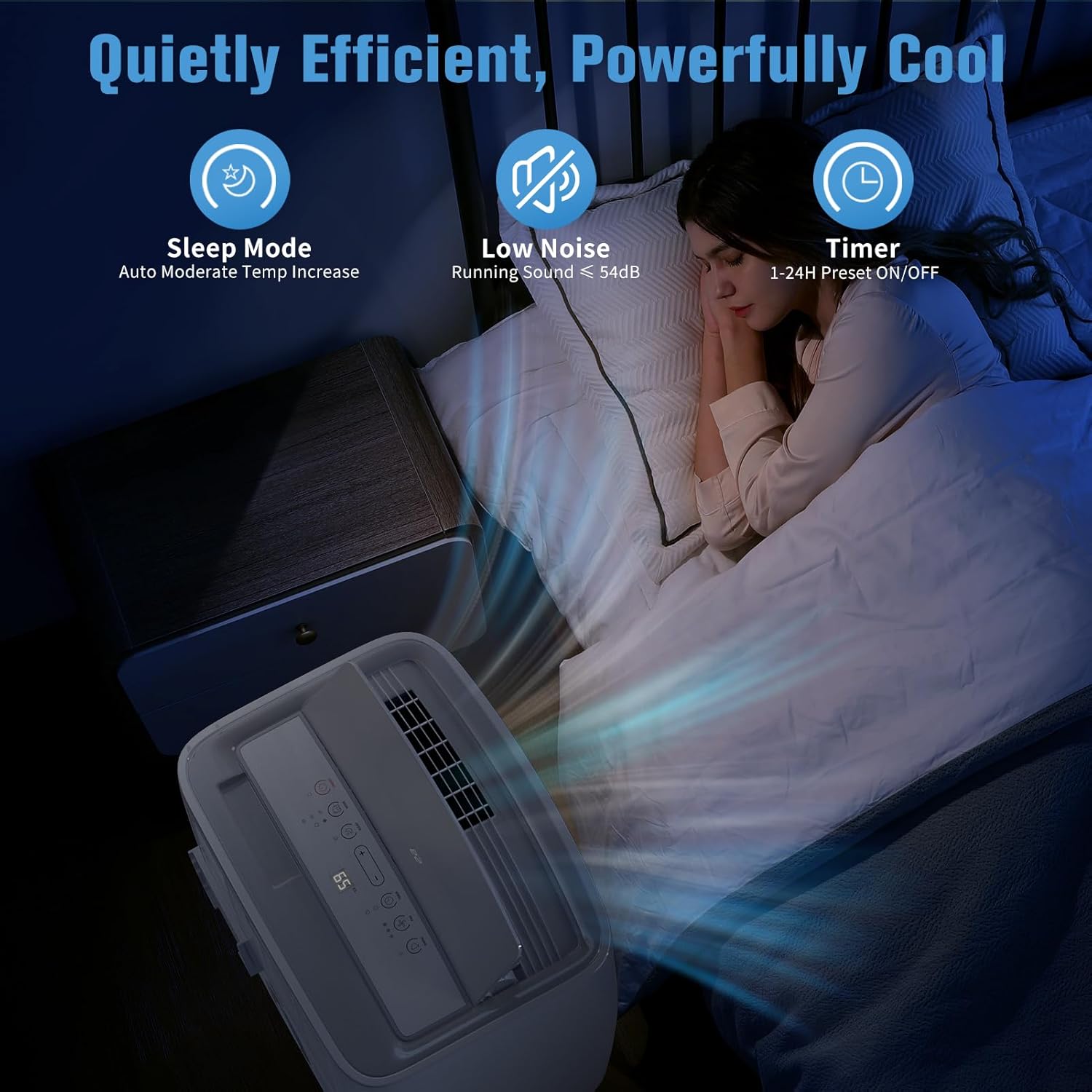
- 24H Timer: Program the unit to automatically turn On or Off within a 1-24 hour period.
- Sleep Mode: Maintains optimal temperatures at low fan speeds (≤ 54dB) for a quiet and comfortable sleeping environment.
5.4 Airflow Control
The vent fan blade can automatically oscillate 60° up and down to continuously expand cool or warm air delivery, ensuring even distribution throughout the room.
6. Maintenance
Regular maintenance ensures optimal performance and longevity of your air conditioner.
6.1 Filter Cleaning
The detachable and washable filter effectively filters dust from the air. It is suggested to regularly clean the filter to maintain good air quality and unit efficiency.
- Turn off and unplug the unit.
- Remove the filter cover.
- Carefully remove the filter.
- Wash the filter with warm, soapy water. Rinse thoroughly.
- Allow the filter to air dry completely before reinserting.
- Replace the filter and close the cover.
6.2 Drainage
The unit offers two drainage methods:
- Hose Drainage: For continuous drainage, connect the provided drainage pipe to the unit's drainage port and direct it to a suitable drain.
- Manual Drainage: When the internal water tank is full, the unit will stop operating and indicate that it needs to be drained manually. Place a pan or bucket under the drainage port and remove the drain plug.

7. Troubleshooting
If you encounter issues with your unit, please refer to the common problems and solutions below. If the problem persists, contact customer support.
| Problem | Possible Cause | Solution |
|---|---|---|
| Unit does not turn on | No power; Full water tank; Timer is set. | Check power connection; Drain water tank; Cancel timer setting. |
| Unit not cooling/heating effectively | Dirty air filter; Blocked air intake/exhaust; Room too large; Doors/windows open. | Clean air filter; Clear obstructions; Ensure room size is within capacity; Close doors/windows. |
| Loud noise during operation | Unit not on a flat surface; Internal components loose. | Place on a flat surface; Contact customer support if noise persists. |
| Water leakage | Drain plug loose; Drainage hose not properly connected. | Secure drain plug; Reconnect drainage hose properly. |
8. Specifications
| Feature | Detail |
|---|---|
| Model Number | KF450063 |
| Cooling Capacity (ASHRAE) | 12,000 BTU/h |
| Heating Capacity (ASHRAE) | 10,000 BTU/h |
| Coverage Area | Up to 500 sq. ft. |
| Operating Modes | Cool, Heat, Dry, Fan, Auto |
| Temperature Range | 59°F - 88°F (15°C - 31°C) |
| Fan Speeds | 3 Speeds |
| Noise Level | ≤ 54 dB |
| Dimensions (W x D x H) | 17.32 x 13.19 x 27.95 inches |
| Net Weight | 63.9 lbs |
| Refrigerant | R-32 |
| Voltage | 115 Volts |
| Wattage | 1440 watts |
| Filter Type | Mesh Filter |

9. Warranty and Support
This JINJUNYE Portable Air Conditioner comes with a standard manufacturer's warranty. For specific warranty details, please refer to the product documentation included in your package or contact the retailer where you purchased the unit.
For technical support, troubleshooting assistance, or parts inquiries, please contact JINJUNYE customer service. Contact information can typically be found on the product packaging or the official JINJUNYE website.