
YESKAMOO JP-NK02-10804
YESKAMOO 3 Million Pixel WiFi Camera (Model JP-NK02-10804) Instruction Manual
Brand: YESKAMOO | Model: JP-NK02-10804
1. Introduction
This instruction manual provides detailed guidance for the YESKAMOO 3 Million Pixel WiFi Camera (Model JP-NK02-10804), covering setup, operation, maintenance, and troubleshooting. Please read this manual thoroughly before using the product to ensure proper functionality and safety.
2. Safety Information
- Ensure the camera is installed in a stable location to prevent falling.
- Use only the power adapter provided with the device.
- Do not expose the camera to extreme temperatures or direct sunlight for prolonged periods.
- Keep the camera away from water and moisture, unless specifically designed for outdoor use (this model is for outdoor use).
- Do not attempt to disassemble or repair the camera yourself. Contact customer support for assistance.
- Keep out of reach of children.
3. Package Contents
Verify that all items are present in the package:
- YESKAMOO 3 Million Pixel WiFi Camera Body (1 unit)
- Power Adapter
- Mounting Screws and Anchors
- Quick Start Guide (not included in this manual, but typically in package)
4. Product Overview
The YESKAMOO 3 Million Pixel WiFi Camera is designed for outdoor surveillance, offering 1296p video resolution and a wide recording area. It features a built-in light for enhanced visibility and Wi-Fi connectivity for easy setup.
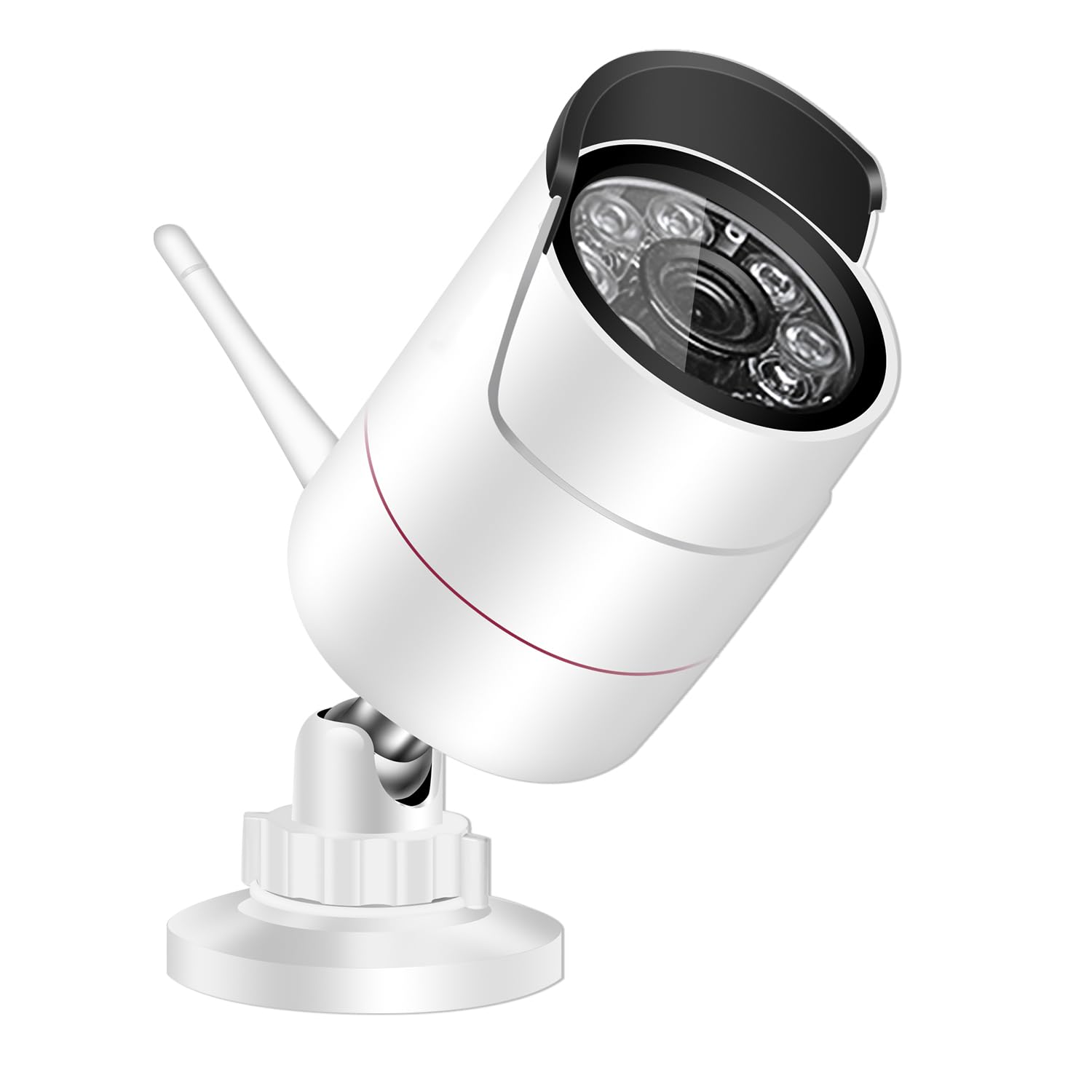
Figure 4.1: Front view of the YESKAMOO 3 Million Pixel WiFi Camera. This image shows the camera's main body, lens, and antenna, highlighting its compact design suitable for outdoor installation.
Key Features:
- High Resolution: Captures video at 1296p for clear and detailed images.
- Wide Area Coverage: Designed to monitor a broad surveillance area.
- Built-in Light: Enhances visibility in low-light conditions and can act as a deterrent.
- Wi-Fi Connectivity: Enables wireless connection to your network for remote access.
- Outdoor Durability: Built for outdoor use, capable of withstanding various weather conditions.
Weather Resistance Demonstration:
Video 4.2: A short preview demonstrating the camera's weather resistance against snow and rain. This video highlights the camera's ability to function reliably in various outdoor conditions.
5. Setup
The YESKAMOO WiFi Camera is designed for easy setup. The camera and the recording unit (if part of a set, or the app for single camera) are typically pre-paired at the factory, minimizing manual configuration.
5.1 Powering On and Initial Connection
- Connect Power: Plug the provided power adapter into the camera and then into a power outlet.
- Network Connection: The camera will attempt to connect to your Wi-Fi network. Follow the instructions in the accompanying Quick Start Guide or the mobile application for specific Wi-Fi pairing steps.
5.2 Mounting the Camera
The camera is designed for wall mounting. Choose a location that provides optimal viewing coverage and is within range of your Wi-Fi signal.
- Mark Drill Holes: Use the mounting template (if provided) or the camera base to mark the positions for drilling.
- Drill Holes: Drill pilot holes at the marked positions. Insert wall anchors if mounting on drywall or masonry.
- Secure Camera: Attach the camera base to the wall using the provided screws. Adjust the camera angle as needed.
6. Operating Instructions
This section covers the basic operation of your YESKAMOO WiFi Camera, including motion detection, night vision, and two-way audio.
6.1 Motion Detection and Alerts
The camera features advanced motion detection capabilities. When motion is detected, the camera can send alerts to your connected mobile device and initiate recording.
Video 6.1: Demonstration of the motion detection feature, showing how the camera identifies human movement and triggers an alarm notification on a mobile device. This video also illustrates the two-way audio communication feature.
6.2 Night Vision Modes
The camera supports different night vision modes to ensure clear surveillance even in complete darkness.
- Infrared Night Vision: Provides clear black-and-white images in low light.
- Full-Color Night Vision: Utilizes the built-in light to capture full-color video at night.
Video 6.2: This video showcases the full-color night vision capability of the wireless security camera, demonstrating its ability to capture vivid images in dark environments.
6.3 Video Quality Demonstration
Experience the clarity of 1296p resolution with the following video demonstrations.
Video 6.3: A demonstration of the video quality from a YESKAMOO security camera, illustrating the clarity and detail captured by the device (note: product specs indicate 1296p resolution).
Video 6.4: Another example of the actual image quality from a YESKAMOO security camera, providing further insight into its performance (note: product specs indicate 1296p resolution).
Video 6.5: A third video showcasing the real-world image capture of a YESKAMOO security camera, demonstrating its visual capabilities (note: product specs indicate 1296p resolution).
7. Maintenance
- Cleaning: Gently wipe the camera lens and body with a soft, dry cloth. Do not use harsh chemicals or abrasive cleaners.
- Firmware Updates: Regularly check the mobile application for available firmware updates to ensure optimal performance and security.
- Power Cycle: If the camera experiences issues, try unplugging it from the power source for 10 seconds and then plugging it back in.
8. Troubleshooting
| Problem | Possible Cause | Solution |
|---|---|---|
| Camera not powering on. | Power adapter not connected or faulty. | Ensure the power adapter is securely connected to both the camera and a working power outlet. Try a different outlet. |
| Unable to connect to Wi-Fi. | Incorrect Wi-Fi password, camera too far from router, or router issues. | Verify Wi-Fi password. Move the camera closer to the router. Restart your router. Ensure your Wi-Fi is 2.4GHz (most security cameras do not support 5GHz). |
| No motion detection alerts. | Motion detection sensitivity too low, alerts disabled in app, or network issues. | Adjust motion detection sensitivity in the app. Enable push notifications for the app. Check network connection. |
| Poor video quality. | Dirty lens, poor network signal, or low light conditions. | Clean the camera lens. Ensure a strong Wi-Fi signal. Verify night vision settings are appropriate for the environment. |
9. Specifications
| Feature | Detail |
|---|---|
| Brand | YESKAMOO |
| Model Number | JP-NK02-10804 |
| Video Capture Resolution | 1296p |
| Connectivity Protocol | Wi-Fi |
| Indoor/Outdoor Use | Outdoor |
| Mounting Type | Wall Mount (Screw-in) |
| Special Features | Built-in Light, Wide Area Recording |
| Product Dimensions (LxWxH) | 15 x 8 x 7 cm |
| Video Capture Format | AVI |
| Included Components | Camera Body |
10. Warranty and Support
For warranty information and technical support, please refer to the warranty card included in your product packaging or visit the official YESKAMOO website. You can also contact YESKAMOO customer service directly for assistance with product setup, troubleshooting, or any other inquiries.
Ask a question about this manual
Ask about setup, troubleshooting, compatibility, parts, safety, or missing instructions. Manuals+ will review the question and use this page’s manual context to help answer it.