1. Introduction
This manual provides essential instructions for the safe and efficient installation, operation, and maintenance of your EconomiPower 48V 100Ah LiFePO4 Lithium Server Rack Battery. This battery is designed for various applications including home energy storage, RVs, solar systems, and off-grid setups, offering a 5.12kWh capacity with a 100A BMS and support for CAN & RS485 communication.
2. What's in the Box
Please verify that all components are present upon unpacking:
- 1 x EconomiPower 48V 100Ah Server Rack Battery
- 2 x Parallel Aluminum Plates
- 4 x Stacking Brackets
- 2 x Power Cables
- 1 x PC Communication Cable
- 1 x Inverter Communication Cable
- 1 x Parallel Communication Cable
- 1 x User Manual (this document)

Image: EconomiPower 48V 100Ah LiFePO4 battery shown with all included accessories, such as parallel aluminum plates, stacking brackets, power cables, and communication cables, laid out for inspection.
3. Key Features
- CAN & RS485 Communication: Seamlessly communicates with most solar inverters for intelligent home storage solutions.
- Built-in Screen & Bluetooth: Provides real-time monitoring of SOC, voltage, temperature, and current for each cell.
- Advanced BMS Protection: PACE 100A BMS circuit board protects against overcharge, over-discharge, over-current, and short circuit.
- One-touch ON/OFF Switch: Functions as a circuit breaker, automatically cutting off power during overloads.
- Dual Terminals: Minimizes heat production and enhances safety with separate positive and negative connections.
- Compact 3U Rack Design: Fits standard 3U rack cabinets (18.9 x 17.4 x 5.2 inches) and weighs 93 pounds, offering space optimization.
- Long Cycle Life: Equipped with 16Pcs Automotive Grade A prismatic cells, offering 8000+ cycles and a lifespan of up to 10 years.
- Expandable Capacity: Supports parallel connection of up to 15 batteries, achieving a massive capacity of 76.8KWh.
4. Setup and Installation
Follow these steps for proper installation of your EconomiPower LiFePO4 battery:
4.1. Single Battery Connection to Inverter
- Connect the battery's positive cable to the inverter's positive terminal.
- Connect the battery's negative cable to the inverter's negative terminal.
- Connect the communication cable from the battery to the inverter's communication port (e.g., RS485 or CAN).
Video: This video demonstrates the process of connecting a single EconomiPower 48V 100Ah LiFePO4 battery to an inverter, including power and communication cable connections. It shows the inverter displaying synchronized battery parameters and powering a load.
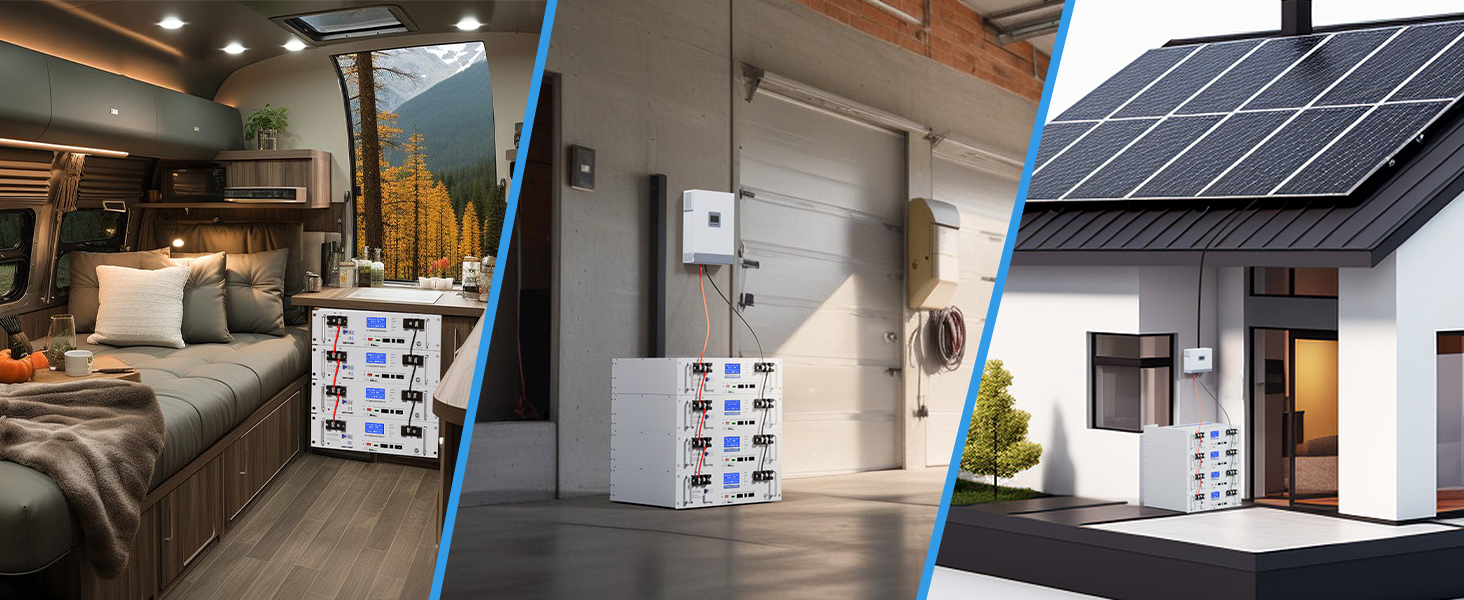
Image: A visual representation of multiple EconomiPower batteries connected in parallel to an inverter, illustrating the communication setup with a laptop for monitoring.
4.2. Parallel Battery Connection
For increased capacity, multiple batteries can be connected in parallel. Ensure all batteries are of the same model and state of charge before connecting.
- Connect the parallel communication cable (RJ45) between the communication ports of the batteries.
- Connect the main power cables from the parallel battery bank to the inverter.
Video: This video demonstrates how to connect two EconomiPower 51.2V 100Ah LiFePO4 batteries in parallel using a parallel communication cable (RJ45) to ensure balanced voltage and synchronized parameters.
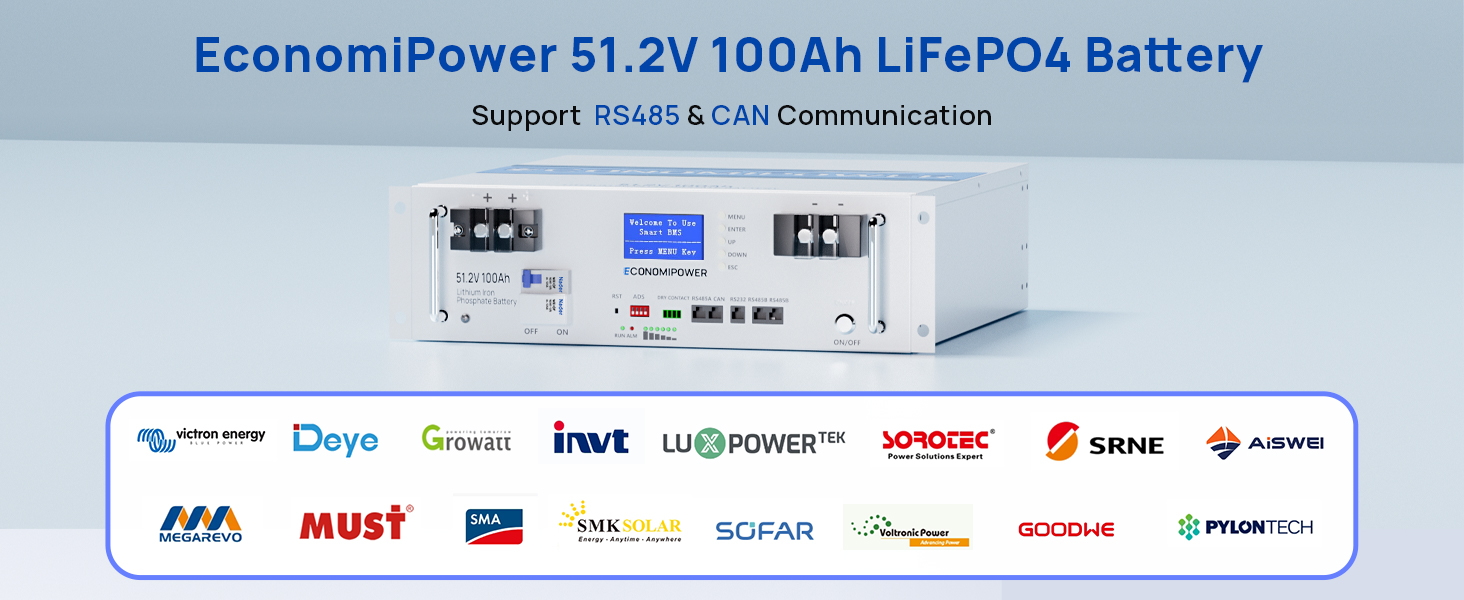
Image: A close-up of the EconomiPower battery's built-in LCD screen, showing various real-time battery parameters such as State of Charge (SOC), voltage, temperature, and current, indicating its smart monitoring capabilities.
5. Operating Instructions
5.1. Powering On/Off
Use the one-touch ON/OFF switch on the battery to activate or deactivate the power. This switch also acts as a circuit breaker for safety.
5.2. Monitoring Battery Status
The built-in LCD screen provides real-time data. For detailed monitoring, use the Bluetooth function via a compatible app or connect to an inverter with communication capabilities (CAN/RS485).
5.3. Charging Methods
The battery can be charged using various methods:
- AC Outlet: Using a 58.6V charger (approx. 2 hours).
- Solar: With a 1200W solar array (approx. 5 hours).
- Generator: (approx. 2 hours).
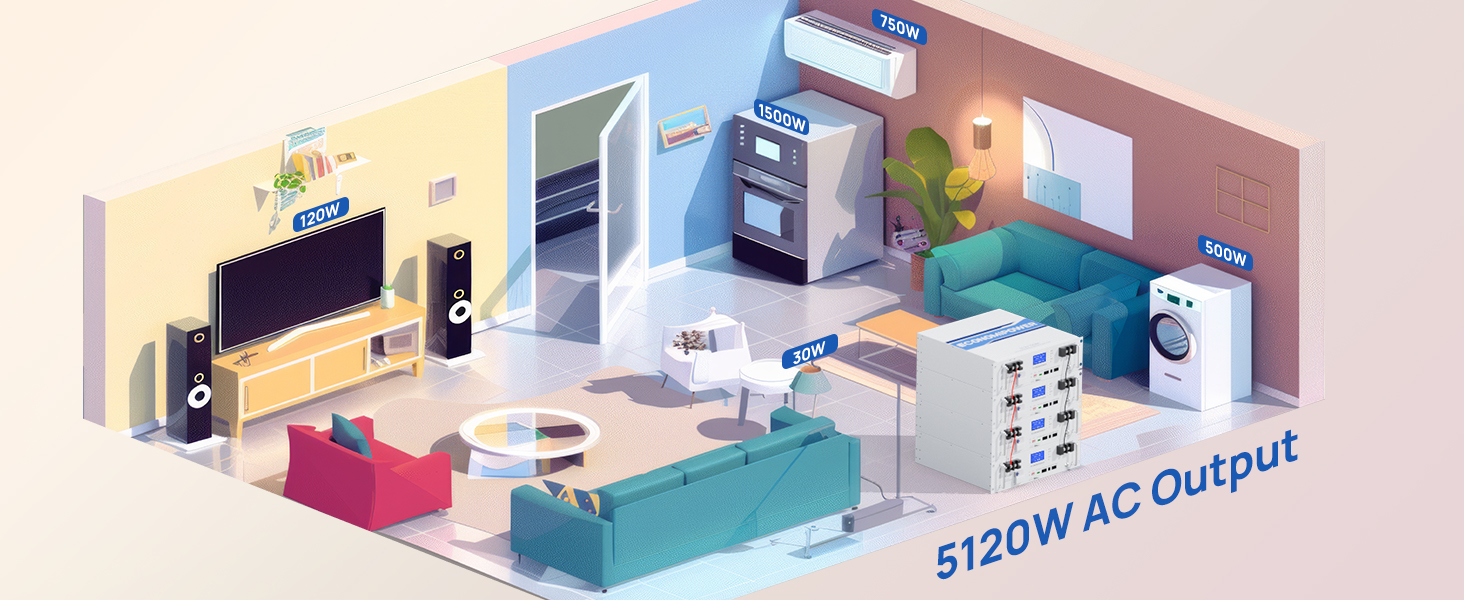
Image: An infographic showing three distinct methods to charge the EconomiPower battery: directly from an AC outlet with a 58.6V charger, via solar panels (1200W), and using a generator, along with estimated charging times.
Video: This video demonstrates the EconomiPower battery providing 5.12kWh of energy to power various home appliances, showcasing its practical application in daily life.
6. Maintenance
To ensure optimal performance and longevity of your LiFePO4 battery, follow these maintenance guidelines:
- Regular Inspection: Periodically check all cable connections for tightness and signs of corrosion. Ensure the battery terminals are clean.
- Temperature Control: Operate and store the battery within its specified temperature range to prevent damage and maximize lifespan. Avoid extreme heat or cold.
- Cleaning: Keep the battery unit clean and free from dust and debris. Use a dry, soft cloth for cleaning. Do not use abrasive cleaners or solvents.
- Software Updates: If applicable, regularly check for and install any firmware or software updates for the battery management system (BMS) or communication modules.
- Storage: If storing the battery for an extended period, ensure it is charged to approximately 50-70% State of Charge (SOC) and stored in a cool, dry place.
7. Troubleshooting
If you encounter issues with your EconomiPower battery, refer to the following common problems and solutions:
| Problem | Possible Cause | Solution |
|---|---|---|
| Battery not powering on | Battery switch is OFF; Low State of Charge (SOC); BMS protection activated. | Ensure the ON/OFF switch is in the ON position. Check battery SOC and recharge if low. If BMS protection is active, disconnect load, wait a few minutes, and try again. |
| No communication with inverter | Communication cable loose or incorrect; Inverter settings incorrect; Battery communication port issue. | Verify communication cable connections. Check inverter manual for correct communication settings. Ensure battery communication port is clean and undamaged. |
| Reduced capacity or runtime | Aging battery; Operating outside optimal temperature range; Excessive load. | Ensure battery is operating within recommended temperature limits. Reduce load if possible. Consider battery replacement if cycle life is exceeded. |
| Overload protection trips frequently | Connected load exceeds battery/inverter capacity; Short circuit in load. | Reduce the total power draw of connected devices. Inspect loads for potential short circuits. Ensure the battery's 100A BMS is not being consistently exceeded. |
If problems persist, please contact EconomiPower customer support.
8. Specifications
| Feature | Detail |
|---|---|
| Product Dimensions | 18.9"D x 17.4"W x 5.18"H (480mm x 442mm x 132mm) |
| Item Weight | 92.4 pounds (42.5 kg) |
| Battery Type | LiFePO4 (Lithium Iron Phosphate) |
| Nominal Voltage | 48V (51.2V) |
| Capacity | 100Ah / 5.12kWh |
| BMS | 100A |
| Cycle Life | 8000+ cycles |
| Communication | CAN, RS485, Bluetooth |
| Terminal Type | M8 |
| Chassis Type | 3U Server Rack |
9. Warranty and Support
9.1. Warranty Information
EconomiPower products are designed for durability and performance. For specific warranty details, please refer to the documentation included with your purchase or contact EconomiPower directly. Protection plans may be available for extended coverage.
9.2. Customer Support
For technical assistance, troubleshooting, or any product-related inquiries, please contact EconomiPower customer support. You can typically find contact information on the product packaging, the official EconomiPower website, or through your point of purchase.
EconomiPower is committed to providing green, sustainable, and cost-effective energy solutions.


