Introduction
Thank you for choosing the M73 Wireless Earphones. These earphones are designed to provide advanced connectivity and high-fidelity sound quality, offering an unparalleled audio experience. Featuring a mini design, liquid silicone ear tips for comfort, and fingerprint touch controls, they are ideal for extended wear, including during sleep. This manual will guide you through the setup, operation, and maintenance of your new earphones.
Safety Information
Please read all safety instructions carefully before using this product. Failure to follow these instructions may result in injury or damage to the device.
- Do not expose the earphones or charging case to extreme temperatures, humidity, or liquids.
- Avoid dropping, impacting, or disassembling the device.
- Keep out of reach of children and pets.
- Use only the provided or certified charging cables.
- Do not use the earphones at excessively high volumes for prolonged periods to prevent hearing damage.
Package Contents
- M73 Wireless Earphones (Left and Right)
- Charging Case
- USB Type-C Charging Cable
- User Manual
- (Potentially) Different sized ear tips (liquid silicone)
Product Overview

Figure 1: M73 Wireless Earphones and Charging Case (White)
The image above displays the M73 Wireless Earphones nestled within their open charging case. The case features a digital display indicating the battery level. Both earphones are visible, showcasing their compact design and ear hooks for secure fit.

Figure 2: Individual Earphone and Charging Case
This image provides a closer look at one M73 earphone, detached from its charging case. It highlights the earphone's ergonomic shape and the charging contacts inside the case.
Components:
- Earphones: Left and Right, with integrated ear hooks and touch control areas.
- Charging Case: Houses and charges the earphones, features a digital battery display and a Type-C charging port.
- LED Indicator: On earphones and case, indicating charging status and connection.
- Microphone: For calls and voice assistant.
Setup
1. Charging the Earphones and Case
Before first use, fully charge both the earphones and the charging case.
- Place the earphones into the charging case. Ensure they are correctly seated; the LED indicators on the earphones should light up.
- Connect the USB Type-C charging cable to the charging port on the case and the other end to a USB power adapter (not included) or a computer's USB port.
- The digital display on the charging case will show the battery percentage during charging. Once fully charged, the display will indicate 100%.
2. Pairing with Your Device
The earphones will automatically enter pairing mode when removed from the charging case.
- Open the charging case and remove both earphones. They will automatically power on and attempt to pair with each other.
- On your device (smartphone, tablet, etc.), go to the Bluetooth settings.
- Search for available devices and select "M73" from the list.
- Once connected, a voice prompt will confirm the successful pairing. The earphones will automatically reconnect to the last paired device when removed from the case.
3. Wearing the Earphones
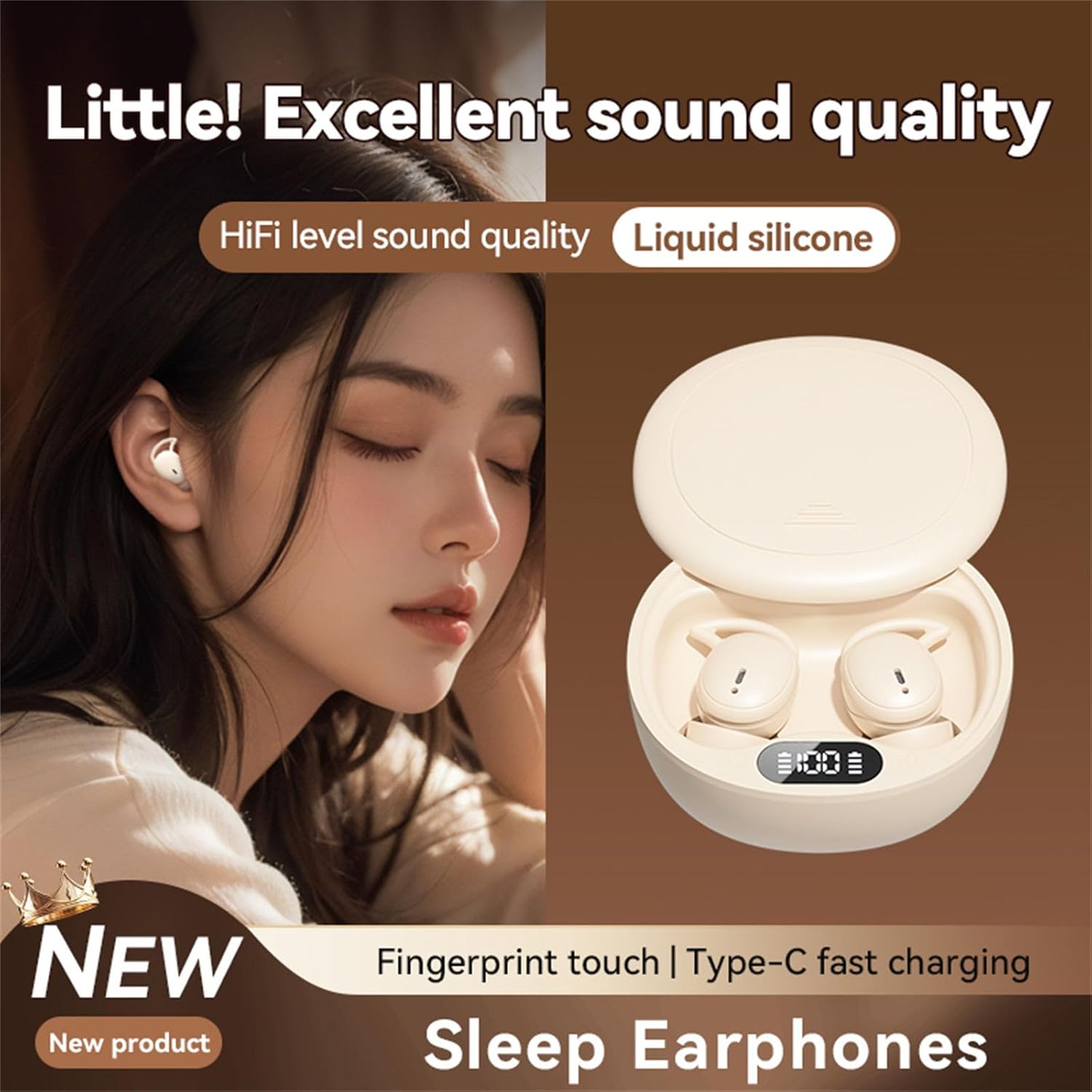
Figure 3: Earphone in Use
This image shows an M73 earphone being worn, highlighting its ergonomic design and how it sits comfortably in the ear, suitable for extended periods, including sleep.
- Identify the Left (L) and Right (R) earphones.
- Gently insert the earphone into your ear canal and rotate it slightly to ensure the ear hook sits securely around your earlobe.
- Adjust for a comfortable and snug fit to optimize sound quality and passive noise isolation. The liquid silicone material is designed for comfort during prolonged wear.
Operating Instructions
The M73 earphones feature intuitive fingerprint touch controls for various functions.
| Function | Action |
|---|---|
| Power On | Remove earphones from the charging case. |
| Power Off | Place earphones back into the charging case. |
| Play/Pause Music | Single tap on either earphone. |
| Next Track | Double tap on the Right earphone. |
| Previous Track | Double tap on the Left earphone. |
| Volume Up | Triple tap on the Right earphone. |
| Volume Down | Triple tap on the Left earphone. |
| Answer/End Call | Single tap on either earphone during an incoming call. |
| Reject Call | Press and hold either earphone for 2 seconds during an incoming call. |
| Activate Voice Assistant | Press and hold either earphone for 3 seconds (when not on a call). |
Sleep Mode Features:
Designed for comfort during sleep, the M73 earphones offer immersive sound quality suitable for relaxation or masking ambient noise. Their mini design and liquid silicone ear tips ensure they remain comfortable even when lying down.
Maintenance
Cleaning:
- Wipe the earphones and charging case with a soft, dry, lint-free cloth.
- Do not use abrasive cleaners, alcohol, or chemical solvents.
- Gently clean the charging contacts on both the earphones and the case with a dry cotton swab if necessary.
Storage:
When not in use, store the earphones in their charging case to protect them and keep them charged. Store in a cool, dry place away from direct sunlight.
Battery Care:
- To prolong battery life, avoid fully discharging the earphones and case frequently.
- Charge the device regularly, even if not in frequent use.
Troubleshooting
| Problem | Solution |
|---|---|
| Earphones not pairing with device. |
|
| Only one earphone working. |
|
| Earphones not charging. |
|
| Poor sound quality. |
|
Specifications
| Feature | Detail |
|---|---|
| Model Number | TqcSXToXQ |
| Connectivity | Wireless (Bluetooth) |
| Charging Port | USB Type-C |
| Control Type | Fingerprint Touch Control |
| Ear Tip Material | Liquid Silicone |
| Audio Quality | HiFi Level, Hi-Res Audio Support |
| Design Feature | Mini Design, Sleep Specific |
| Dimensions (Case) | Approximately 6.5cm / 2.55in (width) |

Figure 4: Charging Case Dimensions
This image illustrates the approximate width of the M73 charging case, measured at 6.5 cm or 2.55 inches, indicating its compact size.
Warranty and Support
For warranty information and technical support, please refer to the documentation provided with your purchase or contact the retailer/manufacturer directly. Keep your proof of purchase for warranty claims.