
1. Introduction
This manual provides essential information for the safe and efficient use of your Wefomey Universal Power Supply. This adjustable AC/DC adapter is designed to provide a stable power source for various electronic devices requiring 3V to 24V DC input, with a maximum output of 6A and 144W. It includes multiple DC tips, a polarity converter, and a 4-way power splitter cable for broad compatibility.

Image 1.1: Wefomey Universal Power Supply with included accessories.
2. Safety Information
Please read and understand all safety instructions before using this product. Failure to follow these instructions may result in electric shock, fire, or damage to the product or connected devices.
- Indoor Use Only: This power supply is designed for indoor use. Do not expose it to rain, moisture, or extreme temperatures.
- Correct Voltage Selection: Always select the correct voltage for your device before connecting the power supply. Using the wrong voltage can permanently damage your electronic device. The LCD display shows the output voltage.
- Load Capacity: Do not exceed the maximum output of 6A or 144W. We recommend using less than 80% of the full load capacity to ensure optimal performance and longevity.
- Overload Protection: If using the 4-way splitter cable, the total current required by all connected devices must not exceed 6A. Exceeding this limit will cause the power supply to not function correctly. If all four interfaces are connected simultaneously, the current demand for a single device should not exceed 1.5A.
- Ventilation: Ensure adequate ventilation around the power supply. Do not cover the heat dissipation holes.
- Do Not Open: Do not attempt to open or modify the power supply unit. There are no user-serviceable parts inside. Opening the unit voids the warranty and poses a risk of electric shock.
- Protection Systems: The unit features built-in safety protections including automatic over-voltage, over-current, over-temperature, and short-circuit cut-off.
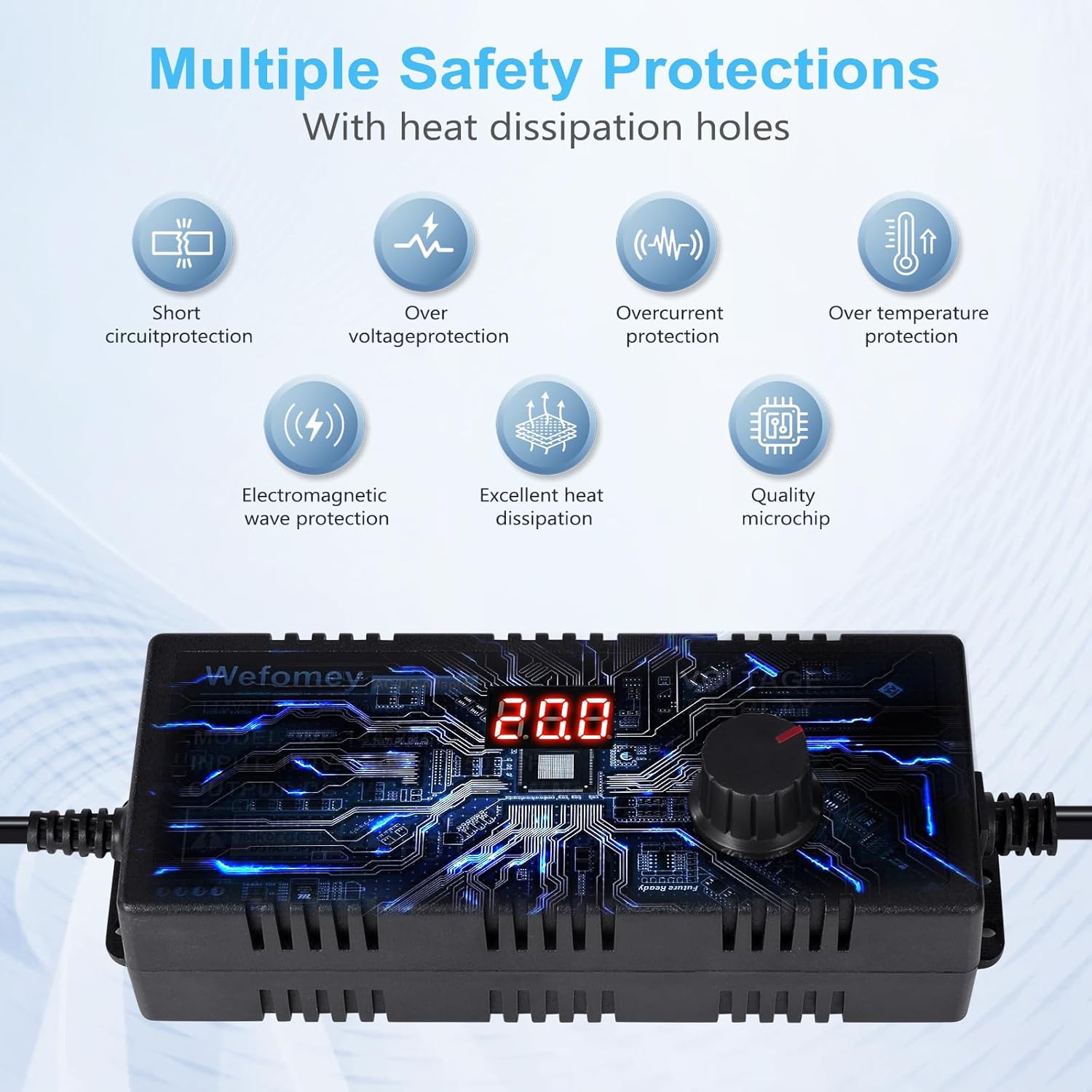
Image 2.1: Multiple safety protections including short circuit, over voltage, over current, over temperature, and electromagnetic wave protection.
3. Package Contents
Verify that all items are present in the package:
- 1 x Wefomey 3~24V 6A Universal AC/DC Adapter
- 14 x DC Tips (various sizes)
- 1 x Reverse Polarity Converter Cable
- 1 x Alligator Clip Test Lead
- 1 x 1-to-4 Way DC Power Splitter Cable

Image 3.1: The 14 included DC tips and the polarity converter cable.

Image 3.2: The 4-way power splitter cable and alligator clip test leads.
4. Product Overview
The Wefomey Universal Power Supply features an adjustable voltage output, an LCD display for real-time voltage monitoring, and a comprehensive set of accessories to ensure compatibility with a wide range of devices.
- Adjustable Voltage Knob: Allows precise adjustment of the output voltage from 3V to 24V.
- LCD Display: Shows the current output voltage, preventing accidental over-voltage to your devices.
- Universal DC Output Port: Standard 5.5mm x 2.5mm / 2.1mm compatible port for connecting DC tips.
- 14 DC Tips: A variety of common connector sizes to fit different electronic devices.
- Polarity Converter: Reverses the polarity of the DC output if required by your device.
- 4-Way Power Splitter Cable: Enables powering up to four devices from a single adapter.
- Alligator Clip Test Lead: For testing or connecting to devices with screw terminals.

Image 4.1: The adjustable voltage knob and LCD display for precise voltage control.
5. Setup
Follow these steps to set up your Wefomey Universal Power Supply:
- Determine Device Requirements: Identify the voltage (V), current (A), and polarity (center positive or center negative) required by your electronic device. This information is usually found on the device itself, its original power adapter, or in its user manual.
- Select the Correct DC Tip: Choose one of the 14 DC tips that physically fits your device's power input port.
- Connect the DC Tip: Insert the selected DC tip into the output cable of the universal power supply. Ensure it is securely connected.
- Adjust Voltage (Before Connecting to Device): Plug the power supply into an AC outlet (100-240V). The LCD display will light up. Turn the voltage adjustment knob to set the output voltage to match your device's requirement. Do not connect to your device until the voltage is correctly set.
- Check Polarity (If Necessary): Most devices are center positive. If your device requires center negative polarity, use the included reverse polarity converter cable. Connect the power supply output to the converter, then the converter to your device.
- Connect to Device: Once the voltage and polarity are confirmed, connect the DC tip to your electronic device.
- Using the 4-Way Splitter: If powering multiple devices, connect the 4-way splitter cable to the power supply output, then connect your devices to the splitter's outputs. Ensure the total current draw does not exceed 6A.
- Using Alligator Clips: For devices with screw terminals or for testing, attach the alligator clip test lead to the power supply output. Observe the red (+) and black (-) markings for correct polarity.
6. Operating Instructions
Operating the Wefomey Universal Power Supply is straightforward once setup is complete.
- Power On/Off: The unit powers on automatically when plugged into an AC outlet. To turn off, unplug from the AC outlet.
- Voltage Monitoring: The integrated LCD display continuously shows the output voltage. Regularly check this display to ensure the correct voltage is being supplied to your device.
- Adjusting Voltage During Operation: While connected to a device, you can carefully adjust the voltage knob. Observe your device's behavior to ensure it operates correctly within its specified voltage range. Avoid rapid or large voltage changes.
- Applications: This adapter is suitable for a wide range of 3V-24V small household electronics such as LED strips, 3D printers, TV boxes, smart speakers, wireless routers, essential oil diffusers, humidifiers, USB fans, Wi-Fi cameras, USB hubs, hard disk boxes, DC motors, DC pumps, digital photo frames, and DVR/NVR surveillance systems.
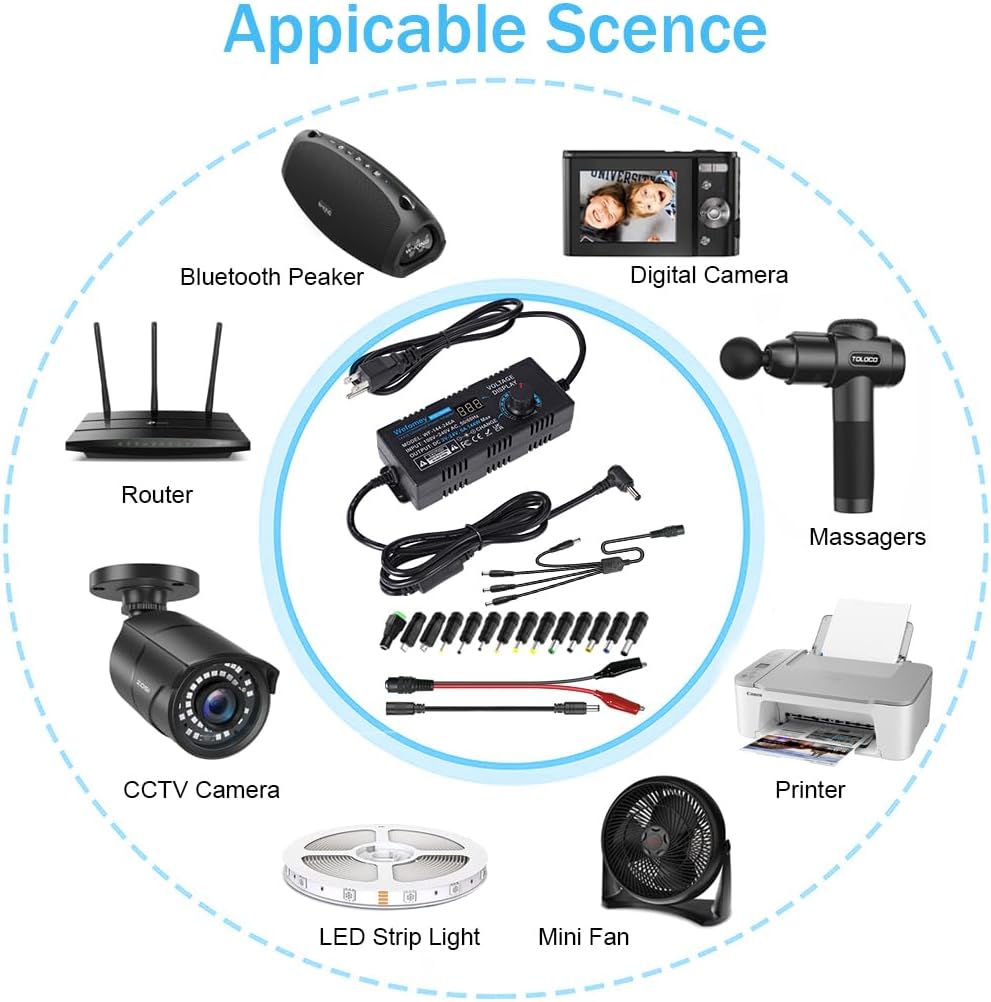
Image 6.1: Examples of compatible devices including routers, cameras, LED strips, and mini fans.
7. Maintenance
Proper maintenance ensures the longevity and reliable operation of your power supply.
- Cleaning: Disconnect the power supply from the AC outlet and all devices before cleaning. Use a soft, dry cloth to wipe the exterior. Do not use liquid cleaners or solvents.
- Storage: Store the power supply and its accessories in a cool, dry place away from direct sunlight and moisture when not in use.
- Cable Care: Avoid bending or crimping the power cables excessively. Do not place heavy objects on the cables.
- Inspection: Periodically inspect the power supply unit and cables for any signs of damage, such as frayed wires or cracked casing. If damage is found, discontinue use immediately.
8. Troubleshooting
If you encounter issues with your Wefomey Universal Power Supply, refer to the following common problems and solutions:
| Problem | Possible Cause | Solution |
|---|---|---|
| No power/LCD display off | Not plugged in; AC outlet fault; Internal fault | Ensure power supply is securely plugged into a working AC outlet. Try a different outlet. If problem persists, contact support. |
| Device not powering on | Incorrect voltage; Incorrect DC tip; Incorrect polarity; Device fault; Overload | Verify voltage setting on LCD matches device requirement. Ensure DC tip fits securely. Check device's polarity and use converter if needed. Confirm device is functional. Reduce load if using splitter. |
| Power supply shuts off or flickers | Overload; Overheating; Short circuit | Reduce the total load on the power supply. Ensure adequate ventilation. Disconnect all devices and check for short circuits in cables or devices. |
| Voltage drops significantly under load | Exceeding current capacity | The total current required by the electronic device(s) should not exceed 6A. Reduce the load. |
| DC tips do not fit | Device requires a different size tip | Ensure you have selected the correct tip from the 14 provided. If none fit, your device may require a specialized tip not included. |
9. Specifications
Detailed technical specifications for the Wefomey Universal Power Supply:
- Model Number: WF-144-246A
- Input: AC 100-240V, 50/60Hz
- Output: DC 3-24V Adjustable
- Maximum Output Current: 6 Amps
- Maximum Output Power: 144 Watts
- Connector Type: DC Tips (14 included)
- Main DC Jack Size: 5.5mm x 2.5mm (compatible with 5.5mm x 2.1mm)
- Cable Length: Approximately 6 feet (1.8 meters) total
- Material: Metal, Plastic
- Color: Black
- Item Dimensions: 5.8 x 2.36 x 1.38 inches (14.8 x 6 x 3.5 cm)
- Safety Certifications: FCC, CE, UKCA, RoHS
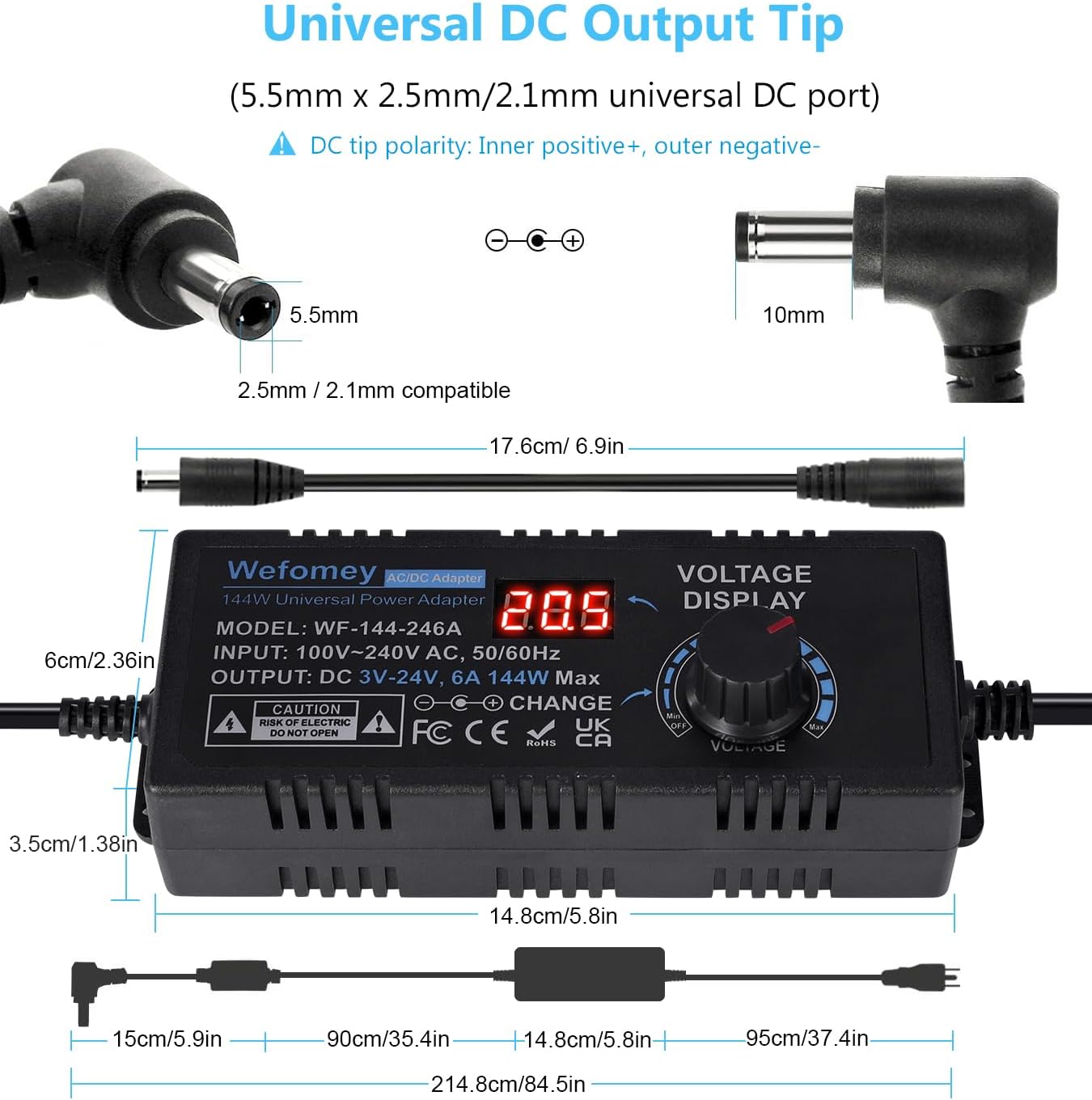
Image 9.1: Detailed dimensions and universal DC output tip specifications.

Image 9.2: Product details highlighting the tinned pure copper conductor and anti-interference magnetic ring.
10. Warranty and Support
Wefomey is committed to providing high-quality products and customer satisfaction.
- Warranty: This product comes with a 24-month exchange warranty.
- Customer Support: If you have any questions, concerns, or require assistance with your Wefomey Universal Power Supply, please do not hesitate to contact us via Amazon. Our support team is available to help you.