
Samsung DV90DG6845LK
Samsung AI Control Heat Pump Dryer DV90DG6845LEU3 User Manual
Comprehensive instructions for setup, operation, and maintenance of your Samsung dryer.
Introduction
This manual provides essential information for the safe and efficient use of your Samsung AI Control Heat Pump Dryer, model DV90DG6845LEU3. Please read these instructions carefully before using the appliance and retain them for future reference.
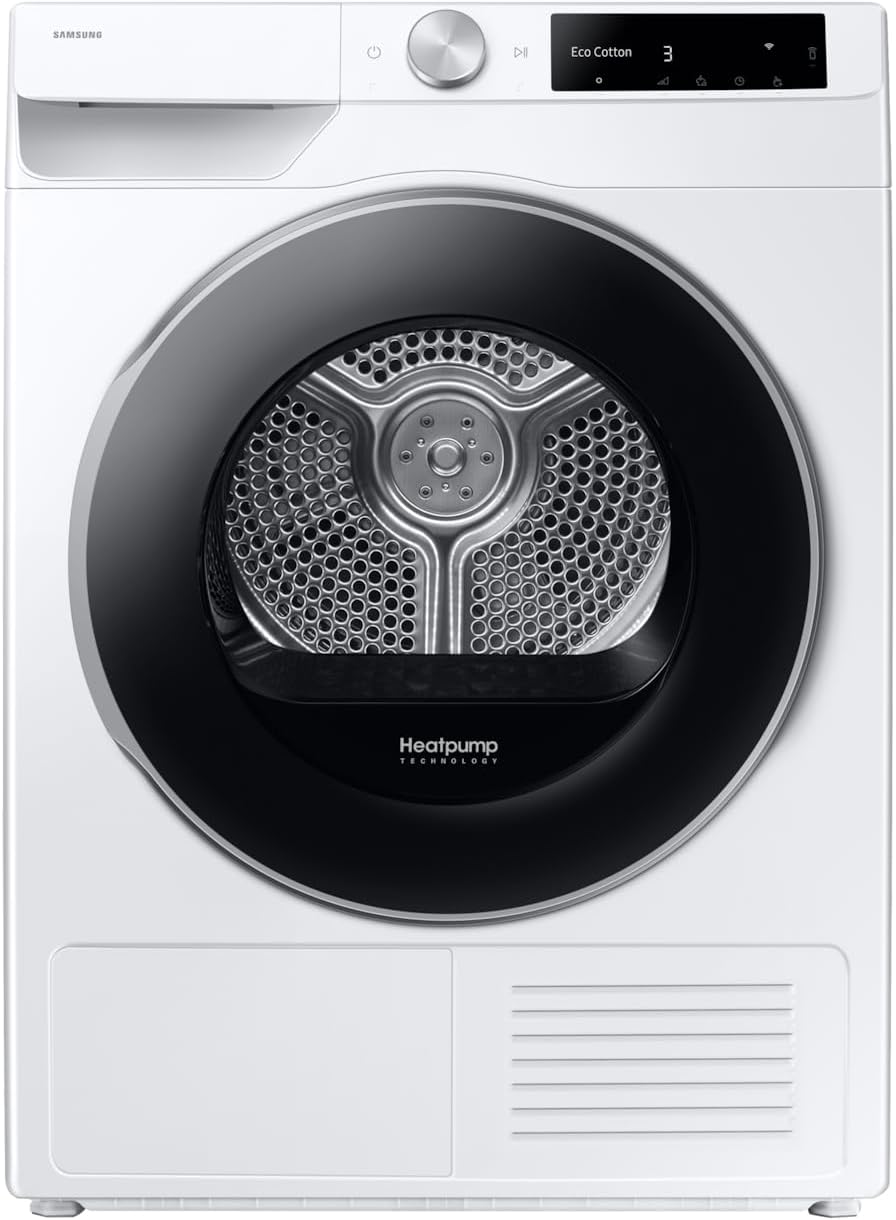
Image: Front view of the Samsung AI Control Heat Pump Dryer DV90DG6845LEU3, showcasing its modern design and control panel.
Important Safety Information
Always follow basic safety precautions when using electrical appliances to reduce the risk of fire, electric shock, or injury to persons. Keep this manual for future reference.
- Ensure the dryer is properly grounded.
- Do not dry items that have been soiled with flammable substances.
- Keep the area around the exhaust opening and adjacent surrounding areas free from the accumulation of lint, dust, and dirt.
- Do not allow children to play on or in the appliance.
- Unplug the appliance before cleaning or performing any maintenance.
Setup and Installation
Unpacking
Carefully remove all packaging materials. Inspect the dryer for any damage. Report any damage to your retailer immediately.
Location Requirements
Install the dryer on a firm, level surface. Ensure adequate ventilation around the appliance. Avoid installing in areas where temperatures may drop below freezing.

Image: Rear view of the dryer, showing the power cord connection and general layout. Note that the power plug type may vary by region.
Electrical Connection
Connect the dryer to a dedicated, properly grounded electrical outlet. The power cable is included with the appliance.
Dimensions and Weight
- Dimensions (WxHxD): 60 cm x 85 cm x 60 cm
- Weight: 52 kg

Image: Side view of the dryer, illustrating its compact depth for installation in various spaces.
Operating Instructions
Loading Laundry
Open the dryer door and load items loosely into the drum. Do not overload the dryer. Ensure no items are caught in the door when closing.

Image: The dryer with its door open, revealing the spacious drum for loading laundry.
Selecting a Drying Cycle
Turn the cycle selector knob to choose the desired drying program. The AI Control system uses intelligent sensors to optimize drying cycles based on fabric type and moisture levels, reducing energy consumption by up to 10%.
- Optimal Dry: This technology effectively dries your clothes by sensing moisture and adjusting drying time.
- AI Dry: Sensors detect the weight and moisture content of the load, then automatically adjust the drying time and temperature for optimal results and energy efficiency.
- Super Speed: Provides quick and efficient drying, allowing clothes to be ready faster while saving energy.
- Quick Dry 35': Ideal for small loads, drying them in approximately 35 minutes when you are in a hurry.
- Hygiene Dry: Utilizes gentle heat to eliminate up to 99% of bacteria, mites, and allergens from fabrics.

Image: Illustration of the AI Dry feature, showing how it detects different fabric types like Normal, Denim, Towels, and Synthetics to optimize drying.
SmartThings App Integration
Connect your dryer to the SmartThings app via Wi-Fi for enhanced control and monitoring. The app allows you to:
- Choose and customize drying cycles.
- Schedule drying times.
- Receive notifications and troubleshoot issues.
- Monitor energy consumption with AI Energy Mode.

Image: The SmartThings app interface on a smartphone, demonstrating features like energy saving, auto cleaning, and auto cycling link for integrated appliance management.
Maintenance and Cleaning
Cleaning the 2-in-1 Filter
For optimal drying performance and energy efficiency, clean the 2-in-1 filter after every load. A clogged filter can extend drying times and increase energy consumption.
- Open the dryer door.
- Pull out the 2-in-1 filter located inside the drum opening.
- Open the filter and remove any accumulated lint.
- Close the filter and reinsert it firmly into its position.

Image: A close-up view of the 2-in-1 filter positioned within the dryer drum, ready for removal or cleaning.
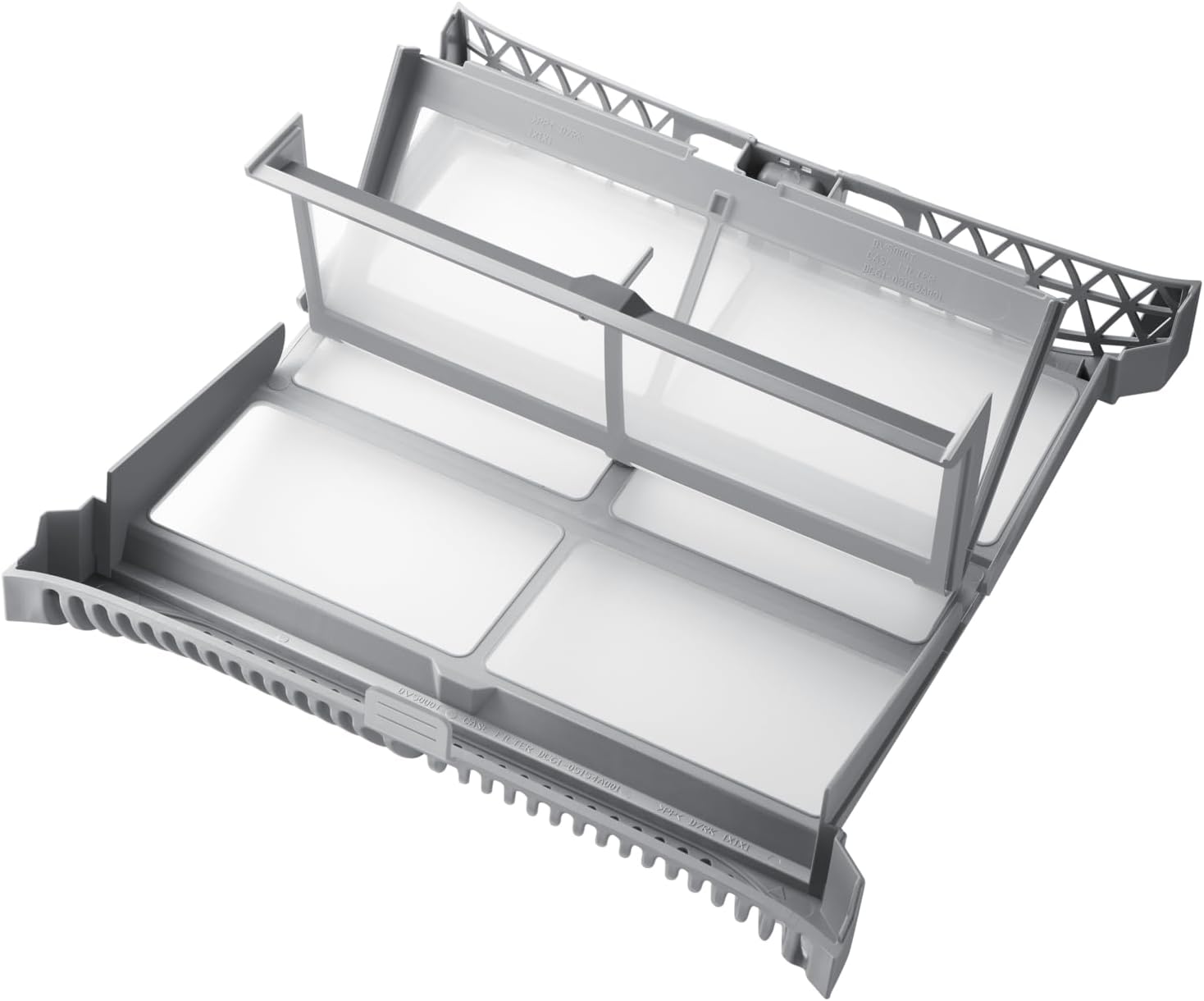
Image: The 2-in-1 filter removed from the dryer, showing its dual-layer design for effective lint collection.
Emptying the Water Condenser Tank
As a heat pump dryer, this appliance collects condensed water in a tank. Empty the water tank after each drying cycle to prevent interruptions and ensure efficient operation.
Exterior Cleaning
Wipe the exterior of the dryer with a soft, damp cloth. Do not use abrasive cleaners or solvents.
Troubleshooting
If you encounter issues with your dryer, refer to the following common problems and solutions before contacting service.
| Problem | Possible Cause | Solution |
|---|---|---|
| Dryer does not start. | Power cord unplugged, door not closed properly, circuit breaker tripped. | Check power connection, ensure door is latched, reset circuit breaker. |
| Clothes are not drying properly. | Lint filter clogged, water tank full, overloaded dryer, incorrect cycle selected. | Clean lint filter, empty water tank, reduce load size, select appropriate cycle. |
| Unusual noise during operation. | Foreign objects in the drum, dryer not level. | Check drum for objects, ensure dryer is level. |
| Error code displayed. | Specific internal issue. | Refer to the SmartThings app for diagnostic information or contact Samsung support. |
For more detailed troubleshooting, consult the SmartThings app or the full user manual available on the Samsung website.
Product Specifications
| Brand | Samsung |
| Model Number | DV90DG6845LK |
| Type | Heat Pump Dryer, Front Load |
| Drying Capacity | 9 kg |
| Dimensions (WxHxD) | 60 cm x 85 cm x 60 cm |
| Weight | 52 kg |
| Energy Efficiency Class | A |
| Connectivity | Wi-Fi (SmartThings compatible) |
| Color | White |
| Motor Type | Digital Inverter Motor |

Image: Diagram explaining the energy-saving principle of Heat Pump Technology, highlighting the A energy efficiency rating.
Warranty and Support
Manufacturer's Warranty
Your Samsung DV90DG6845LEU3 dryer comes with a comprehensive manufacturer's warranty. Specifically, the Digital Inverter Motor is covered by a 20-year warranty, ensuring long-term reliability and performance.

Image: Visual representation of the 20-year warranty for the Digital Inverter Motor, emphasizing product durability.
For detailed terms and conditions of the warranty, please refer to the warranty card included with your product or visit the official Samsung website.
Customer Support
If you require technical assistance, have questions about your product, or need to schedule a service appointment, please contact Samsung Customer Service. You can also utilize the SmartThings app for initial diagnostics and support.
For the most up-to-date contact information, please visit the official Samsung support website for your region.
Ask a question about this manual
Ask about setup, troubleshooting, compatibility, parts, safety, or missing instructions. Manuals+ will review the question and use this page’s manual context to help answer it.