
1. Introduction
1.1 Product Overview
The SHHJCO cMT-1107X is a 10-inch Human Machine Interface (HMI) touch panel designed for industrial automation and process control applications. It provides a user-friendly interface for monitoring and controlling various industrial systems.
1.2 Intended Use
This device is intended for use by qualified personnel in industrial environments for purposes such as data visualization, system control, and operational monitoring. It is suitable for integration into control cabinets and machinery.
2. Safety Information
Please read all safety instructions carefully before installing, operating, or maintaining the cMT-1107X HMI touch panel. Failure to follow these instructions may result in personal injury or equipment damage.
- Ensure power is disconnected before performing any installation or maintenance.
- Only qualified personnel should install and service this equipment.
- Do not expose the device to excessive moisture, dust, or extreme temperatures.
- Use only specified power supply voltages.
- Ground the device properly to prevent electrical shock.
3. Package Contents
Verify that all items are present and undamaged upon unpacking:
- SHHJCO cMT-1107X HMI Touch Panel (1 unit)
- Mounting hardware (e.g., clips, screws)
- Power connector (terminal block)
- Quick Start Guide (if applicable)
4. Product Features
The cMT-1107X HMI touch panel offers robust features for industrial applications:
- 10-inch high-resolution touch screen display.
- Integrated Human Machine Interface (HMI) functionality.
- Multiple communication ports for versatile connectivity.
- Durable design suitable for industrial environments.
4.1 Visual Identification
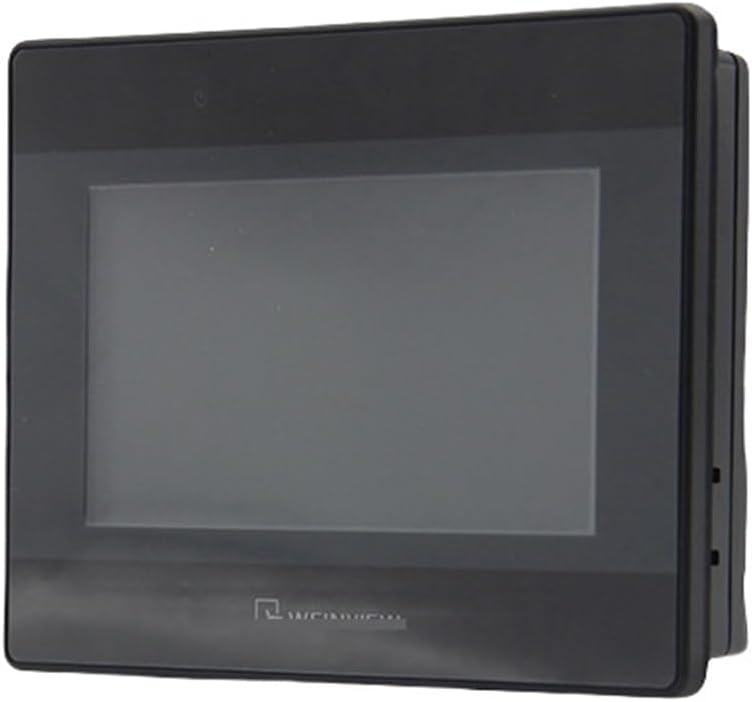
Figure 1: Front view of the SHHJCO cMT-1107X HMI Touch Panel. This image displays the 10-inch display area and the overall black casing of the unit, indicating its sleek industrial design.

Figure 2: Rear view of the SHHJCO cMT-1107X HMI Touch Panel. This image highlights the various connectivity options, including a green terminal block for power input, two DB9 serial ports, a USB port, and an Ethernet port for network communication.
5. Setup and Installation
5.1 Mounting
The cMT-1107X is designed for panel mounting. Follow these steps:
- Prepare an opening in the control panel according to the dimensions provided in the product specifications.
- Insert the HMI unit into the opening from the front.
- Secure the unit using the provided mounting clips or screws from the rear of the panel. Ensure a tight fit to prevent dust and moisture ingress.
5.2 Power Connection
Refer to Figure 2 for the location of the power terminal block.
- Ensure the power supply is off before connecting.
- Connect the DC power supply wires to the green terminal block. Observe correct polarity (positive and negative).
- Securely tighten the terminal screws.
5.3 Data Connections
The cMT-1107X offers various communication interfaces (refer to Figure 2):
- Ethernet Port: Connect an Ethernet cable for network communication with PLCs, other HMIs, or a supervisory control system.
- Serial Ports (DB9): Use these ports for serial communication with devices supporting RS-232, RS-485, or RS-422 protocols.
- USB Port: For connecting USB devices such as flash drives for data transfer or firmware updates.
6. Operating Instructions
6.1 Powering On
After all connections are securely made, apply power to the HMI unit. The device will initiate its boot sequence, and the display will illuminate.
6.2 Basic Operation
The cMT-1107X operates via its touch-sensitive screen. Interact with the displayed interface by tapping or swiping as required by the loaded application. Specific operational details will depend on the HMI project loaded onto the device.
- Navigation: Use on-screen buttons and menus to navigate through different screens and functions.
- Data Entry: Input values using the on-screen numeric or alphanumeric keypads.
- Monitoring: Observe real-time data, alarms, and system status displayed on the screen.
7. Maintenance
7.1 Cleaning
To clean the display and casing:
- Power off the device before cleaning.
- Use a soft, lint-free cloth dampened with a mild, non-abrasive cleaning solution.
- Do not spray cleaning solution directly onto the screen or into any openings.
7.2 Firmware Updates
Periodically check the manufacturer's website for available firmware updates. Follow the provided instructions carefully when performing updates, typically involving a USB drive or network connection.
8. Troubleshooting
This section addresses common issues. For more complex problems, contact technical support.
| Problem | Possible Cause | Solution |
|---|---|---|
| Display is blank | No power, loose connection, backlight failure | Check power supply and connections. Ensure power is applied. |
| Touch screen unresponsive | Calibration issue, software error, physical damage | Restart the device. Recalibrate the touch screen if an option is available. |
| Communication error | Incorrect cable, wrong protocol settings, device offline | Verify cable connections. Check communication settings in the HMI project. Ensure connected devices are powered and operational. |
9. Specifications
Key technical specifications for the SHHJCO cMT-1107X HMI Touch Panel:
| Feature | Specification |
|---|---|
| Model Number | cMT-1107X |
| Display Size | 10 inches |
| Manufacturer | SHHJCO |
| Item Weight | 1.1 pounds |
| Package Dimensions | 1.18 x 0.79 x 0.39 inches |
| Assembly Required | No |
| Number of Pieces | 1 |
10. Warranty and Support
For warranty information, technical support, or service inquiries, please contact SHHJCO directly or refer to their official website. Keep your purchase receipt for warranty claims.
Manufacturer: SHHJCO
ASIN: B0DWT2XKSB