
U UNNI UN03B
UN03 Outdoor Sensor Protection Shield User Manual
Model: UN03B
1. Introduction
Thank you for choosing the U UNNI UN03 Outdoor Sensor Protection Shield. This manual provides essential information for the proper setup, operation, and maintenance of your new sensor shield. Please read this manual thoroughly before installation and keep it for future reference.
2. Product Overview
The UN03 Outdoor Sensor Protection Shield is designed to safeguard your outdoor sensors from environmental elements, ensuring their longevity and accurate performance. It can be wall-mounted or placed on a flat surface, offering versatile installation options. This shield is compatible with various UNNI sensors and many other brands.

Figure 2.1: Front view of the UN03 sensor shield, indicating the correct 'UP' orientation for installation.

Figure 2.2: Side view of the UN03 sensor shield, showing the wall-mounting bracket.

Figure 2.3: Angled view of the UN03 sensor shield, with brand and model details.
3. Features
- Universal Compatibility: Designed to accommodate UNNI sensors (e.g., UN0581, UN0582, UN0585, UN0512) and suitable for most other brands of outdoor sensors.
- Robust Protection: Provides a protective barrier for sensors against harsh weather conditions, including rain, snow, and direct sunlight.
- Flexible Installation: Can be easily wall-mounted using the included hardware or placed on any flat, stable surface.
- Optimized Design: Features a multi-layered louvered design to allow for proper airflow while shielding the sensor.
- Durable Construction: Made from high-quality, weather-resistant materials for long-term outdoor use.
4. Package Contents
Please check the package contents upon opening to ensure all parts are present:
- UN03 Outdoor Sensor Protection Shield (Main Unit)
- Mounting Bracket (pre-attached or separate, depending on model revision)
- Screws and Wall Plugs for Wall Mounting
- User Manual (this document)

Figure 4.1: Exploded view of the UN03 sensor shield components, including the base and mounting accessories.
5. Setup and Installation
5.1. Choosing a Location
Select a location that provides accurate readings for your sensor and offers adequate protection. Avoid direct sunlight if your sensor is sensitive to heat, and ensure good airflow. The shield can be mounted on a wall or placed on a flat surface.
5.2. Wall Mounting
- Mark Drill Holes: Hold the mounting bracket against the desired wall location. Use a pencil to mark the positions for the drill holes.
- Drill Holes: Drill holes at the marked positions using an appropriate drill bit for your wall type. Insert the wall plugs if necessary.
- Attach Bracket: Align the mounting bracket with the drilled holes and secure it to the wall using the provided screws. Ensure it is level and firmly attached.
- Mount Shield: Slide the UN03 sensor protection shield onto the mounted bracket. Ensure the "UP" indicator on the shield is pointing upwards for correct orientation and optimal performance.
- Insert Sensor: Carefully insert your outdoor sensor into the designated space within the shield. Ensure it is securely positioned.
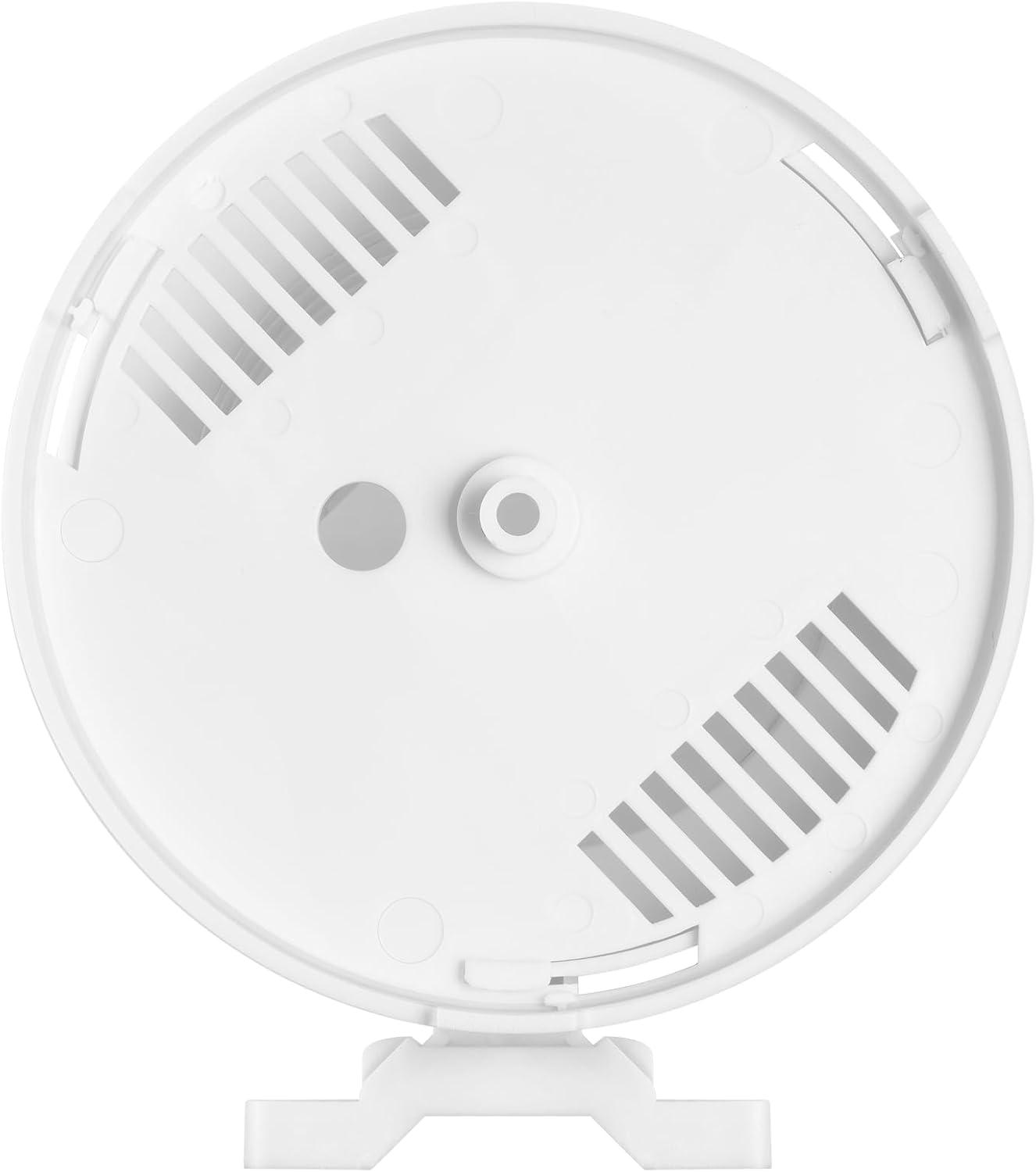
Figure 5.1: Bottom view of the UN03 sensor shield, illustrating the internal structure for sensor placement and ventilation.
5.3. Flat Surface Placement
If wall mounting is not desired, the UN03 shield can be placed on any stable, flat surface. Ensure the surface is level and the shield is not prone to tipping over. The "UP" indicator should still point upwards.
6. Operation
The UN03 Outdoor Sensor Protection Shield is a passive device designed to protect your sensor. Once installed with your sensor inside, it operates continuously without requiring any user interaction or power. Its louvered design allows for natural airflow while providing shade and protection from precipitation.
Ensure that the sensor inside the shield is functioning correctly according to its own manufacturer's instructions.
7. Maintenance
The UN03 sensor shield requires minimal maintenance to ensure optimal performance and longevity.
- Cleaning: Periodically inspect the shield for dirt, dust, or debris accumulation, especially within the louvers. Clean with a soft, damp cloth. Avoid abrasive cleaners or solvents.
- Inspection: Regularly check the mounting hardware to ensure it remains secure, especially after strong winds or severe weather.
- Obstructions: Ensure no vegetation or other objects are blocking the airflow around the shield, which could affect sensor readings.
8. Troubleshooting
| Problem | Possible Cause | Solution |
|---|---|---|
| Sensor readings are inaccurate. | Improper shield placement; sensor not correctly seated; shield louvers obstructed. | Ensure the shield is mounted in an appropriate location away from direct heat sources or obstructions. Verify the sensor is properly inserted and the shield's louvers are clean. Refer to your sensor's manual for calibration or specific troubleshooting. |
| Shield feels loose after installation. | Mounting screws are loose; wall plugs not properly seated. | Tighten mounting screws. If wall plugs are used, ensure they are fully inserted and provide a secure anchor. Re-drill if necessary using appropriate wall anchors. |
| Damage to shield. | Impact from falling objects or extreme weather. | Inspect for cracks or breaks. While durable, severe impacts can cause damage. Replacement may be necessary if structural integrity is compromised. |
9. Specifications
| Model Number | UN03B |
| Brand | U UNNI |
| External Dimensions (L x W x H) | 3.35 x 4.13 x 7.05 inches (approximate, based on product features) / Package Dimensions: 7.09 x 4.33 x 3.54 inches |
| Item Weight | 10.4 ounces |
| Color | White |
| Mounting Type | Wall Mount / Flat Surface Placement |
| Batteries Required | No |
10. Warranty Information
U UNNI products are manufactured to high quality standards. For specific warranty details, please refer to the warranty card included with your product or visit the official U UNNI website. Please retain your proof of purchase for any warranty claims.
11. Customer Support
If you have any questions, require technical assistance, or encounter issues with your UN03 Outdoor Sensor Protection Shield, please contact U UNNI customer support:
- Email: unni_technology@hotmail.com
- Website: Visit the U UNNI Store on Amazon for more information and product updates.
When contacting support, please provide your product model number (UN03B) and a detailed description of the issue.
Ask a question about this manual
Ask about setup, troubleshooting, compatibility, parts, safety, or missing instructions. Manuals+ will review the question and use this page’s manual context to help answer it.