
ROKR EA-RK-B01
ROKR EA-RK-B01 Dream Gift Factory 3D Wooden Puzzle Instruction Manual
Model: EA-RK-B01
1. Introduction
Welcome to the ROKR Dream Gift Factory 3D Wooden Puzzle Kit. This intricate model allows you to construct a miniature Christmas-themed factory complete with dynamic elements, music, and lights. Designed for adults and teens aged 14 and up, this kit provides a rewarding assembly experience resulting in a captivating display piece.

Image 1.1: The fully assembled ROKR Dream Gift Factory model, showcasing its detailed design and illuminated features.
2. Safety Information
WARNING: CHOKING HAZARD - Small parts. Not for children under 3 years.
This kit contains small components that could pose a choking hazard. Keep all parts out of reach of young children. Adult supervision is recommended during assembly, especially for younger users. Handle laser-cut wooden pieces with care to avoid splinters or breakage.
3. What's in the Box
Before beginning assembly, please verify that all components are present:
- Laser-cut plywood sheets (containing 449 pieces)
- Sandpaper
- Screwdriver
- Spare parts for delicate components
- Illustrated English assembly instructions
- Wax bar (for moving parts)
- Electronic components (lights, music module, motor)
- Type-C power cable
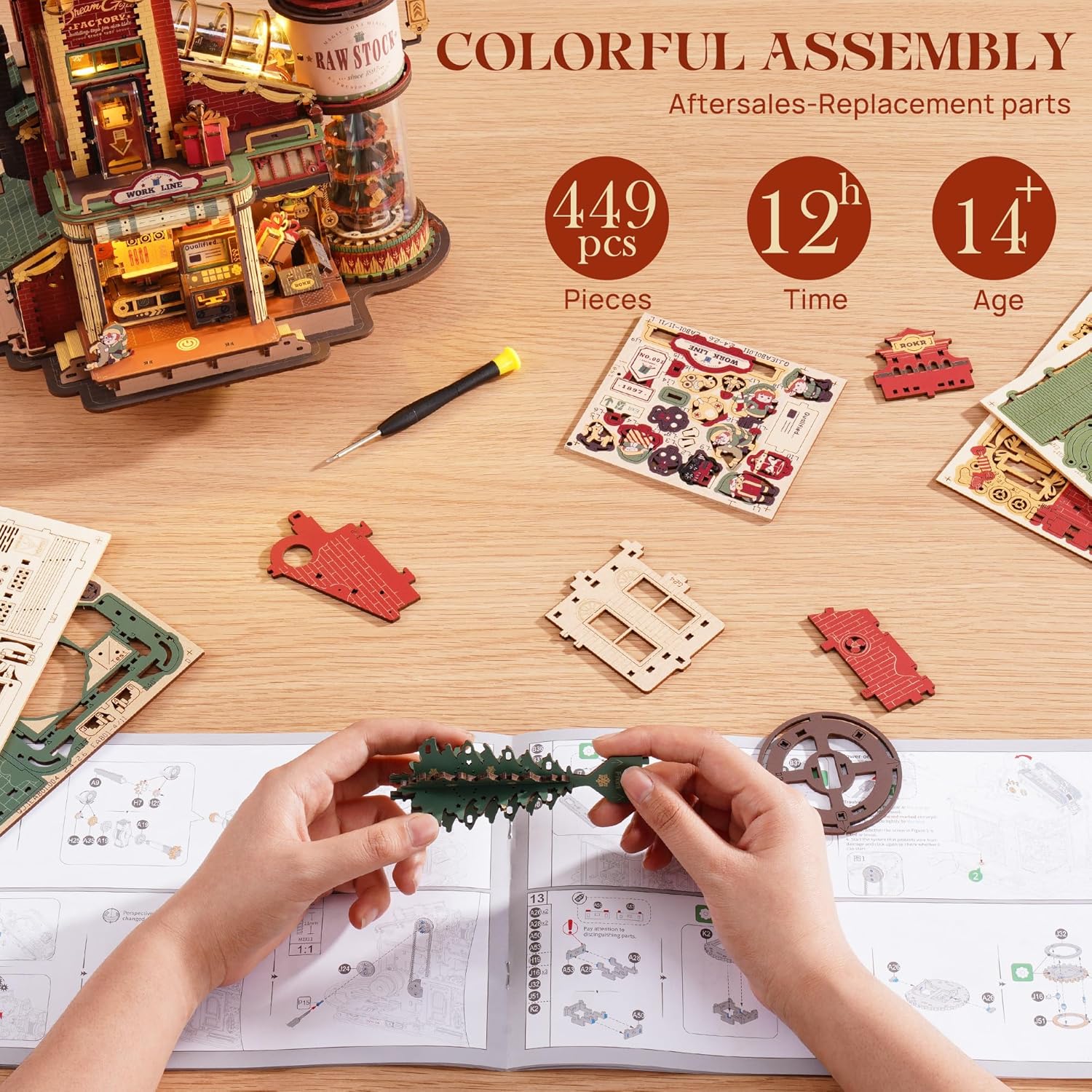
Image 3.1: A view of the kit's contents, including laser-cut wooden sheets, a screwdriver, and the instruction manual, indicating the 449 pieces and estimated 12-hour assembly time.
4. Assembly Instructions
Assembly of the ROKR Dream Gift Factory is a detailed process that typically takes approximately 12 hours. Follow the illustrated English instructions provided in the kit carefully. No glue is required for assembly, as pieces are designed to snap together precisely.
4.1. Preparation
- Workspace: Clear a well-lit, spacious work area.
- Tools: Have the included screwdriver, sandpaper, and a small hobby knife (not included, but recommended for delicate parts) ready.
- Part Identification: Familiarize yourself with the numbered parts on the plywood sheets.
4.2. General Assembly Tips
- Detaching Parts: Gently push out pieces from the plywood sheets. If a piece is difficult to remove, use a hobby knife to carefully cut the connecting points.
- Sanding: Use the provided sandpaper to smooth any rough edges on the detached pieces.
- Wax Application: For all moving gears and connecting points, apply the included wax bar. This reduces friction and ensures smooth operation of mechanical parts.
- Follow Instructions: Adhere strictly to the step-by-step diagrams in the manual. Pay attention to the orientation of pieces.
- Electronic Components: Integrate the electronic components (lights, music module, motor) as indicated in the instructions. Ensure all connections are secure.

Image 4.1: Essential tools and laser-cut wooden components laid out for assembly, highlighting the precision of the parts.

Image 4.2: Detailed view showing the motor, the precision of laser-cut parts, and the touch switch mechanism, crucial for the model's dynamic functions.
5. Operation
Once assembled, the ROKR Dream Gift Factory comes to life with interactive features:
5.1. Powering On
Connect the provided Type-C power cable to the designated port on the model and to a suitable power source. The model is powered by electricity, driving the motor and illuminating the lights.
5.2. Activating Music, Lights, and Movement
Locate the touch switch on the model. A single tap will activate the music, lights, and the factory's dynamic movements, including the rotating Christmas tree, circulating conveyor belt, and other animated elements. The model features 6 ambient lights that illuminate various sections of the factory, creating a vibrant display.
- Raw Stock: Features a rotating Christmas tree.
- Assembly Line: Includes a circulating conveyor belt.
- Packaging Station: Depicts packing and sealing boxes.
- Tie a Bow: Shows finished gifts being shipped.

Image 5.1: The Dream Gift Factory illuminated, with labels indicating the locations of various ambient lights such as the steam flowing light sign, tower wall lights, assembly line ceiling light, packaging workshop lights, and lobby ambient lamp.

Image 5.2: Detailed views of the model's dynamic sections: the rotating Christmas tree in 'Raw Stock', the circulating conveyor belt in 'Assembly Line', the 'Packaging Station' for packing and sealing, and the 'Tie a Bow' area for finished gifts.
5.3. Muting and Powering Off
- Mute: Tap the touch switch again to mute the music while keeping the lights and movement active.
- Power Off: Hold the touch switch for 3 seconds to completely power off the model.
6. Maintenance
- Cleaning: Dust the model regularly with a soft, dry cloth. Avoid using liquid cleaners, which can damage the wood or electronic components.
- Storage: Store the model in a dry environment away from direct sunlight and extreme temperatures to prevent warping or fading of the wood.
- Moving Parts: If any moving parts become stiff, carefully reapply wax to the gears and contact points.
7. Troubleshooting
- Parts Breaking During Assembly: The kit includes spare parts for common delicate components. If a part breaks, check for a spare. Handle pieces gently, and use a hobby knife for stubborn connections.
- Movement Issues (Gears Not Turning): Ensure that wax has been applied to all gears and moving shafts as instructed. Check for any misaligned or jammed pieces. Verify that the motor is correctly installed and connected.
- Lights or Music Not Working: Confirm that the Type-C power cable is securely connected to both the model and the power source. Ensure the touch switch is functioning correctly (tap once for on, tap again for mute, hold for 3 seconds for off). Check for any loose wire connections within the model.
- Missing Pieces: Double-check all plywood sheets and packaging. If a piece is genuinely missing, contact ROKR customer support.
8. Specifications
| Feature | Detail |
|---|---|
| Model Number | EA-RK-B01 |
| Assembled Dimensions (L x W x H) | 9.6 x 6.4 x 10 inches (24.4 x 16.3 x 25.6 cm) |
| Item Weight | 3.28 pounds (1.5 kg) |
| Number of Pieces | 449 |
| Recommended Age | 14 years and up |
| Assembly Time | Approximately 12 hours |
| Power Source | Type-C USB (cable included) |
| Features | Music, Lights (6 ambient lights), Moving Parts (gears, conveyor belt, rotating tree) |

Image 8.1: A summary of product information including model name, number, assembled size, package size, weight, and recommended skill level.
9. Warranty and Support
For warranty information, replacement parts, or technical support, please refer to the contact details provided in your product packaging or visit the official ROKR website. Keep your purchase receipt as proof of purchase.