
1. Introduction
This manual provides comprehensive instructions for the HGCXING Wireless Earbuds Bluetooth 5.3 Headphones, Model HGCXING0079. Please read this manual carefully before using the product to ensure proper operation and to maximize your listening experience. These earbuds feature Bluetooth 5.3 connectivity, semi in-ear design for comfort, ENC noise cancelling technology, and smart touch controls.
2. What's in the Box
Upon opening your HGCXING Wireless Earbuds package, you should find the following components:
- Adjustable in Ear Wireless Earbuds (2 pieces)
- User Manual
- USB A to USB C Charging Cable
- Protective Case (Charging Case)
- 1 Pair Extra Ear Cushions
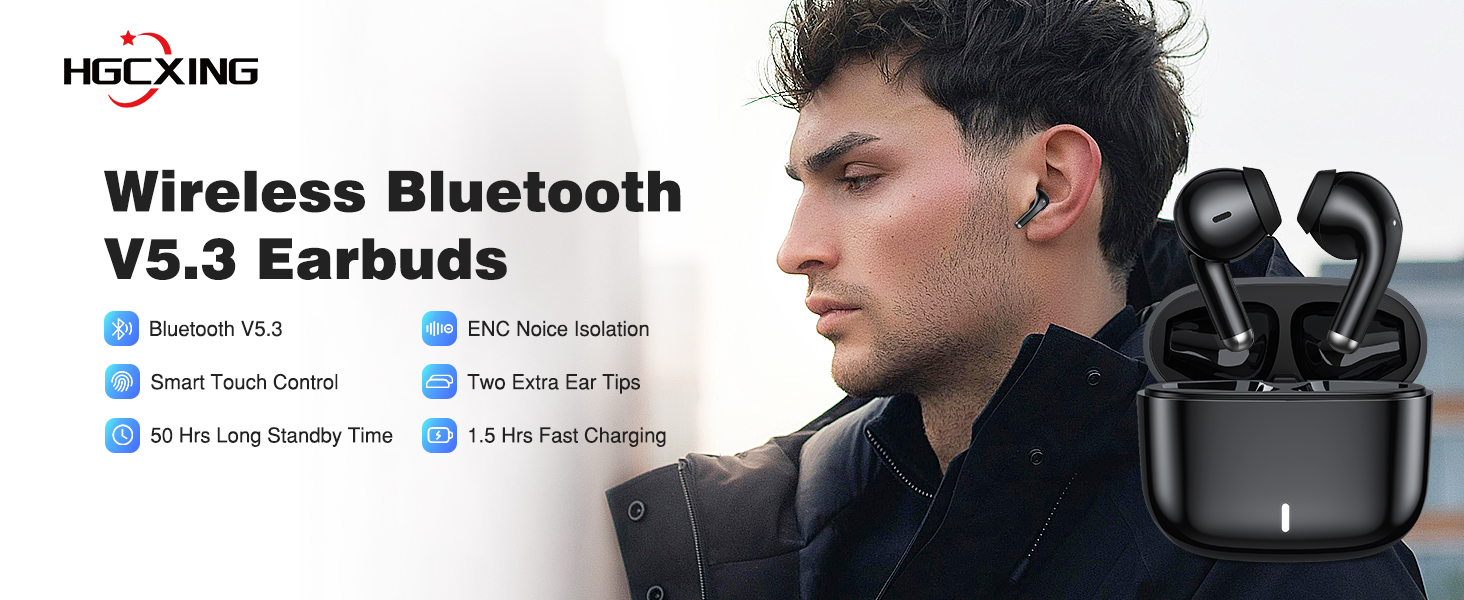
Image: Contents of the product package.
3. Product Overview
The HGCXING Wireless Earbuds are designed for comfortable and stable wear. The semi in-ear design ensures a secure fit without fully entering the ear canal, enhancing comfort for extended use.

Image: Semi In-Ear Tips Design for comfortable fit.

Image: Semi In-Ear Earbuds vs. In-Ear Earbuds comfort comparison.
4. Setup
4.1. Charging the Earbuds and Case
Before first use, ensure both the earbuds and the charging case are fully charged. Place the earbuds into the charging case. Connect the provided USB A to USB C charging cable to the charging case and a compatible USB power source.
- Earbud Charging Time: Approximately 1 hour.
- Case Charging Time: Approximately 1.5 hours.
- Music Playback Time: Approximately 4 hours (at 80% volume).
- Talk Time: Approximately 3 hours (at 80% volume).
- Standby Time: Up to 50 hours.

Image: Battery life and USB Type-C charging port.
4.2. Bluetooth Pairing
Connecting your HGCXING earbuds to your device is a straightforward process:
- Open the charging case and remove both earbuds. They will automatically enter pairing mode.
- On your device (smartphone, tablet, laptop, etc.), navigate to the Bluetooth settings.
- Search for available devices and select "A30" from the list.
- Once connected, you will hear an audible confirmation, and the earbuds will be ready for use.

Image: Easy Bluetooth connection process.
5. Operating Instructions
5.1. Smart Touch Controls
The earbuds feature intuitive touch controls for managing audio playback and calls:
| Function | Action |
|---|---|
| Play/Pause Music | Click 1 time |
| Next Track | Click 2 times |
| Previous Track | Click 3 times |
| Answer Call | Click 1 time |
| End Call | Click 2 times |
| Reject Call | Press for 2 seconds |
| Voice Assistant (Siri/Google Assistant) | Press for 2 seconds |

Image: Smart Touch Control functions.
5.2. Single/Dual Earbud Mode
The earbuds support flexible usage, allowing you to use either a single earbud or both simultaneously:
- Single Earbud Mode: Simply take one earbud out of the case. It will automatically connect to your device. The other earbud can remain in the case or be turned off.
- Dual Earbud Mode: Take both earbuds out of the case. They will automatically pair with each other and then connect to your device.

Image: Single and Dual Earbud Mode options.
6. Maintenance
To ensure the longevity and optimal performance of your HGCXING Wireless Earbuds, follow these maintenance guidelines:
- Cleaning: Regularly clean the earbuds and charging case with a soft, dry, lint-free cloth. Avoid using abrasive materials or harsh chemicals.
- Storage: When not in use, store the earbuds in their charging case to protect them from dust and damage.
- Avoid Moisture: Do not expose the earbuds or charging case to water or excessive moisture.
- Temperature: Avoid extreme temperatures, both hot and cold, as these can affect battery life and product performance.
7. Troubleshooting
If you encounter issues with your earbuds, refer to the following common solutions:
- Earbuds not pairing: Ensure both earbuds are out of the case and fully charged. Turn off and on your device's Bluetooth, then try pairing again.
- No sound: Check the volume level on both your device and the earbuds. Ensure the earbuds are properly connected to your device.
- Charging issues: Verify that the charging cable is securely connected to both the case and the power source. Ensure the charging contacts on the earbuds and inside the case are clean.
- Poor sound quality: Ensure the earbuds are properly seated in your ears. Try cleaning the ear tips.
If problems persist, please refer to the support information provided with your product or contact customer service.
8. Specifications
| Feature | Detail |
|---|---|
| Model Name | HGCXING0079 |
| Brand | HGCXING |
| Connectivity Technology | Wireless (Bluetooth 5.3) |
| Wireless Communication Technology | Bluetooth |
| Bluetooth Version | 5.3 |
| Noise Control | Passive Noise Cancellation, Sound Isolation (ENC Technology) |
| Ear Placement | In Ear (Semi In-Ear Design) |
| Control Type | Touch Control |
| Battery Life (Music) | Up to 4 hours |
| Charging Time (Earbuds) | Approx. 1 hour |
| Charging Time (Case) | Approx. 1.5 hours |
| Headphones Jack | USB Type-C (for charging case) |
| Frequency Range | 20 Hz - 20000 Hz |
| Sensitivity | 103 dB |
| Impedance | 32 Ohm |
| Item Weight | 80 Grams (total) / 2.82 ounces |
| Material | Composite |
| Included Components | Earbuds (x2), Protective Case, USB A to USB C Charging Cable, User Manual, 1 Pair Ear Cushions |
9. Warranty and Support
For warranty information and customer support, please refer to the documentation included with your purchase or contact HGCXING customer service through their official channels. Keep your proof of purchase for any warranty claims.