
1. Introduction
This manual provides essential information for the safe and efficient operation of your Whubefy Dual Auto Heat Press Machine. Please read all instructions carefully before use to ensure proper functionality and to prevent injury.
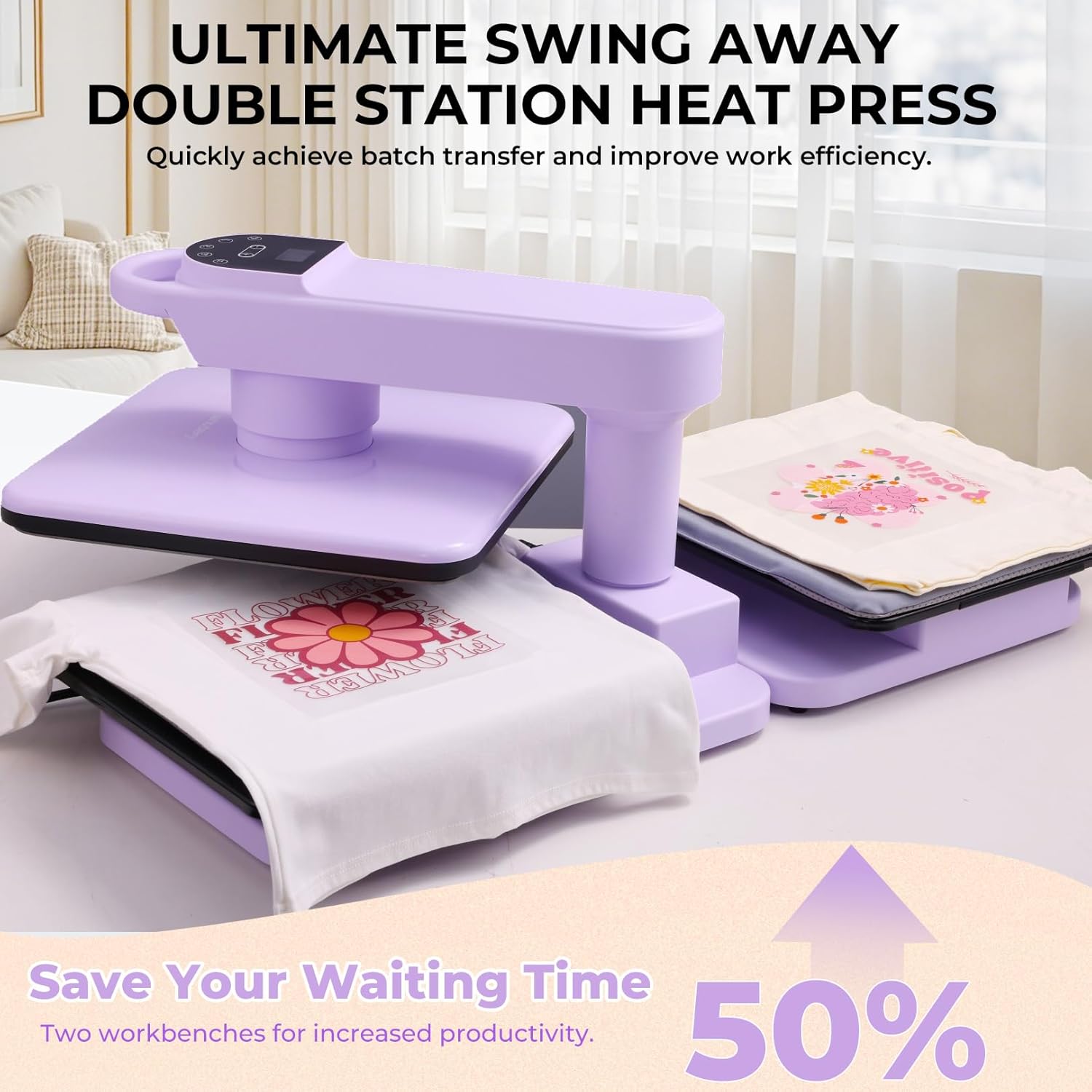
The Whubefy Dual Auto Heat Press Machine is designed for heat transfer applications on various materials, including textiles for HTV, sublimation, and other heat transfer projects. Its dual workbench and automatic features enhance efficiency and user convenience.
2. Safety Instructions
- Always operate the machine on a stable, heat-resistant surface.
- Keep hands and fingers clear of the heating plate during operation to prevent burns.
- Do not touch the hot surface. Use heat-resistant gloves when handling heated materials.
- Ensure proper ventilation in the work area.
- Unplug the machine when not in use or before cleaning.
- Keep out of reach of children.
- Do not immerse the machine in water or any other liquid.
3. Package Contents
Verify that all items are present in the package:
- Whubefy Dual Auto Heat Press Machine (Main Unit)
- Removable Workbench (for Dual Workstation models)
- Power Cord
- Heat-Resistant Pad(s)
- Teflon High-Temperature Cloth
- F-shaped Clamp (for securing the machine)
- Operation Instruction Sticker (with parameter settings)
- Practice DTF Sheets (3 patterned sheets)
- User Manual
4. Setup
Follow these steps to set up your heat press machine:
- Unpacking: Carefully remove all components from the packaging.
- Placement: Place the main unit on a sturdy, flat, and heat-resistant surface. Ensure adequate space around the machine for safe operation and heat dissipation.
- Attaching Removable Workbench (Dual Workstation models only):
If you have the Dual Workstation model, align the removable workbench with the connection points on the main unit and slide it into place until it securely locks. - Secure the Machine: Use the provided F-shaped clamp to secure the machine to your workbench. This prevents tipping during operation, especially when using the swing-away feature.
- Prepare Heat-Resistant Pad: The heat-resistant pad features adhesive corners. Remove the protective film from the adhesive and firmly attach the pad to the lower platen(s) to ensure stability during transfers.
- Apply Instruction Sticker: Peel and stick the operation instruction guide onto the designated area on the machine's control panel for quick reference of temperature and time settings.
- Power Connection: Connect the power cord to the machine and then to a grounded electrical outlet.

Video: This video provides a first-time user guide on setting up the second station of the dual auto heat press, demonstrating how to attach and secure the additional platen.
5. Operating Instructions
Operating your Whubefy heat press involves setting temperature, time, and pressure, then initiating the transfer process.
- Power On: Press the power button on the control panel to turn on the machine. The display will illuminate.
- Set Temperature: Press the temperature button (thermometer icon) and use the '+' and '-' buttons to adjust the desired temperature (range: 105°F-410°F).
- Set Time: Press the time button (clock icon) and use the '+' and '-' buttons to adjust the desired transfer time (range: 0-600 seconds).
- Adjust Pressure: Press the pressure selection button (stacked lines icon) and use the '+' and '-' buttons to select one of the 7 adjustable pressure levels. The display will show the current pressure level.
- Pre-press Material: Place your material (e.g., T-shirt) on the lower platen. Swing the upper heating plate over the material and press the auto start button (circular arrow icon) for 5-10 seconds to remove moisture and wrinkles.
- Position Design: Place your heat transfer design (HTV, sublimation paper, etc.) onto the material. Cover with a Teflon sheet.
- Initiate Transfer: Swing the upper heating plate over the design and press the auto start button. The machine will automatically press down and begin the countdown.
- Automatic Release: Once the countdown is complete, the machine will beep and automatically lift the heating plate.
- Peel Design: Carefully remove the transfer film according to your design's specific peeling instructions (hot peel, warm peel, or cold peel).
- Batch Transfer (Dual Workstation models): While one transfer is in progress, you can prepare the next item on the other platen. Once the first transfer is complete and the heating plate lifts, swing it over to the second platen and press the auto start button to continue your workflow.
- Auto Shut-Off: The machine features an automatic shut-off after 20 minutes of inactivity for safety and energy efficiency.


Video: This video demonstrates how to operate the Whubefy dual 15x15 auto heat press machine, covering basic functions and transfer steps.
6. Maintenance
Proper maintenance ensures the longevity and optimal performance of your heat press:
- Cleaning: After each use, allow the machine to cool completely. Wipe the heating plate and platen with a soft, dry cloth. For stubborn residue, use a damp cloth with mild soap, then wipe dry.
- Storage: Store the machine in a dry, dust-free environment.
- Regular Inspection: Periodically check the power cord for any signs of damage. Ensure all screws and connections are secure.
7. Troubleshooting
If you encounter issues, refer to the following common problems and solutions:
| Problem | Possible Cause | Solution |
|---|---|---|
| Machine does not power on | Power cord not properly connected; Power outlet malfunction | Check power cord connection; Try a different outlet; Contact support if issue persists |
| Inconsistent heating | Incorrect temperature setting; Faulty heating element | Verify temperature setting; Contact support |
| Design not adhering properly | Incorrect temperature/time/pressure; Material not pre-pressed | Adjust settings according to design/material; Pre-press material to remove moisture |
| Machine not pressing down automatically | Auto start button not pressed; Sensor obstruction | Ensure auto start button is pressed; Check for obstructions around the pressing mechanism |
8. Specifications
- Model Number: HP-5601_2B_US
- Product Dimensions: 37.8"L x 22"W x 15.6"H
- Item Weight: 48.5 Pounds
- Heating Plate Size: 15x15 inches
- Upper Temperature Rating: 410°F (210°C)
- Voltage: 120 Volts
- Wattage: 1250 watts
- Heating Height: Up to 1.85 inches
- Pressure Settings: 7 adjustable levels
- Material: Iron Tube Electrophoresis, PP, PA66+30% Fiber
- Color: Purple
- Recommended Uses: For Home and Light Commercial Use


9. Warranty & Support
Whubefy provides an extended manufacturer's warranty and lifetime customer service for this product. For any questions or assistance, please contact Whubefy customer support. They are committed to providing tailored solutions for your needs.
For support, please refer to the contact information provided with your product packaging or visit the official Whubefy website.