
1. Introduction
The Rollei Easy Creator Quadpod is a versatile 3-in-1 device designed to enhance your content creation. It functions as a selfie stick, tripod, and phone stand, featuring intelligent AI face tracking with 360° rotation and smart gesture control. This manual provides detailed instructions for setup, operation, and maintenance to ensure optimal performance.
Key Features:
- 3-in-1 Functionality: Transforms into a selfie stick, tripod, and phone stand.
- Intelligent AI Face Tracking: Automatically tracks subjects with 360° rotation.
- Smart Gesture Control: Use "OK" gesture to start tracking and "Palm" gesture to stop.
- No App Required: Operates independently without the need for a dedicated application.
- Built-in Rechargeable Remote Control: Manages video recording and phone interactions from a distance.
- Sturdy Four-Leg Design: Provides enhanced stability for various recording environments.
- Wide Compatibility: Supports smartphones, action cameras, digital cameras, and video lights via a 1/4" interface.
- Adjustable Height: Extends from 38cm to 163cm.
2. Package Contents
Verify that all items are present in your package:
- Rollei Easy Creator Quadpod
- Rechargeable Remote Control
- USB-C Charging Cable
- Instruction Manual
Video Description: This video demonstrates the unboxing of the Rollei Easy Creator Quadpod, showing the main unit, remote control, and charging cable.
3. Setup Guide
3.1 Unfolding the Quadpod
- Gently pull the bottom section of the device downwards to extend the four legs, forming a stable tripod base.
- Extend the telescopic center column to your desired height.
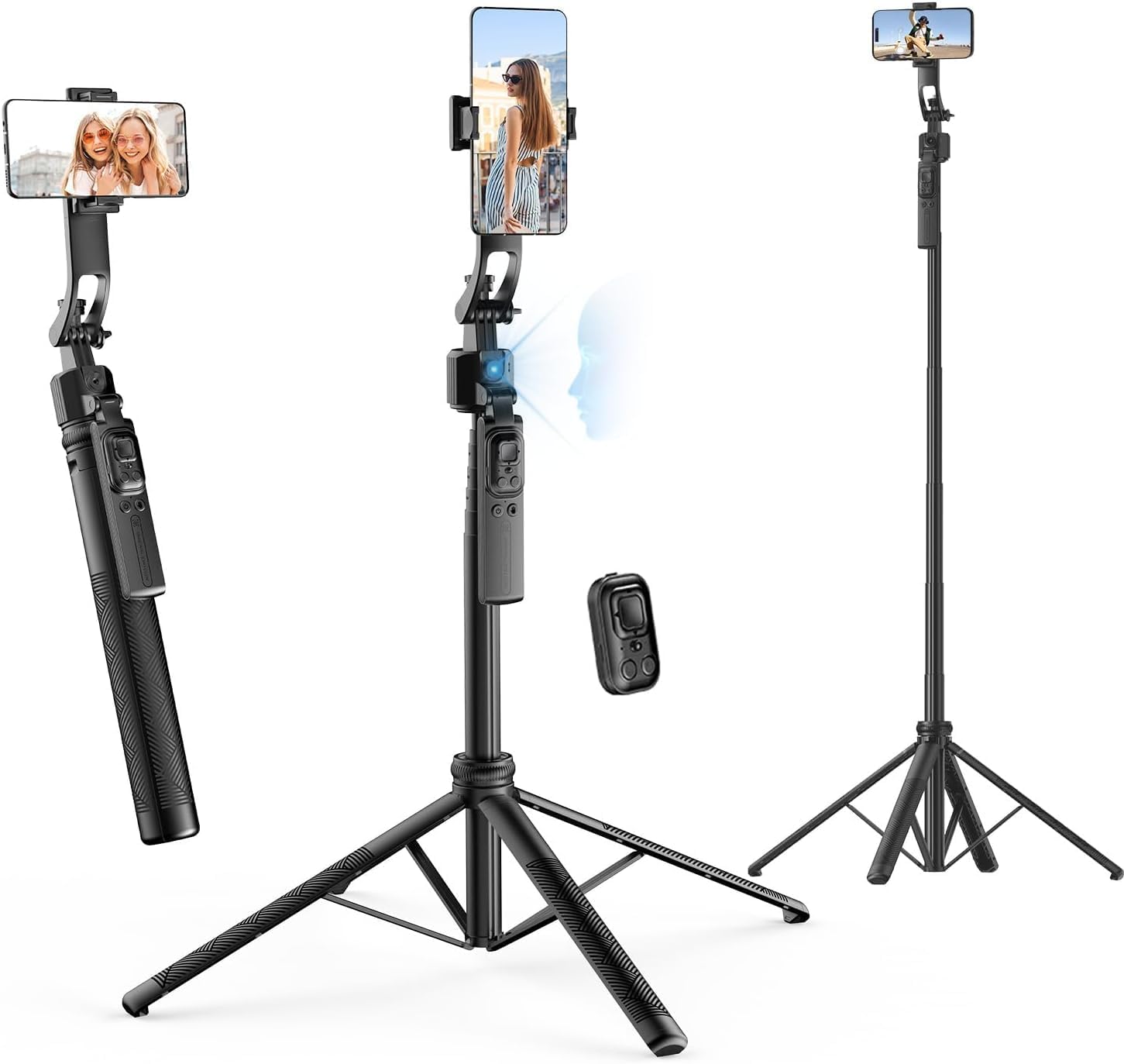
Image Description: The image displays the Rollei Easy Creator Quadpod in three configurations: folded as a handle, extended as a tabletop tripod, and fully extended as a tall tripod.
3.2 Attaching Your Device
- For Smartphones: Extend the phone holder clamps and securely place your smartphone. Ensure it is centered for optimal balance.
- For Cameras/Accessories: The Quadpod features a standard 1/4" screw interface. Attach your action camera, digital camera, or video light by screwing it onto the mount.

Image Description: A smartphone is shown securely mounted in the holder of the Rollei Easy Creator Quadpod, ready for use.
3.3 Charging the Remote Control
The remote control has a built-in rechargeable battery. Connect the provided USB-C cable to the remote and a power source to charge. A full charge ensures extended use.
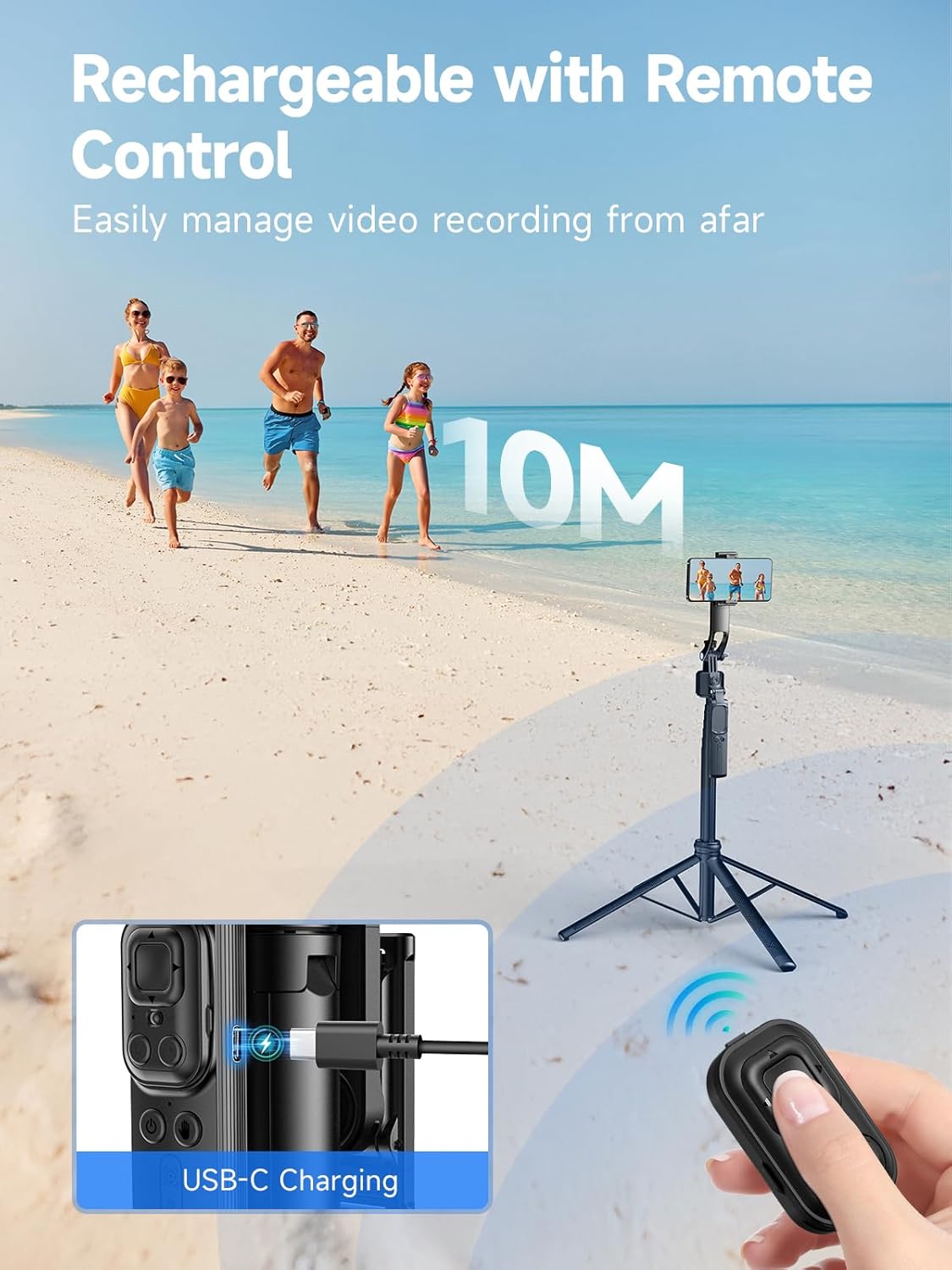
Image Description: The image shows the remote control being charged via a USB-C cable, with a visual indicator of its wireless range.
4. Operating Instructions
4.1 Power On/Off
Press and hold the power button on the main unit to turn the Quadpod on or off. An indicator light will confirm the power status.
4.2 AI Face Tracking
The Quadpod features intelligent AI face tracking. Once powered on, the device will automatically detect and follow a human face, ensuring the subject remains centered in the frame during recording or streaming. This function operates without any external application.
Video Description: This video demonstrates the AI tracking capabilities of the Rollei Easy Creator Quadpod, showing it following a person's movement smoothly.
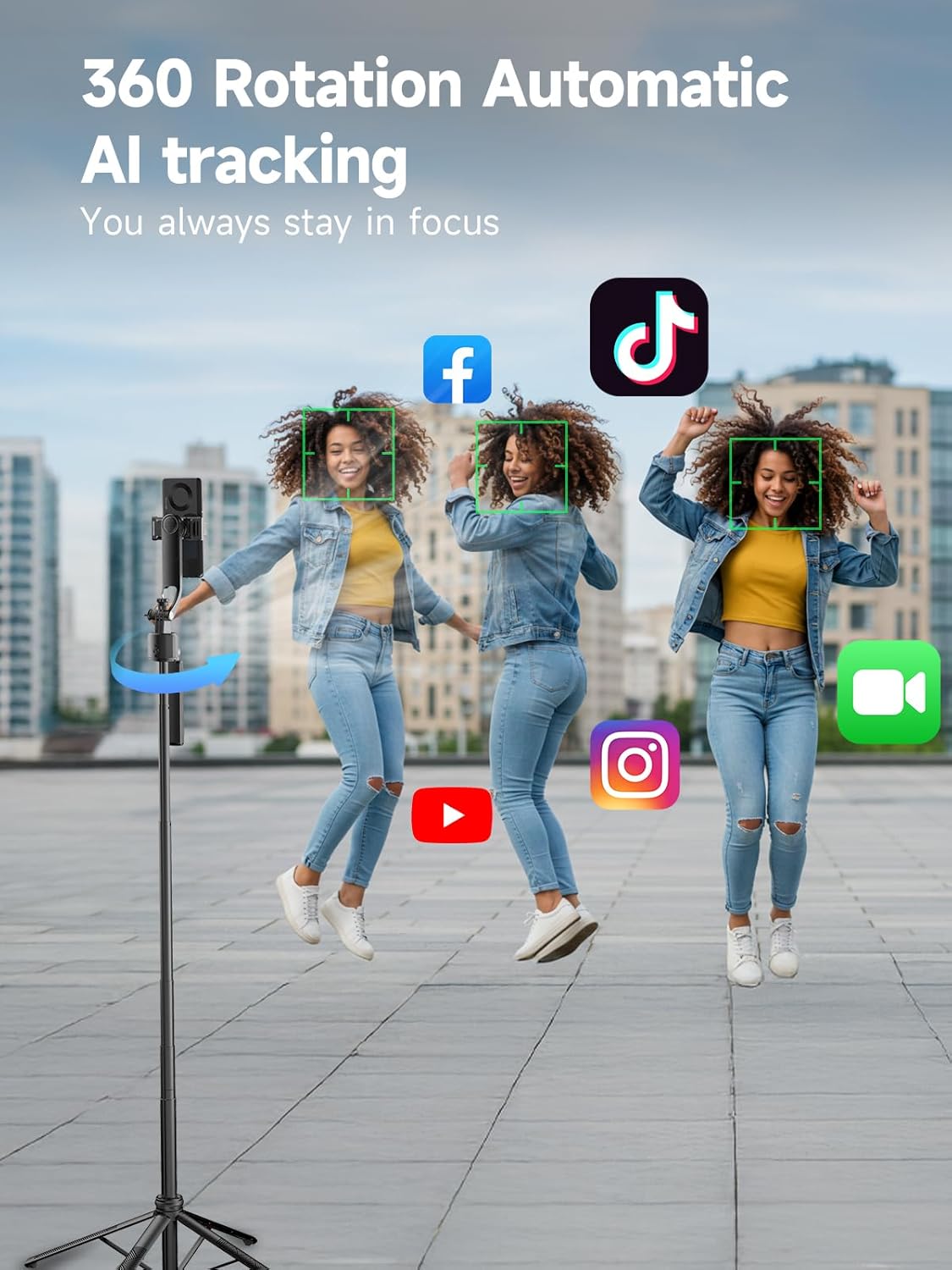
Image Description: The image illustrates the 360-degree automatic AI tracking feature, keeping subjects in focus during dynamic movements, with social media app icons in the background.
4.3 Gesture Control
The Quadpod supports smart gesture control for hands-free operation:
- "OK" Gesture: Make an "OK" sign with your hand to initiate face tracking.
- "Palm" Gesture: Present an open palm to the device to pause or stop face tracking.

Image Description: A person demonstrates the "OK" gesture to start tracking and the open palm gesture to stop tracking, highlighting the smart gesture control feature.
4.4 Remote Control Functions
The detachable remote control allows for convenient operation from a distance:
- Video Recording: Start and stop video recording.
- Navigation: Scroll up/down or swipe left/right in compatible applications.
- Interaction: Double-click to 'like' content in supported apps.
4.5 Modes of Use (3-in-1)
The Rollei Easy Creator Quadpod offers three primary modes:
Selfie Stick Mode
Hold the device by its handle and extend the telescopic pole for capturing wider angles or group selfies.
Tripod Mode
Unfold the four legs to create a stable base for hands-free recording, live streaming, or time-lapse photography.
Phone Stand Mode
With the legs folded or partially extended, the device can serve as a desktop phone stand for video calls or content viewing.

Image Description: This image showcases the Quadpod's multifunctional 3-in-1 design, illustrating its use as a tripod, a balance grip, and an extended selfie stick.
4.6 Compatibility
The Quadpod is compatible with a wide range of devices:
- Smartphones: Compatible with most iPhone and Android devices.
- Action Cameras: Connects via the 1/4" interface.
- Digital Cameras: Connects via the 1/4" interface.
- Video Lights: Connects via the 1/4" interface.
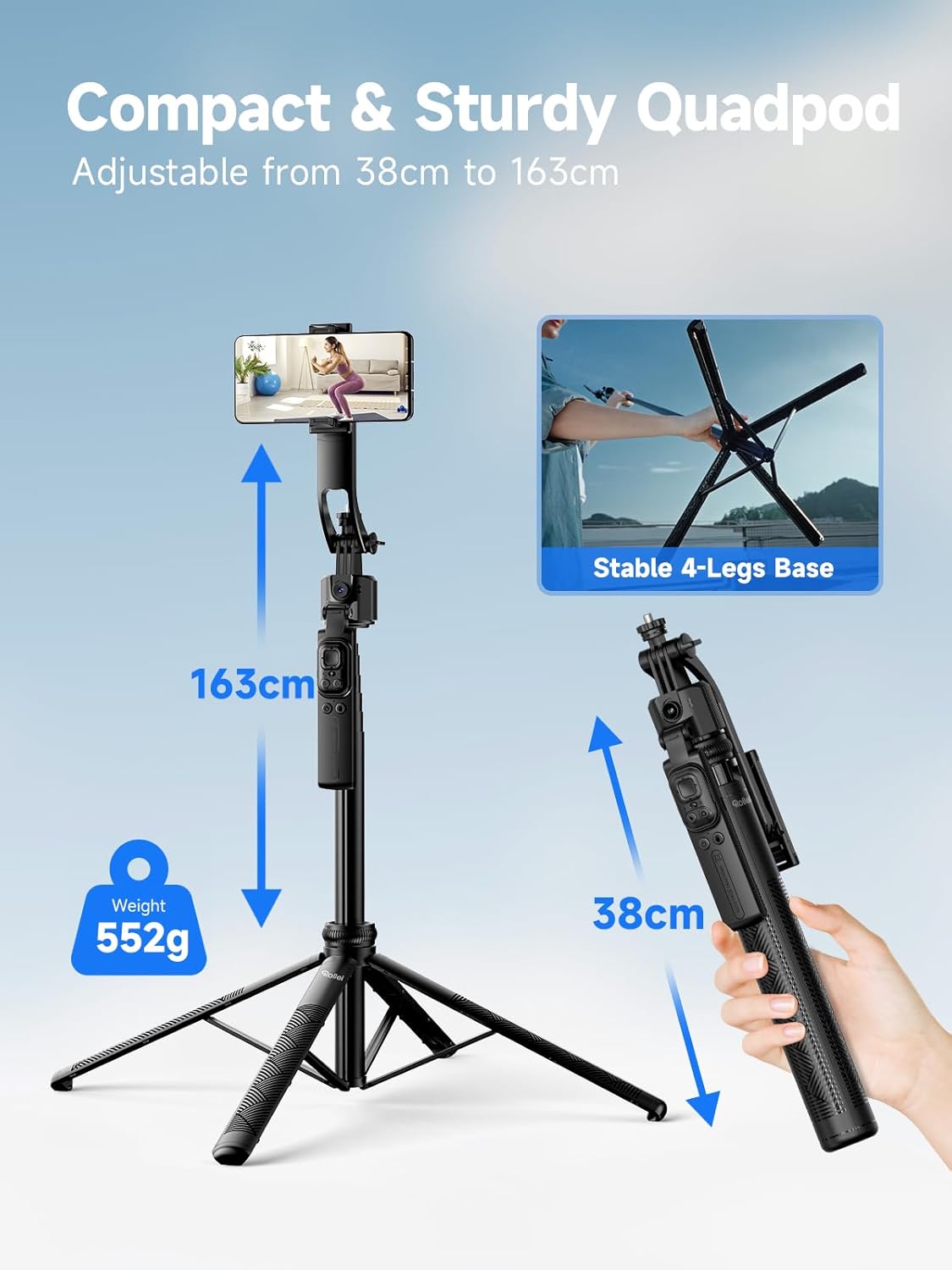
Image Description: The image demonstrates the wide compatibility of the Quadpod, showing it connected to a smartphone, a digital camera, an action camera, and a video light, all utilizing the 1/4" interface.
5. Maintenance
- Cleaning: Wipe the device with a soft, dry cloth. Avoid using harsh chemicals or abrasive materials.
- Storage: Store the Quadpod in a cool, dry place away from direct sunlight and extreme temperatures.
- Battery Care: For optimal battery life, charge the remote control regularly, even if not in frequent use.
6. Troubleshooting
| Issue | Possible Cause | Solution |
|---|---|---|
| Device not powering on | Low battery | Charge the device using the provided USB-C cable. |
| AI tracking not working | Incorrect gesture or poor lighting | Ensure clear visibility of your hand for gesture control. Check lighting conditions. |
| Remote control not responding | Low battery or out of range | Charge the remote control. Ensure you are within the 10-meter operating range. |
| Device unstable in tripod mode | Legs not fully extended or uneven surface | Ensure all four legs are fully extended and placed on a flat, stable surface. |
7. Specifications
| Feature | Detail |
|---|---|
| Model Name | Easy Creator Quadpod AI |
| Item Model Number | 23152 |
| Product Dimensions | 2.01 x 14.29 x 3.39 inches |
| Item Weight | 2.46 ounces (0.07 Kilograms) |
| Maximum Height | 163 Centimeters |
| Material | Plastic |
| Weight Limit | 2.5 Kilograms |
| Special Features | AI tracking, 360° rotation, gesture control, Bluetooth remote shutter release |
| Compatible Devices | Smartphone, Action Camera, Digital Camera, Video Light |
8. Warranty and Support
For warranty information and technical support, please refer to the official Rollei website or contact customer service. Keep your proof of purchase for any warranty claims.