
Introduction
This manual provides detailed instructions for the setup, operation, and maintenance of your Enstixsm Ymir Wireless Gaming Controller. Designed for an enhanced gaming experience, this controller offers broad compatibility and advanced features.
Product Features
- Luna Compatibility: Specifically designed to provide an optimal gaming experience on the Luna cloud gaming service.
- PC Compatibility: Fully compatible with PC; no drivers are needed. Simply connect and play.
- Programmable Back Paddles: Features two customizable back paddles for instant access to key actions, enhancing gameplay.
- Turbo Function: Includes a turbo function for rapid button presses, useful for faster actions in games.
- Ergonomic Design: Shaped for comfort during extended gaming sessions, reducing hand strain.
- Precision Joysticks: Equipped with ALPS analog joysticks for responsive and tactile control, minimizing drift.
- Dual Vibration: Provides immersive haptic feedback during gameplay.
- Six-Axis Gyroscopic Sensor: Supports motion control for games that utilize this functionality.
- Wide Compatibility: Works with PS4, PS5 (PS4 games only), Windows PC, iOS, Android, Fire TV, and Apple TV. Not compatible with Xbox or Nintendo Switch series.
Setup and Pairing
Initial Connection (Wired)
For initial setup or when the battery is low, connect the controller to your gaming console or PC using the provided USB-C cable.
Wireless Pairing with Fire TV
- Turn on your Fire TV and navigate to the Settings menu.
- Select Controllers & Bluetooth Devices.
- Choose Game Controllers and then click on Add New Game Controller.
- Put your controller into pairing mode by simultaneously holding the Share and PS buttons until the light starts to flash in a regular pattern.
- Once discovered, select your controller (e.g., "Wireless Controller") from the list and click Pair.
Video: Demonstrates the process of connecting the Enstixsm Ymir controller to a Fire TV device.
Wireless Pairing with PS4/PS5 (PS4 Games Only)
Connect the controller to your PS4 or PS5 (for PS4 games) using the included USB-C cable. The console should automatically detect and pair the controller. Once paired, you can disconnect the cable for wireless play.
Wireless Pairing with PC/iOS/Android
Ensure your device's Bluetooth is enabled. Put the controller into pairing mode by holding the Share and PS buttons. Select "Wireless Controller" from your device's Bluetooth settings to connect.
Operating Instructions
Programmable Back Paddles
The controller features two remappable buttons (M1 and M2) on the back. To map a button:
- Hold down the Turbo button (located below the PS button) and the desired back paddle (M1 or M2) simultaneously for approximately 3 seconds. The controller's RGB light will flash.
- While the RGB light is flashing, press the face button (e.g., X, O, Square, Triangle) or directional pad button you wish to map to the back paddle.
- Press the Turbo button again to confirm the mapping. The RGB light will flash briefly to indicate successful mapping.

Image: Location of the programmable back paddles on the Enstixsm Ymir controller.
Turbo Function
The Turbo function allows for rapid, continuous input of a selected button. To activate and adjust the Turbo function:
- Activate Turbo: Hold down the Turbo button and simultaneously press the desired action button (e.g., O for attack) for approximately 3 seconds. The controller's RGB light will flash white to confirm activation.
- Adjust Turbo Speed: While holding the Turbo button, press the directional pad (D-pad) buttons (Up, Right, Down, Left) to cycle through different turbo speeds (Fastest, Medium, Slowest). The RGB light will flash white to indicate the speed change.
- Deactivate Turbo: Hold down the Turbo button and the action button again for 3 seconds, or hold the Turbo button alone for 8 seconds to clear all turbo settings. The RGB light will flash white to confirm deactivation.
Video: Demonstrates the Turbo function and back paddle mapping on the controller.
Other Features
- Touchpad: The integrated touchpad provides additional control options in supported games.
- Audio Jack: Connect a wired headset with a microphone for in-game chat and immersive audio.
- Built-in Speaker: Provides additional audio cues directly from the controller.
Charging and Battery Life
The Enstixsm Ymir controller is equipped with a 1200mAh battery, providing approximately 10 hours of playtime on a full charge. A full charge typically takes about 2 hours using the included USB-C cable.
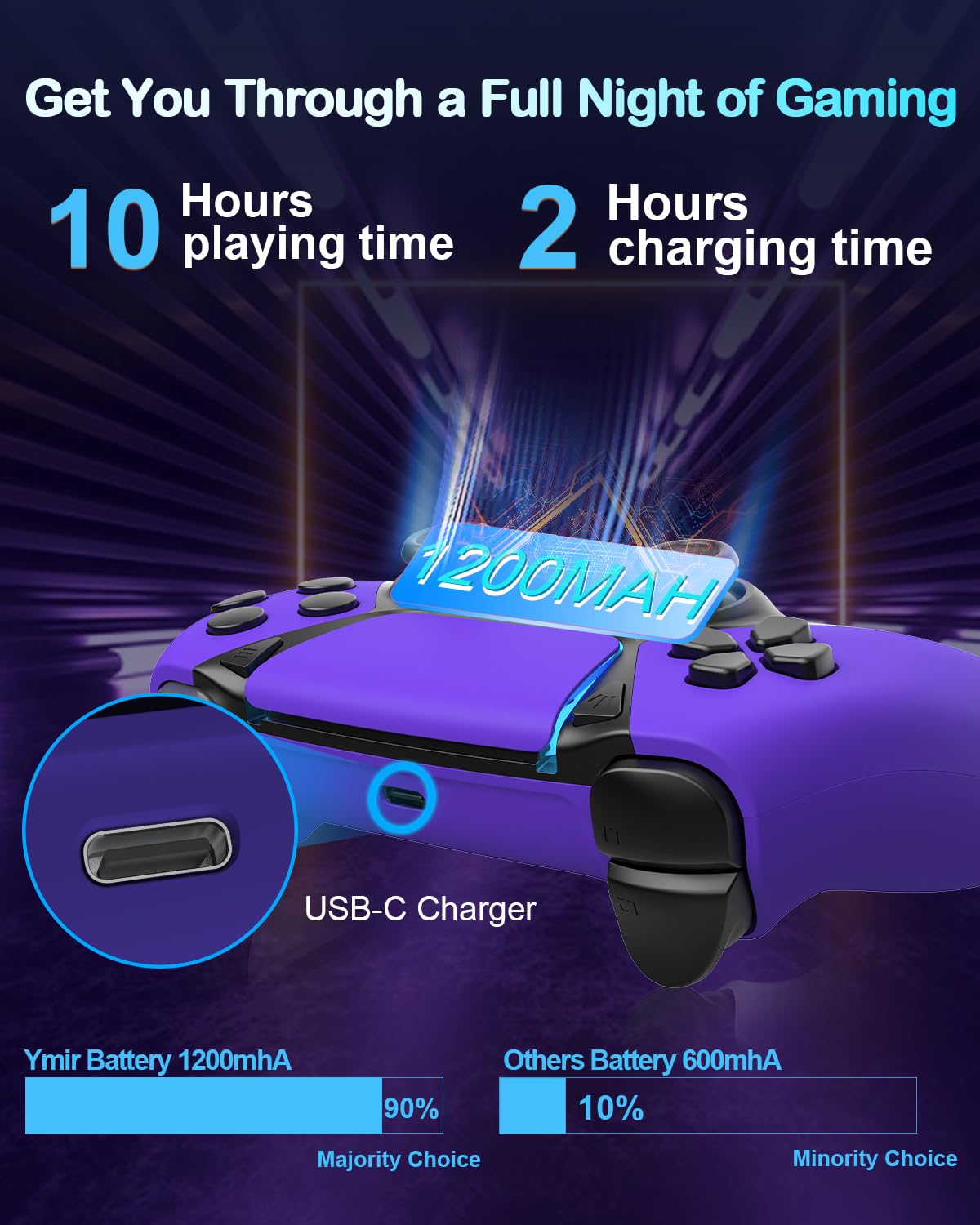
Image: Battery capacity and charging details for the Enstixsm Ymir controller.
Compatibility
The Enstixsm Ymir Wireless Gaming Controller offers extensive compatibility:
- Gaming Services: Luna, GeForce NOW.
- Consoles: PlayStation 4 (PS4), PlayStation 5 (PS5 - PS4 games only).
- PCs: Windows 7/8/10, Mac.
- Mobile Devices: iOS, Android phones and tablets.
- Streaming Devices: Fire TV, Apple TV.
Note: This controller is not compatible with Xbox or Nintendo Switch series.

Image: Multi-platform compatibility of the Enstixsm Ymir controller.
Troubleshooting
- Controller Not Pairing: Ensure the controller is fully charged. Re-attempt the pairing process as described in the "Setup and Pairing" section. If issues persist, try restarting both the controller and the device you are trying to pair with.
- Input Lag or Disconnections: Ensure the controller is within range of the device. Minimize interference from other wireless devices. If using with PC, ensure Bluetooth drivers are up to date.
- Stick Drift: The controller is designed with ALPS joysticks to minimize drift. If you experience stick drift, try resetting the controller by pressing the small reset button on the back (often requires a pin).
- Buttons Not Responding: Check if the controller is properly paired. If specific buttons are unresponsive, ensure no custom mappings (like back paddles or turbo) are interfering. Try resetting the controller.
Specifications
- Model: B0DWMSQ3S9
- Manufacturer: Enstixsm
- Item Weight: 4.8 ounces
- Product Dimensions: 4.5 x 2.5 x 6.5 inches
- Battery: 1200mAh (approx. 10 hours playtime, 2 hours charge time)
- Connectivity: Wireless (Bluetooth), USB-C
- Special Features: Programmable Back Paddles, Turbo Function, Dual Vibration, Six-Axis Gyroscopic Sensor, Touchpad, Audio Jack, Built-in Speaker.
Warranty and Support
Enstixsm offers a lifetime warranty for this product, guaranteeing its durability and performance. For any issues or support needs, please contact our dedicated US-based support team. We are committed to providing prompt and hassle-free resolutions to ensure 100% satisfaction. Please contact us before initiating a return if you encounter any problems.
Customer Service Email: gamepad@ioubang.com