
Xininyia B0DWMQHSRK
Magnetic Charging Cable for Senbono Smart Glasses
User Manual
Introduction
This manual provides detailed instructions for the safe and efficient use of your Xininyia Magnetic Charging Cable, designed specifically for Senbono Smart Glasses. Please read this manual thoroughly before using the product to ensure optimal performance and longevity.
What's in the Box
- 1 x Magnetic Charger
- 1 x USB Cable

Image: Contents of the package, showing the magnetic charging cable and its compatibility with smart glasses.
Key Features
- Efficient Fast Charging: Advanced fast charging technology with optimized circuit design for stable current and voltage output.
- Strong Magnetic Design: Built-in pure copper probe with solid magnetic power for secure adsorption to glasses.
- Short-Circuit Protection: Multiple protection mechanisms including short-circuit, over-voltage, and over-current protection to prevent battery damage.
- Stable and Durable: Constructed from ABS material and flexible PVC, tested for over 5000+ bends.
- Portable and Eco-Friendly: Lightweight and portable design with high-efficiency conversion circuit and low power standby mode.
Setup
Follow these steps to set up your magnetic charging cable:
- Identify the magnetic charging ports on your Senbono Smart Glasses. These are typically located on the temples of the glasses.
- Take the magnetic charging cable. Note that it features two magnetic charging heads and a standard USB-A connector.
- Align each magnetic charging head with the corresponding charging port on your smart glasses. The strong magnetic design will automatically snap the connectors into place. The cable is designed for 2-in-1 magnetic charging, meaning both charging ports on the glasses can be connected simultaneously without distinguishing between left and right.
- Insert the USB-A connector of the charging cable into a compatible USB power source, such as a wall adapter, computer USB port, or power bank.
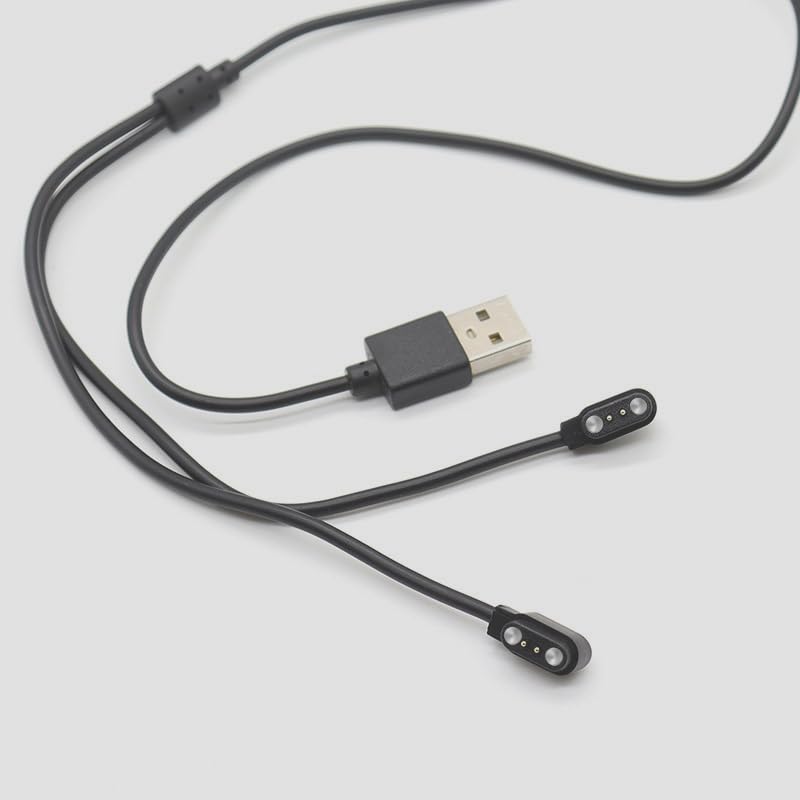
Image: The magnetic charging cable with its USB-A plug and two magnetic charging points.

Image: Illustrates the 2-in-1 magnetic charging capability, showing the cable connected to smart glasses.
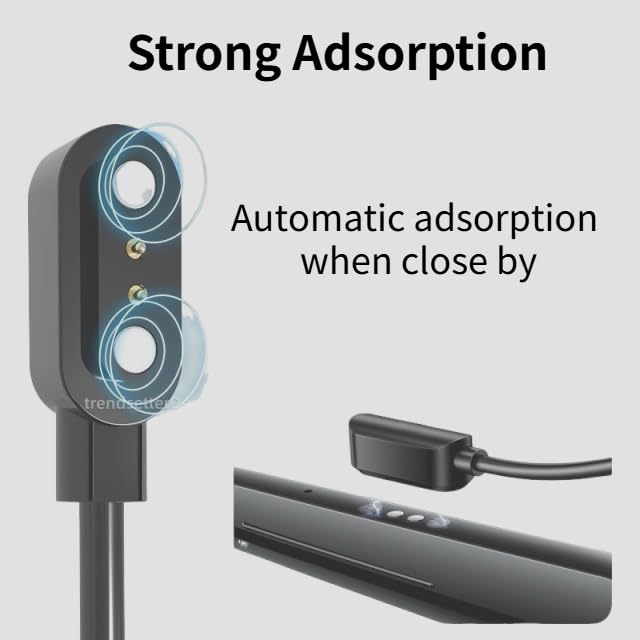
Image: Depicts the strong magnetic adsorption feature, ensuring a secure connection when the cable is brought close to the charging ports.
Operating
Once the cable is securely connected to both your smart glasses and a power source, the charging process will begin automatically. The smart glasses typically have an indicator light to show charging status.
- Ensure the power source is active.
- Monitor the charging indicator on your smart glasses.
- Disconnect the cable once charging is complete to conserve energy.
Maintenance
Proper maintenance will extend the life of your charging cable:
- Cleaning: Gently wipe the cable and magnetic connectors with a dry, soft cloth to remove dust or debris. Do not use liquid cleaners.
- Storage: Store the cable in a cool, dry place away from direct sunlight and extreme temperatures. Avoid tightly coiling or bending the cable sharply, especially near the connectors.
- Handling: Always pull from the plug, not the cable itself, when disconnecting from a power source or your smart glasses.
- Inspection: Periodically inspect the cable for any signs of damage, such as frayed wires or bent pins. Discontinue use if damage is observed.
Troubleshooting
| Problem | Possible Cause | Solution |
|---|---|---|
| Smart glasses not charging. |
|
|
| Slow charging. |
|
|
Specifications
| Feature | Detail |
|---|---|
| Brand | Xininyia |
| Model Number | B0DWMQHSRK |
| Connector Type | USB Type A |
| Compatible Devices | Smart Glasses (specifically Senbono Smart Glasses) |
| Cable Length | 60cm (approx. 23.6 inches) |
| Material | ABS + PC (connectors), Flexible PVC (cable) |
| Special Feature | Shock-resistant, Short-circuit protection, Over-voltage protection, Over-current protection |
| Color | Black |
| Total USB Ports | 1 (on the cable itself) |
| Power Source | DC |

Image: Detailed display of the cable's construction and materials, highlighting durability and charging efficiency.
Warranty and Support
For any product inquiries, technical support, or warranty information, please contact the manufacturer or seller directly through the platform where the product was purchased. Keep your purchase receipt as proof of purchase.
Ask a question about this manual
Ask about setup, troubleshooting, compatibility, parts, safety, or missing instructions. Manuals+ will review the question and use this page’s manual context to help answer it.