
Introduction
This manual provides essential information for the safe and effective use of your Generic Beetel F1N 1000 mAh Lithium-Ion battery. This battery is designed as a replacement for compatible Beetel GSM Fixed Wireless Landline Phones. Please read these instructions carefully before installation and use.
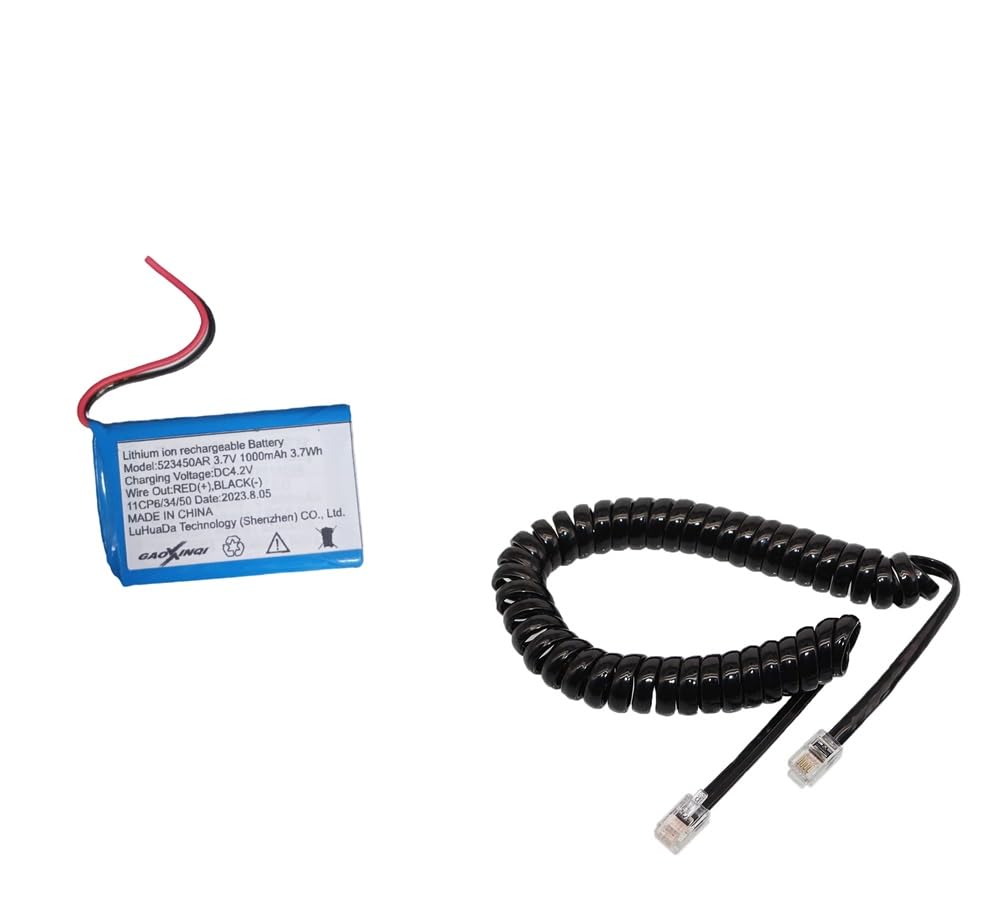
Image: Generic Beetel F1N 1000 mAh Lithium-Ion Battery. This image shows the compact rectangular battery with its connector wires.
Safety Instructions
To ensure safe operation and prevent damage, observe the following safety guidelines:
- Do not attempt to disassemble or service the battery.
- Do not crush, puncture, short external contacts, or dispose of in fire or water.
- Dispose of the battery properly according to local regulations.
- The battery may explode if incorrectly inserted.
- Do not expose to heat.
- Use only a good quality charger designed for Lithium-Ion batteries.
- Keep out of reach of children.

Image: The reverse side of the battery showing a label with printed safety and disposal instructions, including warnings against disassembly, crushing, puncturing, and exposure to heat.
Product Overview
This is a Lithium-Ion (Li-Ion) battery designed for specific Beetel GSM Fixed Wireless Landline Phone models. It provides a reliable power source for your device. Always verify the model number and capacity of your old battery to ensure compatibility before purchasing this replacement.
- Battery Type: Lithium-Ion
- Capacity: 1000 mAh (Milliampere-hour)
- Compatibility: Designed for Beetel F1N and other compatible GSM Fixed Wireless Landline Phones.
Setup and Installation
- Power Off Device: Before installing the new battery, ensure your Beetel GSM Fixed Wireless Landline Phone is completely powered off and disconnected from any power source.
- Locate Battery Compartment: Refer to your phone's original manual to locate and open the battery compartment. This is typically on the back of the phone.
- Remove Old Battery: Carefully remove the old battery. Note its orientation and connector type.
- Insert New Battery: Align the new Beetel F1N 1000 mAh battery with the battery compartment. Ensure the connector pins match the phone's battery terminal. Gently push the battery into place until it is securely seated.
- Close Compartment: Close the battery compartment cover securely.
- Initial Charge: It is recommended to fully charge the new battery before its first use.
Operating Instructions
Once installed, the battery powers your Beetel GSM Fixed Wireless Landline Phone. Follow these guidelines for optimal performance:
- Charging: Connect your phone to its original or a compatible high-quality charger. The phone's display will indicate charging status.
- First Use: For the first few charge cycles, allow the battery to fully charge and then discharge to about 20% before recharging. This helps calibrate the battery meter.
- Normal Use: You can charge the battery at any time. Modern Lithium-Ion batteries do not suffer from a "memory effect."
- Power On/Off: Use the phone's power button to turn the device on or off.
Maintenance
Proper maintenance can extend the life of your battery:
- Avoid Extreme Temperatures: Do not expose the battery to very high or very low temperatures, as this can degrade performance and shorten lifespan.
- Storage: If storing the battery for an extended period, charge it to about 50-60% and store it in a cool, dry place. Recharge it every few months to prevent deep discharge.
- Cleaning: Keep the battery contacts clean. If necessary, gently wipe them with a dry, soft cloth.
- Use Compatible Chargers: Always use the charger recommended by the phone manufacturer or a high-quality, compatible charger.
Troubleshooting
| Problem | Possible Cause | Solution |
|---|---|---|
| Battery not charging |
|
|
| Short battery life |
|
|
| Phone not powering on |
|
|
Specifications
| Model Name | BEETEL F1N 1000 MAH Battery |
| Battery Type | Lithium Ion |
| Capacity | 1000 Milliamp Hours (mAh) |
| Voltage | 4.2 Volts (Operating) |
| Weight | 40 Grams |
| Dimensions (L x W x H) | 50 x 30 x 50 Millimeters (Approximate) |
| Compatible Phone Models | BEETEL GSM Fixed Wireless Landline Phone (F1N and compatible models) |
| Country of Origin | India |
Warranty Information
This product comes with a 30-day warranty from the date of purchase. The warranty covers manufacturing defects. It does not cover damage caused by misuse, improper installation, accidents, or unauthorized repairs. Please retain your proof of purchase for warranty claims.
Support
For technical assistance or warranty claims, please contact the manufacturer:
- Manufacturer: PC CARE SOLUTIONS
- Contact Number: 9629276744
- Location: Madurai
When contacting support, please have your product model number and purchase details ready.