
1. Introduction
The Generic XY-L30A Digital Full Charge Control Module is designed to provide intelligent overcharge protection for batteries within a 6-60V range. This module automatically controls the charging process, switching off the power supply once the battery reaches its full charge voltage, thereby preventing overcharging and extending battery life. It features a digital display for easy monitoring and configuration of voltage parameters.
2. Key Features
- Wide Voltage Range: Supports battery charging from 6V to 60V.
- Digital Display: Provides real-time voltage monitoring.
- Adjustable Parameters: User-configurable start and stop charging voltages.
- Overcharge Protection: Automatically disconnects charging when the set voltage is reached.
- Relay Control: Utilizes a robust relay for power switching.
3. Safety Precautions
- Always ensure correct polarity when connecting the battery and power supply. Incorrect connections can damage the module or battery.
- Do not exceed the specified voltage and current ratings of the module.
- Handle the module with care to avoid electrostatic discharge.
- Ensure all connections are secure to prevent loose contacts and potential hazards.
- Keep the module away from moisture, dust, and extreme temperatures.
4. Product Overview
The XY-L30A module consists of a control board with a digital display, three control buttons (UP, DOWN, SET), and a power relay for switching the charging circuit. Connection terminals are provided for the input power supply and the battery.
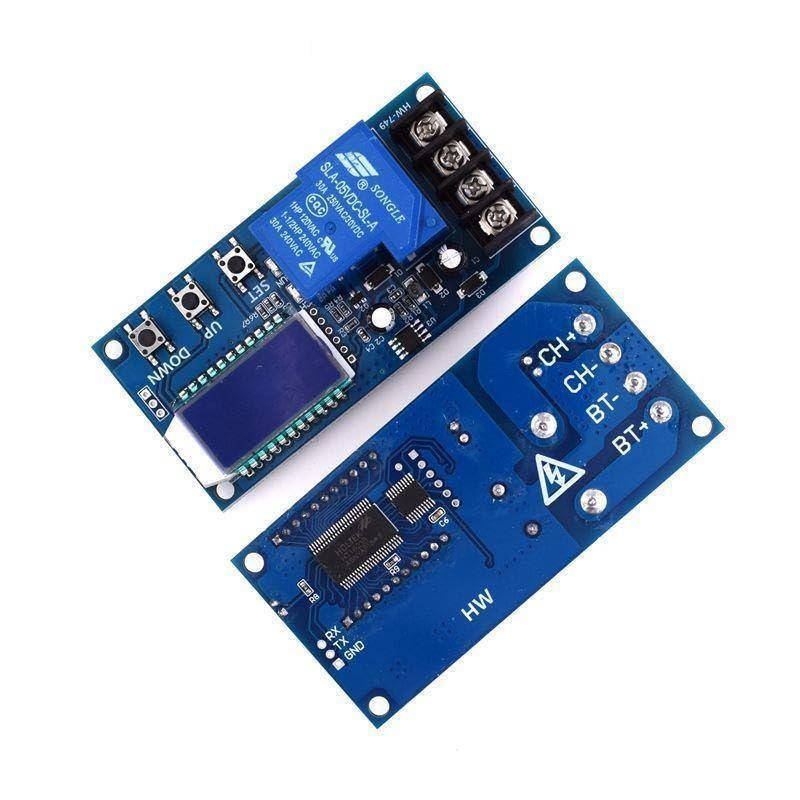
Figure 1: Overall view of the XY-L30A module, displaying both the top side with the relay, display, and buttons, and the bottom side with connection points.
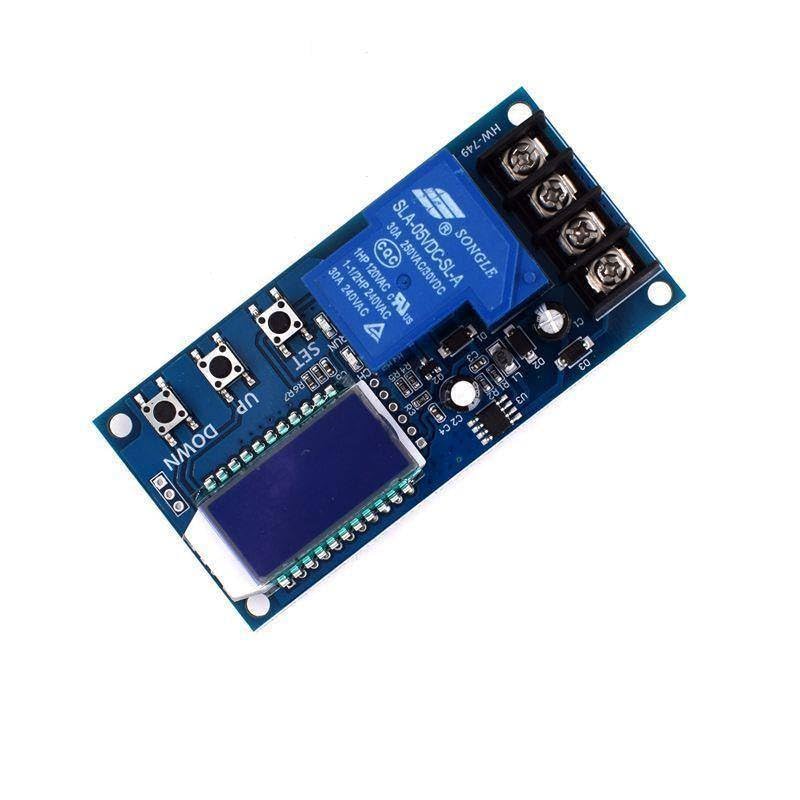
Figure 2: Top view of the module, highlighting the digital display, 'UP', 'DOWN', and 'SET' buttons, and the blue Songle relay.
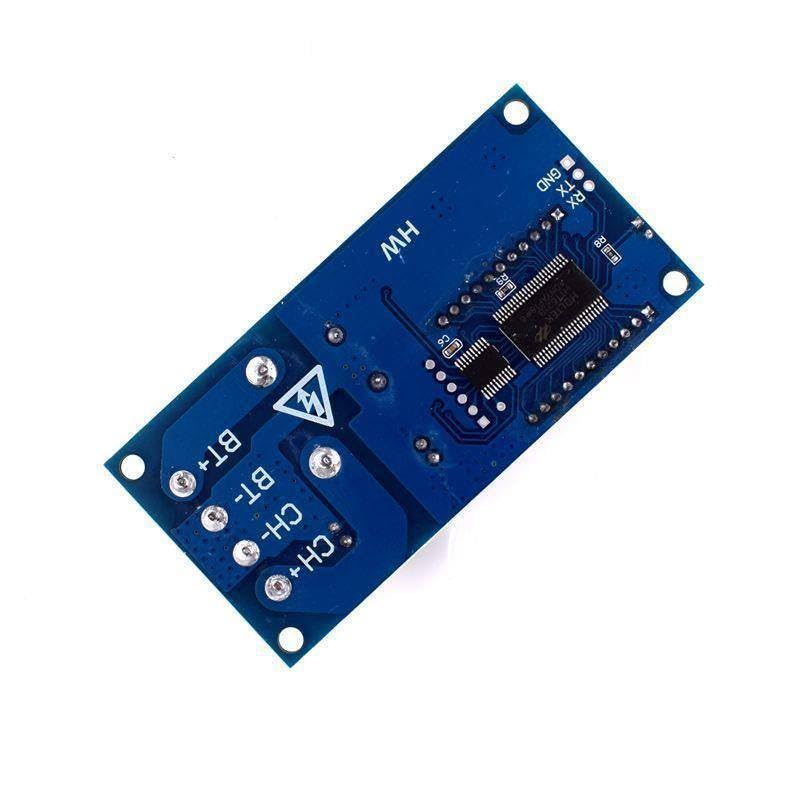
Figure 3: Bottom view of the module, showing the 'CH+', 'CH-', 'BT+', 'BT-' terminals for charger and battery connections, and the 'HW' marking.
5. Setup and Wiring
Proper wiring is crucial for the safe and effective operation of the XY-L30A module. Refer to the images for visual guidance on terminal locations.
- Identify Terminals: The module has two sets of screw terminals:
- CH+ / CH-: These are for connecting the charger or input power supply.
- BT+ / BT-: These are for connecting the battery to be charged.
- Connect Power Supply: Connect your DC power supply (charger) to the CH+ (positive) and CH- (negative) terminals. Ensure the voltage of your power supply is appropriate for your battery and within the module's operating range (6-60V).
- Connect Battery: Connect the battery to be charged to the BT+ (positive) and BT- (negative) terminals.
- Verify Connections: Double-check all connections for correct polarity and secure fastening before applying power.
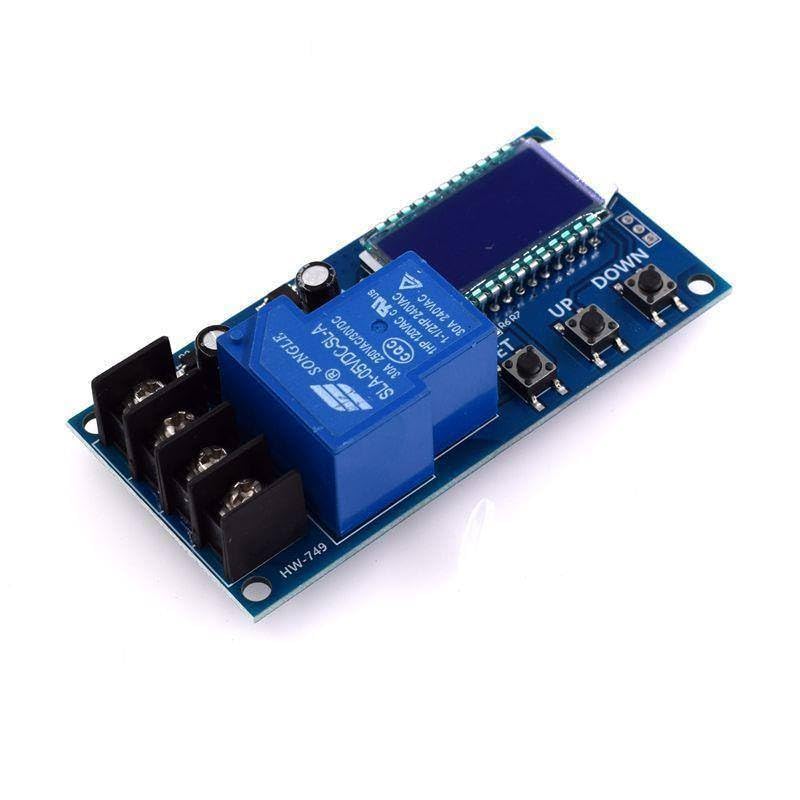
Figure 4: Close-up view of the module's relay and the screw terminals, indicating where charger and battery connections are made.
6. Operating Instructions
The XY-L30A module allows you to set the desired start and stop charging voltages using the onboard buttons.
6.1. Setting Voltage Parameters
- Power On: Connect the module as described in Section 5. The digital display will show the current battery voltage.
- Set Start Charging Voltage (Lower Limit):
- Press and hold the SET button until the display flashes.
- Press the UP or DOWN buttons to adjust the desired minimum voltage at which charging should begin.
- Press SET again to confirm and move to the next parameter.
- Set Stop Charging Voltage (Upper Limit):
- After setting the start voltage, the display will flash again.
- Press the UP or DOWN buttons to adjust the desired maximum voltage at which charging should stop.
- Press SET one more time to save all settings and exit the configuration mode.
The module will now automatically control the charging process based on your set voltage limits. When the battery voltage drops below the start charging voltage, the relay will activate, allowing current to flow from the charger to the battery. When the battery voltage reaches the stop charging voltage, the relay will deactivate, cutting off the charging current.
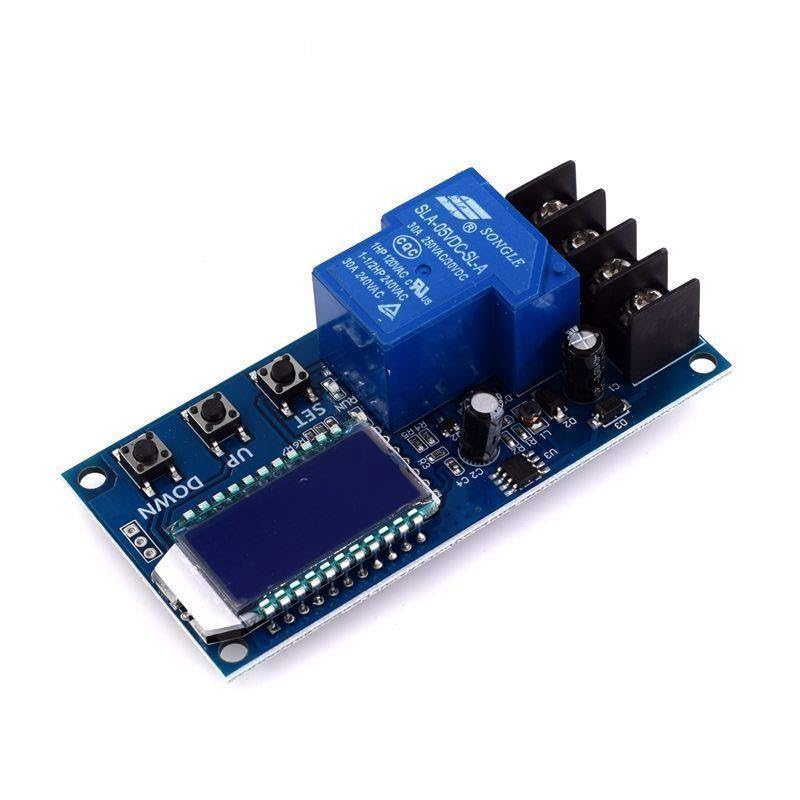
Figure 5: Angled view of the module, clearly showing the digital display and the 'UP', 'DOWN', and 'SET' buttons used for configuration.
6.2. Display Modes
In normal operation, the digital display continuously shows the current battery voltage. During configuration, it will show the voltage parameters being adjusted.
7. Maintenance
- Cleaning: Periodically clean the module with a soft, dry cloth to remove dust. Do not use liquids or abrasive cleaners.
- Inspection: Regularly inspect all wiring connections to ensure they are secure and free from corrosion or damage.
- Environment: Ensure the module is operated in a clean, dry environment within its specified temperature range.
8. Troubleshooting
- Module Not Powering On:
- Check the input power supply (CH+ / CH-) for correct voltage and polarity.
- Ensure connections are secure.
- Battery Not Charging:
- Verify that the current battery voltage is below the set start charging voltage.
- Check the charger output and battery connections (BT+ / BT-).
- Ensure the relay is clicking when the voltage drops below the start threshold.
- Battery Overcharging:
- Recheck the set stop charging voltage. It might be set too high.
- Ensure the relay is disengaging when the stop voltage is reached. If not, the relay might be faulty.
- Inaccurate Voltage Reading:
- Ensure good contact at all terminals.
- Compare the module's reading with a calibrated multimeter.
9. Specifications
| Parameter | Value |
|---|---|
| Model | XY-L30A |
| Input Voltage Range | DC 6V - 60V |
| Output Voltage | Equal to Battery Voltage (controlled by relay) |
| Control Type | Voltage Detection with Relay Switching |
| Relay Model | SLA-05VDC-SL-A |
| Relay Contact Rating | 30A 250VAC / 30A 30VDC |
| Display Type | Digital LED |
10. Warranty and Support
For warranty information or technical support regarding your Generic XY-L30A Digital Full Charge Control Module, please refer to the purchase documentation or contact the seller directly. Ensure you have your purchase details and model number (XY-L30A) available when seeking support.


