
Introduction
Thank you for choosing the Yilezena Portable Automatic Mahjong Table. This manual provides essential information for the proper setup, operation, and maintenance of your automatic mahjong table. Please read these instructions carefully before use to ensure optimal performance and longevity of the product.

Image: The Yilezena Portable Automatic Mahjong Table in its compact, folded configuration, showcasing its portability.
Safety Information
- Avoid using the mahjong table in rainy conditions or environments where it may be exposed to water.
- Ensure the power adapter and cables are free from damage before connecting.
- Keep the device away from direct heat sources and open flames.
- Do not attempt to disassemble or repair the unit yourself. Contact customer support for assistance.
Package Contents
Please verify that all items listed below are included in your package:
- Mahjong machine body and storage bag
- 144 pieces of Mahjong tiles
- 4 pieces of Mahjong rulers
- Type-C power cable (for connection to mobile power banks)
- 12V power adapter
Setup Instructions
- Unfolding the Table: Place the folded mahjong table on a stable, flat surface. Carefully unlatch the side clips and unfold the table until it lies flat and secure.
- Power Connection:
- Locate the power input port on the side of the table.
- Connect the provided 12V power adapter to the table and then to a standard electrical outlet.
- Alternatively, for portable use, connect the Type-C power cable to the table and a compatible 20000mAh (or higher) power bank.

Image: The mahjong table's charging port connected to an external power bank for portable operation.

Image: Detailed view of the power switch and the 12V DC input port on the side of the mahjong table.
- Initial Power On: Flip the power switch to the 'ON' position. The display on the central shuffling mechanism should illuminate, indicating the table is ready for use.
- Tile Placement: Place the mahjong tiles into the designated slots around the central shuffling area. Ensure tiles are placed face down.
Operating Instructions
- Automatic Shuffling: Once tiles are placed in the central area, the table will automatically shuffle them. The shuffling process is initiated by pressing the central button or by placing a stack of tiles into the center.
- Center Deal: After shuffling, the table will automatically distribute tiles to the players from the center. This ensures fair and random tile distribution.
- Player Modes: The table supports 2, 3, or 4 players. Adjust the player mode settings using the controls on the central panel to match the number of participants.
- Adjustable Tile Counts: The system allows for customization of tile counts, accommodating various Mahjong rule sets, including both American and Chinese Mahjong rules. Refer to the central panel controls for specific adjustments.

Image: A user placing mahjong tiles into the central area for automatic shuffling.
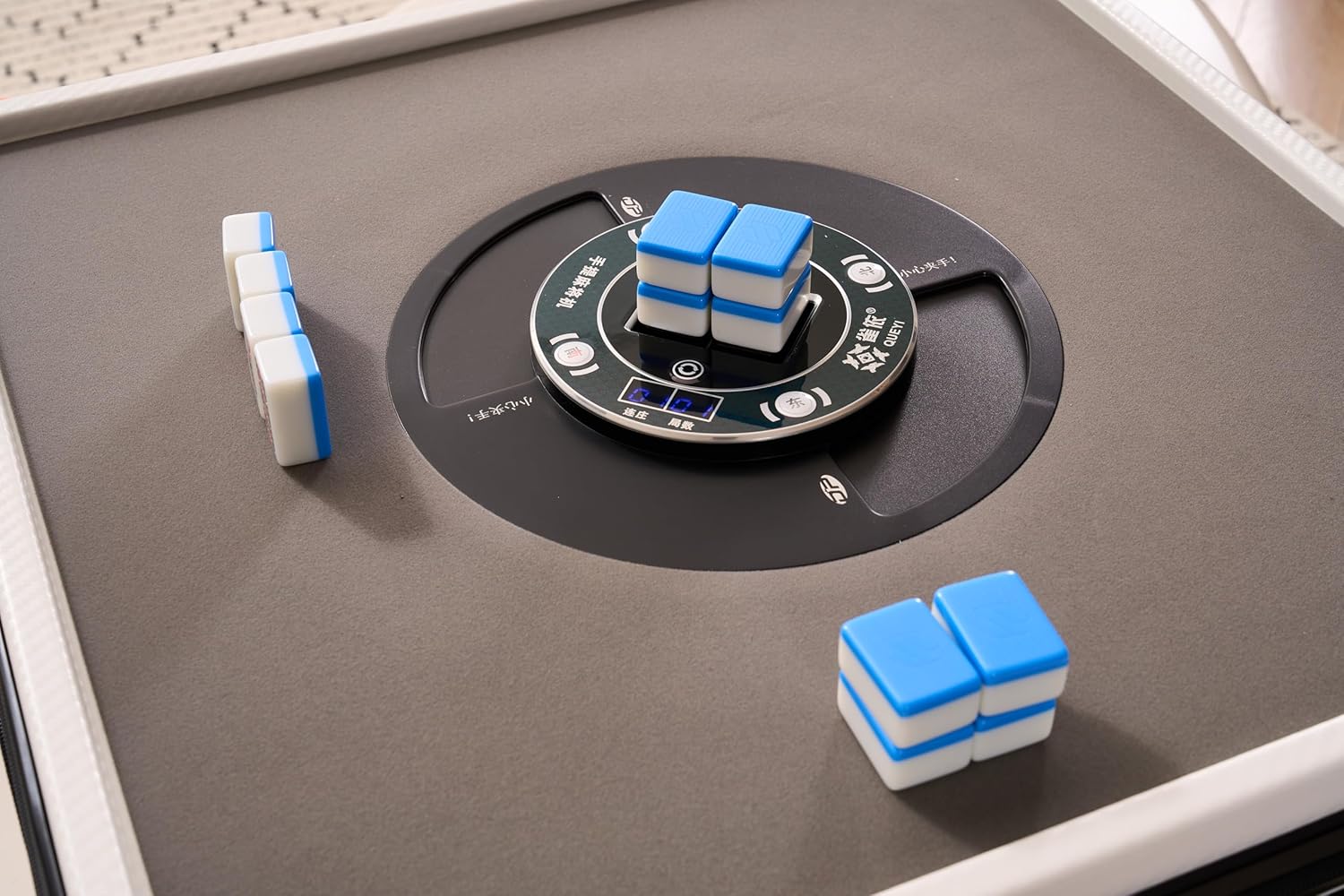
Image: Detailed view of the automatic shuffling mechanism in action, preparing tiles for distribution.

Image: The mahjong table fully set up with tiles arranged for a game, demonstrating the automatic distribution.
Maintenance
- Cleaning: Use a soft, dry cloth to wipe down the table surface and tiles. Avoid abrasive cleaners or solvents that could damage the finish. For stubborn dirt, a slightly damp cloth can be used, followed by immediate drying.
- Storage: When not in use, fold the table and store it in its provided storage bag in a cool, dry place.
- Battery Care (if using power bank): If powering the table with a power bank, ensure the power bank is charged according to its manufacturer's instructions. Disconnect the power bank when the table is not in use for extended periods.
Troubleshooting
| Problem | Possible Cause | Solution |
|---|---|---|
| Table does not power on | Power cable not connected; Power switch off; Power source issue | Ensure power cable is securely connected. Flip power switch to 'ON'. Verify power outlet or power bank is functional. |
| Tiles not shuffling correctly | Tiles improperly placed; Obstruction in shuffling mechanism | Ensure tiles are placed face down and correctly aligned in the slots. Check for any foreign objects in the shuffling area. |
| Tiles not distributing evenly | Incorrect player mode selected; Mechanism obstruction | Verify the correct player mode (2/3/4 players) is selected on the control panel. Inspect the distribution paths for obstructions. |
Specifications
- Brand: Yilezena
- Model: Portable Automatic Mahjong Table
- ASIN: B0DWK9SDHG
- Item Weight: 15 pounds
- Manufacturer: Yilezena
- Recommended Age: 18 months and up
- Power Source: 12V DC adapter or 20000mAh (min) power bank via Type-C cable
- Battery Life (with 20000mAh power bank): Up to 10 hours of continuous gameplay

Image: Diagram illustrating the dimensions of the mahjong table when folded and in use.

Image: Diagram detailing the dimensions of the included mahjong tiles.


