
Frigidaire GCFG3661AF
Frigidaire Gallery 36 in. 6-Burner Slide-in Gas Range User Manual
Model: GCFG3661AF
Introduction
This manual provides essential information for the safe and efficient operation, installation, and maintenance of your new Frigidaire Gallery 36-inch 6-Burner Slide-in Gas Range. Please read all instructions carefully before using your appliance to ensure proper function and to prevent potential hazards.
Your Frigidaire Gallery Gas Range is designed to offer versatile cooking options, including Total Convection, Air Fry, Steam Bake, and Slow Cook, along with a powerful 6-burner cooktop. Familiarize yourself with all features and controls for optimal performance.
Important Safety Information
Always follow basic safety precautions when using this appliance to reduce the risk of fire, electric shock, or injury to persons.
- Read all instructions before using the appliance.
- Ensure proper installation and grounding by a qualified installer.
- Do not store flammable materials in or near the appliance.
- Never use the appliance for warming or heating the room.
- Do not leave children unattended near the range.
- Always use dry potholders. Moist or damp potholders on hot surfaces may result in burns from steam.
- Do not touch heating elements or interior surfaces of the oven.
- Proper ventilation is required.
Setup and Installation
Proper installation is crucial for the safe and efficient operation of your gas range. It is recommended that installation be performed by a qualified installer.
Unpacking the Range
Carefully remove all packaging materials, tape, and protective films from the range before use. Retain packaging for future transport if needed.
Location Requirements
Ensure the installation area meets local codes and ordinances. The range requires adequate clearance from combustible materials. Refer to the installation guide for specific dimensions.

Image: The Frigidaire Gallery Gas Range seamlessly integrated into a kitchen with grey cabinetry and a light-colored countertop, demonstrating typical installation appearance.

Image: A diagram illustrating the key dimensions of the Frigidaire Gallery Gas Range, including height (35 3/4"), depth (27 5/8"), and width (35 7/8"), essential for proper installation planning.
Gas and Electrical Connections
This appliance must be connected to the proper gas supply and electrical outlet as specified in the full installation instructions. All connections must comply with local codes and be performed by a qualified technician.
- Gas Supply: Ensure the gas supply line is properly sized and connected. Check for leaks using a non-corrosive leak detection fluid.
- Electrical Supply: The range requires a properly grounded electrical outlet. Refer to the rating plate for voltage and amperage requirements.
Operating Instructions
Control Panel Overview
The control panel features a digital display and intuitive knobs for selecting cooking functions and temperatures.

Image: A full front view of the Frigidaire Gallery Gas Range, highlighting the central digital display and the six control knobs for the burners and oven functions.

Image: A close-up view of the control knobs on the Frigidaire Gallery Gas Range, showing the illuminated backlit LED feature, which indicates when a burner is active.
Using the Cooktop Burners
Your range is equipped with six sealed gas burners. Each burner has a corresponding control knob. To ignite a burner, push in and turn the knob to the LITE position. Once ignited, adjust the flame size by turning the knob between HIGH and LOW settings.
- High: For rapid boiling, frying, or searing.
- Medium: For sautéing, simmering, or slow boiling.
- Low: For delicate simmering or keeping food warm.
Oven Functions
The oven offers multiple cooking modes for various culinary needs.
- Bake: For general baking of cakes, cookies, and casseroles.
- Broil: For grilling and browning food quickly.
- Roast: For cooking meats and poultry.
- Total Convection: Utilizes a powerful convection fan and heating element for faster, more even cooking. Ideal for multi-rack baking and roasting.
- Air Fry: A specialized convection mode that circulates hot air rapidly for crispy results with little to no oil.
- Steam Bake: Introduces steam into the oven cavity during baking, resulting in moister baked goods with a crispier crust.
- Slow Cook: Cooks food at very low temperatures (as low as 100°F) over an extended period, perfect for tenderizing meats and stews.
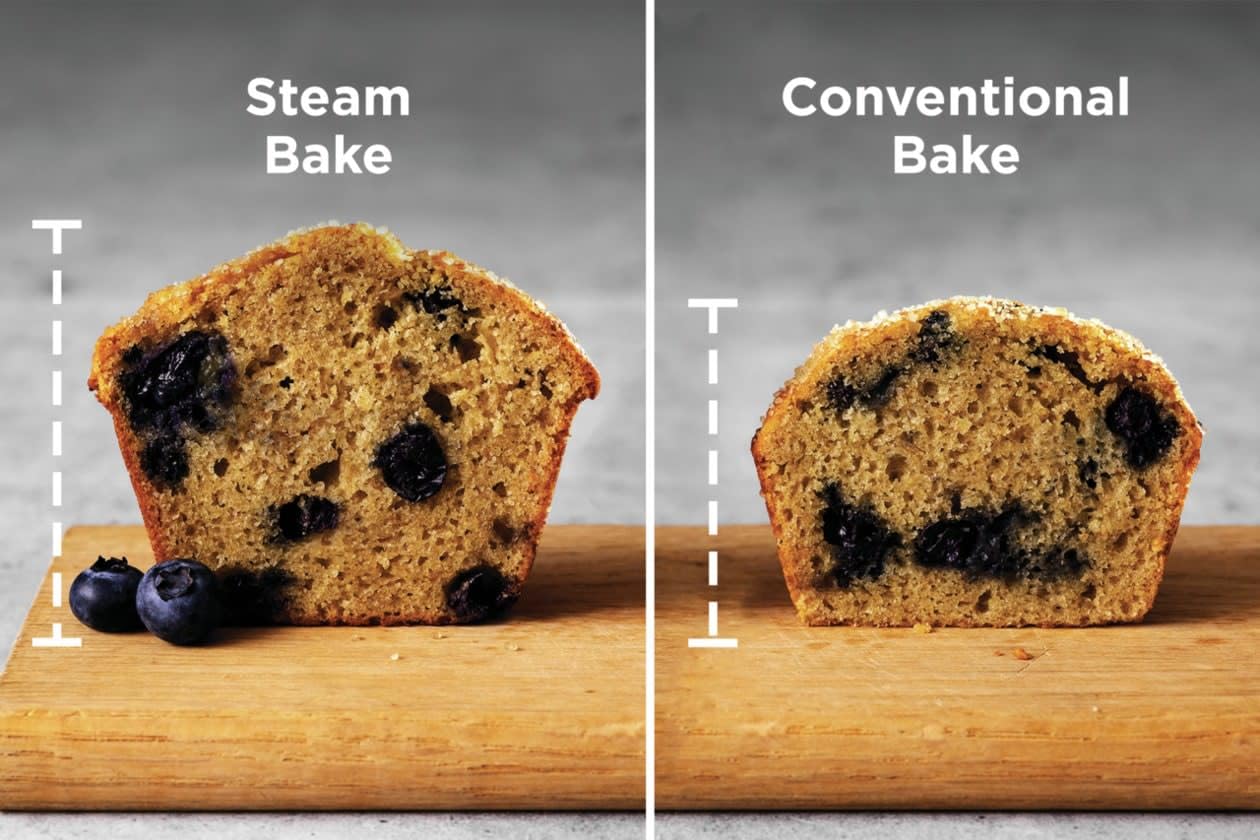
Image: A visual comparison showing a muffin baked with Steam Bake on the left, appearing taller and moister, versus a muffin baked with Conventional Bake on the right, demonstrating the benefits of steam baking.

Image: An illustration of the Slow Cook function, showing a pot of stew cooking in the oven at a low temperature, with an inset image of a pulled pork sandwich, highlighting the tender results achievable.
Using the Temperature Probe
The integrated temperature probe allows for precise cooking by monitoring the internal temperature of food. Insert the probe into the thickest part of the meat, avoiding bone. Connect the probe to the oven's jack, and the oven will automatically switch to a Keep Warm setting or turn off once the desired internal temperature is reached.
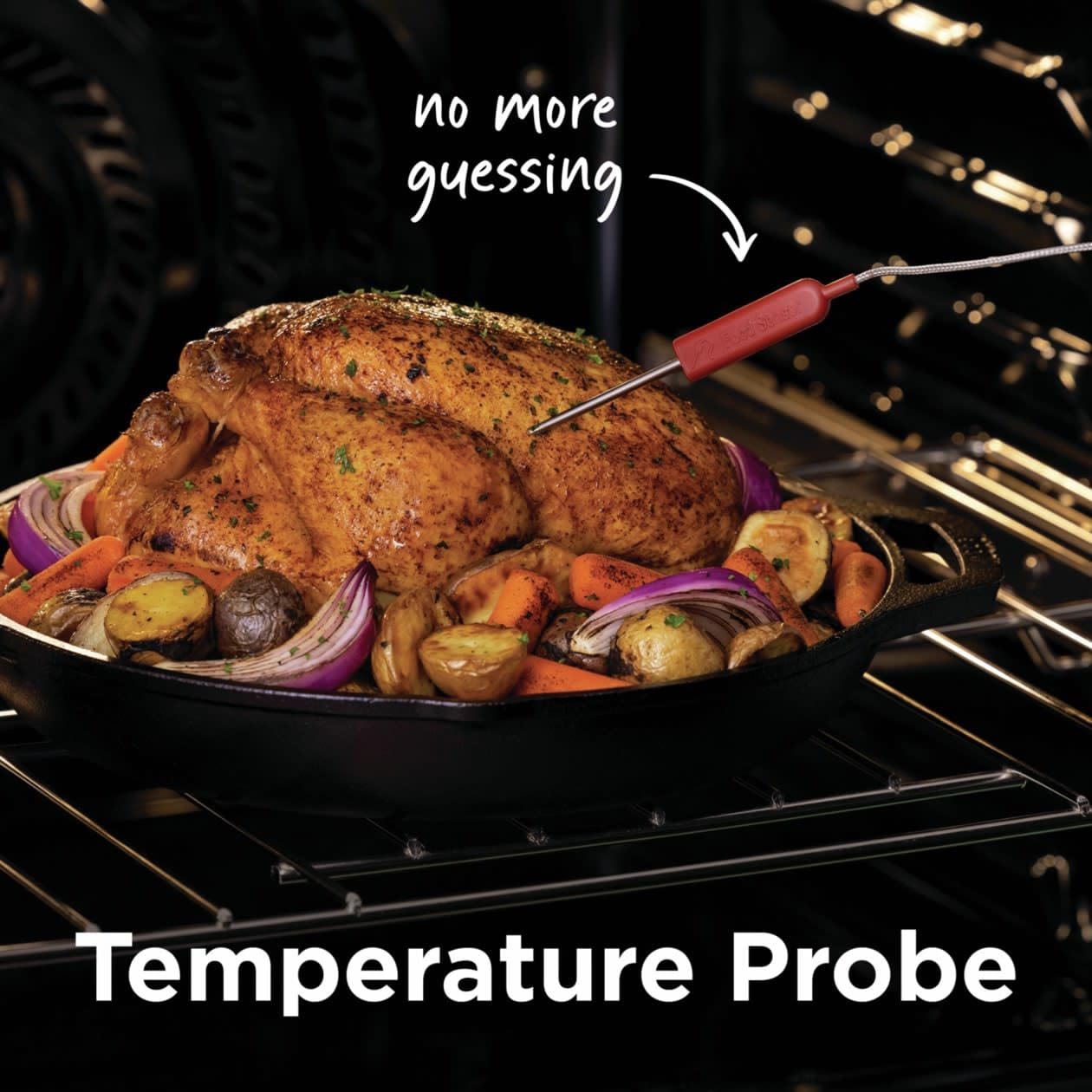
Image: A temperature probe inserted into a roasted chicken inside the oven, with text indicating "no more guessing," emphasizing the precision cooking benefit.
Maintenance and Cleaning
Regular cleaning and maintenance will ensure the longevity and optimal performance of your Frigidaire Gallery Gas Range.
Cooktop Cleaning
- Allow burners and grates to cool completely before cleaning.
- Remove grates and burner caps. Wash with warm, soapy water.
- Wipe the stainless steel surface with a damp cloth and mild detergent. For stubborn stains, use a non-abrasive stainless steel cleaner.
- Do not use abrasive cleaners, steel wool, or harsh chemicals.
Oven Cleaning
The oven cavity can be cleaned manually or by using the self-clean cycle if available (refer to your specific model's features).

Image: The oven door of the Frigidaire Gallery Gas Range is open, revealing the spacious interior with multiple rack positions and an air fry basket, demonstrating accessibility for cleaning.
- For manual cleaning, use warm, soapy water and a soft cloth.
- Remove oven racks before cleaning.
- For self-cleaning models, follow the instructions in the full manual for activating the self-clean cycle. Ensure the kitchen is well-ventilated during this process.
Troubleshooting
Before calling for service, review the following common issues and their solutions.
| Problem | Possible Cause | Solution |
|---|---|---|
| Burner not igniting | Gas supply off; burner ports clogged; igniter wet or dirty. | Check gas valve; clean burner ports with a small wire; ensure igniter is dry and clean. |
| Oven not heating | Power outage; oven controls set incorrectly; gas supply off. | Check circuit breaker; ensure correct mode and temperature are selected; verify gas supply. |
| Uneven baking | Improper rack position; pan size/type; oven not preheated. | Use recommended rack positions; ensure proper pan size; allow oven to fully preheat. |
| Odor during first use | New appliance "burn-in" smell. | This is normal. Run the oven at 350°F for 30 minutes before first use to dissipate odors. Ensure good ventilation. |
Specifications
| Feature | Detail |
|---|---|
| Brand | Frigidaire |
| Model Name | GCFG3661AF |
| Item Model Number | 327900514 |
| Product Dimensions (W x D x H) | 35.88 x 25.88 x 35.75 inches |
| Item Weight | 255 Pounds |
| Finish Type | Stainless Steel |
| Form Factor | Slide-In |
| Number of Burners | 6 |
| Oven Features | Total Convection, Air Fry, Steam Bake, Slow Cook, Temperature Probe |
| Drawer Type | Storage |
Warranty and Customer Support
Your Frigidaire Gallery Gas Range comes with a limited warranty. Please refer to the warranty card included with your appliance for specific terms and conditions. For technical assistance, parts, or service, please contact Frigidaire Customer Support.
Frigidaire Customer Support:
- Website: www.frigidaire.com
- Phone: Refer to your warranty documentation for regional contact numbers.