
Kidcia B0DWJM13XZ
Kidcia 1:14 All Terrain High-Speed 4WD RC Truck Instruction Manual
Model: B0DWJM13XZ
Introduction
Welcome to the instruction manual for your new Kidcia 1:14 All Terrain High-Speed 4WD RC Truck. This powerful remote control vehicle is designed for thrilling off-road adventures, reaching speeds of over 50 KPH. Equipped with a robust 4WD system, metal shock absorbers, and durable components, it's built to conquer various terrains including mud, snow, sand, and grass. This manual provides essential information for setup, operation, maintenance, and troubleshooting to ensure you get the most out of your RC truck.

Image: The Kidcia 1:14 All Terrain High-Speed 4WD RC Truck, its remote control, and two rechargeable batteries.
What's in the Box
Please verify that all components listed below are included in your package:
- RC Car
- Remote Control
- 2 x 7.4V 2000 mAh Rechargeable Batteries
- Charging Line (USB)
- 2 x Screwdrivers
- 4 x Body Clips
- Instruction Manual

Image: A visual representation of the package contents, including the RC car, remote, batteries, charging cable, tools, and manual.
Setup
1. Battery Charging and Installation
- The RC car uses a 7.4V Lithium-ion rechargeable battery. Two such batteries are included.
- Before charging, remove the rechargeable battery from the car.
- Use only the original or matching charger (a 5V 2A or 5V 1A adapter is recommended).
- Charge the battery in a dry, ventilated, clean place.
- Do not disassemble or discard used batteries.
- Do not allow children under 14 years to charge batteries unsupervised.
- Once charged, carefully install the battery into the designated compartment on the RC car. Ensure the connection is secure.
2. Remote Control Setup
- The remote control requires three 1.5V AA batteries (not included). Install them according to the polarity markings inside the battery compartment.
- Ensure the remote control is powered on.
- The 2.4GHz remote control provides a long-distance range of up to 850 feet.
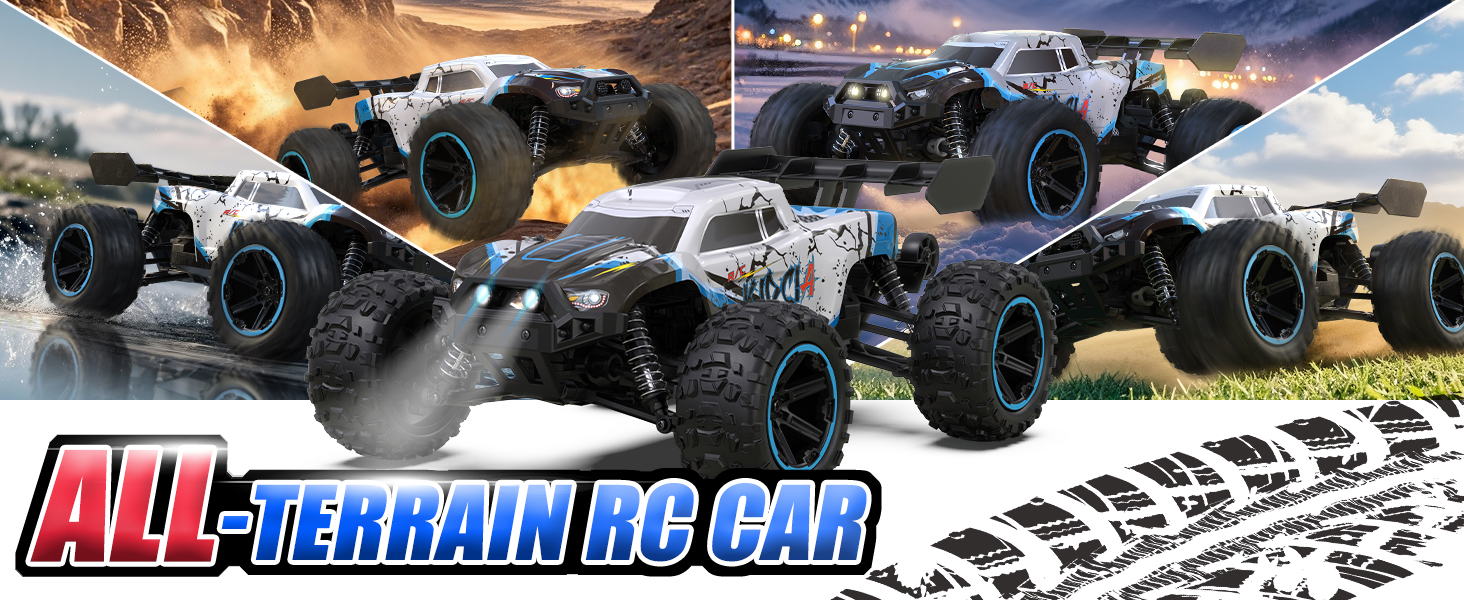
Image: A detailed diagram illustrating the various controls and functions on the 2.4GHz remote control.
Operating Instructions
Basic Controls
- Throttle Trigger: Pull to accelerate forward, push to brake/reverse.
- Steering Wheel: Rotate left or right to steer the vehicle.
Speed Adjustment
The RC truck features progressive speed adjustment. Rotate the "TH.D/R" (Throttle Dual Rate) knob on the remote control to finely adjust the speed from slow driving for beginners to extreme high speed for experienced users. This allows for versatile control across all skill levels.

Image: Visual demonstration of the progressive speed adjustment, illustrating how the "TH.D/R" knob on the remote controls the car's speed from 0% to 100% throttle.
All-Terrain Performance
This 4WD RC truck is engineered for all-terrain capability. Its metal shock absorbers adjust spring tension for optimal traction and suspension travel, minimizing shaking at high speeds. The upgraded PVC body provides enhanced collision resistance, while wider, wear-resistant large casters allow the truck to easily navigate mud, snow, sand, grass, and uneven roads.

Image: The RC truck demonstrating its all-terrain capabilities on various surfaces including sand, wet ground, grass, and snow.
Video: An official product video showcasing the All Terrain High Speed RC Truck in action, demonstrating its speed, durability, and ability to handle various environments.
Maintenance
Cleaning
- After each use, especially in dirty or wet conditions, clean the RC car to remove dirt, mud, and debris.
- Use a soft brush or cloth to clean the chassis, wheels, and body.
- Avoid using excessive water directly on electronic components.
Storage
- Store the RC car and remote control in a cool, dry place away from direct sunlight and extreme temperatures.
- For long-term storage, it is recommended to keep the batteries at approximately 50% charge.
- Remove batteries from the remote control if not in use for extended periods.

Image: A table outlining important battery usage precautions, including guidelines for use, storage, and safety warnings.
Troubleshooting
| Problem | Possible Cause | Solution |
|---|---|---|
| Vehicle Stops Working |
|
|
| Car Works, but Poor/No Steering |
|
|
| Incapable of Connection/Short Control Range |
|
|
| Battery with Short Life |
|
|
| Battery Not Charging |
|
|
| Loud Noise |
|
|
| Battery and ESC Connection Can't Be Pulled Out |
|
|

Image: Troubleshooting guide, Part 1, addressing issues like vehicle stopping, poor steering, and connection problems.

Image: Troubleshooting guide, Part 2, covering battery life and charging issues, as well as loud noises.

Image: Troubleshooting guide, Part 3, addressing missing parts, part replacement, and battery/ESC connection issues.
Specifications
| Feature | Detail |
|---|---|
| Scale | 1:14 |
| Drive System | 4WD (Four-Wheel Drive) |
| Motor | RC 390 Motor |
| Max Speed | 50+ KPH (Kilometers Per Hour) |
| Batteries | 2 x 7.4V 2000 mAh Lithium Ion (included) |
| Runtime | Up to 60 minutes (depending on operation) |
| Remote Control Frequency | 2.4GHz |
| Control Range | Up to 850 FT (Feet) |
| Shock Absorbers | Metal |
| Body Material | Upgraded PVC |
| Product Dimensions | 13.78 x 10.24 x 6.69 inches |
| Item Weight | 4.22 pounds |
| Recommended Age | 8 years and up |

Image: A view of the professional-grade chassis, detailing key internal components like the motor, servo, battery, and ESC.

Image: Detailed views of the RC car's sturdy system components, including durable shock absorbers, thick bumper, and rear balance wheel.
Warranty and Support
Each Kidcia RC truck is thoroughly inspected to ensure it is fully equipped before leaving the factory. If you have any questions, require assistance with missing parts, or need to purchase accessories, please feel free to contact us. Some spare parts are available for purchase on Amazon.
For further support, please refer to the contact information provided with your purchase or visit the official Kidcia store on Amazon.
Ask a question about this manual
Ask about setup, troubleshooting, compatibility, parts, safety, or missing instructions. Manuals+ will review the question and use this page’s manual context to help answer it.