
LG MSER1590S
LG MSER1590S 1.5 Cu. Ft. Stainless Countertop Microwave
User Manual
Model: MSER1590S | Brand: LG
Introduction
This manual provides detailed instructions for the safe and efficient operation of your LG MSER1590S 1.5 Cu. Ft. Stainless Countertop Microwave. Please read this manual thoroughly before using your appliance and retain it for future reference.
Your new microwave features SmoothTouch Controls for intuitive operation, a NeoChef Smart Inverter for precise cooking, and an EasyClean Interior for convenient maintenance. It also includes a Child Lock for enhanced safety.
Important Safety Information
To reduce the risk of fire, electric shock, injury to persons, or exposure to excessive microwave energy when using your appliance, follow basic safety precautions, including the following:
- Read all instructions before using the appliance.
- Do not operate the oven if it has a damaged cord or plug, if it is not working properly, or if it has been damaged or dropped.
- Do not heat sealed containers, such as baby food jars, as they may explode.
- Do not overcook food.
- Clean the oven regularly and remove any food deposits.
- Ensure proper grounding.
Product Overview
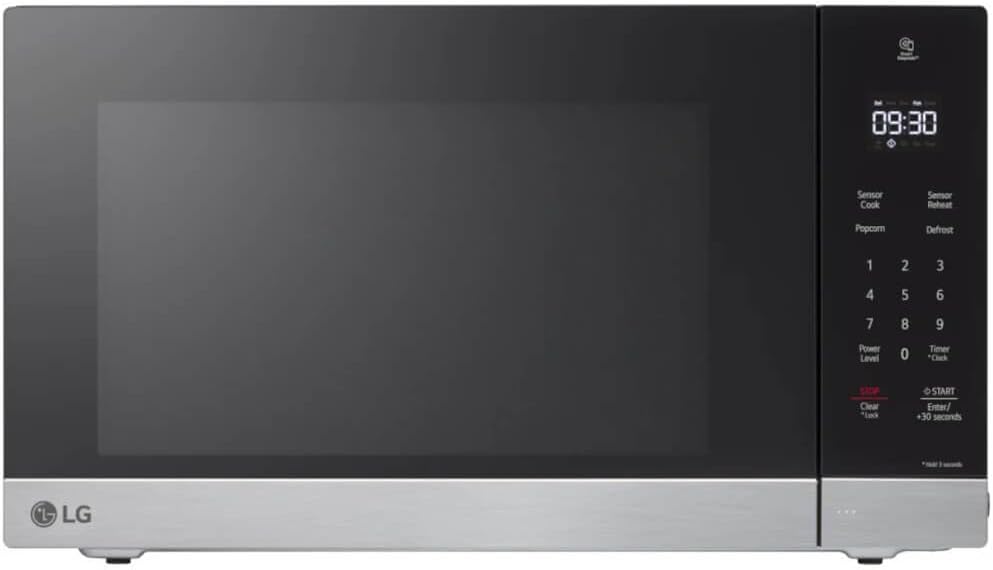
Figure 1: Front view of the LG MSER1590S microwave. This image highlights the modern design, including the stainless steel exterior and the integrated SmoothTouch control panel.
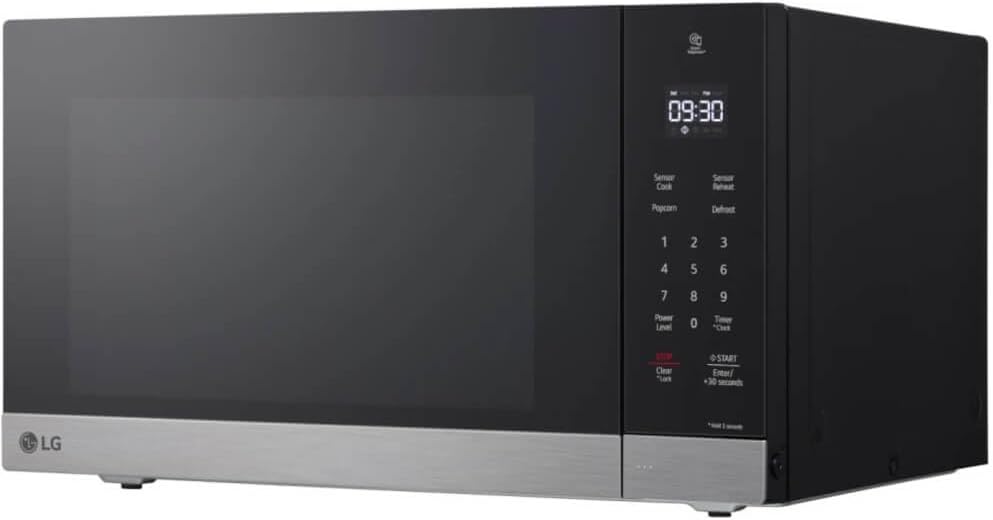
Figure 2: Angled view of the microwave. This perspective showcases the appliance's depth and how it would appear on a kitchen countertop.
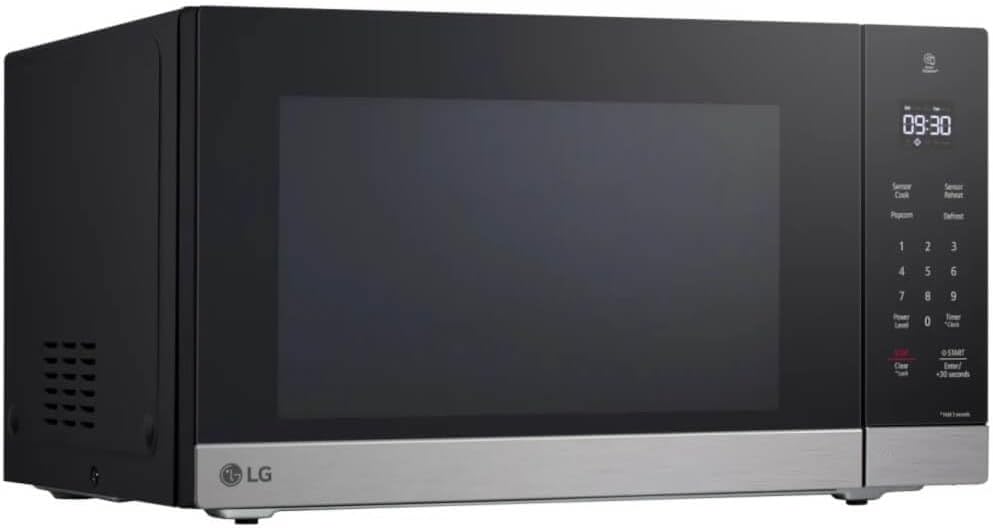
Figure 3: Another angled view, focusing on the left side of the microwave, where ventilation is typically located.

Figure 4: Interior view of the microwave with the door open. This image clearly shows the spacious interior and the removable glass turntable for easy cleaning.

Figure 5: Interior view with food. This image illustrates the practical capacity of the microwave, showing a bowl of vegetables comfortably placed on the turntable.
Setup
- Unpacking: Carefully remove the microwave from its packaging. Remove all packing materials, including the turntable and turntable ring. Inspect the oven for any damage, such as dents or a misaligned door. Do not operate the oven if it is damaged.
- Placement: Place the microwave on a flat, stable surface that can support its weight and the heaviest food item likely to be cooked in it. Ensure there is adequate ventilation space around the unit (at least 4 inches on the top, back, and sides). Do not block air vents.
- Power Connection: Plug the microwave into a properly grounded 120V AC, 60Hz electrical outlet. Do not use an extension cord or adapter.
- Turntable Assembly: Place the turntable ring in the center of the microwave cavity. Then, place the glass turntable securely on top of the ring. Ensure it rotates freely.
Operating Instructions
SmoothTouch Controls
The SmoothTouch control panel provides a seamless and intuitive interface for operating your microwave. Simply touch the desired function or number on the panel.
Basic Cooking
- Place food in a microwave-safe container on the turntable.
- Close the microwave door securely.
- Enter the desired cooking time using the number pad.
- Press START/+30 SECONDS to begin cooking. For quick start, press START/+30 SECONDS repeatedly to add 30-second increments.
- To adjust power level, press POWER LEVEL before pressing START, then enter the desired power level (1-10).
NeoChef Smart Inverter Technology
The NeoChef Smart Inverter technology provides precise and even heating, preventing overcooked edges and uncooked centers. This ensures consistent cooking results for a variety of foods.
Child Lock Function
To prevent accidental operation by children, activate the Child Lock:
- To activate: Press and hold the CLEAR button for 3 seconds. The "L" indicator will appear on the display.
- To deactivate: Press and hold the CLEAR button again for 3 seconds. The "L" indicator will disappear.
Maintenance and Cleaning
Regular cleaning of your microwave will ensure optimal performance and extend its lifespan. The EasyClean Interior makes this process simple.
EasyClean Interior
The EasyClean interior coating allows for quick and easy cleaning without harsh chemicals. Simply wipe away spills and splatters with a damp cloth.
- Interior: Wipe the interior surfaces, including the door seals and turntable support, with a soft cloth and mild detergent. For stubborn stains, place a bowl of water with lemon slices inside and microwave for 2-3 minutes to loosen residue, then wipe clean.
- Exterior: Clean the exterior with a soft cloth and mild soap and water. Avoid abrasive cleaners or solvents.
- Turntable: The glass turntable and turntable ring can be washed in warm, soapy water or in the dishwasher.
Troubleshooting
If you encounter issues with your microwave, refer to the following common problems and solutions:
| Problem | Possible Cause | Solution |
|---|---|---|
| Microwave does not start. | Door not closed properly; Power cord unplugged; Fuse blown or circuit breaker tripped; Child Lock activated. | Ensure door is firmly closed; Check power cord connection; Reset circuit breaker or replace fuse; Deactivate Child Lock (hold CLEAR for 3 seconds). |
| Food is not heating evenly. | Food not stirred or rearranged; Insufficient cooking time; Turntable not rotating. | Stir or rearrange food during cooking; Increase cooking time; Ensure turntable is correctly placed and not obstructed. |
| Oven light not working. | Bulb needs replacement. | Contact customer service for bulb replacement. |
| Excessive steam from door. | Normal during cooking, especially high-moisture foods. | This is normal and not a malfunction. |
Specifications
| Feature | Detail |
|---|---|
| Brand | LG |
| Model | MSER1590S |
| Capacity | 1.5 Cubic Feet |
| Installation Type | Countertop |
| Color | Stainless Steel |
| Item Weight | 32.2 Pounds |
| Product Dimensions (L x W x H) | 25.6 x 18.6 x 13 inches |
| Voltage | 120 Volts (AC) |
| Controller Type | Touch |
| Inner Material Type | Stainless Steel |
| Special Features | SmoothTouch Controls, NeoChef Smart Inverter, Child Lock, EasyClean Interior |
Warranty and Support
For detailed warranty information and customer support, please refer to the warranty card included with your product or visit the official LG website. You can also contact LG customer service for assistance with product registration, technical support, or service requests.
Online Support: Visit www.lg.com/us/support
Telephone Support: Refer to your product documentation for regional contact numbers.