
RERIOU SAT20
RERIOU Robotic Pool Cleaner User Manual
Model: SAT20
Brand: RERIOU
1. Introduction
Thank you for choosing the RERIOU SAT20 Robotic Pool Cleaner. This advanced device is designed to provide effortless and efficient cleaning for your swimming pool, ensuring a pristine environment with minimal manual effort. Featuring smart sonar navigation, wall climbing capabilities, and multiple cleaning modes, the SAT20 is suitable for various pool shapes and surfaces. Please read this manual thoroughly before operation to ensure proper use, maintenance, and longevity of your robotic pool cleaner.
2. Important Safety Information
Always adhere to the following safety guidelines to prevent injury or damage to the product.
- Ensure the charging port is completely dry before connecting the charger.
- Do not operate the cleaner if the water temperature is outside the recommended range (typically 10°C - 35°C / 50°F - 95°F).
- Keep children and pets away from the pool area while the cleaner is in operation.
- Only use the original charger and accessories provided with the unit.
- Do not attempt to disassemble or repair the cleaner yourself. Contact qualified service personnel.
- Remove the cleaner from the pool before adding chemicals or performing backwash operations.
- Avoid operating the cleaner in pools with large bottom drains or heavily wrinkled vinyl liners, as this may cause the unit to get stuck.
3. Package Contents
Verify that all items are present in the package:
- RERIOU SAT20 Robotic Pool Cleaner x 1
- User Manual x 1
- Charger x 1
- Retrieval Hook x 1
- Filter Basket x 1 (pre-installed)

Figure 3.1: Included Accessories and Main Unit
4. Product Overview
The RERIOU SAT20 is a cordless robotic pool cleaner designed for comprehensive pool maintenance. Key features include:
- Dual Brushless Motors: Provides powerful suction and efficient cleaning.
- SonarNav Pro™ Navigation: Intelligent route planning for full pool coverage, avoiding missed spots.
- Wall & Waterline Cleaning: Capable of climbing walls and scrubbing the waterline.
- Large Filter Basket: 3.5L capacity to trap various debris, from fine sand to large leaves.
- Cordless Design: No tangled hoses or external power cords required.
- Multiple Cleaning Modes: Adaptable for floor-only or combined floor/wall cleaning.
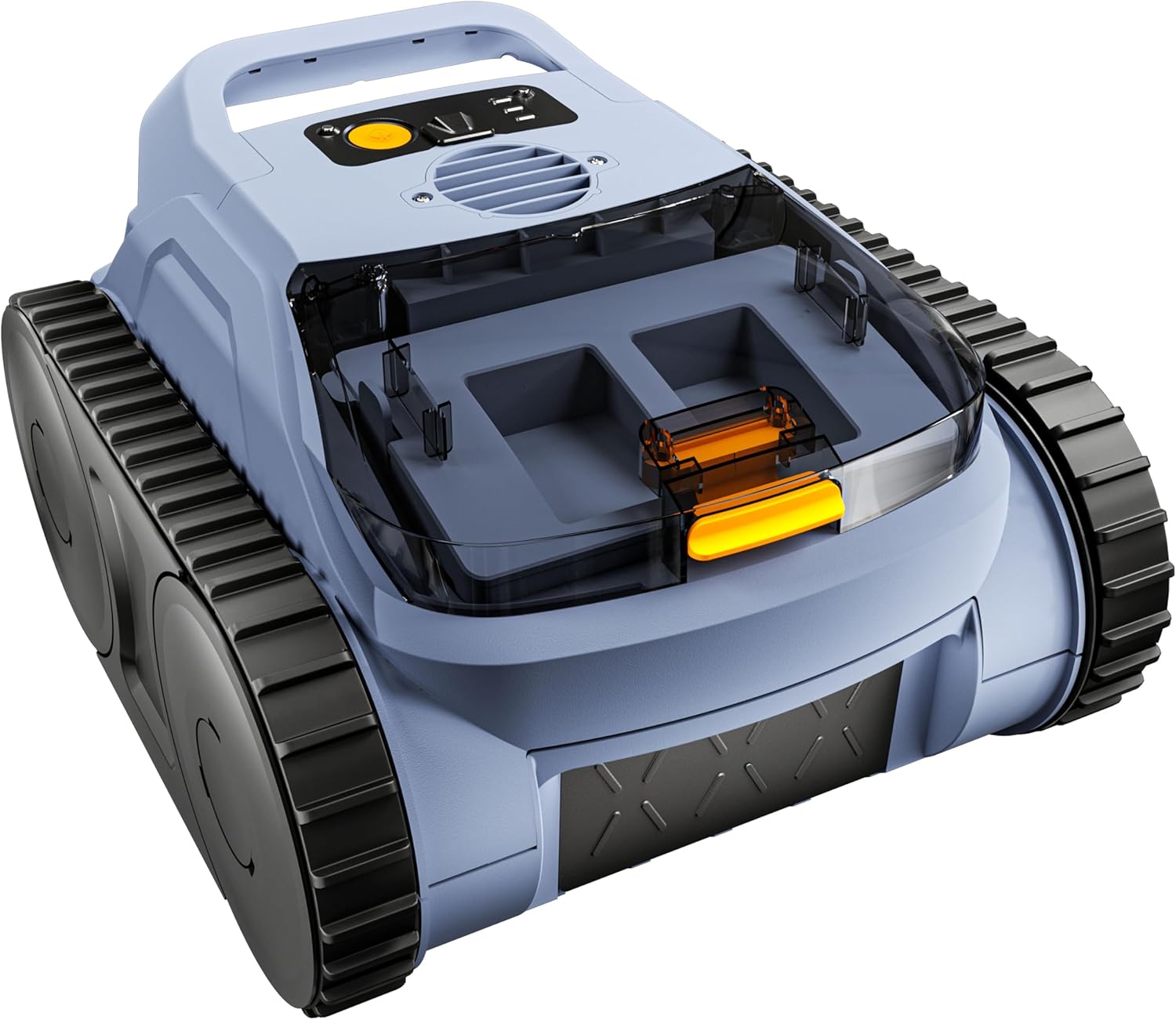
Figure 4.1: RERIOU SAT20 Robotic Pool Cleaner

Figure 4.2: Unrivaled Suction Power
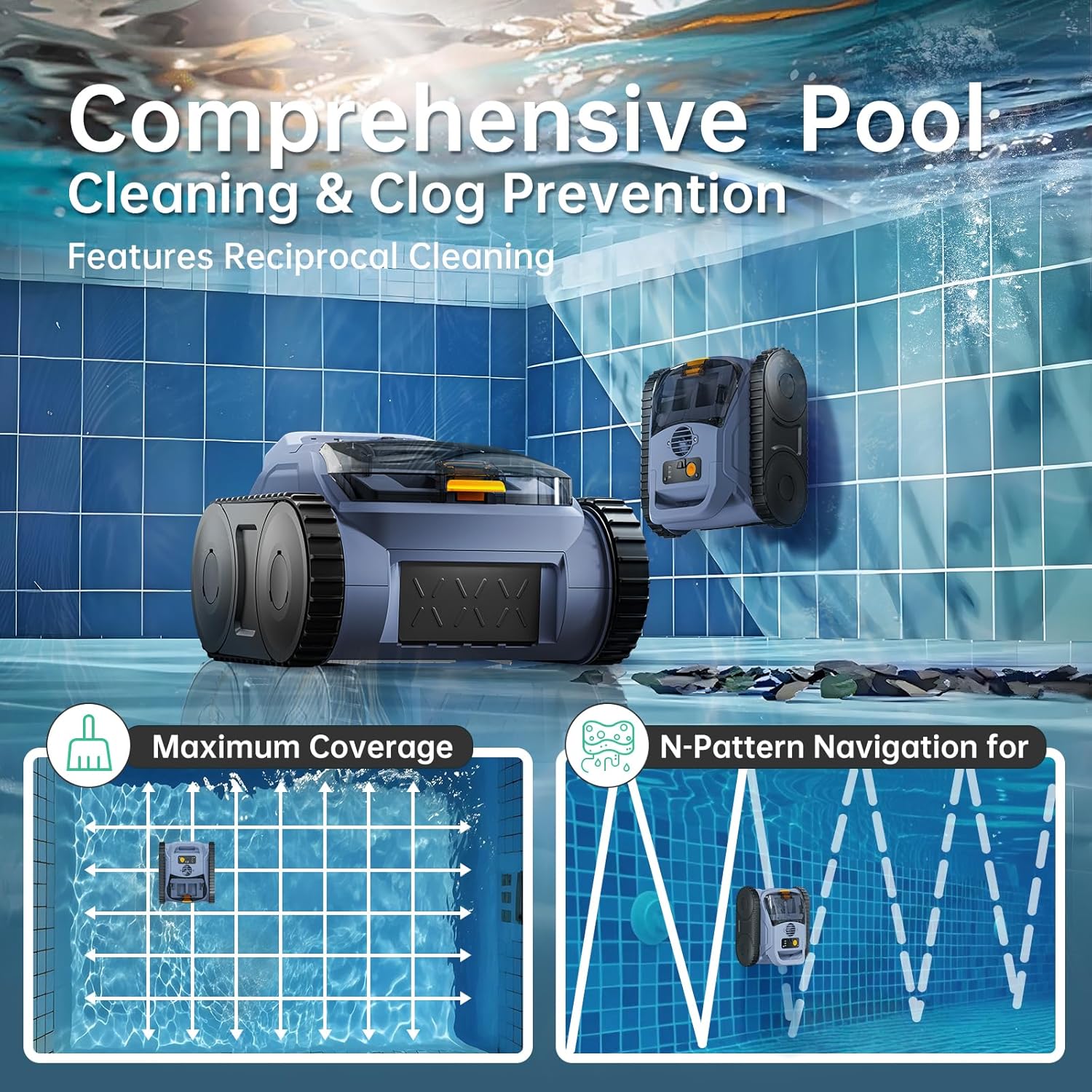
Figure 4.3: Comprehensive Pool Cleaning & Clog Prevention
5. Setup
5.1 Charging the Cleaner
Before first use, fully charge the robotic pool cleaner. A full charge takes approximately 3 hours and provides up to 180 minutes of run time.
- Ensure the cleaner is completely dry before charging.
- Connect the charger to a power outlet and then to the charging port on the cleaner.
- The indicator lights on the cleaner will show the charging status. Once fully charged, the lights will indicate completion.

Figure 5.1: Fast Charging
5.2 Initial Placement in Pool
The RERIOU SAT20 is designed for one-click start with no complex setup required.
- Ensure the cleaner is fully charged.
- Press the power button on the cleaner.
- Gently lower the cleaner into the pool. It will begin operation automatically.
6. Operation
6.1 Cleaning Modes
The RERIOU SAT20 offers multiple cleaning modes to suit your pool's needs:
- Floor Mode: Focuses cleaning on the pool floor, ideal for general debris.
- Wall Mode: Engages wall climbing and waterline scrubbing for a deeper clean.
To switch between modes, press the power button multiple times after turning the unit on. Observe the indicator lights on top to confirm the selected mode.

Figure 6.1: All-Terrain Cleaning Modes

Figure 6.2: Wall Mode Operation
Figure 6.3: Floor Mode Operation
6.2 Smart Navigation
The cleaner utilizes SonarNav Pro™ technology to map your pool and ensure efficient, full coverage. It intelligently avoids overlaps and missed spots, optimizing cleaning time.

Figure 6.4: SonarNav Pro™ Navigation Technology

Figure 6.5: SonarNav Pro™ Precision Navigation
6.3 Retrieving the Cleaner
When the cleaning cycle is complete or the battery is low, the cleaner will typically self-park near a wall for easy retrieval. Use the provided hook to lift the cleaner out of the water.
Video 6.1: Demonstration of the Robotic Pool Cleaner's wall climbing ability and general operation in a pool. This video highlights its movement and cleaning action.
7. Maintenance
7.1 Cleaning the Filter Basket
Regularly clean the filter basket to maintain optimal cleaning performance. It is recommended to clean the filter after each use.
- Remove the cleaner from the pool.
- Open the top cover of the cleaner.
- Remove the filter basket.
- Empty debris from the basket and rinse it thoroughly with a hose.
- Reinsert the clean filter basket and close the top cover securely.

Figure 7.1: Brushless Power and Filter Access

Figure 7.2: Max Capacity, Superior Filtration
7.2 Storage
When not in use for extended periods, store the cleaner in a cool, dry place away from direct sunlight and extreme temperatures. Ensure the battery is partially charged (around 50%) before storage to prolong battery life.
8. Troubleshooting
Refer to the table below for common issues and their solutions:
| Problem | Possible Cause | Solution |
|---|---|---|
| Cleaner does not turn on. | Battery is depleted. | Charge the cleaner fully. |
| Cleaner stops prematurely. | Low battery or filter basket is full. | Recharge the cleaner or clean the filter basket. |
| Poor cleaning performance. | Filter basket is clogged or brushes are worn. | Clean the filter basket. Inspect and replace brushes if necessary (contact support). |
| Cleaner gets stuck. | Obstruction (e.g., large drain, wrinkled liner) or pool depth issue. | Remove obstructions. Ensure pool depth is within 1.64 ft to 16.4 ft. |
| Cleaner does not climb walls. | Not in Wall Mode or insufficient battery. | Ensure Wall Mode is selected. Recharge the cleaner. |
9. Specifications
| Feature | Detail |
|---|---|
| Model Name | SAT20 |
| Brand | RERIOU |
| Power Source | Battery Powered (Lithium-Ion) |
| Battery Voltage | 18.5 Volts |
| Charging Time | Approx. 3 Hours |
| Run Time | Up to 180 Minutes |
| Max Cleaning Area | Up to 2000 Sq.ft (500 sq. ft. up to 4 times) |
| Pool Depth Compatibility | 1.64 feet to 16.4 feet |
| Filter Basket Capacity | 3.5 Liters |
| Item Weight | 13.5 Pounds |
| Product Dimensions | 14"L x 9"W x 13"H |
| Control Method | Touch |
| Material | Plastic |
| Color | Sky Blue |
| UPC | 705735514272 |
10. Warranty & Support
The RERIOU SAT20 Robotic Pool Cleaner comes with a Limited Warranty. For detailed warranty information, please refer to the warranty card included in your package or contact RERIOU customer support.
For technical assistance, troubleshooting, or replacement parts, please contact our customer support team:
- Email: [Insert Customer Support Email Here]
- Phone: [Insert Customer Support Phone Number Here]
- Website: Visit the RERIOU Store on Amazon
Please have your model number (SAT20) and purchase date ready when contacting support.
Ask a question about this manual
Ask about setup, troubleshooting, compatibility, parts, safety, or missing instructions. Manuals+ will review the question and use this page’s manual context to help answer it.