
Introduction
This manual provides essential information for the safe and effective use of your TODI Magnetic iPhone Tripod. Designed for ease of use and versatility, this tripod offers a secure magnetic attachment for your smartphone, adjustable height, and a remote control for enhanced photography and videography.
Please read this manual thoroughly before operating the device and retain it for future reference.
Product Overview
Components Included
- TODI Magnetic Phone Tripod
- Metal Ring (for non-Magsafe devices)
- Bluetooth Remote Control (integrated or detachable)
Product Diagram
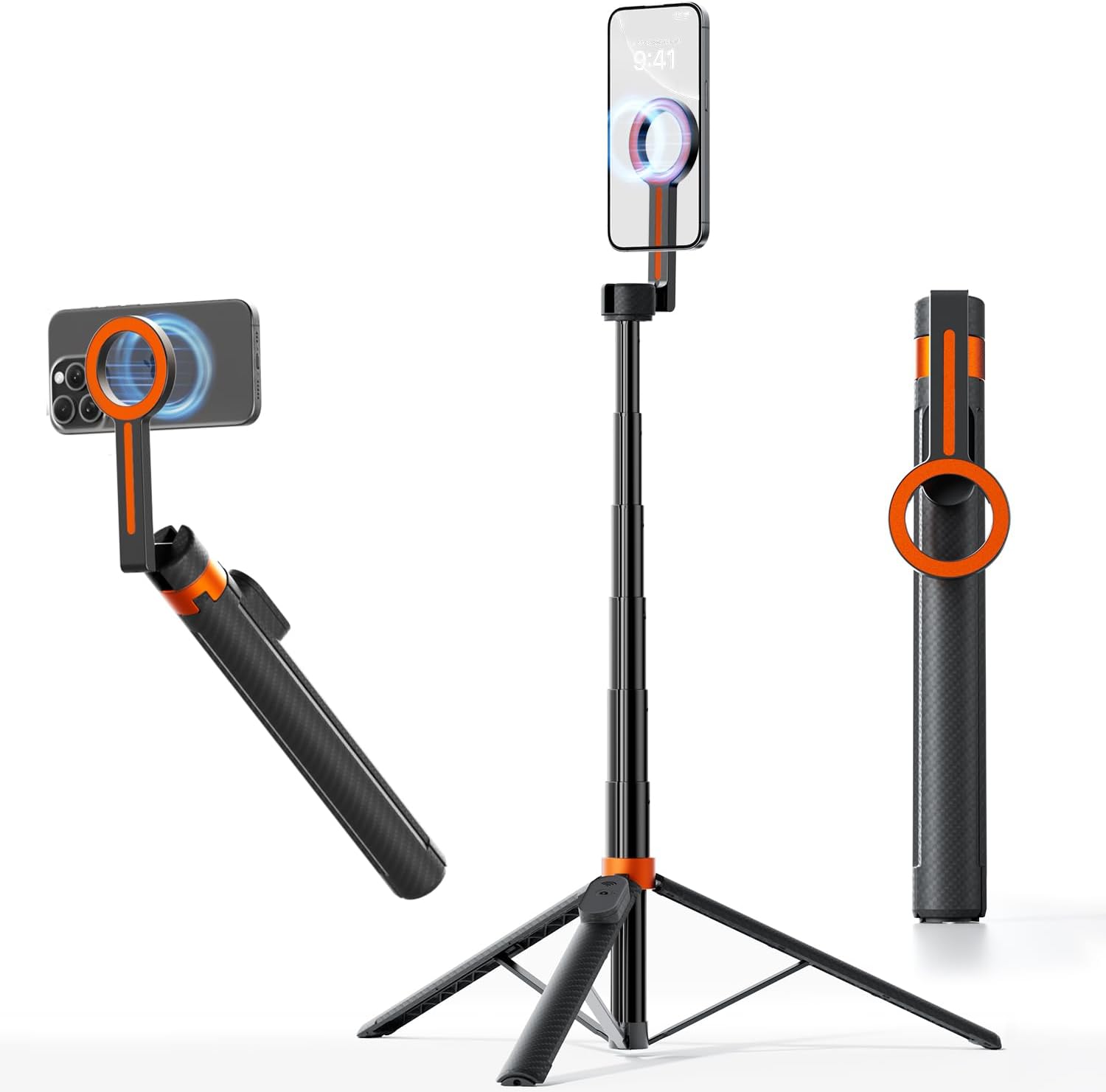
An illustration showing the TODI Magnetic iPhone Tripod in various configurations: as a handheld selfie stick, a freestanding tripod, and folded for storage. The magnetic phone mount and extendable pole are clearly visible.
Setup Instructions
1. Unfolding the Tripod
- Gently pull the base of the tripod to extend the legs outwards until they lock into a stable position.
- Extend the telescopic pole to your desired height by pulling the sections upwards. Ensure each section is securely locked.
2. Attaching Your Smartphone
The tripod features a powerful magnetic mount for quick and secure attachment.
- For Magsafe-compatible iPhones (iPhone 12/13/14/15 series): Simply align your iPhone with the magnetic mount. The powerful N52 neodymium magnets will securely attach your device.
- For other smartphones or non-Magsafe cases: Use the included metal ring. Peel off the adhesive backing and center the metal ring on the back of your phone or phone case. Press firmly for 30 seconds. Once the ring is attached, you can magnetically mount your phone to the tripod.

An image illustrating the strong magnetic connection between the tripod mount and an iPhone, highlighting the secure hold provided by N52 neodymium magnets, capable of holding up to 3 kg.

An image demonstrating the tripod's compatibility with various smartphones. It shows direct Magsafe attachment for iPhone 12/13/14/15/16 series and the use of an included magnet ring for other smartphones or non-Magsafe cases.
Operating Instructions
1. Adjusting Height and Angle
- Height Adjustment: The telescopic pole can be extended up to 65 inches (165.1 cm) for various shooting perspectives. Adjust by pulling or pushing the pole sections.
- Angle Adjustment: The magnetic mount allows for a tilt range of up to 210° and a full 360° rotation, enabling you to capture content from virtually any angle. Simply pivot the phone mount to your desired position.
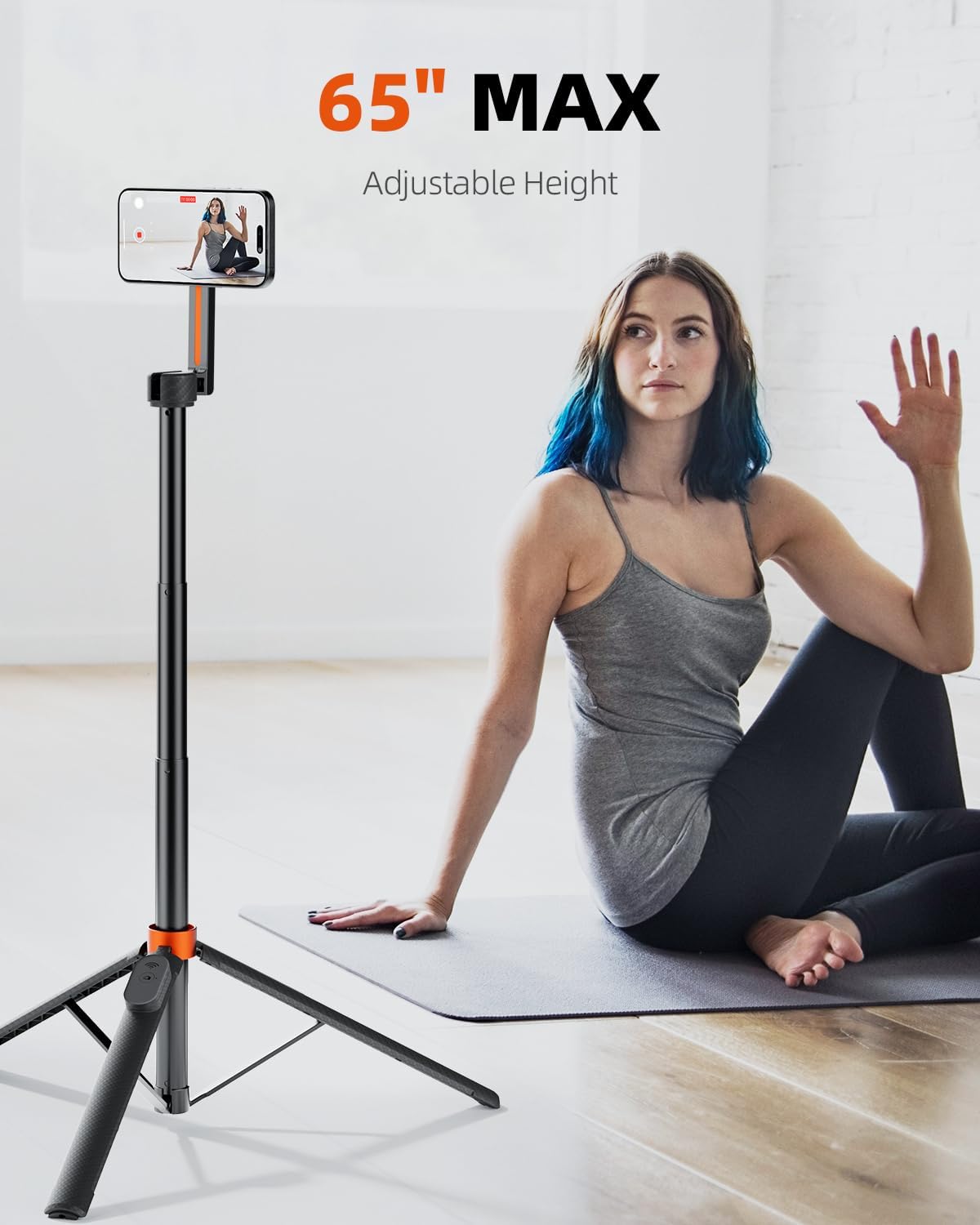
A visual representation of the tripod extended to its maximum height of 65 inches, with a smartphone mounted, demonstrating its use for various activities like fitness recording.
2. Using the Bluetooth Remote Control
The detachable Bluetooth remote control allows for hands-free photo and video capture.
- Pairing: Turn on the remote control. On your smartphone, go to Bluetooth settings and select the remote (usually named 'TODI Remote' or similar) to pair.
- Operation: Once paired, open your camera app. Press the button on the remote to take photos or start/stop video recording.

An image depicting a person using the wireless Bluetooth remote to capture a photo with a smartphone mounted on the tripod, emphasizing hands-free operation for group shots or selfies.
Maintenance
- Cleaning: Wipe the tripod with a soft, dry cloth. Avoid using harsh chemicals or abrasive materials that could damage the finish.
- Storage: When not in use, fold the tripod completely and store it in a cool, dry place away from direct sunlight and extreme temperatures.
- Magnetic Mount: Keep the magnetic surface clean and free of debris to ensure optimal grip.
Troubleshooting
- Problem: Phone does not attach securely to the magnetic mount.
- Solution: Ensure your iPhone is Magsafe-compatible (iPhone 12 series or newer) or that you have correctly applied the included metal ring to your phone or case. Check that the magnetic surface is clean and free of obstructions.
- Problem: Bluetooth remote control is not connecting or functioning.
- Solution:
- Ensure the remote control is powered on.
- Check the remote's battery level. Replace or recharge if necessary.
- Unpair and re-pair the remote control with your smartphone via Bluetooth settings.
- Ensure your smartphone's Bluetooth is enabled and within range.
- Problem: Tripod legs are unstable or difficult to extend.
- Solution: Ensure the legs are fully extended and locked into position. Avoid placing the tripod on uneven surfaces. Do not overload the tripod beyond its intended capacity.
Specifications
| Feature | Detail |
|---|---|
| Brand | TODI |
| Model | TDST03ORUS |
| Color | Orange |
| Material | Aluminium |
| Maximum Height | 65 Inches (165.1 cm) |
| Minimum Height | 12 Inches |
| Folded Size | 12 Inches |
| Magnetic Force | Up to 3 kg (N52 Neodymium Magnets) |
| Tilt Range | Up to 210° |
| Rotation Range | 360° |
| Compatible Devices | Smartphones, iPhone (12/13/14/15 Pro, Pro Max, Mini) |
| Special Features | Lightweight, Foldable, Portable, Telescopic, Remote Control |
| Remote Control Battery Type | Lithium-ion |
| Product Dimensions (L x W x H) | 30.48 x 30.48 x 165.1 cm |
| Product Weight | 362.87 grams |
Warranty and Support
This TODI product is covered by a standard manufacturer's warranty against defects in materials and workmanship. Please refer to the product packaging or the official TODI website for specific warranty terms and duration.
For technical support, troubleshooting assistance, or warranty claims, please contact TODI customer service through the contact information provided on your purchase receipt or the official TODI website.